Best Word Alternatives in 2026: 9 Tools Compared

How we put this together: we compare official feature and pricing pages, app store listings, privacy policies and public user reviews. Prices change, so check the provider's site before you pay.
Key takeaways
- Google Docs is our pick for most people who want a free Microsoft Word alternative, because real time collaboration and sharing just work.
- LibreOffice Writer is the best offline Word alternative, with a full desktop word processor at no cost and no account required.
- WPS Office Writer suits users who want a Word like interface free, with templates and PDF tools, though ads appear on the free tier.
- Zoho Writer and ONLYOFFICE are strong for teams that want free editing with different privacy, hosting or collaboration models.
- Always test a DOCX export with a real document before you switch, since formatting can shift between word processors.
Quick comparison
| Name | Who it suits | Starting price | Free option | |
|---|---|---|---|---|
 Google Docs | Real time collaboration | Free | Yes | Visit |
 LibreOffice Writer | Offline desktop writing | Free | Yes | Visit |
 WPS Office Writer | Word like interface | Free | Yes | Visit |
 Zoho Writer | Free online writing | Free | Yes | Visit |
 ONLYOFFICE Docs | Office compatibility | Free | Yes | Visit |
 Apple Pages | Apple device writing | Free | Yes | Visit |
 Microsoft Word for the web | Native Word files free | Free | Yes | Visit |
 Dropbox Paper | Lightweight team notes | Free | Yes | Visit |
 FocusWriter | Distraction free writing | Free | Yes | Visit |
The best word alternatives
Most people do not need every feature in Microsoft Word. They need a tool that opens DOCX files, handles everyday formatting, and lets them share or print without surprises. The nine tools below cover that range, from free online editors to offline desktop apps. Our pick for most users is Google Docs for collaboration, with LibreOffice Writer as the best offline alternative.
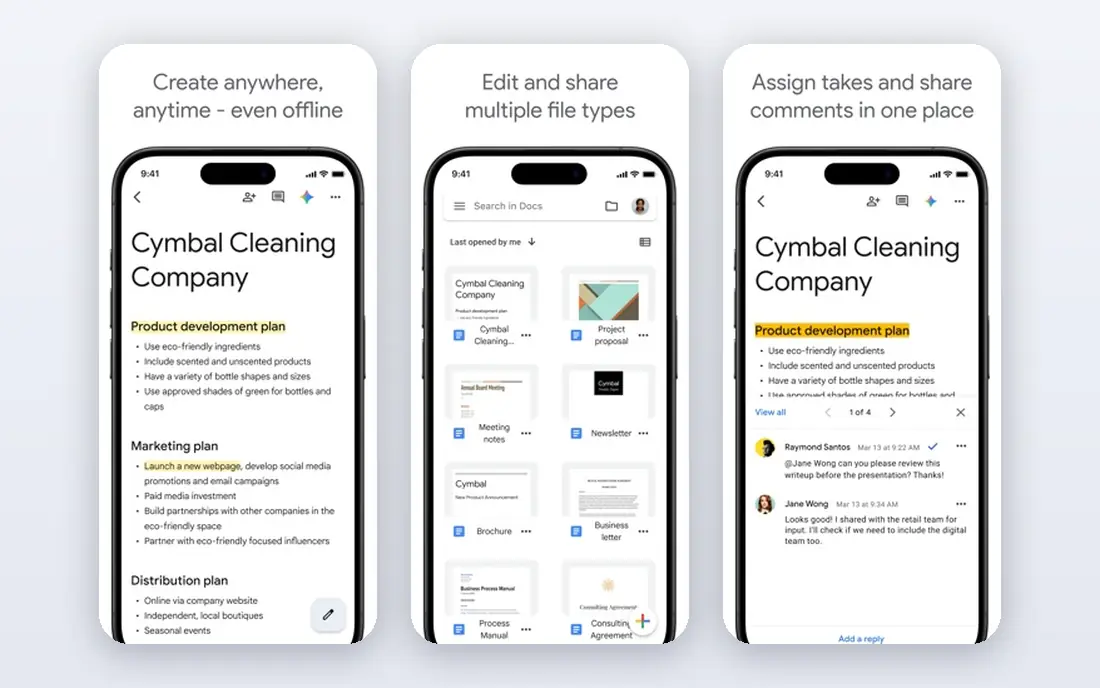
Google Docs is the strongest free Microsoft Word alternative for teams and students, because sharing a link and editing together works without setup. Real time comments, suggestions and version history make group writing simple, and autosave to Google Drive removes the risk of losing work. Voice typing, add ons and templates cover most everyday writing needs, and 15 GB of shared Drive storage covers documents for many users. The weakness is offline and complex formatting. Offline mode needs setup in Chrome, and very complex Word documents with advanced styles, fields or tracked changes can shift on import. For everyday letters, essays, reports and proposals, Docs is more than enough. For a final document that must match Word exactly, test the DOCX export first.
- Real time editing and comments
- Autosave to Drive
- Strong add ons and voice typing
- Needs internet for full collaboration
- Complex Word formatting can shift on import
LibreOffice Writer is the best offline Word alternative for writers who want a full desktop word processor without a subscription or account. It handles long documents, styles, tables, images and PDF export well, and it opens and saves DOCX files alongside its native OpenDocument format. For a solo writer, a privacy focused user, or a student on an older computer, Writer offers serious depth at no cost. The trade off is collaboration and polish. Real time collaboration is not built in, so teams need a workaround such as Nextcloud or file sharing, and the interface feels less modern than Google Docs or Word. Budget a short learning period for Calc if you also switch spreadsheets, but Writer itself is familiar to most Word users within a day or two.
- Fully offline and free
- Strong styles and long document tools
- No account or subscription
- Interface feels dated to some users
- Real time collaboration is limited
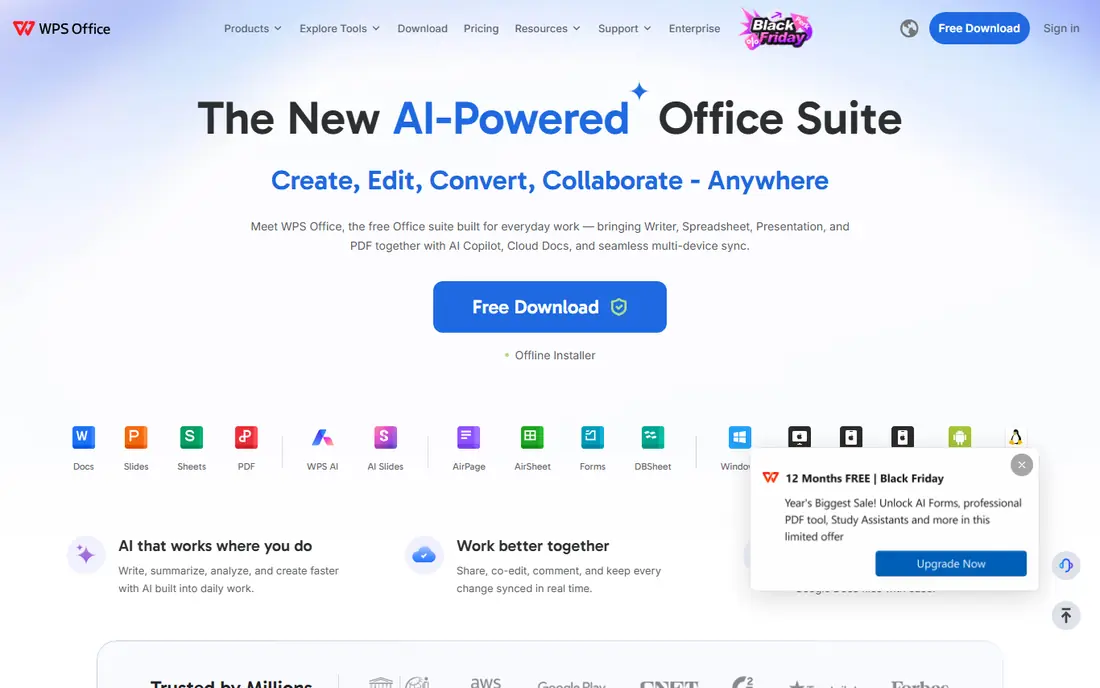
WPS Office Writer suits users who want a free editor that looks and feels like Word. Its ribbon interface, templates and PDF tools make the switch easy, and it runs on Windows, Mac, Linux, Android and iOS. For a user who dislikes the Google Docs interface or needs a Word like layout on a phone, WPS is a practical free choice. The free tier shows ads, and some advanced features sit behind a paid plan, with recent guides listing WPS Pro around $69.99 per year for PC and Android pricing. That cost is still lower than Microsoft 365 for many users, but a user who wants a fully ad free free tool should look at LibreOffice or Google Docs instead.
- Familiar Word like layout
- Templates and PDF tools
- Works on desktop and mobile
- Free tier shows ads
- Some advanced features need a paid plan
Zoho Writer is a free online word processor with a clean interface, real time collaboration and an offline mode that many web editors lack. It handles everyday documents well, with styles, tables, images and comments, and it offers document automation credits for teams that need mail merge style workflows. For a user who wants a Google Docs replacement without a Google account, Zoho is a strong free option. The limit is ecosystem. Zoho Writer charges only for WorkDrive team plans and extra automation credits in recent guides, so editing itself stays free, but its add on library is smaller than Google Docs. Teams already in Zoho Workplace will get the most value, while Google Workspace teams may prefer Docs for integration.
- Free editing with offline mode
- Clean interface
- Document automation options
- Team features use WorkDrive plans
- Smaller add on ecosystem than Google Docs
ONLYOFFICE Docs suits teams that need close Office compatibility and control over hosting. Its editors handle DOCX, XLSX and PPTX files with high fidelity, and collaborative editing works in the browser or through a self hosted server. The community server is free, while cloud plans are priced per admin, with recent guides listing Business at $20 per admin per month. The trade off is setup and pricing model. Self hosting takes technical work, and cloud pricing per admin can confuse a small team budgeting per user. For a team that exchanges Office files daily and wants to host its own documents, ONLYOFFICE is worth testing. For a solo writer, Google Docs or LibreOffice is simpler.
- Strong Office file compatibility
- Self hosting option
- Collaborative editing
- Cloud pricing is per admin
- Setup for self hosting takes technical work
Apple Pages is free on Mac, iPhone and iPad, and through iCloud on the web, which makes it the natural Word alternative for Apple users. Its templates for letters, reports, resumes and newsletters are polished, and iCloud sharing allows real time collaboration with other Apple and web users. For a Mac owner who writes everyday documents, Pages requires no new purchase or account beyond Apple ID. The limit is Word fidelity for complex work. Pages opens and exports DOCX files, but advanced Word styles, fields and tracked changes can shift, so a final document for a Word based client should be tested in DOCX form. Pages is best for Apple centred work, not as a drop in Word replacement for enterprise document exchange.
- Free on Apple devices
- Polished templates
- ICloud sharing and collaboration
- Apple focused
- Word formatting can shift on export for complex documents
Microsoft Word for the web is the simplest free alternative for occasional Word tasks, because it uses the native Word format in a browser at no cost. It handles basic formatting, comments and sharing, and it is ideal for a user who only needs Word a few times a month and does not want a subscription. Files stay in OneDrive, with 5 GB free in recent guides for the web version. The weakness is feature depth and offline use. Advanced Word features, such as advanced styles, macros and full tracked change tools, need a Microsoft 365 subscription, and the web version needs internet. Use Word for the web for occasional native Word work, and a paid plan or another editor for daily heavy writing.
- Native Word format
- Free in a browser
- Familiar Word interface
- Needs internet
- Advanced features need a Microsoft 365 subscription
Dropbox Paper suits teams that need lightweight shared notes, briefs and project docs rather than formal Word documents. Its minimal interface, real time editing, media embeds and task lists make it easy to draft a brief, collect feedback and assign next steps in one place. It is free with a Dropbox account, which many teams already have for file storage. Paper is not a full word processor, so long formal documents with complex styles, headers and footers are better in Google Docs, LibreOffice or Word. Use Paper for team notes and briefs, and move to a full editor when a document needs formal formatting or print layout.
- Minimal interface
- Real time collaboration
- Media embeds and task lists
- Not a full word processor
- Limited for long formal documents
FocusWriter is a free distraction free editor for writers who want to focus on words, not toolbars. It offers a full screen writing view, timers, daily goals and themes, with support for common formats including DOCX and plain text. It runs on Windows, Mac and Linux, and its portable version suits writers who work on different computers. The limit is scope. FocusWriter has no collaboration, and its formatting tools are lighter than a full word processor, so it is not the right tool for a team document or a formal report with complex styles. Use it for drafting, then move the draft to Google Docs, LibreOffice or Word for formatting and sharing.
- Distraction free full screen writing
- Timers and daily goals
- Fast and portable
- No collaboration
- Limited formatting for formal documents
How we picked these
We checked vendor homepages and app listings, plus recent free word processor guides that listed pricing in October 2026. We favoured tools that are actively available, that open or export DOCX files, and that offer a free tier or a clear low cost path. Prices are starting prices from vendor or guide listings, and we used See website where pricing is bundled with a suite. We did not claim hands on testing, and we recommend testing DOCX export with a real document before a full switch.
How to switch from Word without breaking documents
Start with a test set, not your whole archive. Pick five real documents, a letter, a report with tables, a resume, a document with images, and a document with tracked changes, and open each in your chosen alternative. Export each back to DOCX and open it in Word or Word for the web to check formatting, page breaks and images.
Keep Word for final delivery when needed
If a client, school or employer requires Word files, keep Word for the web free for final checks, even if you draft elsewhere. That hybrid workflow gives you free drafting plus native delivery, without a subscription. Over time, you may find you need Word less often, but keeping a free check path avoids a formatting surprise on an important document.
Choose by how you work, not by feature count
A solo offline writer should choose LibreOffice, a team writer should choose Google Docs or Zoho Writer, and an Apple user should start with Pages. A writer who needs a Word like interface free should try WPS, while a team that needs self hosting should test ONLYOFFICE. The best alternative is the one that fits your daily workflow, not the one with the most features.
Frequently asked questions
What are the best free Microsoft Word alternatives?
The best free Microsoft Word alternatives are Google Docs for collaboration, LibreOffice Writer for offline writing, and WPS Office Writer for a Word like interface. Zoho Writer and ONLYOFFICE are also strong free options for teams. All five handle everyday documents free, with paid plans only for advanced team or storage features.
Is Google Docs a good alternative to Word?
Yes, Google Docs is a good alternative to Word for most everyday writing, with real time collaboration, autosave and sharing that many teams prefer to Word. It struggles with very complex Word formatting and offline use without setup, so test DOCX export for complex documents. For letters, essays, reports and team docs, Docs is an excellent free replacement.
What is the best alternative to MS Word for offline use?
LibreOffice Writer is the best alternative to MS Word for offline use, because it is a full desktop word processor that works without internet, an account or a subscription. It opens and saves DOCX files and handles long documents well. WPS Office and Apple Pages also work offline on desktop, but LibreOffice is the most complete free offline choice.
Can I open Word files in these alternatives?
Yes, all the tools on this list open DOCX files, and most can save back to DOCX. Formatting can shift for complex documents, especially with advanced styles, fields or tracked changes, so test a real document before you rely on a new editor for client work. Simple documents usually transfer cleanly.
Do I need Microsoft 365 to use Word at all?
No, Microsoft Word for the web is free in a browser for basic editing, with 5 GB of OneDrive storage in recent guides. A Microsoft 365 subscription adds desktop Word, advanced features and more storage, but it is not required for occasional Word tasks. Many users combine Word for the web for final checks with a free editor for daily drafting.
Which Word alternative is best for students?
Google Docs is best for most students, because it is free, collaborative and autosaves to Drive, which helps for group projects and coursework. LibreOffice Writer is best for students who need offline work or who prefer a desktop app. Both are free, so a student can use Docs for group work and LibreOffice for offline drafting without paying for either.
Sources we checked (9)

Online Jobs is an independent blog about careers, online work, learning new skills and the tools that help people earn. More about us.
Keep reading
All posts
Zoom Alternatives
Zoom alternatives compared for 2026: Google Meet, Microsoft Teams, Webex, Jitsi and more for free calls, large meetings and webinars for teams and classrooms.

Which Software Is Best for Data Entry
Compare the best data entry software for forms, OCR scanning, and spreadsheets, with free plans, pricing, and honest limits for each tool before you commit.

What's the Best App to Read PDFs
Find what's the best app to read PDFs in 2026, from Adobe Acrobat Reader and Foxit to PDF Expert and Xodo, with free options and honest limits for every device.