Best Weather App in 2026: 9 Compared

How we put this together: we compare official feature and pricing pages, app store listings, privacy policies and public user reviews. Prices change, so check the provider's site before you pay.
Key takeaways
- Apple Weather is the best free default for iPhone users who want a clean daily forecast.
- The Weather Channel and AccuWeather offer the broadest free forecasts, alerts and radar for most people.
- Windy and MyRadar are the best free choices for maps, wind and storm detail.
- CARROT Weather is the best paid upgrade for customisation, widgets and multiple data sources.
- For Colorado, check mountain forecasts and radar separately, because valley and peak weather can differ sharply.
Quick comparison
| Name | Who it suits | Starting price | Free option | |
|---|---|---|---|---|
 Apple Weather | iPhone daily use | Free | Yes | Visit |
 The Weather Channel | Broad free forecasts | Free | Yes | Visit |
 AccuWeather | Minute-by-minute rain timing | Free | Yes | Visit |
 CARROT Weather | Customisation and widgets | $4.99 per month | Yes | Visit |
 Windy | Wind and map detail | Free | Yes | Visit |
 MyRadar | Fast radar | Free | Yes | Visit |
 Ventusky | Visual maps | Free | Yes | Visit |
 Foreca | Clean European and global forecasts | Free | Yes | Visit |
 Hello Weather | Simple, ad-free design | Free | Yes | Visit |
The best weather app
We compared official app store listings, feature pages and public reviews for apps that work today on iPhone and Android. Our pick for most people is The Weather Channel for a free all-rounder, with Apple Weather as the simplest free default on iPhone. If you want the best free weather app, start with those two before you pay.
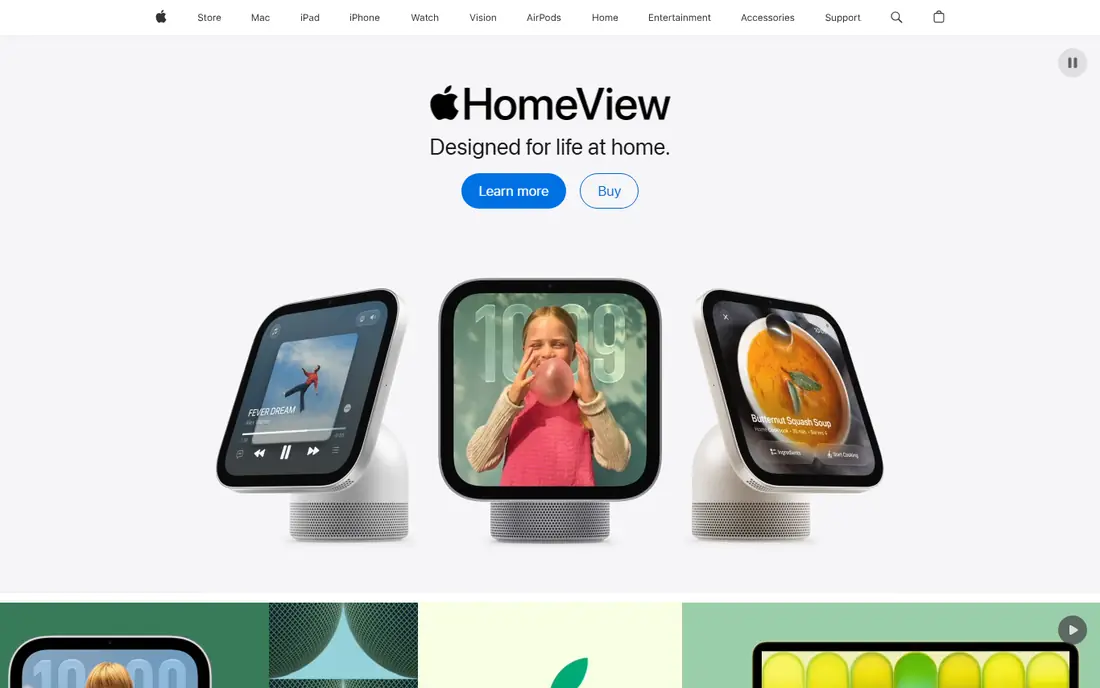
Apple Weather is the easiest answer for iPhone users, because it is already on the phone and needs no setup. It shows current conditions, hourly forecasts, a 10-day outlook, precipitation charts and severe weather alerts in a calm design. For a quick check before you leave home, it is hard to beat for speed.
Specialist users will notice limits. Radar layers, wind models and custom alerts are thinner than in Windy or MyRadar, and you cannot switch data sources. Use Apple Weather for daily planning, and add a radar app when storms matter.
- Built into iPhone, iPad and Mac
- Clean hourly and 10-day forecasts
- No extra account needed
- Less radar detail than specialist apps
- Data source choice is limited
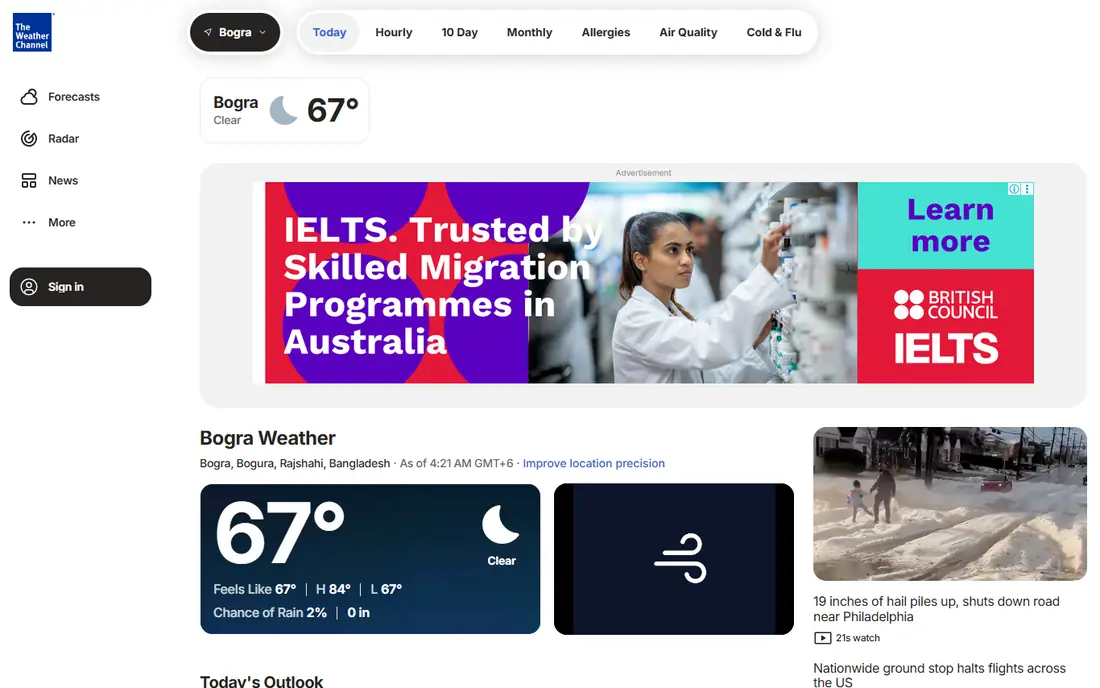
The Weather Channel remains a strong free default on both platforms, with detailed hourly forecasts, radar, allergy and air quality data, and storm tracking. Its future radar helps you see where rain is heading, not just where it is now, which is useful for travel and outdoor plans. The app also covers US locations in depth, including Colorado towns and ski areas.
Ads are the main annoyance in the free version, and some advanced features sit behind a premium plan. If ads do not bother you, the free version covers most daily needs well. If you open the app many times a day, the paid plan may be worth it for a cleaner view.
- Wide coverage and severe alerts
- Future radar
- Free on iPhone and Android
- Free version has ads
- Premium plan needed to remove ads and add features
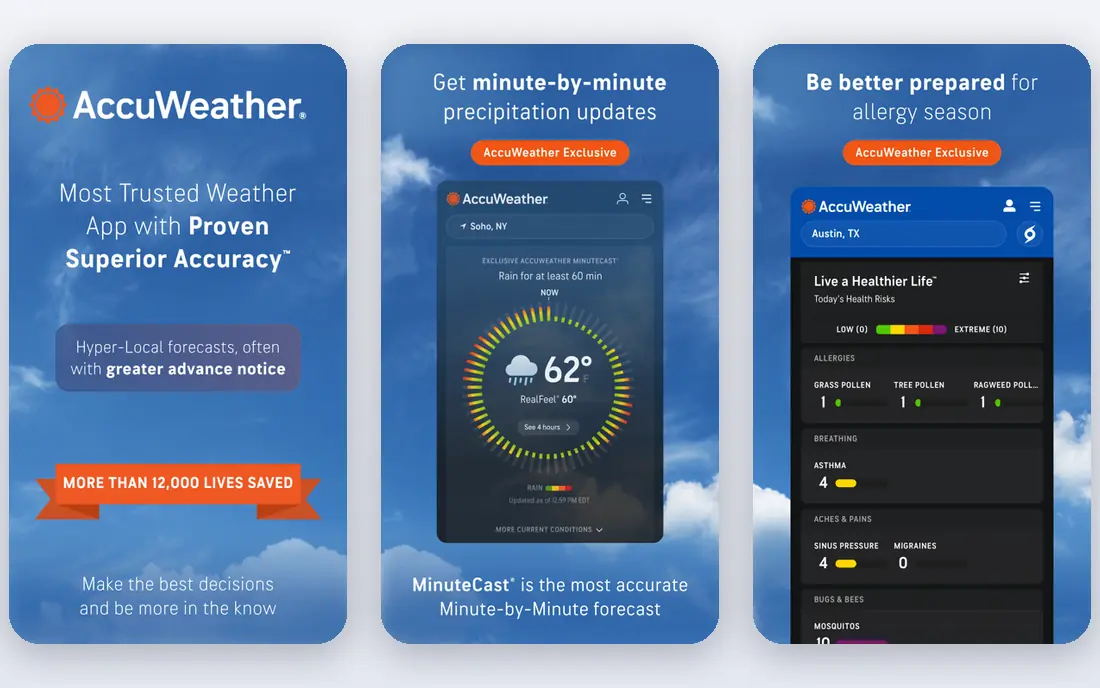
AccuWeather is best known for MinuteCast, which estimates rain start and stop times for your exact location over the next few hours. That detail helps when you need to decide whether to walk, cycle or wait out a shower. It also offers hourly, daily and extended forecasts, plus severe weather alerts.
The free app includes ads, and the premium tiers that remove them cost more than they used to, with the top tier reported around $29.99 per year in recent reviews. If MinuteCast is the feature you value most, that cost may still be justified. If not, The Weather Channel gives you a similar free package.
- MinuteCast rain timing for the next few hours
- Hyperlocal forecasts
- Strong alert options
- Free version has ads
- Ad-free premium pricing has risen in recent years
CARROT Weather is the app for people who want to shape every detail, from the data source to the layout, widgets and notifications. You can pick a forecast provider that performs best in your area, build custom views, and use strong Apple Watch and widget support. Its dry humour is optional, and you can turn it down to a straight forecast.
The free version is limited, and Premium starts at $4.99 per month, with higher tiers for more features and family sharing. That price is fair if you check weather often and value widgets, but casual users will get enough from a free app.
- Choice of data sources
- Rich widgets and Apple Watch support
- Personality and custom layouts
- Best features need a paid plan
- Android version is less complete than iOS
Windy is a favourite among sailors, pilots, hikers and anyone who cares which forecast model is which. It shows wind, rain, temperature, clouds and waves on detailed maps, and lets you compare models such as ECMWF and GFS. That comparison helps in mountains and coastal areas, where models often disagree.
Beginners may find the maps busy at first, because Windy shows a lot of data at once. Start with the basic rain and wind layers, then add more layers as you learn what each one means. For Colorado, Windy is useful for checking wind and snow at different elevations.
- Multiple forecast models
- Detailed wind, rain and cloud maps
- Free with no ads in the basic app
- Interface can overwhelm beginners
- Forecast detail needs some learning
MyRadar does one job very well, which is radar. It loads quickly, shows rain, storms and warnings clearly, and lets you track cells as they move. During severe weather, that speed and clarity matter more than a long written forecast, and many storm watchers keep it alongside a daily forecast app.
It is not a complete replacement for a forecast app, because hourly and daily text forecasts are less detailed. Pair MyRadar with Apple Weather or The Weather Channel, and you get the best of both, with radar when it matters most.
- Fast, high-resolution radar
- Storm and warning layers
- Simple to read at a glance
- Forecast features are thinner than full weather apps
- Some features need a paid upgrade
Ventusky presents weather as a visual map first, with animated rain, wind and temperature layers that make patterns easy to grasp. It covers the world, not just the US, and its snow and cloud layers help with ski and travel planning. The web version is also strong for planning on a larger screen.
If you only want a short text forecast for tomorrow, Ventusky may feel like more than you need. It shines when you want to see a storm system, a cold front or a wind pattern across a region, rather than a single town forecast.
- Beautiful global maps for rain, wind, temperature and snow
- Free basic use
- Web and app versions
- Paid tiers needed for advanced layers
- Less focus on simple daily text forecasts
Foreca is a clean, quiet app with free forecasts, radar and alerts, and a reputation for accurate short-term forecasts in many regions. Its design avoids clutter, which suits users who want a quick, readable forecast without extra news or video content. Ad removal is inexpensive compared with some rivals.
For US users, Foreca works well for daily forecasts, but The Weather Channel and AccuWeather offer deeper US storm coverage. Foreca is a good second app for travel, or a main app if you prefer a simple interface and global coverage.
- Clean design
- Free radar and alerts
- Good global coverage
- US severe weather detail is thinner than US-focused apps
- Ad removal is a small paid plan
Hello Weather stands out because its free version has no ads, which is rare among free weather apps. The layout is simple, with current conditions, hourly and daily forecasts, and a clear design that is easy to read at a glance. Pro adds radar, widgets and more customisation for users who want them.
The trade-off is scale. Hello Weather does not have the storm news operation of The Weather Channel or the model depth of Windy, so serious storm watchers will still want a radar app beside it. For everyday use, its calm, ad-free design is a genuine advantage.
- No ads in the free version
- Clean layout
- Pro adds radar, widgets and more
- Radar and advanced features need Pro
- Smaller team than major weather brands
How we picked these
We compared official app store listings, feature pages and public reviews, and we opened each homepage to confirm it belongs to the named product. We favoured apps that work today on iPhone and Android where possible, offer a usable free tier, and cover a distinct need, such as daily forecasts, radar, wind maps or customisation. Prices change with app store regions, so check the current in-app price before you subscribe.
How to pick for your area
Check the data source for your town
No single forecast model wins everywhere, so test two apps in your town for a few weeks and note which one matches local rain and temperature best. In Colorado, also check elevation, because a forecast for a valley town may not match a nearby ski resort. CARROT Weather and Windy help here, because they let you compare sources or models.
Keep a radar app for storms
A daily forecast app tells you rain is likely, but a radar app shows where the storm is now and where it is heading. MyRadar and Windy both fill that role, and they are free for basic use. During severe weather, also follow official warnings from the National Weather Service, not just an app alert.
Decide what paying actually buys
Most paid weather plans buy ad removal, widgets, extra radar layers or more data sources, not a fundamentally different forecast. If you check weather once a day, free is enough. If you check it many times a day, or you rely on widgets and a watch, a paid plan can be worth the small monthly cost.
Frequently asked questions
What is the best weather app for free?
The Weather Channel is the best free all-rounder, and Apple Weather is the best free default on iPhone. Windy and MyRadar are the best free choices for maps and radar, while Hello Weather offers a clean free app with no ads.
What is the best weather app for Colorado?
Use a forecast app plus a radar and wind app for Colorado, because mountain weather changes fast with elevation. The Weather Channel covers towns and ski areas, while Windy helps with wind, snow and model comparison at different heights. Always check official mountain forecasts before a backcountry trip.
Is AccuWeather or The Weather Channel better?
AccuWeather is better for minute-by-minute rain timing, while The Weather Channel offers a broader free package with future radar and storm coverage. Try both free versions in your area and keep the one whose forecasts match local conditions best.
Does CARROT Weather work on Android?
CARROT Weather is available on Android, but its iOS version has historically offered more features, widgets and integrations. Check the current Android listing for the features you need before you subscribe.
Why do weather apps disagree?
Apps use different forecast models, data sources and update times, and they may forecast for slightly different locations or elevations. That is normal, especially for rain timing and mountain weather. Comparing two models often gives a better sense of uncertainty than trusting one app alone.
What is the best app for severe weather alerts?
The Weather Channel and AccuWeather both offer strong severe alerts, and MyRadar adds fast radar for tracking storms. For safety, also enable official government alerts on your phone, and do not rely on a single app during a tornado or flash flood warning.
Sources we checked (9)

Online Jobs is an independent blog about careers, online work, learning new skills and the tools that help people earn. More about us.
Keep reading
All posts
Zoom Alternatives
Zoom alternatives compared for 2026: Google Meet, Microsoft Teams, Webex, Jitsi and more for free calls, large meetings and webinars for teams and classrooms.

Which Software Is Best for Data Entry
Compare the best data entry software for forms, OCR scanning, and spreadsheets, with free plans, pricing, and honest limits for each tool before you commit.

What's the Best App to Read PDFs
Find what's the best app to read PDFs in 2026, from Adobe Acrobat Reader and Foxit to PDF Expert and Xodo, with free options and honest limits for every device.