Best Wayback Machine Alternatives in 2026: 8 Tools Compared


On-demand snapshots of single pages · Starting price: Free
How we put this together: we compare official feature and pricing pages, app store listings, privacy policies and public user reviews. Prices change, so check the provider's site before you pay.
Key takeaways
- No single tool replaces the Wayback Machine for every job, so match the tool to the job: snapshot, citation, bulk data, or compliance.
- Archive.today and Ghostarchive give free one-off snapshots, while Perma.cc suits formal citations.
- Pagefreezer and Stillio suit business tracking, while ArchiveBox suits self-hosted control.
- For important evidence, save more than one copy and record the date, URL, and source.
Quick comparison
| Name | Who it suits | Starting price | Free option | |
|---|---|---|---|---|
| Archive.today | On-demand snapshots of single pages | Free | Yes | Visit |
 Perma.cc | Citations for research and legal work | Free | Yes | Visit |
 Common Crawl | Bulk web data for research | Free | Yes | Visit |
 ArchiveBox | Self-hosted personal archives | Free | Yes | Visit |
 Pagefreezer | Legal and compliance archiving | $99 per month | Free trial | Visit |
 Stillio | Scheduled screenshots of pages | $29 per month | Free trial | Visit |
 Visualping | Change alerts for pages you watch | $10 per month | Yes | Visit |
 Ghostarchive | Free public snapshots, including video | Free | Yes | Visit |
The best Wayback Machine alternatives
The Wayback Machine is still a useful starting point, but it does not capture every page, and it does not suit every need. Some readers need a one-off snapshot, others need a citation that lasts, and others need scheduled business records. We compared tools on snapshot type, search, retention, price, and how easy it is to cite or export a record.
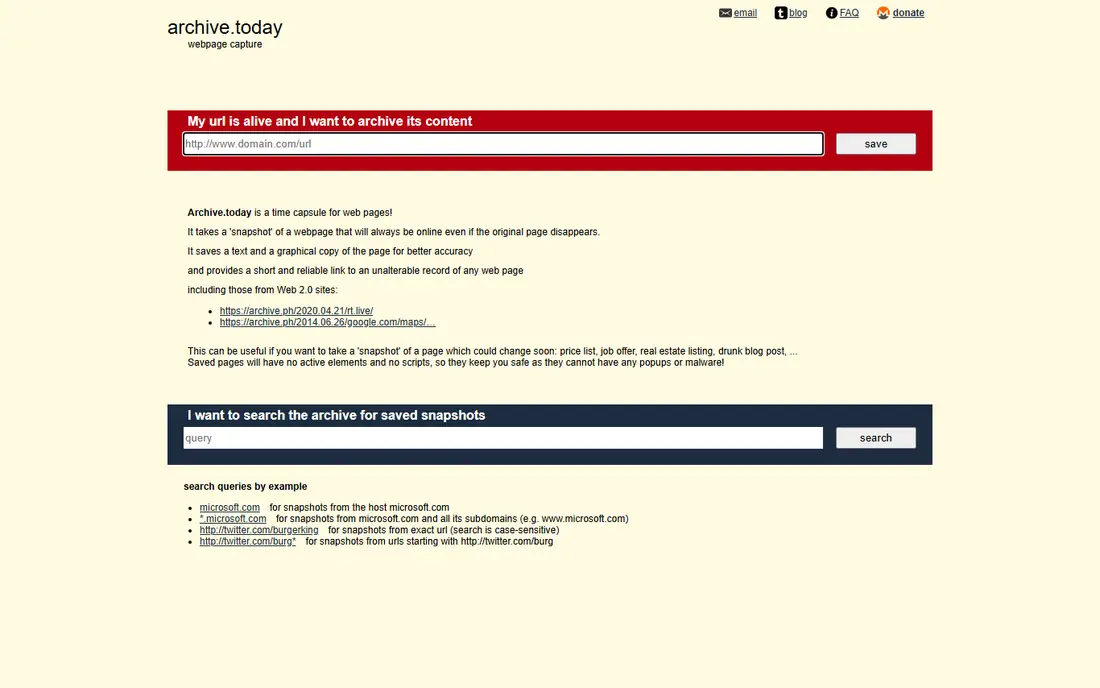
Archive.today is our pick for a quick, free snapshot of a single page. You paste a URL, it saves the page as it loads, and you get a short permanent link to share. For our pick, the fit is clearest for readers who match the best-for line above, and who want a clear daily routine rather than a pile of extra settings to manage. The catch is trust and control: it is run anonymously, and saved pages cannot easily be removed, so do not rely on it as your only evidence. Save a second copy elsewhere for anything important, and note the date and URL when you cite it. Before you commit, check the current plan page and the cancellation terms, and try the free option or trial first when one is offered.
- Saves a page on request
- Captures text, images, and a screenshot
- Finds past snapshots
- No removal process for owners in many cases
- No business support
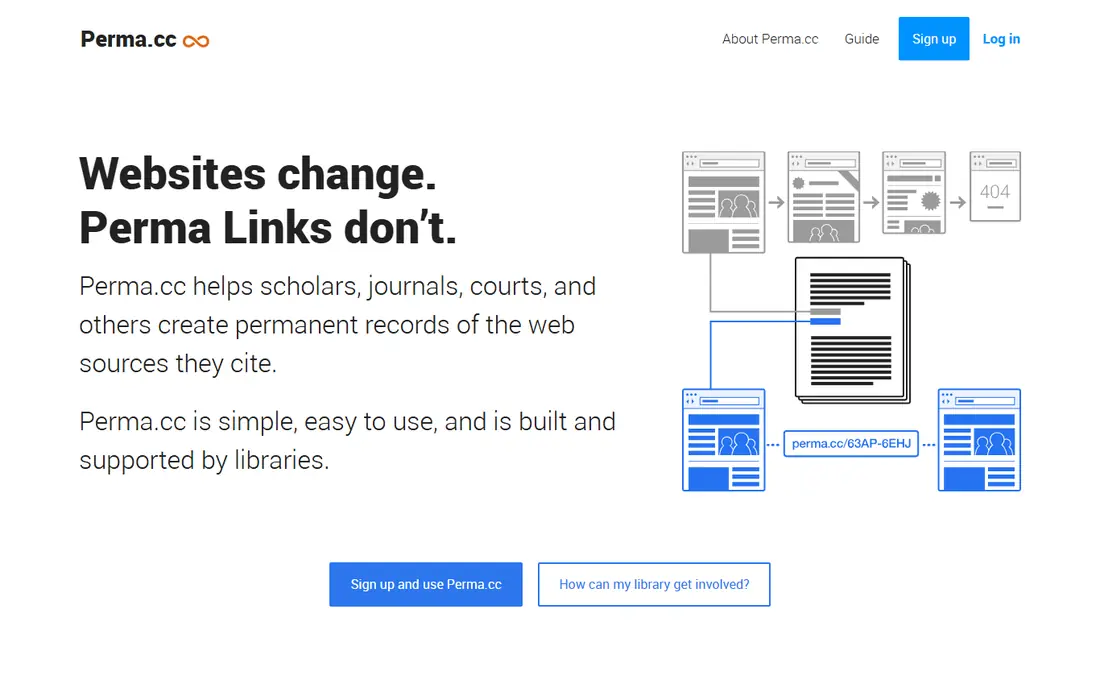
Perma.cc suits researchers, lawyers, and journalists who need a citation that lasts. It creates a permanent link and a preserved record you can cite, which is stronger than a plain screenshot for formal work. For our pick, the fit is clearest for readers who match the best-for line above, and who want a clear daily routine rather than a pile of extra settings to manage. The catch is the free link limit, so heavy users need a partner or paid arrangement. Use Perma.cc for cited sources, and keep your own notes on why each link matters. Before you commit, check the current plan page and the cancellation terms, and try the free option or trial first when one is offered.
- Permanent links for cited pages
- WARC and image records
- Academic and legal focus
- Free accounts limit links
- Larger use needs a paid or partner plan
Common Crawl fits researchers and developers who need bulk web data, not a single page view. It offers large crawl archives and indexes you can search for URLs and content across many sites. For our pick, the fit is clearest for readers who match the best-for line above, and who want a clear daily routine rather than a pile of extra settings to manage. The catch is effort: you need code and storage to work with the data, so it is not a quick archive viewer. Start with the index for your URLs, then pull only the records you need. Before you commit, check the current plan page and the cancellation terms, and try the free option or trial first when one is offered.
- Large crawl datasets
- Index for finding URLs
- Free for research use
- Needs technical skill to query
- Not a simple page viewer
ArchiveBox suits people who want their own archive under their own control. It saves pages as HTML, screenshots, and other formats on your own server, so you are not tied to a public service. For our pick, the fit is clearest for readers who match the best-for line above, and who want a clear daily routine rather than a pile of extra settings to manage. The catch is upkeep: updates, backups, and storage are your job. Start with a small set of pages, test restore, and set a backup routine before you scale up. Before you commit, check the current plan page and the cancellation terms, and try the free option or trial first when one is offered.
- Open source
- Saves pages in several formats
- You control storage
- Needs a server and upkeep
- Setup takes technical skill
Pagefreezer fits businesses that need defensible records for legal or compliance reasons. It captures pages on a schedule, keeps metadata, and produces records built for review and evidence. For our pick, the fit is clearest for readers who match the best-for line above, and who want a clear daily routine rather than a pile of extra settings to manage. The catch is cost: the starting price is aimed at business teams, not single users. Ask for a demo with your own pages, and check export, retention, and access controls before you buy. Before you commit, check the current plan page and the cancellation terms, and try the free option or trial first when one is offered.
- Forensic records with metadata
- Scheduled captures
- Compliance focus
- Price suits business use, not casual archiving
Stillio suits teams that want a visual record of a page over time. It takes screenshots on a schedule and keeps them for months, which is useful for tracking design, price, or content changes. For our pick, the fit is clearest for readers who match the best-for line above, and who want a clear daily routine rather than a pile of extra settings to manage. The catch is format: a screenshot shows the page, but it does not preserve the full interactive page. Use Stillio for visual change tracking, and pair it with a full archive tool for evidence. Before you commit, check the current plan page and the cancellation terms, and try the free option or trial first when one is offered.
- Automatic scheduled screenshots
- Long retention
- Simple setup
- Screenshots only, not full interactive page records
Visualping fits people who want to know when a page changes, rather than a deep archive. It checks pages you choose, compares them, and sends an alert when text or layout changes. For our pick, the fit is clearest for readers who match the best-for line above, and who want a clear daily routine rather than a pile of extra settings to manage. The catch is that alerts are not the same as a preserved record, so you still need to save important versions. Set check frequency to match how fast the page changes, and save the version that matters. Before you commit, check the current plan page and the cancellation terms, and try the free option or trial first when one is offered.
- Watches pages and alerts on change
- Visual and text checks
- Simple setup
- Free plan limits checks
- Not a full legal archive
Ghostarchive suits researchers who want a free public copy, sometimes with video. It saves a public snapshot, including images and framed content, and for some sites it saves video too. For our pick, the fit is clearest for readers who match the best-for line above, and who want a clear daily routine rather than a pile of extra settings to manage. The catch is speed and limits: captures queue at busy times, and page and video sizes are limited. Use it for pages that may disappear, and save a second copy for anything you must keep. Before you commit, check the current plan page and the cancellation terms, and try the free option or trial first when one is offered.
- Free snapshots
- Video support on some pages
- Search by URL
- Queues can be slow at busy times
- No API in the current listing
How we picked these
We compared official feature pages, pricing pages, and app store listings, and we read public reviews to check where each option fits and where it falls short. We left out options with thin coverage for the topic, unclear pricing, or a poor match for most readers, and we kept a mix of widely used leaders and smaller options that do one job well. Prices change, so we used the starting price shown on the vendor site where we could confirm it, and we wrote See website where a price depends on a quote, a vehicle, a project, or a local plan. We did not count marketing claims as facts, and we did not assume a feature was included unless the vendor page listed it.
How to choose a web archiving tool
Decide what you need to prove
A screenshot proves what a page looked like, a WARC record preserves more of the page, and a forensic record adds metadata for review. Choose the record type first, then the tool, or you may save the wrong thing.
Save two copies for important pages
Public archives can change, close, or lose pages. For anything you may cite later, save a public copy and a private copy, and note the capture date and the original URL.
Frequently asked questions
What is the best free Wayback Machine alternative?
Archive.today is the best free option for one-off snapshots, while Ghostarchive also offers free public snapshots. For formal citations, Perma.cc is stronger, even though free accounts limit the number of links.
What are alternatives to Wayback Machine for research?
Perma.cc suits citations, Common Crawl suits bulk research data, and Ghostarchive suits public snapshots. The best choice depends on whether you need a citation, a dataset, or a single page copy.
Can I archive a page that is already deleted?
Only if a service already saved it, or if you have your own copy, logs, or backups. Tools like Memento-style search can help find copies across archives, but no tool can reliably recover a page that was never saved.
Is it legal to archive a public web page?
Viewing and saving public pages for personal research is common, but republishing, bypassing access controls, or using archived data to access private systems is different. Follow the scope of your work and the site terms, and do not test systems you do not own.
What is the difference between a screenshot and a web archive?
A screenshot is a picture of a page at one moment, while a web archive can preserve text, links, and page files for replay. Screenshots are easy to read, while archives are better for checking links and content in detail.
Which tool is best for compliance archiving?
Pagefreezer is built for legal and compliance records, with metadata and scheduled captures. Stillio and Visualping suit change tracking, but they do not replace a forensic record for formal evidence.
Sources we checked (8)

Online Jobs is an independent blog about careers, online work, learning new skills and the tools that help people earn. More about us.
Keep reading
All posts
Zoom Alternatives
Zoom alternatives compared for 2026: Google Meet, Microsoft Teams, Webex, Jitsi and more for free calls, large meetings and webinars for teams and classrooms.

Which Software Is Best for Data Entry
Compare the best data entry software for forms, OCR scanning, and spreadsheets, with free plans, pricing, and honest limits for each tool before you commit.

What Is the Best Free Tool to Rotate a PDF
What is the best free tool to rotate a PDF? We compare eight free rotation tools on per-page control, limits, privacy and saved output quality in detail.