Top Rated Poster Maker Software in 2026: 9 Tools Compared

How we put this together: we compare official feature and pricing pages, app store listings, privacy policies and public user reviews. Prices change, so check the provider's site before you pay.
Key takeaways
- Canva is our pick for most people, because its template library, brand kit and free plan cover posters for events, sales and social use.
- Adobe Express is the strongest free alternative for typography and stock photos, with Premium at $9.99 per month.
- PosterMyWall suits local businesses and event organizers, because posters can become social posts, emails and ticketed event pages.
- VistaCreate offers one of the most generous free plans, including a brand kit and background removal.
- For print, always check export size, bleed and file format before you pay for a download or a print run.
Quick comparison
| Name | Who it suits | Starting price | Free option | |
|---|---|---|---|---|
 Canva Canva | Most poster jobs | Free | Yes | Visit |
 Adobe Express Adobe Express | Typography and Adobe fonts | Free | Yes | Visit |
 VistaCreate VistaCreate | Generous free poster design | Free | Yes | Visit |
 PosterMyWall PosterMyWall | Local business and event posters | Free | Yes | Visit |
 Desygner Desygner | Template breadth for small teams | Free | Yes | Visit |
 Piktochart Piktochart | Data posters and infographics | Free | Yes | Visit |
 Visme Visme | Posters with charts and data visuals | Free | Yes | Visit |
 Fotor Fotor | Photo-led posters and editing | Free | Yes | Visit |
 Venngage Venngage | Infographic-style posters | Free | Yes | Visit |
The best poster maker software
We compared official pricing pages, feature pages and public documentation for poster tools that work today. Our pick for most people is Canva, because it combines the largest template library with an easy editor and a free plan that handles real poster jobs, while Adobe Express is our pick for readers who care most about fonts and photo quality.
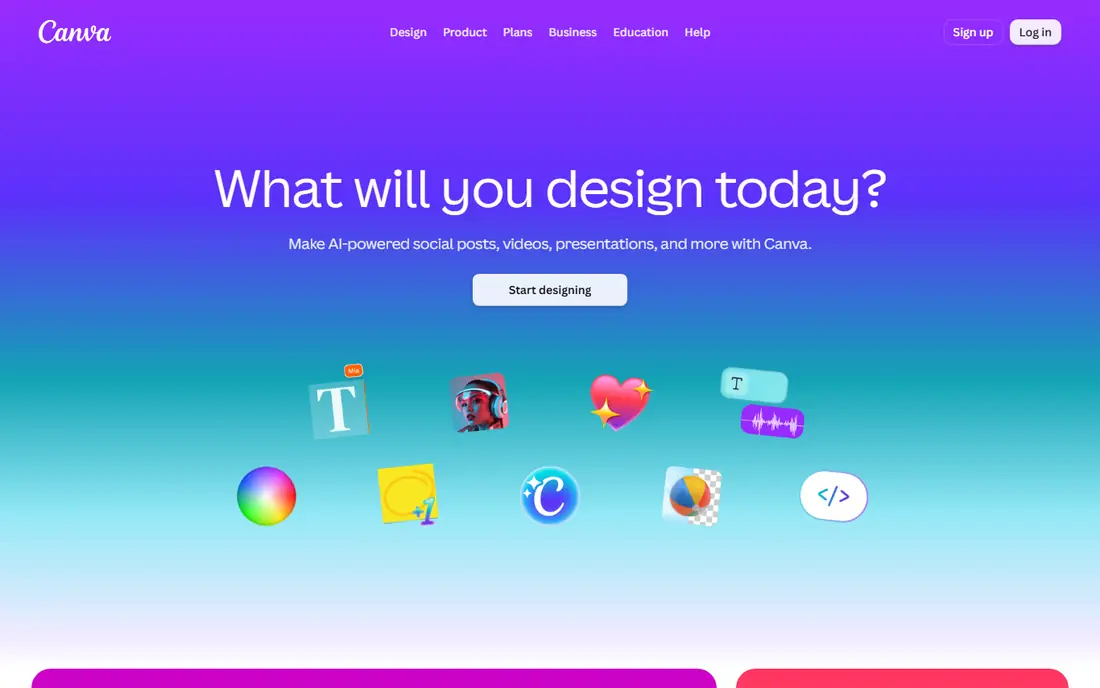
Canva makes poster design fast for people who do not design every day. You pick a poster size, search templates by event or topic, replace the text and photos, and export for print or social use. The free plan includes a large template library and basic brand colors, which is enough for a school event, a sale poster or a community notice.
Pro adds a full brand kit, background remover, Magic Resize and a much larger premium library. Recent pricing snapshots list Pro at $15 to $18 per month depending on billing, with Business at a higher per-person rate. The catch is seat pricing, so a team of five pays five times. For a single user or a small team, Canva still offers the best balance of templates, ease and export options in this list.
- Huge template library for posters, flyers and social posts
- Brand kit on paid plans
- Easy drag-and-drop editor for beginners
- Pro is priced per person
- Premium elements need a paid plan
- Print orders are separate from the subscription
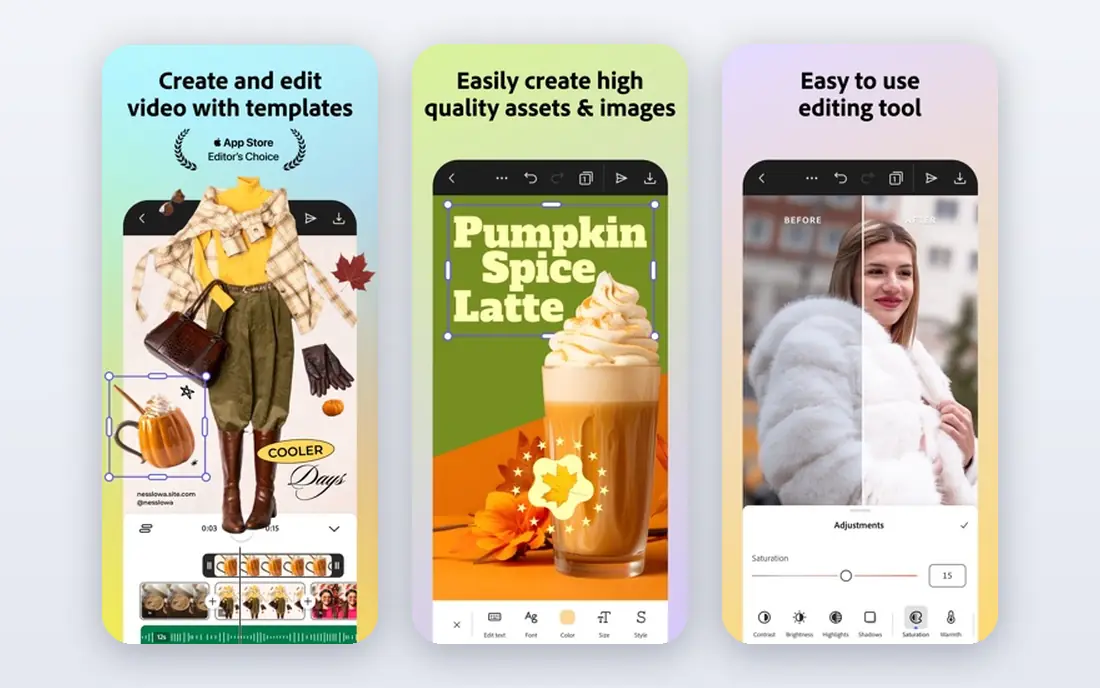
Adobe Express is the closest free rival to Canva, and it wins on type. Adobe Fonts give posters a more polished look, and the editor handles layout, stock photos and short video versions of a poster with little friction. The free plan includes more than 100,000 templates and 5 GB of storage, which covers simple flyers and event posters well.
Premium at $9.99 per month adds brand kits, one-click resize, 100 GB of storage and more generative credits. That price undercuts Canva Pro for a single user, which matters for freelancers and small businesses. If you already use Adobe tools, Express also fits your photo and font workflow better than a standalone poster app.
- Access to Adobe Fonts
- Free social scheduling for one account per network
- Premium at $9.99 per month with brand kits
- Free template count is smaller than Canva
- Resize and brand kits need Premium
- Advanced photo editing needs Photoshop
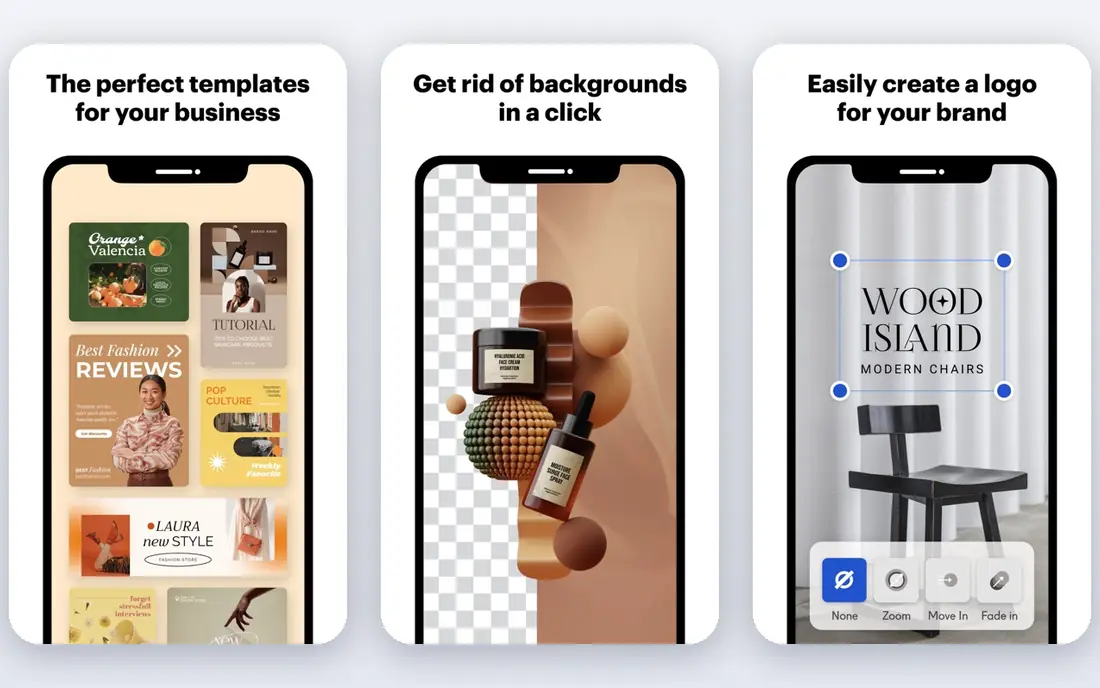
VistaCreate is easy to overlook, and that is a mistake for budget-conscious designers. Its free plan includes a brand kit, background removal, 10 GB of storage and a large stock library, features that other tools lock behind paid plans. That makes it a strong pick for a small business that needs consistent posters without paying from day one.
Pro at $10 per month on annual billing adds a much larger stock library, multiple brand kits, team accounts and unlimited storage. The editor is simpler than Canva, so power users may hit a ceiling on complex layouts. For quick static and animated posters, though, VistaCreate gives you more free value than almost any other tool here.
- Free plan includes brand kit and background removal
- Large template and stock library
- Pro at $10 per month on annual billing
- Customization depth trails Canva and Adobe Express
- Team features sit on Pro
- Animated poster options are simpler than video-first tools
PosterMyWall is built for local businesses, churches, schools, bands and event organizers rather than for professional designers. You start with a poster template, edit it in a simple editor, then publish it as a social post, send it by email or turn it into a ticketed event page. That end-to-end path saves time when one poster has to do several jobs.
The free plan covers design, standard-quality downloads within a monthly limit, one connected social account and two event pages a month. Premium at $13 per month adds unlimited high-quality downloads, 100 monthly AI credits, three social accounts, 3,000 email sends and a brand kit. If your poster is really an event campaign, PosterMyWall is more useful than a design-only tool.
- Posters can become social posts, emails and event pages
- Free resizing
- Standard-quality downloads are watermark-free on the free plan
- High-quality downloads cost from $5.99 on the free plan
- Brand kits and spellcheck need Premium
- AI tools run on credits on paid plans
Desygner suits small teams that need posters plus social graphics, documents and other marketing formats in one account. The template library is broad, the editor is straightforward, and mobile apps let you edit a poster on the go. That breadth helps a small business that cannot justify a separate tool for each format.
The honest catch is pricing clarity. Third-party listings vary on paid rates, so use the vendor pricing page at checkout rather than a comparison table. Desygner also lacks the deep layout and photo controls of desktop design software. For fast, template-led posters and team sharing, it is a practical middle option.
- Large template library across formats
- Works in browser and on mobile
- Team workspaces for small groups
- Paid pricing needs checking at checkout, since listings vary
- Advanced design controls are lighter than desktop tools
- Premium stock needs a paid plan
Piktochart is the right poster tool when the poster must explain numbers. Charts, maps and icons can be built from your data and styled to match the poster, which is hard to do well in a general design app. Teachers, nonprofits and communication teams use it for research posters, annual summaries and public information displays.
Pro is listed at $14 per month per user on annual billing, with Business at $24 per month. The free plan lets you test the chart tools, but it limits projects and downloads. If your poster is mostly a photo and a headline, Canva or Adobe Express will be faster. If data is the story, Piktochart earns its place.
- Strong charts, maps and data visuals for posters
- Templates for reports and classroom use
- Pro from $14 per month on annual billing
- Less suited to photo-heavy event posters
- Free plan limits downloads and projects
- Advanced branding sits on higher tiers
Visme covers posters as part of a wider visual content tool, alongside presentations, infographics and reports. That matters for teams that reuse the same charts and brand assets across posters, slides and handouts. You can build a data visual once and place it in several formats without rebuilding it each time.
Starter is listed at $12.25 per month per user on annual billing, with Pro at $24.75 per month. The free plan is useful for testing, but it limits the features most teams need for regular publishing. Choose Visme when posters sit inside a larger reporting or presentation workflow, and choose a simpler poster app when you only need a one-off event poster.
- Combines posters with presentations and data visuals
- Starter from $12.25 per month on annual billing
- Brand and template controls for teams
- Free plan is basic
- Learning curve is higher than Canva for simple posters
- Best features sit on Pro and Enterprise tiers
Fotor is a good fit when the photo carries the poster. You can edit, crop, retouch and enhance a photo, then place it into a poster template without switching apps. Batch resizing helps when you need the same poster in several sizes for print and social use, which saves repetitive work for shops and event teams.
Pro starts from $3.99 per month in several listings, with higher tiers adding more editing and storage features. Check the current vendor price, since Fotor listings vary by region and billing. The trade-off is template depth, since Canva and PosterMyWall offer more poster-specific layouts. If photo quality matters most, Fotor is worth a test.
- Strong photo editing alongside poster templates
- Batch resizing for multiple sizes
- Apps for web, desktop and mobile
- Design templates are narrower than Canva
- Pro features such as advanced editing need a paid plan
- Poster layout controls are simpler
Venngage specializes in posters that explain, from health information to classroom topics to nonprofit campaigns. Its templates guide you through icons, charts and short text blocks, which helps when a poster must be read quickly at a distance. That structure is useful for teams that struggle with blank-page design.
Premium is listed at $10 per month per user on annual billing, with Business at $24 per month. The free plan lets you try the editor, but exports and premium templates are limited. For a bold event poster with a single photo and headline, a general design tool will be faster. For an information poster, Venngage gives you a clearer starting point.
- Strong infographic and data poster templates
- Premium from $10 per month on annual billing
- Good for classroom and nonprofit use
- Free plan limits features and exports
- Photo editing is basic
- Business features sit on higher tiers
How we picked these
We compared official pricing pages, feature pages and public documentation, and we kept only tools that exist today and truly fit poster making, from event posters to data posters to print-ready flyers. We looked at template breadth, free plan limits, brand controls, export quality and print options. We also noted the honest catch for each tool, because free plans often limit high-quality downloads, brand kits or premium templates.
We did not claim hands-on testing we did not do. Our comparisons rest on vendor pages, pricing pages and public reviews, and prices can change, so check the vendor pricing page before you buy.
How to make a poster that works
Start with one message and one action. A poster that tries to say everything gets read by no one, especially at a distance. Put the headline, date and action in large type, keep supporting text short, and leave empty space around the key details so the eye lands where you want it.
Check print details before you download
Check size, resolution and bleed before you pay for a high-quality download or a print run. A poster that looks sharp on a phone screen can look soft at full print size, and a design that runs to the edge needs bleed or it will show a white border after trimming. Export in the format your printer asks for, usually PDF for print and PNG or JPG for social use.
Match the tool to the poster type
Use Canva or Adobe Express for general event and sales posters, PosterMyWall when the poster is also an event campaign, and Piktochart, Visme or Venngage when data must be explained. Use Fotor when a photo leads the design, and VistaCreate when you want a generous free plan with brand controls. That match saves more time than any single feature.
Test the poster at real distance and size
Print a test copy or view it at full size on a screen, then step back and read it in five seconds. If you cannot grasp the event, date and action in that time, cut text and enlarge the headline. Ask one other person to read it cold, because familiarity with your own design hides unclear wording.
Frequently asked questions
What is the best poster maker app?
Canva is the best poster maker app for most people, because it pairs a huge template library with an easy editor and a free plan. Adobe Express is a strong alternative for typography and stock photos, and VistaCreate is a strong free option for brand controls. The best app for making posters depends on print needs, team size and whether data or photos lead the design.
What is the best app to make a poster for free?
Canva Free, Adobe Express Free, VistaCreate Free and PosterMyWall Free all let you design and download posters without paying. Canva gives you the most templates, Adobe Express gives you better fonts, VistaCreate gives you a free brand kit, and PosterMyWall gives you free resizing and event tools. For high-quality print downloads, check whether the free plan covers your size or charges per download.
What is the best poster making app for events?
PosterMyWall is the best poster making app for events, because a poster can become a social post, an email campaign and a ticketed event page in one account. Canva and Adobe Express also work well for event posters, especially when you need many design variations quickly. Choose PosterMyWall when ticketing and promotion matter as much as the design itself.
What is the best software for making posters for print?
Canva, Adobe Express and VistaCreate all support print sizes and high-quality exports, with PDF export for print work. Always check resolution, bleed and the exact size your printer needs before you finalize a design. A tool that exports well at social sizes does not always export well at large poster sizes, so test one print copy first.
Can I make a poster on my phone?
Yes, Canva, Adobe Express, VistaCreate, PosterMyWall and Fotor all offer mobile apps, and most also work in a mobile browser. Phone editing suits simple posters with a template, a photo and short text. For complex layouts, data posters or large print files, a desktop browser gives you more control and a clearer view of spacing and type size.
Which poster maker is best for beginners?
Canva is the easiest poster maker for beginners, because templates, drag-and-drop editing and guided sizing remove most design decisions. Adobe Express is close behind, with a clean editor and strong fonts. Start with a template that matches your poster type, replace only the text and photo, and avoid adding extra fonts or colors that break the template balance.
Sources we checked (9)

Online Jobs is an independent blog about careers, online work, learning new skills and the tools that help people earn. More about us.
Keep reading
All posts
Best Graphic Design Software
Compare the best graphic design software for logos, print, social posts and interface design, with free options and professional tools explained in 2026.
Best Free Alternatives to Photoshop
Compare the best free alternatives to photoshop in 2026, from full desktop editors to browser tools, painting apps and free design platforms for US users.

Zoom Alternatives
Zoom alternatives compared for 2026: Google Meet, Microsoft Teams, Webex, Jitsi and more for free calls, large meetings and webinars for teams and classrooms.