Top PDF Summary Software in 2026: 9 Tools Compared

How we put this together: we compare official feature and pricing pages, app store listings, privacy policies and public user reviews. Prices change, so check the provider's site before you pay.
Key takeaways
- The best summarizer depends on your document: a research paper needs citations, a contract needs careful checking, and a long report needs chapter by chapter summaries.
- ChatPDF and Humata suit fast single document questions, while NotebookLM suits research across many documents with cited answers.
- Adobe Acrobat AI Assistant suits readers who already edit PDFs, since summaries sit inside a full PDF workflow.
- Always verify numbers, dates, names and obligations against the original pages, since summaries can miss negations and fine print.
Quick comparison
| Name | Who it suits | Starting price | Free option | |
|---|---|---|---|---|
 ChatPDF ChatPDF | Fast chat with a single PDF | $19.99 per month | Yes | Visit |
 Humata Humata | Research papers and multi file analysis | $9.99 per month | Yes | Visit |
 Adobe Acrobat AI Assistant Adobe Acrobat AI Assistant | Summaries inside a PDF editor | See website | Free trial | Visit |
 NotebookLM NotebookLM | Research across many documents | Free | Yes | Visit |
 PDF.ai PDF.ai | Clean chat with citations | See website | Yes | Visit |
 AskYourPDF AskYourPDF | Multi document libraries | See website | Yes | Visit |
 Scholarcy Scholarcy | Structured academic summaries | See website | Yes | Visit |
 Paperguide Paperguide | Academic research and literature reviews | $17 per month | Yes | Visit |
 QuillBot Summarizer QuillBot Summarizer | Shortening text for editing | See website | Yes | Visit |
The best PDF summary software
A good PDF summarizer does more than shorten text. It should pull out the main argument, keep key facts linked to their pages, answer follow up questions, and let you check anything important in the original. This list covers dedicated chat tools, research platforms, a full PDF editor with AI, and a general writing tool for condensing text, with honest notes on free limits and privacy. For legal, medical or financial documents, treat every summary as a draft to verify, not as a replacement for reading the critical sections.
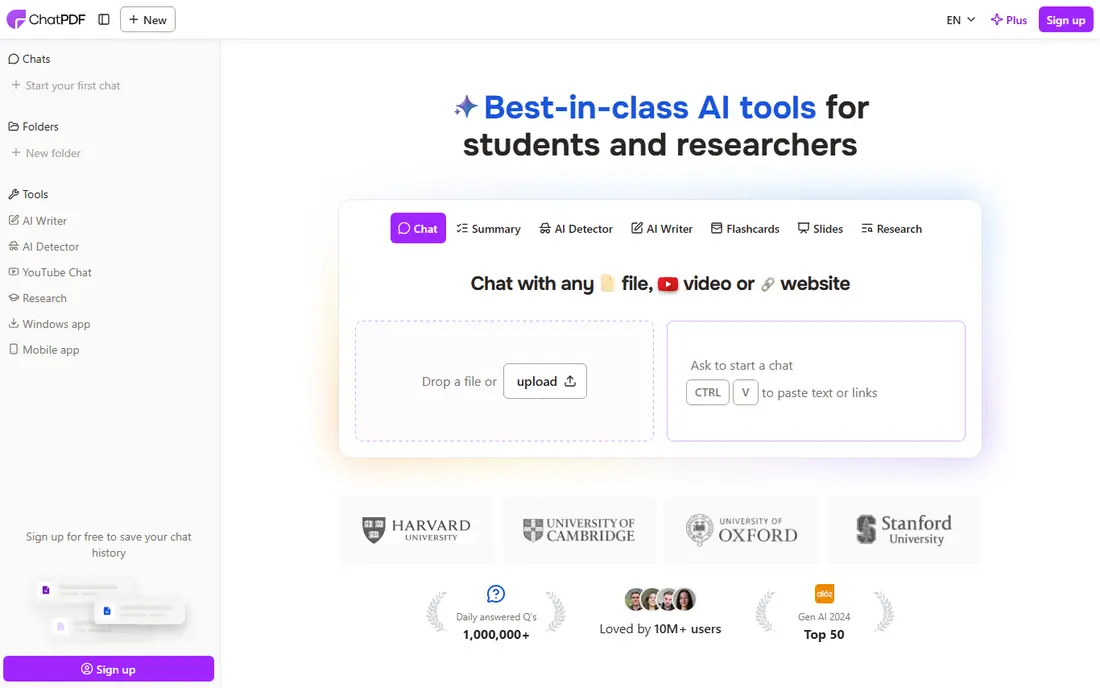
ChatPDF is the simplest tool here for a quick answer. Upload a PDF, ask a question in plain language, and get an answer with citations linked to the source page, so you can verify it in one click. That citation habit is what makes ChatPDF useful for study and work, since you can move from a summary to the exact page behind it without searching the whole document again. The paid plan, at $19.99 per month, raises limits and adds folders and multi file chat for heavier use.
The free tier is limited to a small number of PDFs per day, so it suits occasional reading rather than a daily research load. For a single report, paper or manual that you need to understand fast, ChatPDF is still the easiest starting point, provided you check numbers and key claims against the cited pages.
- Very fast setup for a single document
- Answers with page citations
- Folders and multi file chat on paid plans
- Free tier limits PDFs per day
- Long or complex documents need chapter by chapter work for best accuracy
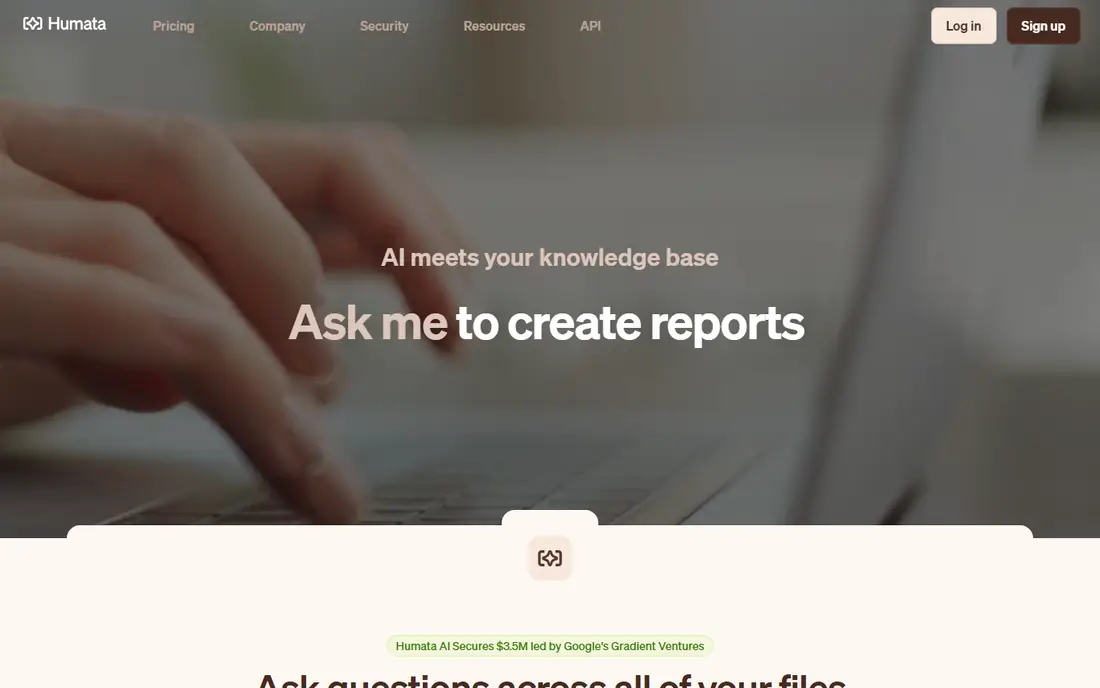
Humata is built for research papers and technical documents, where a summary alone is not enough and you need to ask follow up questions across files. You can upload a collection, ask what a set of papers concludes, and get answers with citations, which helps for literature reviews and technical comparisons. The Expert plan at $9.99 per month is among the cheapest paid options with cross file question answering, which makes it attractive for students and researchers on a budget.
The free tier limits monthly pages, so a heavy research week can exhaust it quickly, and team features such as data rooms and permissions sit on higher plans. For cross file research, though, Humata offers strong value, especially when you need cited answers rather than a single flat summary.
- Clean summaries and cited answers
- Cross file questions across a collection
- Team data rooms on higher plans
- Free tier has a monthly page limit
- Very long technical papers still need careful verification
Adobe Acrobat AI Assistant
Who it suits: Summaries inside a PDF editor
Adobe Acrobat AI Assistant suits readers who already live in Acrobat, since summaries, document chat and question answering sit inside the editor where you also annotate, sign and share PDFs. You can ask for a summary, then highlight, comment or edit the same file without exporting to another app, and contract analysis features help surface key terms and obligations. For legal, business and academic teams that already pay for Acrobat, that integrated workflow saves switching and keeps documents in one place.
The cost is the drawback. Acrobat itself is a paid editor, and the AI Assistant is an add on in many plans, so the total can exceed a standalone summarizer such as ChatPDF or Humata. A free trial lets you test whether the integration justifies the price. If you only need summaries and you do not edit PDFs often, a dedicated tool is cheaper. If you edit, sign and review PDFs daily, Acrobat AI Assistant is a natural upgrade.
- Cited summaries inside Acrobat
- Document chat plus editing, signing and sharing
- Contract analysis features
- Requires an Acrobat subscription plus the AI add on in many cases
- Cost is higher than a standalone summarizer
NotebookLM, from Google, is a free research assistant that grounds answers in the sources you upload, with citations back to those sources. You can build a notebook from many PDFs and other documents, ask questions across the whole collection, and generate study guides or audio overviews to learn the material. That grounding and citation approach makes it strong for research, revision and team knowledge work, where an answer without a source is not useful.
The limits are scope and account. NotebookLM needs a Google account, and it is not a PDF editor, so you cannot annotate, sign or reshape a PDF inside it the way you can in Acrobat or UPDF. Privacy also deserves a check: read the current terms for your account type before uploading sensitive work documents.
- Free research tool with cited answers
- Works across many sources in a notebook
- Audio overviews and study guides for learning
- Google account required
- Not a full PDF editor, so editing and signing need another app
PDF.ai is a clean, single purpose chat tool for PDFs, with a conversational interface that suits readers who want answers without learning a large platform. Upload a document, ask questions, and get answers with citations, which makes it easy to check a claim against the original page. Users with data heavy files, such as reports full of tables, often prefer PDF.ai for extracting figures and explanations, rather than only a narrative summary.
Pricing and plan limits change, so check the vendor site for the current free tier and paid plans before committing, since third party figures go stale quickly. PDF.ai also lacks the full editing workflow of Acrobat and the research management depth of Paperguide, so it works best as a focused reading tool. For a reader who wants a tidy chat interface and cited answers, it is a strong, low friction choice.
- Simple conversational interface
- Cited answers for verification
- Good handling of tables and data focused documents
- Paid pricing and limits should be checked on the vendor site
- Multi file and team features vary by plan
AskYourPDF suits readers with a library, not a single file. You can build a collection of PDFs, ask questions across the whole set, and use optical character recognition to make scanned documents searchable, which helps with older reports and book scans. A browser extension and developer API extend the tool beyond the web app, for teams that want document chat inside another workflow or website.
The free tier limits use, and scanned document accuracy depends heavily on scan quality, so a faint or skewed scan will still produce weak answers even with recognition. Multi document answers also need checking, since a summary can blend findings from different sources if you do not ask it to cite each one. For a personal or team library where cross document questions matter, AskYourPDF is a practical choice, provided you verify key answers in the originals.
- Chat across a whole folder of PDFs
- Optical character recognition for scanned documents
- Browser extension and API options
- Free tier has limits
- Accuracy depends on scan quality and document structure
Scholarcy is designed specifically for academic papers, and its output reflects that focus. Instead of a single paragraph summary, it produces structured summary flashcards covering the abstract, key findings, tables, references and important terms, which helps a researcher decide quickly whether a paper is relevant. Exports and links to reference managers such as Zotero support literature review workflows, where a summary must feed into a larger bibliography.
The scope is the limit. Scholarcy shines on journal articles, but it is less useful for textbooks, casual reading or business reports, where a conversational chat tool may work better. The free plan also has usage limits, so a researcher scanning many papers in a week may need a paid plan. If your work is mainly academic papers, Scholarcy structured output saves time and makes comparisons easier than a generic summary.
- Structured summary flashcards for papers
- Extracts key findings, tables and references
- Exports and reference manager links
- Best for journal articles, less useful for casual reading or textbooks
- Free plan has usage limits
Paperguide covers the full academic workflow, not only summarization: discovery, PDF chat, research agents, systematic reviews, reference management and data extraction, with citations throughout. That breadth suits researchers and students working on a literature review, thesis or systematic review, where summaries must connect to references and writing, not sit alone. Paid plans start at $17 per month on annual billing, with a student discount that lowers the cost for eligible students.
The trade off is complexity and price for simple use. If you only need to summarise one PDF occasionally, Paperguide is more tool than needed, and a free tier of ChatPDF or NotebookLM will do. If you manage dozens of papers, need auditable literature reviews, and want citations carried into your writing, Paperguide justifies its price by saving hours of manual reference work.
- Full research workflow from discovery to writing
- Citation management and literature review tools
- Student discount on paid plans
- Monthly cost is higher than a simple summarizer
- Breadth can feel heavy for a single PDF question
QuillBot Summarizer takes a different approach: it condenses text you paste or upload into a shorter version, with paragraph and key point modes and adjustable length. That suits writers and editors who need to shorten a draft, create an abstract, or pull key points from a passage before rewriting it, especially when combined with QuillBot paraphrasing and grammar tools. The interface is simple, and the free tier lets you try summarization without a new subscription.
The limit is that QuillBot is a text summarizer first, not a PDF chat tool with page citations and multi document question answering. It will shorten well, but it will not help you interrogate a 200 page report or verify a claim against a cited page in the same way ChatPDF or Humata can.
- Adjustable summary length and modes
- Paragraph and key point outputs
- Paraphrasing and writing tools alongside
- Text focused, not a full PDF chat tool with citations
- Document upload limits vary by plan
How we picked these
We compared official product pages, pricing pages and public guides to AI PDF summarizers in October 2026, and we kept only tools that are live, maintained and clearly able to summarise or answer questions about PDF documents. We favoured tools with citations, multi document handling or structured academic output, not simple text shorteners alone, and we mixed free, paid and editor integrated options so students, researchers and professionals each have a fit. Where a price was not confirmed on the vendor site during research, we wrote See website.
How to get a reliable summary
Start by telling the tool what you need: a one paragraph overview, a chapter by chapter summary, key findings, or answers to specific questions. For long documents, summarise section by section and merge the parts, rather than asking for one summary of 300 pages, since accuracy falls as length grows. Ask for citations or page references where the tool supports them, and follow those references for anything you will quote, act on or submit.
Check the risky parts yourself. Numbers, dates, names, negations such as not and except, and cause and effect claims are where summaries most often go wrong, especially in tables, scanned pages and multi column layouts. For contracts, financial statements and academic citations, read the original passages behind every important claim. Finally, check privacy before uploading: read retention, deletion and training terms, avoid uploading highly sensitive documents to a free tool with unclear terms, and use a desktop or enterprise option when confidentiality matters.
Frequently asked questions
What is the best PDF summary software?
For a fast single PDF, ChatPDF is simplest, while Humata offers strong value for research papers and cross file questions. NotebookLM is best for free multi document research with citations, and Adobe Acrobat AI Assistant is best inside a full PDF editor. The right pick depends on whether you need citations, multi file research, editing, or only a short summary.
Can AI PDF summarizers handle long documents?
Yes, with limits. Long documents work best when summarised chapter by chapter or by page range, then merged, rather than in a single pass. Tools with large context windows handle longer files better, but tables, scans and complex layouts still reduce accuracy. For a very long report, use a tool with citations, check key sections in the original, and expect to read the most important chapters yourself.
Are PDF summarizers accurate?
For clean, text based documents, modern tools are usually accurate on main ideas, with page citations helping you verify details. Accuracy drops for scanned documents, complex tables, charts, equations and poor quality OCR, and summaries can miss negations or mix findings from different sections. Always verify numbers, obligations, citations and any claim you will rely on against the original pages.
Can I summarise PDFs for free?
Yes, within limits. ChatPDF, Humata, NotebookLM, PDF.ai and QuillBot all offer free tiers, but they limit PDFs per day, pages per month, file size or features. NotebookLM is the most generous free option for multi document research, while ChatPDF free tier suits occasional single documents. For daily heavy use, a paid plan is usually needed.
Is it safe to upload a PDF to an AI summarizer?
It depends on the tool and the document. Reputable tools state retention, deletion and training policies, and enterprise plans offer stronger controls, but free tools vary. Avoid uploading contracts, medical records, financial statements or unpublished research to a tool with unclear terms, and read the privacy policy first. For sensitive work, use a desktop tool, an enterprise plan, or a redacted copy where possible.
Which PDF summarizer is best for students?
Humata Expert at $9.99 per month is a low cost paid option with cross file questions, while NotebookLM offers free multi document research with citations, and Paperguide offers a student discount for full literature review work. For occasional papers, the free tiers of ChatPDF and Humata cover most undergraduate needs at no cost. Choose by whether you need citations, study guides, or reference management alongside summaries.
Sources we checked (9)

Online Jobs is an independent blog about careers, online work, learning new skills and the tools that help people earn. More about us.
Keep reading
All posts
Zoom Alternatives
Zoom alternatives compared for 2026: Google Meet, Microsoft Teams, Webex, Jitsi and more for free calls, large meetings and webinars for teams and classrooms.

What Is the Best Free Tool to Rotate a PDF
What is the best free tool to rotate a PDF? We compare eight free rotation tools on per-page control, limits, privacy and saved output quality in detail.

What Is the Best AI Dubbing Tool
We compared the best AI dubbing tools in 2026, from ElevenLabs and HeyGen to Rask AI, Dubverse and Veed, for videos and creators in many languages worldwide.