Best Squarespace Alternatives in 2026: 9 Tools Compared

How we put this together: we compare official feature and pricing pages, app store listings, privacy policies and public user reviews. Prices change, so check the provider's site before you pay.
Key takeaways
- Wix is our pick for most Squarespace switchers, because it offers a wide template range, flexible editing, and a free tier to test.
- WordPress.com suits bloggers and content sites that want depth and growth, while Shopify suits stores that need serious ecommerce tools.
- Webflow suits designers who want precise control, while Framer suits fast, modern marketing sites.
- Free tiers are useful for testing, but custom domains, ecommerce, and advanced features usually need a paid plan.
- Check template quality, mobile editing, SEO tools, and export options before you rebuild a site, because moving content later takes time.
Quick comparison
| Name | Who it suits | Starting price | Free option | |
|---|---|---|---|---|
 Wix | Flexible all-round builder | Free | Yes | Visit |
 WordPress.com | Blogging and content growth | Free | Yes | Visit |
 Webflow | Designer control and interactions | Free | Yes | Visit |
 Shopify | Serious ecommerce stores | See website | Free trial | Visit |
 Framer | Fast modern marketing sites | Free | Yes | Visit |
 Weebly | Simple small business sites | Free | Yes | Visit |
 GoDaddy | Quick setup with AI help | See website | Free trial | Visit |
 Duda | Agencies building client sites | See website | Free trial | Visit |
 Ghost | Publishing and memberships | See website | Free trial | Visit |
The best Squarespace alternatives
Squarespace is known for polished templates and simple editing, but it is not the best fit for every site. Some users want a free tier, some want stronger ecommerce, some want blogging depth, and some want more design freedom. The builders below are all still offered in October 2026, and each one fits a different reason for leaving Squarespace.
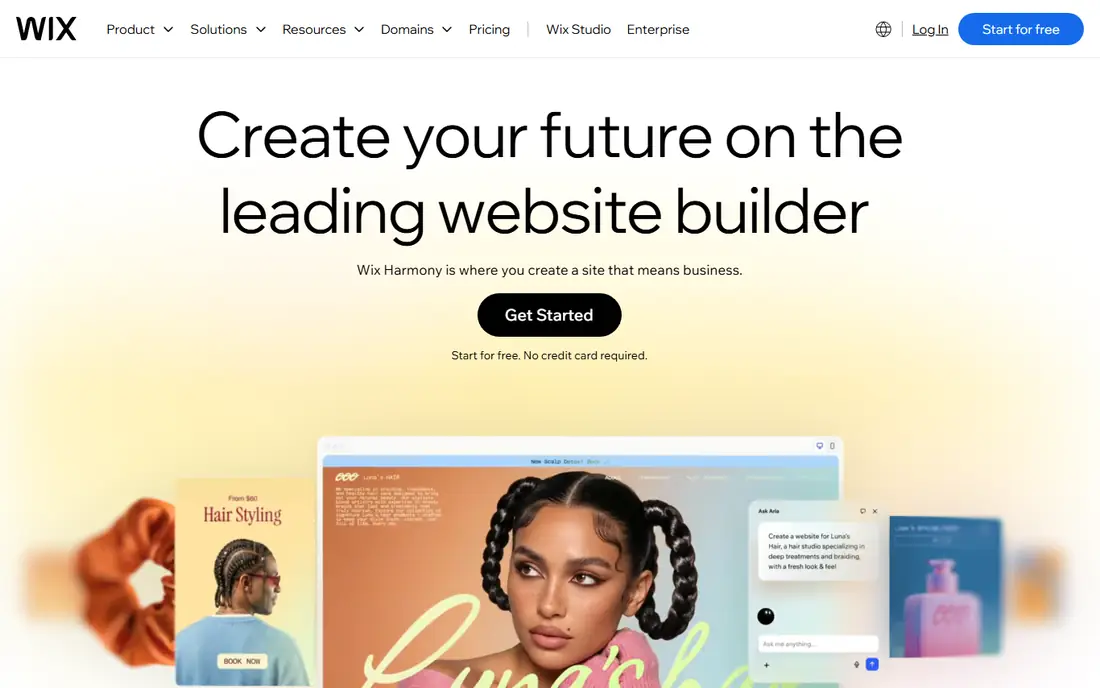
Wix is the most direct Squarespace rival for general websites. It offers hundreds of templates for businesses, portfolios, blogs, and stores, with drag-and-drop editing that lets you move elements freely. An AI builder can also generate a starting site from your answers, which helps if you want a quick launch.
The free tier lets you test the editor, though it uses a Wix subdomain and shows Wix branding. Paid plans add a custom domain, remove branding, and open ecommerce and advanced features. The catch is template switching, which is limited once you pick a design, so choose carefully. If you want flexibility and a free starting point, Wix is our pick.
- Large template library
- Flexible drag-and-drop editing
- Free tier to test
- Template switching is limited after launch
- Advanced ecommerce needs higher plans
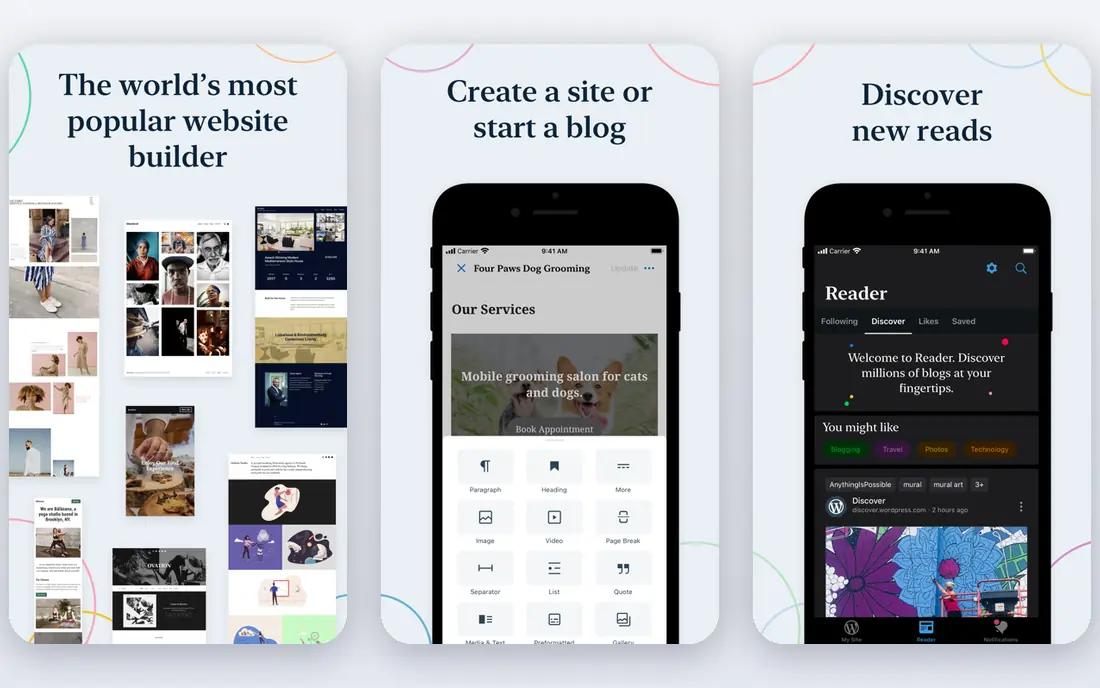
WordPress.com powers a large share of the web, and its blogging tools remain the strongest in this list. You get categories, tags, scheduling, comments, and SEO controls that suit content-heavy sites. Paid plans add themes, plugins, and customisation that let a small blog grow into a full business site.
The editor and settings take longer to learn than Squarespace, and the free tier limits themes and plugins. That trade-off is worth it if content is your main job. If you plan to publish often, build an audience, or add memberships and newsletters later, WordPress.com gives you room to grow that simpler builders lack.
- Strong blogging and SEO tools
- Huge theme and plugin range on paid plans
- Scalable
- Learning curve is steeper
- Best features need paid plans
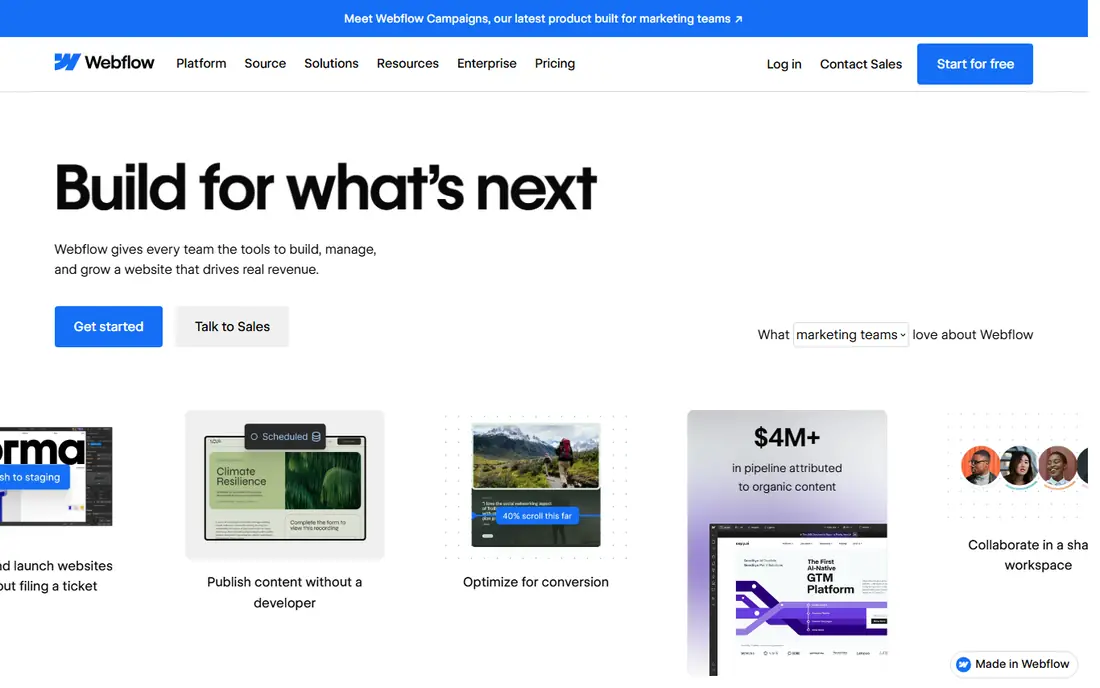
Webflow gives designers precise control over layout, spacing, animations, and interactions, without writing code by hand. It suits portfolios, agencies, and marketing sites where design details matter. You can build responsive layouts for desktop, tablet, and phone, and preview how each version looks before you publish.
That power comes with a learning curve. Beginners may find Webflow slower than Wix or Squarespace at first, and pricing splits site plans and workspace plans, which can confuse new users. If design control matters more than speed, Webflow is worth the learning time. If you want a quick simple site, pick a simpler builder instead.
- Precise design control
- Strong animations
- Clean code output
- Steep learning curve
- Pricing can confuse first-time users
Shopify is built for selling, with product catalogues, inventory, payments, shipping, discounts, and abandoned cart recovery. It suits stores that expect real order volume, multiple products, and growth across channels such as social media and marketplaces. The app store adds tools for reviews, subscriptions, and marketing.
For a simple brochure site with one product, Shopify is more than you need, and its monthly cost reflects its ecommerce depth. Squarespace ecommerce works for small stores, but Shopify scales better for inventory, fulfilment, and reporting. If selling is your main job, Shopify is the clearest upgrade path.
- Strong ecommerce tools
- Payments, shipping, and inventory
- Large app store
- Not ideal for simple brochure sites
- Monthly cost plus transaction fees in some cases
Framer focuses on fast, modern marketing sites and landing pages, with templates that look current and load quickly. You can start from a template, edit text and images, and publish without heavy setup. That speed suits startups, product launches, and portfolios that need a sharp site now.
Blogging and ecommerce tools are lighter than WordPress.com or Shopify, so Framer suits marketing sites more than content hubs or stores. The template range is also smaller than Wix, though quality is high. If you want a modern site fast and you do not need complex ecommerce, Framer is a strong Squarespace alternative.
- Modern templates
- Fast publishing
- Good for landing pages
- Ecommerce and blogging are lighter
- Smaller template range than Wix
Weebly offers a simple drag-and-drop builder that suits small businesses, clubs, and personal sites. The editor is easy to learn, with sections for text, images, contact forms, and basic ecommerce. A free tier lets you test the builder before you pay for a custom domain.
Templates feel dated compared with Squarespace or Framer, and advanced design, blogging, and marketing tools are limited. Weebly suits users who want a simple, functional site without learning a complex tool. If design polish matters most, Wix or Framer will serve you better, but if simplicity matters most, Weebly is a safe pick.
- Simple editor
- Free tier
- Ecommerce basics included
- Templates feel dated next to Squarespace
- Fewer advanced features
GoDaddy combines domains, hosting, and a website builder in one account, which simplifies setup for small businesses. Its AI builder can generate a site from your business details, and marketing tools cover email, social posts, and basic SEO. That all-in-one approach suits owners who want one vendor for domain, site, and email.
Design flexibility is more limited than Wix or Webflow, and ecommerce tools are lighter than Shopify. GoDaddy suits a quick business site, a booking page, or a simple store, rather than a design-led portfolio. If you already use GoDaddy for a domain, its builder is a convenient next step.
- Fast AI-assisted setup
- Domain and hosting in one place
- Marketing tools
- Design flexibility is limited
- Ecommerce depth is lighter than Shopify
Duda is built for agencies, freelancers, and teams that build sites for clients. It offers templates, drag-and-drop editing, client approval workflows, and team roles, which speed up production for many sites. Widgets and dynamic content help agencies reuse sections across client projects.
For a single personal site, Duda may feel agency-focused and pricier than needed. For a freelancer or agency that builds sites regularly, its workflow tools save real time. If you build sites for others and you want client handoff tools, Duda is a strong Squarespace alternative, even though it is less known to solo site owners.
- Client management tools
- Fast building
- Good for agencies and teams
- Less suited to single personal sites
- Pricing is agency-focused
Ghost is a publishing platform for writers, newsletters, and membership sites. It offers a clean editor, member signups, paid subscriptions, and email newsletters built in, without plugin sprawl. That focus suits creators who earn from readers rather than from a general business site.
Ghost is not a general drag-and-drop builder, so business sites with complex layouts may prefer Wix or Webflow. Ecommerce also needs separate tools. If your site is mainly publishing, with memberships or a newsletter as the business model, Ghost gives you a fast, focused platform that Squarespace blogging cannot match.
- Clean publishing
- Memberships and newsletters built in
- Fast performance
- Not a general drag-and-drop builder
- Ecommerce needs other tools
How we picked these
We compared official feature pages, pricing pages, template libraries, app store listings, privacy policies, and public reviews for builders still offered in October 2026. We kept builders that cover site design, publishing, and hosting in one platform, plus at least one strength beyond Squarespace, such as a free tier, stronger ecommerce, or deeper blogging. We dropped builders that had closed or only offered landing pages. Prices are starting prices where published, and "See website" means tiered or quote-based pricing. We did not rebuild live sites, so test templates and mobile views with your own content during a trial.
Moving from Squarespace without losing content
Start by listing what your Squarespace site actually does. Note pages, blog posts, products, forms, domains, and email connections, because each one needs a new home. Export blog content and product data where the new builder allows imports, and copy text and images manually where it does not. Keep your Squarespace site live until the new site is ready, then point the domain across and test every page.
Test mobile and SEO before you launch
Open your new site on a phone, because most visitors will arrive on mobile. Check menus, forms, images, and load speed, and fix layout issues before launch. Set page titles, meta descriptions, and image alt text, and check that old URLs redirect to new pages where possible. Those steps protect search traffic when you move, which matters more than a perfect desktop design.
Choose paid plans for domains and selling
Free tiers are good for testing, but they usually use a builder subdomain and show branding. A custom domain needs a paid plan on most builders, and ecommerce needs a commerce tier. Compare the plan that includes your domain, SSL, ecommerce or memberships, and removal of branding, not just the cheapest tier. That total is the real cost of running your site.
Frequently asked questions
What is the best free alternative to Squarespace?
Wix and WordPress.com offer the strongest free tiers, with Wix suiting general sites and WordPress.com suiting blogs. Free tiers use a builder subdomain and show branding, and they limit storage, ecommerce, and advanced features. Use a free tier to test the editor, then upgrade to a paid plan for a custom domain and a professional look.
Is Wix better than Squarespace?
Wix is better for flexibility and free testing, with more templates and freer drag-and-drop editing. Squarespace is better for polished, design-led templates with less effort. Pick Wix if you want control and a free start, and pick Squarespace if you want a curated design with simple editing. Test both editors with your own content before you commit.
Can I move my Squarespace site to another builder?
Yes, but the ease depends on content type. Blog posts and products often export and import, while page designs, custom code, and some settings need manual rebuilding. Keep Squarespace live until the new site is ready, export what you can, and copy the rest. Point your domain to the new site only after you have tested pages, forms, and mobile views.
Which Squarespace alternative is best for ecommerce?
Shopify is best for serious ecommerce, with inventory, payments, shipping, and app integrations that scale. Wix and Squarespace both handle small stores well, while GoDaddy suits simple selling. Choose Shopify if order volume, fulfilment, and reporting matter most. Choose Wix if you need a general site with a small store attached.
Which alternative is best for blogging?
WordPress.com is best for blogging, with categories, scheduling, SEO tools, and plugin depth on paid plans. Ghost is best for newsletters and memberships built around publishing. Squarespace blogging works for simple sites, but it lacks the depth and growth options of WordPress.com. If publishing is your main job, start with WordPress.com or Ghost.
Do I need coding skills for these builders?
No, for most sites. Wix, Weebly, GoDaddy, and Framer use visual editors that need no code. Webflow and WordPress.com offer more control and benefit from basic design or technical knowledge, though you can still build without code. Start with a template, edit text and images, and add custom code only if you need a specific feature later.
Sources we checked (9)

Online Jobs is an independent blog about careers, online work, learning new skills and the tools that help people earn. More about us.
Keep reading
All posts
ZoomInfo Alternatives
The best ZoomInfo alternatives in 2026, compared on price, free plans, data coverage, and which tool fits small teams or large sales teams best in detail.

Workday Alternatives
We compared the best workday alternatives for HR, payroll, and global hiring, from BambooHR and Gusto to Rippling, Deel, and HiBob for growing teams in 2026.

Which SaaS Tools Have the Best Customer Support
Which SaaS tools have the best customer support? Compare eight popular tools on help centres, live help, response options and overall support quality.