Sora Alternatives in 2026: 8 Tools Compared

How we put this together: we compare official feature and pricing pages, app store listings, privacy policies and public user reviews. Prices change, so check the provider's site before you pay.
Key takeaways
- Sora is no longer available: OpenAI discontinued the Sora app and website on 26 April 2026, and the Sora API followed on 24 September 2026.
- Google Veo is the closest mainstream replacement for high-quality text-to-video clips with sound.
- Runway suits creators who need editing and control, while Kling suits raw clip quality and realistic motion.
- Pika and Luma suit quick social clips, while Adobe Firefly Video suits teams already working in Adobe tools.
- If you have old Sora videos, export them through the sunset process promptly, since data is deleted after the export window.
Quick comparison
| Name | Who it suits | Starting price | Free option | |
|---|---|---|---|---|
 Google Veo | High-quality clips with sound | See website | Yes | Visit |
 Runway | Editing and control | See website | Yes | Visit |
 Kling | Realistic motion | See website | Yes | Visit |
 Pika | Quick social clips | See website | Yes | Visit |
 Luma Dream Machine | Fast creative clips | See website | Yes | Visit |
 Hailuo MiniMax | Value video generation | See website | Yes | Visit |
 Adobe Firefly Video | Adobe workflow video | See website | Yes | Visit |
 PixVerse | Short-form video effects | See website | Yes | Visit |
The best sora alternatives
Sora is gone, so this guide is written around what you can actually use today. OpenAI announced the shutdown on 24 March 2026, closed the Sora web and mobile apps on 26 April 2026, and removed the Sora API on 24 September 2026, with no one-to-one replacement named. The tools below are current AI video generators that cover the jobs Sora users did: short clips from text, image-to-video, and social-ready edits.
Google Veo is the most direct answer to a search for alternatives to Sora. It turns text prompts into short, cinematic clips, often with native sound, and it is available through Gemini and other Google products. For creators who want a polished clip with dialogue, music or sound effects in one generation, Veo is the current leader for most users.
Access varies. Free access through Google products is limited, and heavier use needs a paid plan. Clip length and resolution also depend on the version and plan you use. Veo suits creators who want high-quality short clips for social, marketing or storyboards, and who are happy to work inside Google tools. Test it with a simple prompt first, then check audio quality before building a project around it.
- Strong cinematic quality
- Native audio on many clips
- Available through Gemini and related Google products
- Access and limits vary by product and plan
- Longer clips may need a paid plan
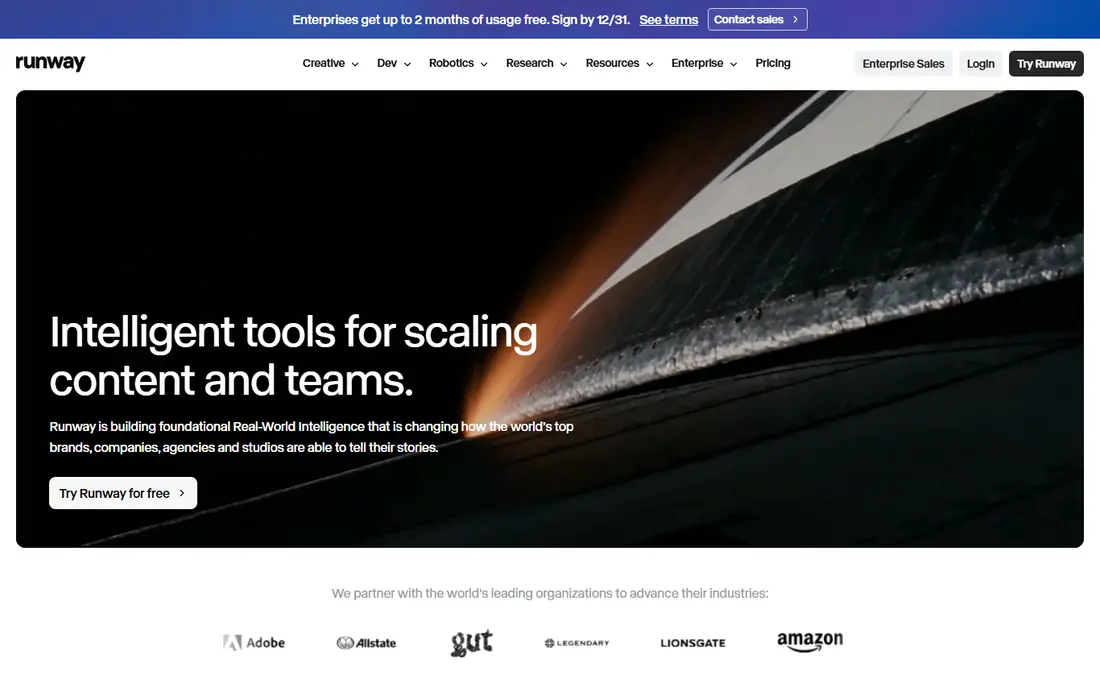
Runway has been a working tool for video creators longer than most rivals, and its Gen models offer text-to-video, image-to-video and a set of editing controls. That combination suits creators who do not just want a clip, but want to shape it: extend a shot, change a style, or blend generated footage with real footage. Runway also offers tools for motion and effects that go beyond a single prompt.
The free tier gives a taste, but serious use needs a paid plan and credits. The interface has many options, so beginners should start with a simple generation and learn one editing tool at a time. Runway suits filmmakers, marketers and designers who want control over the result, not just a quick novelty clip.
- Text and image-to-video
- Editing tools and effects
- Strong for professional workflows
- Free credits are limited
- Learning curve for advanced features

Kling, from Kuaishou, is known for realistic motion and detailed clips, especially for people, animals and action scenes. It handles camera movement and physical motion well, which makes it a strong choice for clips that must look believable rather than dreamlike. Image-to-video support also lets you animate a still image with a prompt.
Free credits are limited, and generation times can vary. Kling suits creators who judge a tool by the realism of its output and who are willing to try a few generations to get motion right. For social clips and product demos where believable movement matters, Kling is one of the best sora alternatives to test early.
- Strong realistic motion and detail
- Good for people and action scenes
- Image-to-video support
- Generation can take time on busy plans
- Free credits are limited
Pika focuses on quick, shareable video. Its interface is simple, its effects are playful, and it suits creators who need a short clip for social media rather than a film sequence. Text-to-video and image-to-video both work well for memes, product teasers and short visual ideas.
The limit is scope. Pika clips are short, and it is not the tool for a long, carefully directed scene. Use Pika when speed and shareability matter more than cinematic depth. It pairs well with a stronger tool such as Veo or Runway: draft an idea in Pika, then rebuild the best version in a more controlled generator.
- Fast and easy for short clips
- Fun effects and styles
- Good for social content
- Clip length is short
- Less suited to long cinematic sequences
Luma Dream Machine is known for fast, creative video generation from text and images. Its output tends to be stylised and imaginative, which suits music visuals, concept clips and social content where a striking look matters more than strict realism. The interface is simple enough for beginners to get a first clip quickly.
Realism is less consistent than Kling or Veo, so prompts with complex human motion may need several tries. Free use is limited, and paid plans allow longer or higher-quality generations. Luma suits creators who want fast ideas and visual variety, and who enjoy iterating on style rather than chasing perfect physics.
- Fast generation
- Creative and stylised output
- Image-to-video support
- Realism varies by prompt
- Free use is limited
Hailuo, from MiniMax, offers a strong balance of quality and cost. Its video generation handles text and image prompts well, and it is popular for social and marketing clips where volume matters. For creators who generate many clips a week, that value balance can matter more than a small edge in peak quality.
Hailuo is less well known in some markets than Google or Runway, and support and documentation may feel thinner in English. Test it with your own prompts before committing, since style and motion vary by model version. Hailuo suits budget-conscious creators who need reliable short clips at volume.
- Good quality for the price
- Text and image-to-video
- Useful for social and marketing clips
- Brand recognition is lower outside its home market
- Features vary by plan
Adobe Firefly Video brings AI video generation into the Adobe workflow. You can generate a clip, then edit it in Premiere Pro without leaving the Adobe set of tools. That integration matters for teams that already edit in Premiere, since it keeps generated footage inside a familiar timeline and export process.
Video generation in Firefly is newer than in dedicated video tools, and credit limits apply on lower plans. For pure clip quality, Veo or Kling may edge it out today. Firefly Video suits Adobe teams and client work where workflow and commercial positioning matter as much as the clip itself. Check credit limits before planning a large project.
- Integrates with Premiere Pro and Adobe tools
- Designed with commercial use in mind
- Text and image-to-video
- Credit limits on lower plans
- Video features are newer than rival video tools
PixVerse suits short-form creators who want fast effects and templates. Its tools make it easy to turn an image or a short prompt into a clip with motion, effects and style, without a complex setup. That speed suits TikTok, Reels and Shorts creators who post often and need fresh visuals quickly.
PixVerse is less suited to long or carefully directed scenes, where Runway or Veo give more control. Free credits run out fast with regular use, so check paid plans if you post daily. PixVerse suits social creators who value speed, templates and effects over cinematic precision.
- Easy short-form generation
- Effects and templates
- Good for social creators
- Less control for cinematic work
- Free credits are limited
How we picked these
We shortlisted current AI video generators that are available after the Sora shutdown, cover text-to-video and image-to-video, and have a clear official home. We excluded Sora itself, since it cannot be signed up for, and we favoured tools with distinct strengths rather than near-identical clones. Prices and credit limits change often, so we list them as See website.
How to choose the best sora alternative
Start with the clip you need. For a polished clip with sound, try Google Veo first. For editing and control, try Runway. For realistic motion, try Kling. For quick social clips, try Pika, Luma or PixVerse. For value at volume, try Hailuo. For Adobe workflows, try Firefly Video. Test the same prompt in two tools and compare motion, faces, hands and sound before you commit.
Next, check practical limits. Look at clip length, resolution, credit costs per generation, and commercial use terms on your plan. Avoid building a client project around a free tier that may run out mid-week. Keep your prompts and source images, so you can regenerate a clip if a tool changes its model. The best sora 2 alternatives are not one tool for every job, but a shortlist you can switch between as each project demands.
Frequently asked questions
What happened to Sora?
OpenAI announced the Sora shutdown on 24 March 2026, discontinued the Sora web and mobile apps on 26 April 2026, and removed the Sora API on 24 September 2026. There is no Sora product to sign up for now, and OpenAI named no one-to-one replacement. If you have old Sora videos, export them through the sunset process promptly.
What is the best alternative to Sora?
Google Veo is the strongest general replacement for high-quality short clips with sound. Runway suits editing and control, Kling suits realistic motion, and Pika suits quick social clips. The best alternative depends on whether you need polish, control, realism or speed.
Are there free alternatives to Sora?
Yes. Veo, Runway, Kling, Pika, Luma, Hailuo, Firefly Video and PixVerse all offer free tiers or free access with limits. Free credits usually cover testing and light use, while regular or client work needs a paid plan. Check credit costs before starting a large project.
Can Sora alternatives make videos with sound?
Yes, in many cases. Google Veo supports native audio on many clips, and other tools support sound through editing or separate audio tools. Check whether sound is generated with the clip or added afterwards, since that affects lip sync and timing.
What is the best sora alternative for social media?
Pika, Luma and PixVerse suit fast social clips with effects and templates. For higher-quality social ads, Veo or Kling give a more polished result. Choose based on how often you post and how much time you can spend refining each clip.
Sources we checked (8)

Online Jobs is an independent blog about careers, online work, learning new skills and the tools that help people earn. More about us.
Keep reading
All posts
OpenClaw Alternatives
Looking for openclaw alternatives? We compare 9 self-hosted and hosted AI agent tools, from Open WebUI and LibreChat to Manus, on setup, control, and price.

Best Grok AI Alternatives
Looking for the best grok ai alternatives? We compare 8 chatbots on writing, coding, research, and price, so you can find a strong replacement for daily work.

Best Generative AI Platforms
Looking for the best generative AI platforms in 2026? We compare nine tools for writing, coding, images, video and research, with free tiers and honest limits.