Best Text to Video AI Tools in 2026: 9 Tools Compared

How we put this together: we compare official feature and pricing pages, app store listings, privacy policies and public user reviews. Prices change, so check the provider's site before you pay.
Key takeaways
- Runway and Kling AI lead for original generated footage, while Synthesia and HeyGen lead for avatar-led training and marketing videos.
- Pictory and InVideo are better when you start with a script, article, or blog post rather than a single visual prompt.
- Google Flow offers strong cinematic quality, but its credits sit inside Google AI plans rather than a standalone video subscription.
- Clip length, credit cost, and watermark rules matter more than headline monthly prices, since pricing units differ across tools.
- Most creators benefit from one generative tool plus one script-to-video tool, rather than paying for every platform at once.
Quick comparison
| Name | Who it suits | Starting price | Free option | |
|---|---|---|---|---|
 Runway | Professional generated footage | $12 per month | Yes | Visit |
 Kling AI | Realistic motion on a budget | $6.99 per month | Yes | Visit |
 Google Flow | Cinematic scenes with audio | See website | Yes | Visit |
 Pika | Short social clips and effects | $8 per month | Yes | Visit |
 Luma Dream Machine | Fast cinematic ideas | See website | Free trial | Visit |
 Synthesia | Avatar training videos | $18 per month | Yes | Visit |
 HeyGen | Avatar marketing videos | $24 per month | Yes | Visit |
 Pictory | Script to finished video | $19 per month | Free trial | Visit |
 InVideo | Script to social video | $20 per month | Yes | Visit |
The best text to video AI tools
Text to video now covers two very different jobs. One job is generating original moving footage from a prompt. The other is turning written words into a finished video with stock footage, voiceover, avatars, and captions. This list covers both, so you can match the tool to the video you actually need.
Runway suits creators who think in shots rather than slides. You can generate a clip, extend it, change its style, and edit it alongside other footage in the same workspace. That depth helps filmmakers, advertisers, and social teams who need B-roll that does not look like stock. The platform also offers useful control over camera movement and subject motion, which reduces the randomness that frustrates new video users. The catch is cost per second. Entry credits disappear quickly on longer or higher-resolution work, so Runway rewards careful shot planning and short, purposeful generations.
- Mature editing suite
- Strong camera and motion control
- Video-to-video and effects tools
- Credits deplete fast on longer clips
- Free credits are one-time only
Kling AI gives strong value for creators who generate often. Human movement, physics, and scene coherence are good for the price, and the entry paid plan is lower than many rivals. Text-to-video and image-to-video both work well, so you can start from words or animate a still image. Daily free credits make it easy to test prompts before spending paid credits. The catch is the learning curve around credits, resolution, and model choice. Read the pricing page carefully, and start with short clips while you learn which settings give the best result for your style.
- Daily free credits
- Strong human motion
- Low entry price for paid plans
- Free exports can carry a watermark
- Credit math takes time to learn
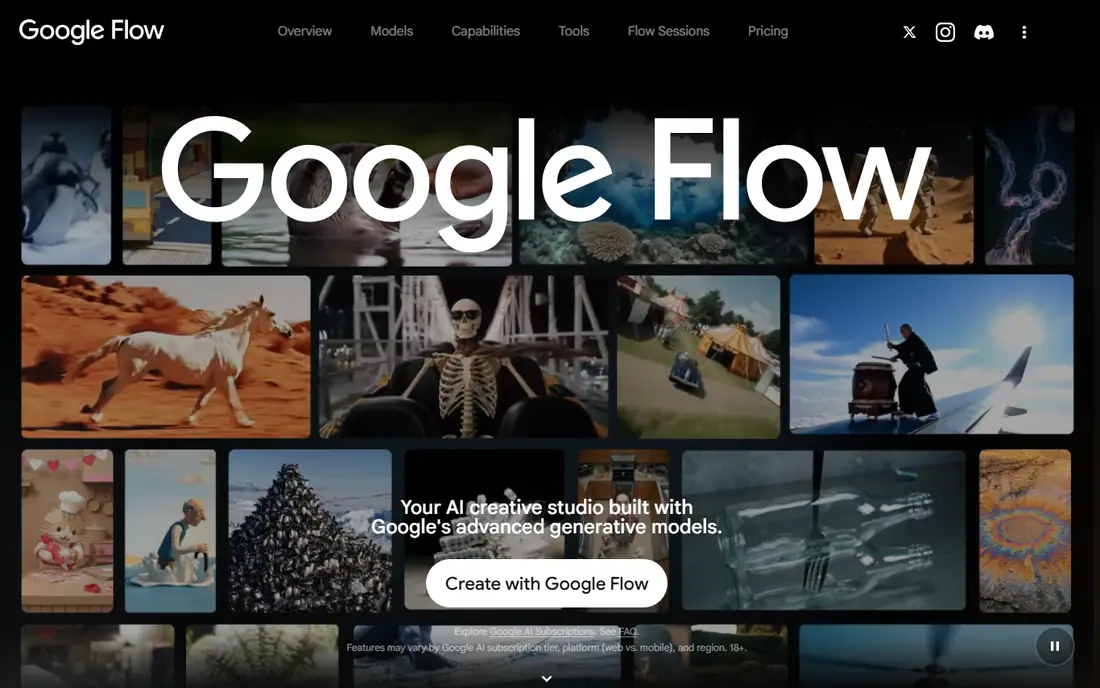
Google Flow is built around scenes rather than single clips. You can create shots, keep characters and settings consistent, and build a short sequence that feels closer to a filmed piece. Native audio on supported generations adds dialogue and sound without a separate editing step. That structure suits ads, explainer scenes, and short films more than quick social posts. The catch is pricing clarity. Flow access and credits sit inside Google AI plans, so you need to check which plan you hold and how many credits it includes before committing to a project.
- Cinematic quality
- Native audio and lip sync on supported models
- Scene building tools
- Credits tied to Google AI plans
- Heavy use drains credits fast
Pika is the tool to reach for when you want a quick, eye-catching social clip. Effects, transitions, and stylised motion are easy to apply, and the interface does not ask you to learn film terminology. That speed helps creators who post daily and need variety without a long production process. The free route is limited on current plans, so Pika works best as a paid tool for regular social output. The catch is clip length and depth. For longer scenes, training videos, or complex narratives, Runway, Kling, or an avatar tool will serve you better.
- Fast and simple workflow
- Creative effects
- Good for short social formats
- Clips are short
- Free credits are limited on current plans
Luma Dream Machine turns a short description into a cinematic clip in a few steps. It is useful for mood films, concept tests, and social drafts where the visual idea matters more than precise dialogue or long narrative control. The speed makes it a good brainstorming partner. The catch is cost and free access. Paid tiers have risen over time, and free access is not a steady daily allowance on current listings. Use Luma for high-value concept clips, and rely on Kling or Pika for routine daily generation.
- Fast generation
- Cinematic look
- Simple prompt workflow
- Free access is limited
- Higher paid tiers are costly for heavy use
Synthesia is not a general footage generator. It turns a script into a presenter-led video with an avatar, voiceover, and slides. That format is ideal for onboarding, compliance training, product explainers, and internal updates, where consistency and speed matter more than cinematic flair. Teams can update a script and regenerate a video without re-recording a presenter, which saves time on revisions. The catch is format and minutes. Lower tiers cap video minutes tightly, and the avatar format will not suit ads or storytelling that need original filmed scenes.
- Large avatar library
- Many languages
- Structured templates for training
- Tight minute caps on lower tiers
- Talking-head format only
HeyGen sits between training tools and marketing tools. It offers avatar videos that feel more polished for sales, social, and product marketing, with voice and translation features that help teams reach several markets from one script. Templates speed up common formats such as ads and explainers. The free plan gives a small number of short videos to test the workflow. The catch is credit use. Photorealistic avatars and longer videos consume credits quickly, so a marketing team should test one campaign format fully before scaling to many videos per month.
- Photorealistic avatars
- Voice cloning options
- Localisation and translation tools
- Premium avatars use credits fast
- Some features are region-limited
Pictory is built for repurposing written content. Paste a blog post, webinar transcript, or script, and it builds a video with stock footage, captions, music, and voiceover. That workflow suits YouTubers, bloggers, and marketers who already have strong written material and want video versions without filming. Editing is straightforward, and captions help social viewers who watch without sound. The catch is originality. Because Pictory assembles stock footage, results can feel templated unless you spend time choosing clips, voices, and pacing. It is a repurposing tool first, not a generative footage tool.
- Turns articles and scripts into video
- Stock footage library
- Auto captions and voiceover
- No ongoing free plan on current listings
- Results can feel templated
InVideo turns a topic or script into a finished social or explainer video with templates, stock footage, voiceover, and captions. It is a practical choice for news-style explainers, product promos, and short marketing videos where speed matters more than original generated footage. Branding controls help teams keep colours, fonts, and logos consistent across many videos. The catch is credit expiry and model variation. Unused credits do not roll over, and output quality can vary depending on which model handles a given shot, so test your core formats before a large campaign.
- Prompt to finished video
- Large template library
- Branding controls
- Credits expire monthly
- Generation quality varies by routed model
How we picked these
We compared web search results, official feature and pricing pages, and app listings for tools that turn text into video in October 2026. We included both generative footage tools and script-to-video tools, because buyers often confuse the two categories. We checked clip length, credit units, free allowances, watermark rules, and whether avatar or stock assembly was the core method. Where pricing was unclear or tied to a broader AI plan, we wrote See website rather than inventing a standalone price.
Choosing the right text to video workflow
Decide between generated footage and assembled video
Generated footage suits original scenes, ads, and creative projects. Assembled video suits explainers, repurposed articles, and training, where stock footage and avatars are acceptable. Mixing the two often works best: generate a hero shot in Runway or Kling, then assemble the full video in Pictory or InVideo.
Budget by seconds, not by months
Monthly prices hide the real cost. Check how many seconds or credits each plan gives, what a ten-second clip costs, and whether credits expire. A cheaper monthly plan with tight credits can cost more per finished video than a higher plan with generous allowances.
Test with one real project
Pick one video you actually need to publish, and run it through two finalists. Compare time spent, number of retries, caption quality, and whether the result needs extra editing. The tool that delivers a publishable video with the least rework is the right pick, even if another tool looks stronger on paper.
Frequently asked questions
What is the best text to video AI tool overall?
Runway is a strong overall pick for professional generated footage, while Kling AI offers better value for frequent creators. For avatar training, Synthesia leads, and for repurposing articles, Pictory leads. The best overall tool depends on whether you need original footage, an avatar, or a script-to-video assembly.
Can text to video tools make long videos?
Most generative clips run five to sixteen seconds, and longer videos are built by chaining clips or assembling stock footage. Synthesia, HeyGen, Pictory, and InVideo can produce longer finished videos because they use avatars, slides, or stock clips rather than generating every second from scratch.
Do I need to write long prompts for good video?
Short, specific prompts usually work better than long, crowded ones. Name the subject, action, setting, and camera move, and keep dialogue separate where the tool supports it. If a clip is close but not right, edit one element at a time rather than rewriting the whole prompt.
Which tool is best for beginners?
Pika and Kling AI are friendly starting points for generated clips, while InVideo is friendly for script-to-video work. All three offer templates or simple prompt flows. Start with short clips, learn the credit system, and move to Runway or Google Flow when you need more control.
Are AI videos good enough for client work?
They can be, for social ads, B-roll, concept films, and explainer videos, provided you check quality, licensing, and disclosure rules for your market. For hero brand films or broadcast work, AI clips often need human editing, colour work, and sound design before they meet client standards.
What should I check before paying?
Check clip length, credit cost per second, watermark rules, commercial use terms, and whether credits expire. Also check whether the tool allows the content type you need, such as people, brands, or logos, since some tools restrict those uses. A one-month test with a real project will reveal more than a feature list.
Sources we checked (9)

Online Jobs is an independent blog about careers, online work, learning new skills and the tools that help people earn. More about us.
Keep reading
All posts
Sora Alternatives
Compare the best sora alternatives now that Sora is discontinued, from Google Veo to Runway and Kling, with strengths and limits for video makers today.
OpenClaw Alternatives
Looking for openclaw alternatives? We compare 9 self-hosted and hosted AI agent tools, from Open WebUI and LibreChat to Manus, on setup, control, and price.
Best Midjourney Alternatives
Compare the best Midjourney alternatives in 2026, from free image generators to commercial-safe tools, with pricing, free plans, and honest trade-offs.