PowerPoint Alternatives in 2026: 8 Tools Compared

How we put this together: we compare official feature and pricing pages, app store listings, privacy policies and public user reviews. Prices change, so check the provider's site before you pay.
Key takeaways
- Google Slides is our pick for most people, since it is free, works in a browser, and allows real-time co-editing.
- Canva is the best free presentation software for design-led decks, with templates and brand tools beyond slides.
- Prezi is best when you present live and want polls, quizzes, and Q&A built into the deck.
- Gamma is best for a fast first draft from a prompt, outline, or existing file.
- Check export before you commit: a tool that cannot export a clean PowerPoint file can trap a deck you need to share.
Quick comparison
| Name | Who it suits | Starting price | Free option | |
|---|---|---|---|---|
 Google Slides Google Slides | Free collaboration | Free | Yes | Visit |
 Canva Canva | Design-led decks | Free | Yes | Visit |
 Prezi Prezi | Live interactive talks | Free | Yes | Visit |
 Gamma Gamma | Fast AI decks | Free | Yes | Visit |
 Keynote Keynote | Apple users | Free | Yes | Visit |
 Visme Visme | Data and infographic decks | Free | Yes | Visit |
 Pitch Pitch | Team pitch decks | Free | Yes | Visit |
 LibreOffice Impress LibreOffice Impress | Free offline slides | Free | Yes | Visit |
The best PowerPoint alternatives
We compared official feature pages and pricing pages for alternatives to PowerPoint, free PowerPoint alternatives, alternatives to Google Slides, and the best free presentation software. The list includes tools that replace PowerPoint for different jobs: collaboration, design, live presenting, AI drafting, and offline editing.
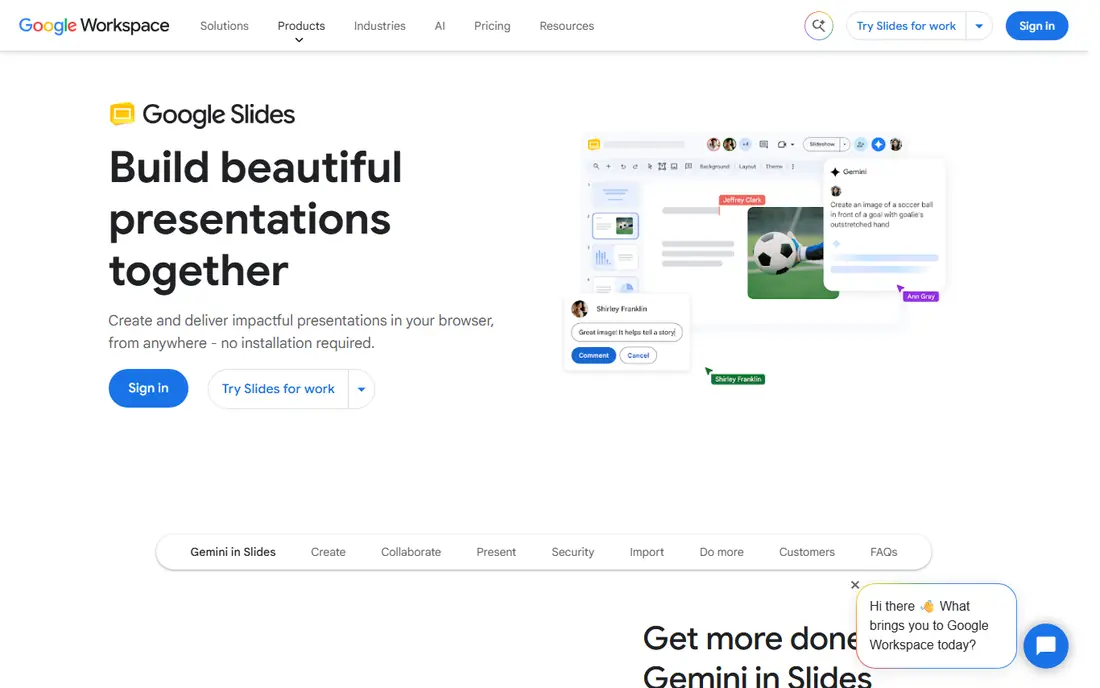
Google Slides is the most practical PowerPoint alternative for most teams because it is free, runs in a browser, and lets several people edit the same deck at the same time without sending versions back and forth. You can convert a PowerPoint file into Slides format, or edit a PowerPoint file directly, with the original file kept intact. Revision history lets you revert a change, and sharing controls decide who can view or edit.
Google Slides is not a full PowerPoint clone. Its animation, chart, and formatting controls are thinner, and some Workspace features, such as slide recording and certain AI tools, need a paid Workspace plan. For a team that already uses Google Workspace, or for a student or small business that needs a free, collaborative deck, those limits rarely matter. Start here if collaboration and cost matter more than pixel-perfect PowerPoint formatting.
- Free with a Google account
- Real-time co-editing
- Converts and edits PowerPoint files
- Design controls are thinner than PowerPoint
- Advanced animations and offline features are limited
Canva suits people who want a deck to look designed without hiring a designer. Its free plan includes templates, stock assets, and basic design tools, while Pro, listed at $12 per month billed annually in some comparisons and $15 per month in others, adds a brand kit, premium assets, and more AI tools. Because Canva also handles social posts, documents, and print, a marketing team can keep a deck, a social graphic, and a one-pager in the same brand system.
Canva is weaker than PowerPoint for complex, data-heavy decks with detailed charts and animations. Its strength is speed and visual polish for pitch decks, lesson slides, and marketing presentations. Check the Pro price at signup, since listings differ, and test PowerPoint export with a real deck before you build a large presentation in Canva alone.
- Huge template and asset library
- Brand kit and team tools
- Decks plus social and print design in one place
- Paid Pro price varies by listing
- Presentation controls are simpler than PowerPoint for complex decks
Prezi is different from the other tools here because it is built for what happens during and after a talk, not just for making slides. You can import a PowerPoint, Google Slides, Canva, or PDF deck, or describe a topic and let Prezi draft one, then add live polls, quizzes, Q&A, and word clouds that an audience joins by scanning a QR code. After the session, the same link offers review material, flashcards, and a narrated video.
Prezi starts free, with Standard at $7 per month and Plus at $19 per month in October 2026 listings. The zoomable canvas suits teaching, training, and sales talks where showing relationships matters, but it can distract in a formal board deck that needs a linear flow. Export to PowerPoint and PDF is available, so a Prezi deck is not trapped in Prezi alone.
- Zoomable canvas
- Live polls, quizzes, Q&A, and word clouds
- Imports PowerPoint, Slides, Canva, and PDF
- Non-linear style does not suit every deck
- Paid Standard plan at $7 per month for fuller features
Gamma is the best PowerPoint alternative when you need a first draft fast. Start with a prompt, an outline, or an existing PowerPoint or PDF, and Gamma's agent builds a deck with a story outline first, so you can shape the message before the design. You can edit in chat, drag layouts, or switch to freeform editing, and export to PowerPoint or PDF when you need to share a traditional file.
Gamma has a free plan with AI credits, and paid plans from $9 per month for Plus and $18 per month for Pro in October 2026 listings. The card-based format looks modern on a link, but it does not match a traditional slide deck exactly, so check the PowerPoint export if your audience expects a standard file. For internal decks, proposals, and fast client drafts, Gamma saves the most time in this list.
- Prompt, outline, or file to deck in minutes
- Card-based design
- PowerPoint and PDF import and export
- Free AI credits are limited
- Card format differs from traditional slide layouts
Keynote is free on Mac, iPhone, and iPad, and it is the best PowerPoint alternative for Apple users who care about animation polish. Its Magic Move transitions, typography, and built-in themes produce a refined look with little effort, and it exports to PowerPoint and PDF for sharing with Windows users. For a Mac-based team or a student with an iPad, Keynote costs nothing extra and feels native.
The limit is cross-platform work. Windows users can use Keynote through iCloud on the web, but the experience is not as smooth as Google Slides in a browser. Collaboration is also strongest when everyone is on Apple devices. Choose Keynote if you present from a Mac or iPad and value polish, and Google Slides if your team mixes Windows, Mac, and Chromebooks.
- Free on Apple devices
- Polished transitions and typography
- Exports to PowerPoint and PDF
- Windows users need iCloud on the web
- Collaboration is strongest inside Apple devices
Visme suits decks that are really data stories: reports, proposals, and presentations built around charts, maps, and infographics. Its free plan covers basic presentations, while Starter, at $12.25 per month, adds more assets, brand tools, and export options. You can also make documents, infographics, and social graphics in the same tool, which helps a team that turns one report into several formats.
Visme is heavier than Google Slides or Canva for a simple ten-slide deck, and its data widgets take time to learn. Use it when a deck needs charts that update from data, maps, or a polished infographic layout that a slide tool alone cannot handle. For a quick pitch deck, Canva or Gamma will be faster.
- Charts, maps, and data widgets
- Infographic and document formats
- Brand tools on paid plans
- Paid Starter plan at $12.25 per month
- Learning curve for data widgets
Pitch is built for startup and sales teams that need a polished deck and want to know what happens after they send it. Its free plan covers small teams, while Plus, at $13 per month, and Team, at $19 per month in October 2026 listings, add more features and controls. Viewer analytics show who opened a shared deck and which slides they spent time on, which is useful for a fundraising or sales follow-up.
Pitch templates are more focused on pitch and sales decks than Canva's broad library, so a marketing team that also needs social graphics may still need Canva. Collaboration is strong, with real-time editing and commenting, and PowerPoint export is available. Choose Pitch when the deck is a sales or fundraising asset and post-send insight matters.
- Free plan for small teams
- Polished templates
- Viewer analytics on shared decks
- Real-time collaboration
- Plus at $13 per month and Team at $19 per month for fuller features
- Smaller template library than Canva
LibreOffice Impress is the best free PowerPoint alternative for offline work. It is part of LibreOffice, costs nothing, and opens and saves PowerPoint files, so you can work without a subscription or a constant internet connection. For a student, a nonprofit, or a user on an older computer, that free offline option matters more than AI features or cloud collaboration.
The trade-offs are polish and collaboration. The interface feels dated next to Canva or Gamma, and real-time co-editing needs a separate tool such as a shared drive. Complex PowerPoint formatting, especially animations and embedded fonts, can shift when a file moves between Impress and PowerPoint, so test a copy of an important deck before you present it. For simple, offline decks, Impress is a solid, no-cost choice.
- Completely free and open source
- Works offline
- Opens and saves PowerPoint files
- Interface feels dated
- Collaboration needs a separate file-sharing tool
- Some PowerPoint formatting shifts on export
How we picked these
We compared official feature pages and pricing pages, and we checked that each vendor homepage loads and belongs to the product named, except Canva, whose homepage showed an unsupported browser message during our text check, though Canva itself is widely available in a standard browser. We favoured tools that are live in October 2026, with a free or trial path, and we noted export options, since a presentation tool that traps your deck is a poor replacement for PowerPoint.
We did not claim hands-on testing that did not happen, and we did not treat a template count as proof of quality. Where paid prices differed across listings, especially for Canva, we said to check the price at signup rather than copying one figure as certain.
How to choose a PowerPoint alternative
Start with how the deck will be used, not how it will look. A deck for live teaching needs different tools from a deck for emailing to investors, and a deck for team editing needs different tools from a deck for a single presenter. Answer that question first, and the shortlist becomes clear.
Collaboration, design, or live presenting
If several people edit a deck, choose Google Slides, Canva, or Pitch. If design polish matters most, choose Canva, Keynote, or Visme. If you present live and want audience participation, choose Prezi. If you need a first draft fast, choose Gamma. If you need offline work with no subscription, choose LibreOffice Impress. No single tool is best at all five jobs.
File compatibility and export
Test export early with a real deck, not a blank template. Open a PowerPoint file in the new tool, edit a slide, and export it back to PowerPoint or PDF, then check fonts, charts, and animations. If a key chart or animation breaks, that tool is not a replacement for your use, even if its templates look better. Keep the original PowerPoint file until the exported version is proven.
Cost and team size
Free plans cover most single users, but team plans are priced per user, so a $12 per month tool for ten people costs $120 per month. Count editors, not viewers, since many tools charge only for editors. For a classroom or a small team, a free plan plus one paid seat for the deck owner is often enough.
Frequently asked questions
What are the best free PowerPoint alternatives?
Google Slides, Canva, Prezi, Gamma, Keynote on Apple devices, Visme, Pitch, and LibreOffice Impress all offer free plans or are free. Google Slides is best for collaboration, Canva for design, Prezi for live talks, Gamma for fast AI drafts, and LibreOffice Impress for offline work. Try two free options with a real deck before paying.
What is the best alternative to Google Slides?
Canva is the best alternative if you want stronger design templates and brand tools, while Gamma is best if you want AI drafting from a prompt or outline. PowerPoint itself remains best for complex formatting and offline work. Choose based on if design, AI speed, or formatting depth matters most for your next deck.
Can I open PowerPoint files in these alternatives?
Yes, in most cases. Google Slides can convert or directly edit PowerPoint files, Canva and Prezi import PowerPoint files, Gamma imports PowerPoint and PDF, Keynote opens PowerPoint files, and LibreOffice Impress opens and saves PowerPoint files. Always test a copy of an important deck, since complex animations and fonts can shift on import or export.
Is Canva a good PowerPoint alternative?
Yes, for design-led decks, pitch decks, and marketing presentations. Canva offers templates, assets, and brand tools that PowerPoint does not match for speed. It is less strong for complex data decks, detailed charts, and advanced animations, where PowerPoint or Visme may fit better. Check the Pro price at signup, since listings vary.
What is the best PowerPoint alternative for teachers?
Google Slides is best for classroom collaboration, since students can co-edit in a browser for free. Prezi is strong for live lessons with polls and quizzes, and Gamma is useful for drafting lesson decks quickly. Keynote is a good free option for teachers on Apple devices. Choose based on if collaboration, live interaction, or drafting speed matters most.
Do free presentation tools let me export to PowerPoint?
Most do, with limits. Google Slides, Canva, Prezi, Gamma, Keynote, Pitch, Visme, and LibreOffice Impress all offer PowerPoint or PDF export, though some features are limited on free plans. Test export with a real deck before you rely on it for a client or a class, and keep the original file until the export is checked.
Sources we checked (8)

Online Jobs is an independent blog about careers, online work, learning new skills and the tools that help people earn. More about us.
Keep reading
All posts
Zoom Alternatives
Zoom alternatives compared for 2026: Google Meet, Microsoft Teams, Webex, Jitsi and more for free calls, large meetings and webinars for teams and classrooms.
Gmail Alternatives
Gmail alternatives compared for 2026: Proton Mail, Outlook, Tuta, Fastmail, Zoho Mail and more for privacy, business and cross-platform use for US readers.

Best Writing Software
Looking for the best writing software in 2026? We compared 9 writing apps for books, articles and screenplays on price, features and fit. All verified.