Postman Alternatives in 2026: 9 Tools Compared

How we put this together: we compare official feature and pricing pages, app store listings, privacy policies and public user reviews. Prices change, so check the provider's site before you pay.
Key takeaways
- Bruno is the best free alternative for developers who want collections stored as files in Git, with no account needed.
- Hoppscotch is the fastest way to test an API in a browser, with no install and a generous free plan.
- Apidog is the closest team replacement for Postman, with shared workspaces, mocks, and docs from one spec.
- Insomnia sits between Bruno and Apidog, with broad protocol support and local, Git, or cloud storage.
- Thunder Client is the best choice if you live in VS Code and do not want to switch apps to test an API.
Quick comparison
| Name | Who it suits | Starting price | Free option | |
|---|---|---|---|---|
 Bruno Bruno | Git native, offline API work | $6 per month | Yes | Visit |
 Insomnia Insomnia | Broad protocol API client | $12 per month | Yes | Visit |
 Hoppscotch Hoppscotch | Browser first API testing | $6 per month | Yes | Visit |
 Apidog Apidog | Team API design and testing | $9 per user per month | Yes | Visit |
 Thunder Client Thunder Client | API testing inside VS Code | $3 per month | Yes | Visit |
 HTTPie HTTPie | Terminal and desktop API work | See website | Yes | Visit |
 Yaak Yaak | Local first desktop client | $79 per year | Yes | Visit |
 Kreya Kreya | gRPC and REST testing | See website | Yes | Visit |
 Hurl Hurl | Text file API tests in CI | Free | Yes | Visit |
The best postman alternatives
We compared official product pages, pricing pages, and documentation for API clients and platforms live in October 2026. The job most people actually need is sending a request and reading a response, so we judged each tool on that job first, then on collaboration, mocks, docs, and price. Postman remains a strong platform, but its free plan covers one user, and team plans start higher, which is why many small teams look elsewhere.
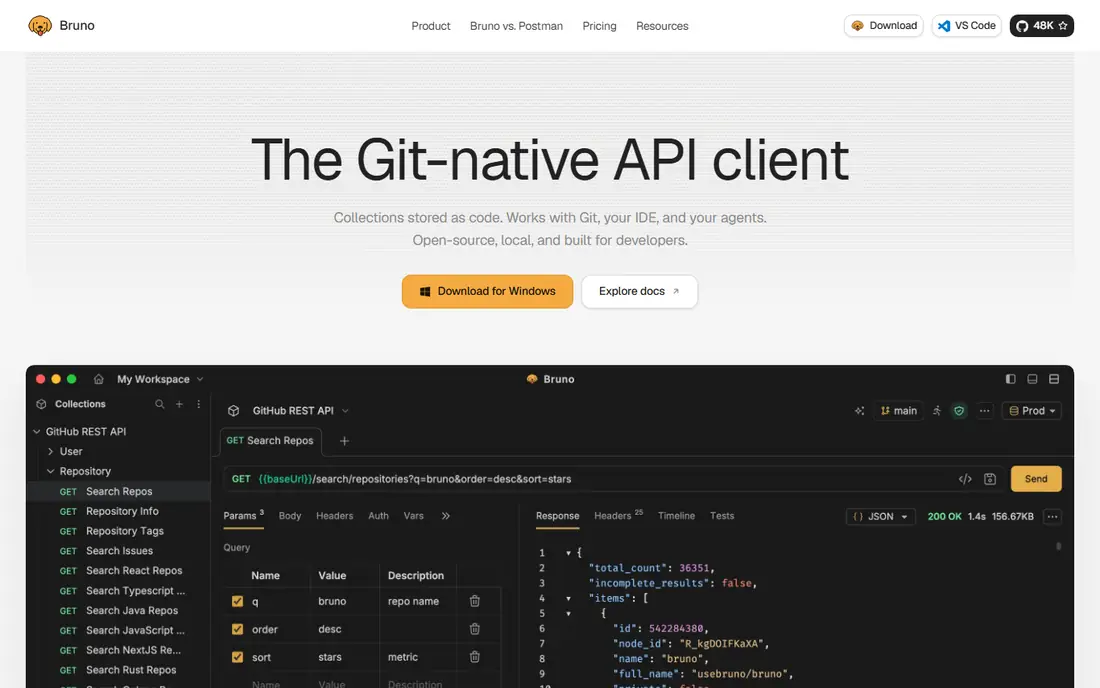
Bruno is the alternative we recommend first to solo developers and small teams who already use Git. Collections live as files in your repository, so you can review changes, branch work, and roll back just like code. The client works offline and does not require an account, which removes a whole class of sync and privacy worries.
The trade off is that Bruno does not try to be a full platform. There is no hosted mock server, no published docs site, and no live co editing in the app. Collaboration happens through Git, which suits developers and frustrates non technical teammates. The Pro plan at $6 per month adds in app Git integration and an unlimited collection runner, but the free core is complete for everyday request work.
- Collections stored as plain files in Git
- Offline, no account needed
- Free core client
- No hosted mocks or docs site
- Team sharing depends on Git
- Pro needed for in app Git and runner extras
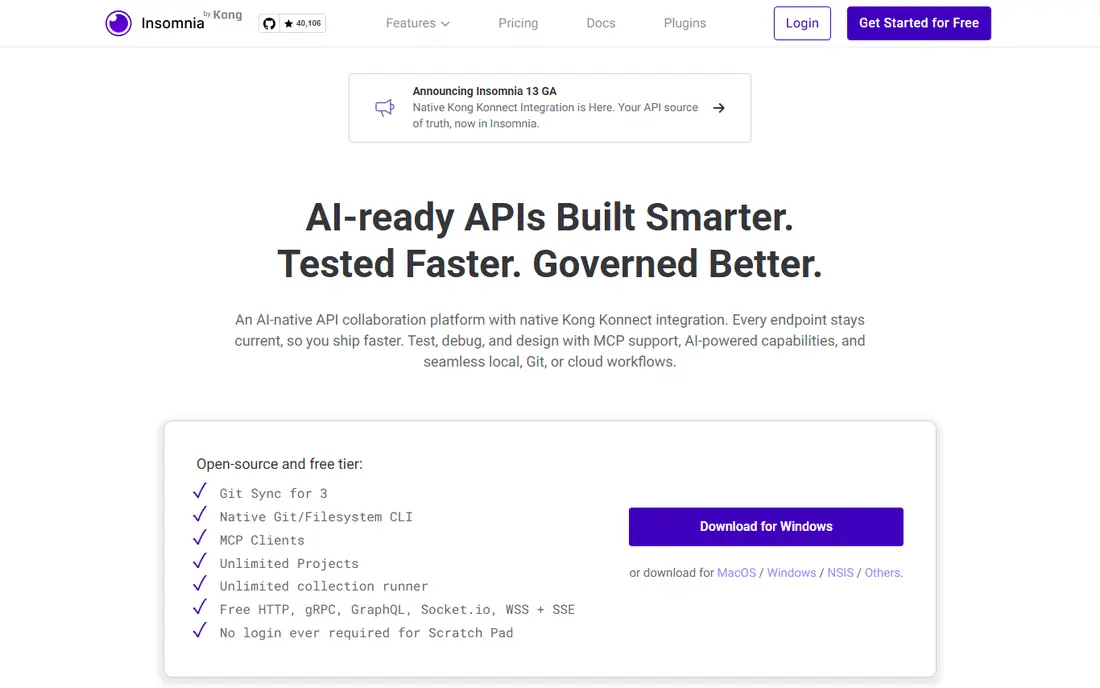
Insomnia, built by Kong, is the most balanced client on this list. It covers a wide range of protocols, lets you store projects locally, in Git, or in the cloud, and includes a command line tool for running collections in CI. That flexibility makes it a good middle ground between Bruno's file first approach and a full team platform.
Free Essentials covers Git Sync for up to 3 users, with unlimited runs, while Pro at $12 per month removes that limit and adds more team features. If your team is larger than three, or you need enterprise controls, budget for Pro or Enterprise. For a developer who tests several protocol types in one app, Insomnia is hard to beat.
- REST, GraphQL, gRPC, WebSocket, and SSE support
- Local, Git, or cloud storage
- Inso CLI for CI
- Git Sync covers 3 users on free Essentials
- Cloud features need paid plans
- Interface can feel busy
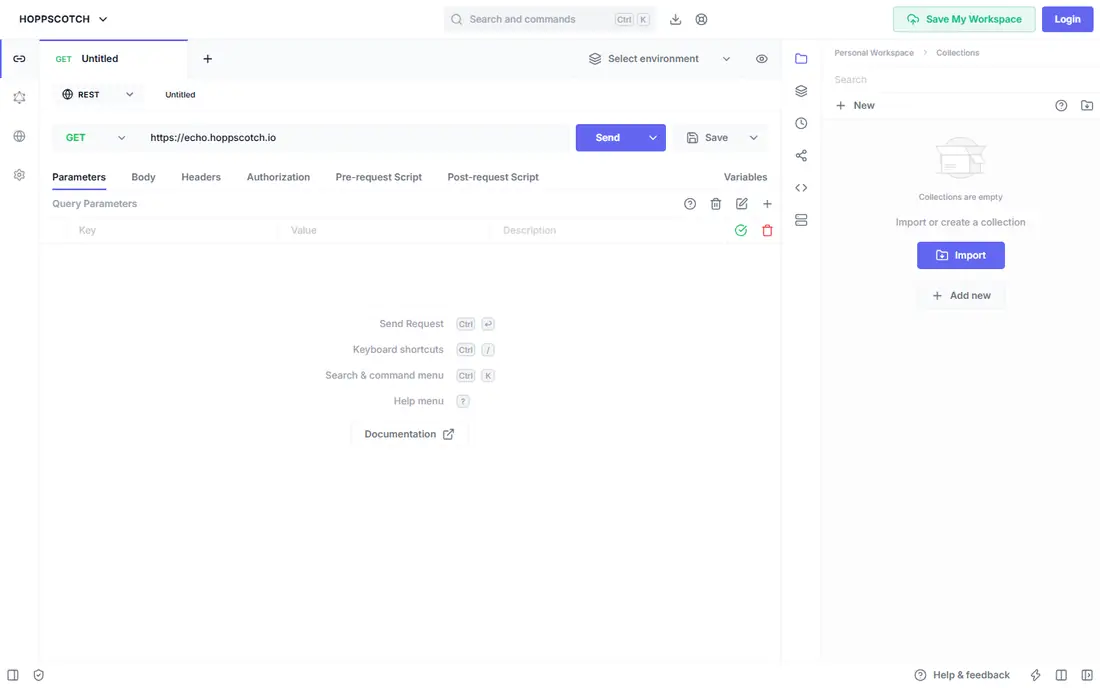
Hoppscotch is the fastest alternative to try. Open a browser tab, send a request, and read the response, with no install and no account needed for basic use. The free plan states no caps on workspaces, collections, requests, or runners, and team workspaces are included, which makes it generous for small teams and students.
There are practical limits. Testing a local server from the browser needs the desktop app or a browser extension, and docs publishing is thinner than Apidog or Postman. The Organization plan at $6 per user per month adds an admin dashboard and support. If speed and browser access matter most, Hoppscotch is the obvious first try.
- Runs in a browser with no install
- Free plan with no stated caps on workspaces
- Open source and self hostable
- Localhost testing needs desktop app or extension
- Docs publishing is thin
- Scenario tests are less deep than Apidog
Apidog is the closest team replacement for Postman on this list. Its free plan covers up to four users, with unlimited test and collection runs, unlimited mock calls, real time co editing, and published docs. That makes it the only free option here that genuinely covers a small team outright, rather than leaving sharing to Git.
Above four users, Basic costs $9 per user per month on annual billing, with every member billed. Apidog also lacks Postman's API Network and multi region monitors, so teams that rely on those features should check before migrating. For a team that wants design, mocks, docs, and testing from one spec, Apidog is the strongest paid value here.
- Free plan covers a team of four
- Mocks, docs, and tests from one spec
- Real time co editing
- Paid per seat above four users
- No Postman API Network
- Cloud hosted by default
Thunder Client is for developers who already live in VS Code. It adds API testing to the editor, so you can send requests, check responses, and keep working on code without switching to a separate app. That small change saves more time than it sounds like, especially during a debugging session.
The free plan is usable, but it is metered, and advanced protocols sit behind paid plans. Starter at $3 per month adds Git storage, protocols, CLI, and more runs, with Business and Enterprise above it. Postman collection import also needs a paid plan, so factor that into migration cost. If VS Code is your home, Thunder Client is the most convenient alternative.
- Lives inside VS Code
- No app switching
- Lightweight for REST work
- Free plan is metered in practice
- WebSocket, SSE, and gRPC need paid plans
- Postman import needs a paid plan
HTTPie starts as a terminal tool, and that is its strength. The CLI is clean, readable, and easy to script, which makes it ideal for quick checks, shell scripts, and CI jobs. A desktop app adds a visual interface for users who prefer clicking to typing, and it imports Postman collections and environments.
The trade off is team depth. HTTPie does not offer the same shared workspace, mock, and docs platform as Apidog, and desktop pricing should be checked on the site. For a developer who is comfortable in a terminal, or a team that scripts API checks, HTTPie is a fast, honest tool that does one job well.
- Clean terminal CLI under an open license
- Desktop app for visual work
- Scriptable requests
- Desktop pricing needs checking
- CLI learning curve for non terminal users
- Team features are thinner
Yaak is a local first desktop client for developers who want their API data to stay on their machine. It supports REST, GraphQL, gRPC, WebSocket, and SSE, with a clean interface that feels modern without being cluttered. Personal use is free, which makes it easy to test on real work.
Commercial use requires a $79 per year license, so teams should budget for that rather than treating Yaak as free for work. There is also no hosted team layer, so sharing happens through files and your own workflow. If local storage and a clean desktop client matter most, Yaak is a strong, focused choice.
- Local only storage
- REST, GraphQL, gRPC, WebSocket, and SSE
- Clean desktop interface
- Commercial use needs a $79 per year license
- No hosted team layer
- Smaller community than Insomnia
Kreya deserves a place here because gRPC testing is where many general clients feel weak. It handles gRPC and REST well, offers a free forever tier, and imports Postman collections, which makes migration less painful. For teams building gRPC services, that focus can matter more than a long feature list.
The community is smaller than Insomnia or Bruno, so guides and third party integrations are fewer. Team features are also thinner than a full platform like Apidog. Check the current pricing page before planning a team rollout. If gRPC is a large part of your work, Kreya is worth a trial alongside Insomnia.
- Strong gRPC support
- Free forever tier
- Postman import
- Smaller community and fewer guides
- Team features are thinner than Apidog
- Pricing needs checking
Hurl is different from every other tool here, because it is not a visual client at all. You write API requests and assertions in plain text files, then run them from the command line or in CI. That makes tests easy to review in Git, easy to run on every commit, and easy to keep next to the code they test.
It is not a replacement for manual exploration. If you want to click around an API, poke at responses, and try variations quickly, start with Bruno or Hoppscotch, then add Hurl for the tests you want to run automatically. For teams that treat API tests as code, Hurl is a clean, free addition to any of the clients above.
- Tests written as plain text files
- Runs in CI
- Open source
- No visual client for manual exploration
- No Postman import on the pages we read
- Needs comfort with text files
How we picked these
We compared official product pages, pricing pages, and documentation for API clients live in October 2026. We kept tools that can send requests and read responses for real APIs, and we noted where free plans limit users, runs, protocols, or team features. We weighed protocol coverage, where data lives, Git support, mocks and docs, and the price of adding a second or fourth team member.
We did not claim hands-on testing that we did not do. We judged each tool on the features and limits its vendor publishes, and we used See website where pricing was not cleanly verifiable at the time of writing. Free plan details change often, so check the vendor page before migrating a team.
What to check before you switch
Count the seats that actually need to share
Postman alternatives split into two groups, clients that leave sharing to Git, and platforms that host sharing for you. If only one or two developers test APIs, a free client like Bruno or Hoppscotch may be enough. If product managers, QA, and support also need access, a platform like Apidog will save more time than it costs.
Test your hardest protocol first
REST is easy for every tool here. gRPC, WebSocket, SSE, and GraphQL are where differences appear, in both support and polish. Import a real collection, test a streaming endpoint, and try a gRPC service during the trial, rather than judging a tool on simple GET requests alone.
Check import, scripts, and CI before you commit
Postman import varies, especially for scripts and environments, and some tools need a paid plan to import at all. Check whether your scripts translate, whether collections run in CI, and whether mocks and docs survive the move. A tool that imports cleanly but loses your test scripts is not a clean migration.
Decide where your API data should live
Some tools store data locally, some in Git, and some in a vendor cloud. Local and Git storage suit privacy sensitive work and code review, while cloud storage suits non technical teammates and shared workspaces. Pick the storage model first, then the tool, because changing it later is harder than changing a client.
Frequently asked questions
What are the best Postman alternatives for free?
Bruno and Hoppscotch are the strongest free options, with Bruno best for Git based offline work and Hoppscotch best for browser testing. Apidog is the best free option for a small team of up to four, because its free plan includes shared workspaces. Thunder Client is also free for basic VS Code use.
What is the best alternative to Postman for teams?
Apidog is the closest team replacement, with shared workspaces, mocks, docs, and tests from one spec, at $9 per user per month above the free team of four. Insomnia Pro is a good choice for developer heavy teams that prefer Git or local storage. Bruno works for teams that are comfortable sharing through Git alone.
Can I import Postman collections into these tools?
Most of these tools import Postman collections and environments, including Bruno, Insomnia, Hoppscotch, Apidog, and Kreya. Script translation and environment handling vary, so test a real collection before migrating. Thunder Client needs a paid plan for Postman import, which is worth knowing in advance.
Is Bruno really free?
The Bruno client core is open source and free, with collections stored as files in your repository. Pro at $6 per month adds in app Git integration, an unlimited collection runner, and code generation extras. For everyday request work, the free core is complete, and the paid plan is optional.
Which Postman alternative is best for gRPC?
Insomnia and Kreya both handle gRPC well, with Kreya offering a stronger gRPC focus and Insomnia offering broader protocol coverage in one app. Yaak also supports gRPC alongside REST and WebSocket. Test a real gRPC service in each during a trial, since polish varies by service definition and streaming use.
Sources we checked (9)

Online Jobs is an independent blog about careers, online work, learning new skills and the tools that help people earn. More about us.
Keep reading
All posts
Zoom Alternatives
Zoom alternatives compared for 2026: Google Meet, Microsoft Teams, Webex, Jitsi and more for free calls, large meetings and webinars for teams and classrooms.

What Is the Best Free Tool to Rotate a PDF
What is the best free tool to rotate a PDF? We compare eight free rotation tools on per-page control, limits, privacy and saved output quality in detail.

What Is the Best AI Dubbing Tool
We compared the best AI dubbing tools in 2026, from ElevenLabs and HeyGen to Rask AI, Dubverse and Veed, for videos and creators in many languages worldwide.