Best monday alternatives in 2026: 8 Tools Compared

How we put this together: we compare official feature and pricing pages, app store listings, privacy policies and public user reviews. Prices change, so check the provider's site before you pay.
Key takeaways
- Asana is the safest structured alternative to monday.com, ClickUp offers the most features per dollar, and Trello is the simplest kanban alternative.
- Notion suits teams that want docs and projects together, while Wrike, Smartsheet, and Zoho Projects suit operations, spreadsheet-style planning, and budget teams in turn.
- Basecamp suits teams that dislike per-seat pricing, because its flat-rate model changes how cost scales with team size.
- The best monday alternative is the tool your team will actually use daily, not the one with the longest feature list or the lowest starting price.
Quick comparison
| Name | Who it suits | Starting price | Free option | |
|---|---|---|---|---|
 Asana | Structured task coordination | $10 per month | Yes | Visit |
 ClickUp | All-in-one value | $7 per month | Yes | Visit |
 Trello | Simple kanban boards | $5 per month | Yes | Visit |
 Notion | Docs and projects together | $10 per month | Yes | Visit |
 Wrike | Marketing and creative operations | $10 per month | Yes | Visit |
 Smartsheet | Spreadsheet-style planning | $9 per month | Free trial | Visit |
 Zoho Projects | Budget-friendly tracking | $4 per month | Yes | Visit |
 Basecamp | Flat-rate collaboration | $15 per month | Free trial | Visit |
The best monday alternatives
These tools replace monday.com boards and workflows with different strengths, from simple kanban to full project suites, and they are all still offered in October 2026.
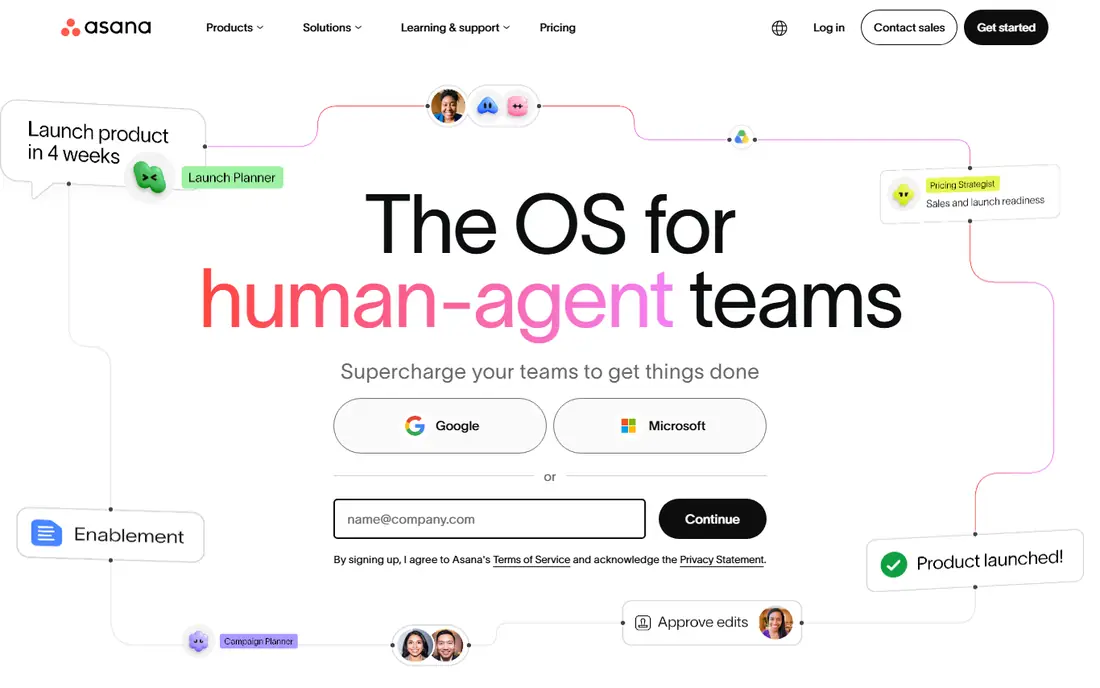
Asana is the safest default when a team wants project management without a steep learning curve. Tasks, projects, timelines, and calendars come together in an interface most people understand quickly, and every task has an owner and a due date, which ends the usual question of who is doing what. That clarity is why Asana works well for cross-functional teams, where marketing, product, and operations need to see the same plan. The honest catch is price at scale. The free plan covers small teams, but the starter tier at around $10.99 per user per month in public listings is where timelines and dashboards arrive, and portfolios sit higher still. We list $10 per month in the table as a rounded starting figure, so check the live Asana pricing page for the exact current rate. For teams that need everyone aligned and can budget per head, Asana remains a strong monday alternative.
- Clear tasks, timelines, and calendars
- Strong automation and workflow builder
- Portfolios and goals on higher tiers
- Per-user pricing adds up at scale
- Advanced reporting needs higher tiers
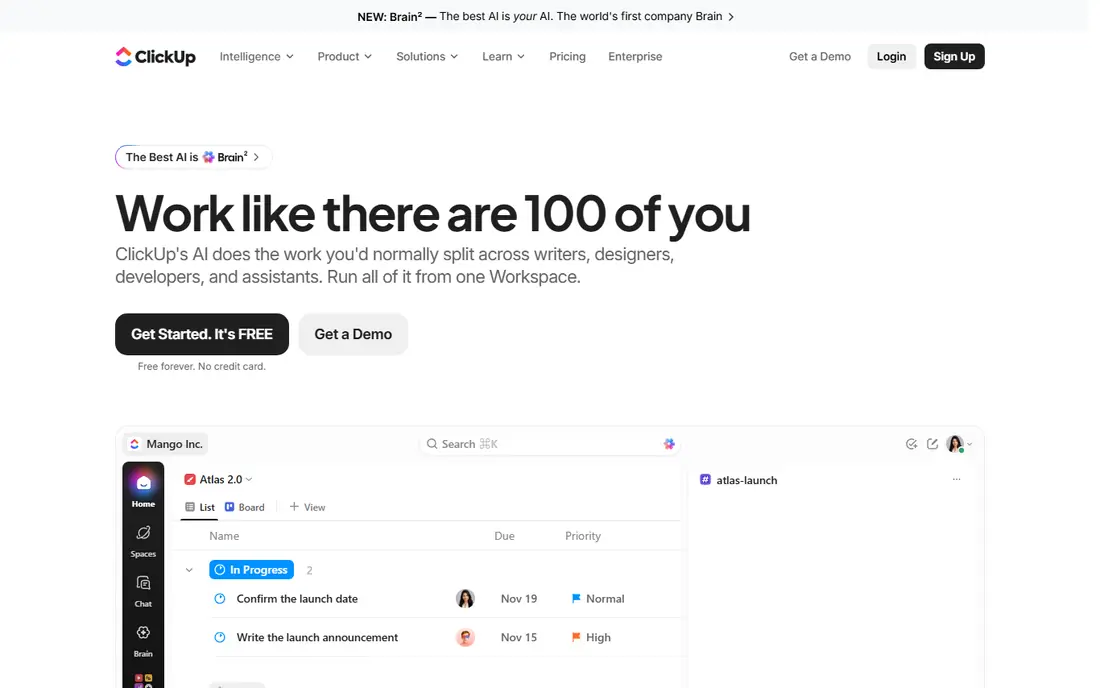
ClickUp is the value pick in this list, because it packs tasks, docs, goals, dashboards, and time tracking into one workspace at a starting price around $7 per user per month in public listings. Teams that want to replace several tools with one, or that want deep customisation without paying for an enterprise suite, often find ClickUp the best fit. The free plan is also generous for small teams that are still testing a workflow. The trade-off is complexity. ClickUp can do so much that a new team may spend too long configuring views, statuses, and automations before doing real work. Start with a simple workspace, copy a template for your main project type, and add features only when a real need appears. For teams that want maximum features per dollar and are willing to invest setup time, ClickUp is a strong monday alternative.
- Many features in one workspace, including docs, goals, and dashboards
- Free plan for unlimited members in some listings
- Strong customisation
- Feature depth can feel overwhelming at first
- Setup takes time to get right
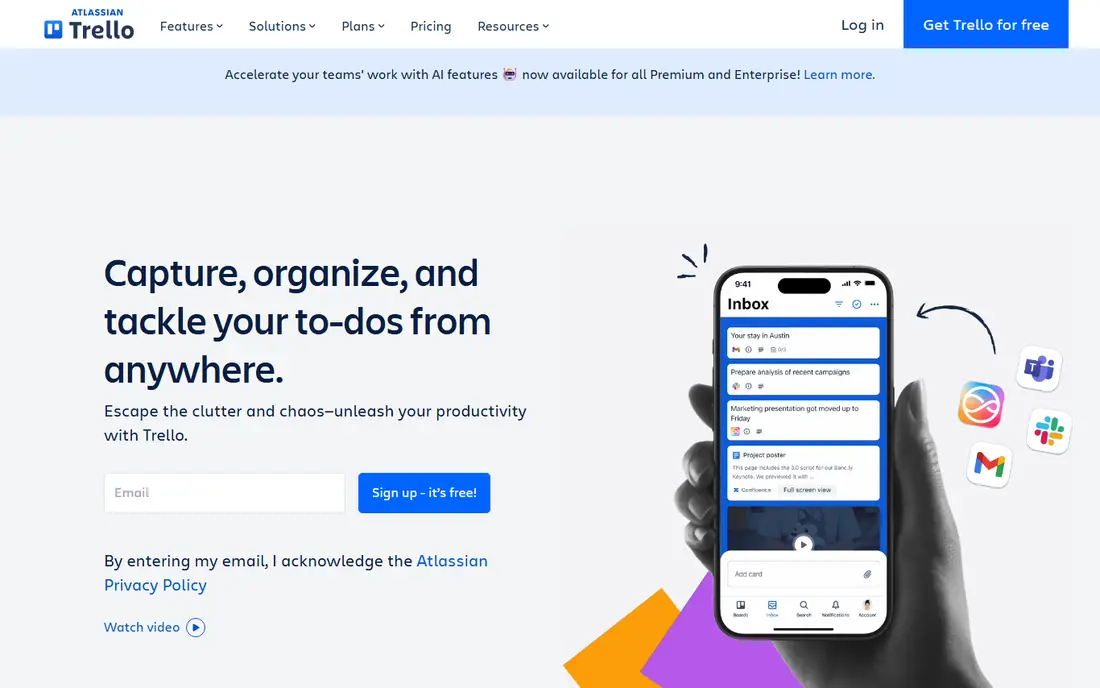
Trello is the simplest alternative here, and that simplicity is its strength. Boards, lists, and cards make work visible at a glance, and a new team member can understand a board in minutes. For small teams, content calendars, hiring pipelines, and simple project tracking, Trello covers the job without the setup and cost of a full suite. The free plan is enough for many small teams to start. The limit appears as projects grow. Trello has less built-in reporting, portfolio management, and workload planning than Asana, ClickUp, or Wrike, and larger teams often need Power-Ups or a second tool for those jobs. If your work fits on a board and your team values speed over structure, Trello is an excellent monday alternative. If you need timelines, portfolios, and resource planning, start with Asana or ClickUp instead.
- Simple, visual kanban boards
- Easy to learn
- Good for small teams and personal projects
- Limited reporting and portfolio features
- Larger projects need add-ons or a different tool
Notion suits teams that live in documents as much as in tasks. Meeting notes, specs, wikis, and project databases can sit in the same workspace, so a task can link to the doc that explains it, and a project page can show both the plan and the background. That combination is useful for product, content, and operations teams that need context alongside task lists. The free plan covers individuals and small teams well. The catch is that Notion is a flexible workspace first and a project management tool second. It lacks some of the built-in timelines, workload, and reporting depth of Asana or Wrike, and a large, messy workspace can become hard to navigate. Teams that want docs and light project tracking together will love Notion. Teams that need strict project controls, approvals, and resource management should choose a dedicated PM tool and link docs from Notion if needed.
- Docs, databases, and tasks in one workspace
- Flexible templates
- Good for knowledge and project work together
- Project features are lighter than dedicated PM tools
- Performance and setup vary with workspace size
Wrike fits marketing, creative, and operations teams that need structured intake, approvals, and reporting. Request forms can turn a brief into a tracked project, approvals can keep creative work moving without email chains, and dashboards can show workload and progress across campaigns. That structure helps larger teams where work comes from many stakeholders and needs clear ownership. The trade-off is complexity for small teams. Wrike has more structure than Trello or Notion, and a small team may find the setup heavier than needed. Pricing also rises with tiers, and some reporting and resource features sit higher up. For mid-sized and larger marketing and creative teams that want control and visibility, Wrike is a strong monday alternative. For a five-person team with simple boards, a lighter tool will be faster.
- Structured workflows for marketing and creative teams
- Request forms and approvals
- Strong reporting on higher tiers
- Interface can feel complex for small teams
- Advanced features need higher tiers
Smartsheet suits teams that think in spreadsheets. If your team already plans in rows and columns, Smartsheet lets you keep that mental model while adding Gantt charts, card views, calendars, automations, and reports. Operations, construction, and programme teams often prefer this style, because it handles large plans, dependencies, and resource views in a format they already understand. The limits are price entry and feel. Smartsheet generally offers a trial rather than a free plan, and the interface is more functional than polished compared with Asana or monday.com. Time tracking and some advanced features may need add-ons or higher tiers. For spreadsheet-first teams, those trade-offs are worth it. For teams that want a visual, board-first experience, Asana, Trello, or ClickUp will feel more natural.
- Familiar spreadsheet interface
- Gantt, card, and calendar views
- Strong for operations and resource planning
- No free plan in most listings, only a trial
- Interface feels less modern than some rivals
- Time tracking needs add-ons in some plans
Zoho Projects is the budget pick in this list, with a starting price around $4 per user per month in public listings and a free plan for very small teams. It covers tasks, milestones, Gantt charts, time tracking, and basic reporting, which is enough for many small teams that need project tracking without a large subscription. For businesses already using Zoho apps, the shared login and data flow add further value. The catch is polish. Zoho Projects is functional and good value, but its interface and some integrations feel less refined than Asana or ClickUp. Larger teams that need advanced portfolios, approvals, and deep reporting may outgrow it. For budget-conscious small teams, especially Zoho users, Zoho Projects is a strong monday alternative that leaves money for other tools.
- Low starting price
- Tasks, milestones, and time tracking
- Strong value for Zoho users
- Interface and integrations are less polished than larger rivals
- Advanced features sit on higher tiers
Basecamp is different from every other tool here, because its main paid model charges a flat monthly rate for a team, rather than charging per user. That changes the maths for larger teams, because adding members does not automatically add cost in the same way. The toolset is deliberately simple, with messages, to-dos, docs, files, and schedules, which suits small businesses and agencies that want collaboration without a complex PM suite. The limit is feature depth. Basecamp does not offer the same timelines, portfolios, automations, and reporting as Asana, ClickUp, or Wrike, and teams that need those controls will find it light. Pricing details also vary by plan in public listings, so we list $15 per month as a starting figure and recommend checking the live Basecamp pricing page. For teams that hate per-seat pricing and want a calm, simple workspace, Basecamp is a strong monday alternative.
- Flat-rate pricing, not per seat in the main paid plan
- Simple tools for messages, to-dos, docs, and schedules
- Easy for non-technical teams
- Fewer advanced PM features than Asana or Wrike
- Per-user plan pricing in public listings varies, so check the live page
How we picked these
We reviewed official feature and pricing pages, app listings, and public reviews for project management tools that are still offered in October 2026 and that can realistically replace monday.com boards and workflows. We favoured tools with a clear use case, such as simple kanban, structured tasks, docs plus projects, or spreadsheet planning, rather than tools that only offer one view. We checked starting prices, free plans, and trial terms on vendor pages, and where pricing varied by source, we rounded the table figure and noted the need to check the live page. Public reviews helped us note common limits, such as setup complexity and tier gating, but we did not use review scores as the main ranking factor.
How to switch from monday.com without losing work
Start by listing what you actually use in monday.com. Boards, automations, dashboards, docs, and integrations are not all equally important, and many teams pay for features they rarely open. Export your boards and check which columns, statuses, and automations carry real work, then map those to the new tool before you sign up. A tool that covers your top three workflows well is a better switch than a tool that covers ten workflows poorly. Next, trial the new tool with one real project and a small group, not with a demo dataset. Move a live board, test automations, and check reporting with real data for two weeks. That trial will reveal import issues, permission gaps, and training needs faster than a feature comparison. Finally, plan the migration in stages. Keep monday.com read-only for a month after the switch, train the team on the new workflow, and archive old boards only after the new reports reconcile. A staged switch costs a little overlap, but it avoids lost work and team frustration.
Frequently asked questions
What are alternatives to monday.com?
Alternatives to monday.com include Asana, ClickUp, Trello, Notion, Wrike, Smartsheet, Zoho Projects, and Basecamp. Asana suits structured teams, ClickUp suits all-in-one value, Trello suits simple kanban, Notion suits docs plus projects, and Basecamp suits flat-rate teams. The best choice depends on team size, workflow, and budget, not on which tool has the most features.
What are alternatives to monday com for small teams?
For small teams, Trello, ClickUp, Asana, and Zoho Projects are strong monday alternatives, because they offer free plans or low starting prices and are easy to learn. Trello is simplest, ClickUp offers the most features per dollar, Asana offers the clearest structure, and Zoho Projects offers the lowest starting price. Start with a free plan on one tool, test it on a real project, and upgrade only when limits appear.
What are dapulse alternatives?
Dapulse was the original name of monday.com, so dapulse alternatives are the same as monday alternatives. Asana, ClickUp, Trello, and Wrike are the most direct replacements, because they cover boards, tasks, timelines, and team collaboration. If you used dapulse for simple boards, Trello is the closest simple replacement, while Asana and ClickUp suit teams that need more structure.
What is the best monday alternative for agencies?
Agencies often choose ClickUp, Asana, or Wrike, because they offer client-facing views, templates, time tracking, and reporting that suit client work. Teamwork is another agency-focused option, but it is not in this shortlist. For agencies, check guest access, client portals, time tracking, and billing integrations during the trial, because those features matter more than board colours or templates.
Is there a free alternative to monday.com?
Yes, Asana, ClickUp, Trello, Notion, Wrike, and Zoho Projects all offer free plans, though each limits users, projects, or features in different ways. A free plan is usually enough for a small team with simple projects, but larger teams will need a paid tier for timelines, dashboards, and advanced automations. Test the free plan on a real project before deciding whether the limits affect your work.
How hard is it to switch from monday.com?
Switching is usually straightforward for boards and tasks, because most tools offer imports from monday.com or from spreadsheets. Automations, dashboards, and integrations take more work, because they need to be rebuilt in the new tool. Plan a two-week trial with one real project, keep monday.com read-only during the transition, and train the team on the new workflow before archiving old boards.
Sources we checked (8)

Online Jobs is an independent blog about careers, online work, learning new skills and the tools that help people earn. More about us.
Keep reading
All posts
Zoom Alternatives
Zoom alternatives compared for 2026: Google Meet, Microsoft Teams, Webex, Jitsi and more for free calls, large meetings and webinars for teams and classrooms.

What Is the Best Free Tool to Rotate a PDF
What is the best free tool to rotate a PDF? We compare eight free rotation tools on per-page control, limits, privacy and saved output quality in detail.

What Is the Best AI Dubbing Tool
We compared the best AI dubbing tools in 2026, from ElevenLabs and HeyGen to Rask AI, Dubverse and Veed, for videos and creators in many languages worldwide.