Best Google Forms Alternatives in 2026: 8 Tools Compared


All-round replacement for Google Forms · Starting price: $34 per month
How we put this together: we compare official feature and pricing pages, app store listings, privacy policies and public user reviews. Prices change, so check the provider's site before you pay.
Key takeaways
- Google Forms is hard to beat on price, since it is free, but it lacks payments, strong branding control, and advanced logic in some plans.
- Jotform is our pick for most people switching, because its free plan is usable and its paid plans add payments, signatures, and approvals.
- Typeform suits short, polished surveys where completion rate matters more than collecting a large volume of answers.
- If you need many responses on a tight budget, check response limits first, since that cap often decides the real monthly cost.
Quick comparison
| Name | Who it suits | Starting price | Free option | |
|---|---|---|---|---|
| Jotform | All-round replacement for Google Forms | $34 per month | Yes | Visit |
 Typeform | Polished, conversational surveys | $28 per month | Yes | Visit |
 Microsoft Forms | Teams already using Microsoft 365 | See website | Yes | Visit |
 SurveyMonkey | Research-grade surveys and analysis | See website | Yes | Visit |
 Zoho Forms | Zoho users and budget-conscious teams | See website | Yes | Visit |
 Fillout | Flexible forms with a generous free tier | See website | Yes | Visit |
 Paperform | Design-led forms that take payments | See website | Free trial | Visit |
 Cognito Forms | Calculations, quotes, and order forms | See website | Yes | Visit |
The best google forms alternatives
Google Forms covers the basics well, but many people outgrow it when they need payments, conditional paths, file uploads with more control, or a form that looks like part of their own site. The eight tools below all handle the core job, and each one earns its place for a different reason.
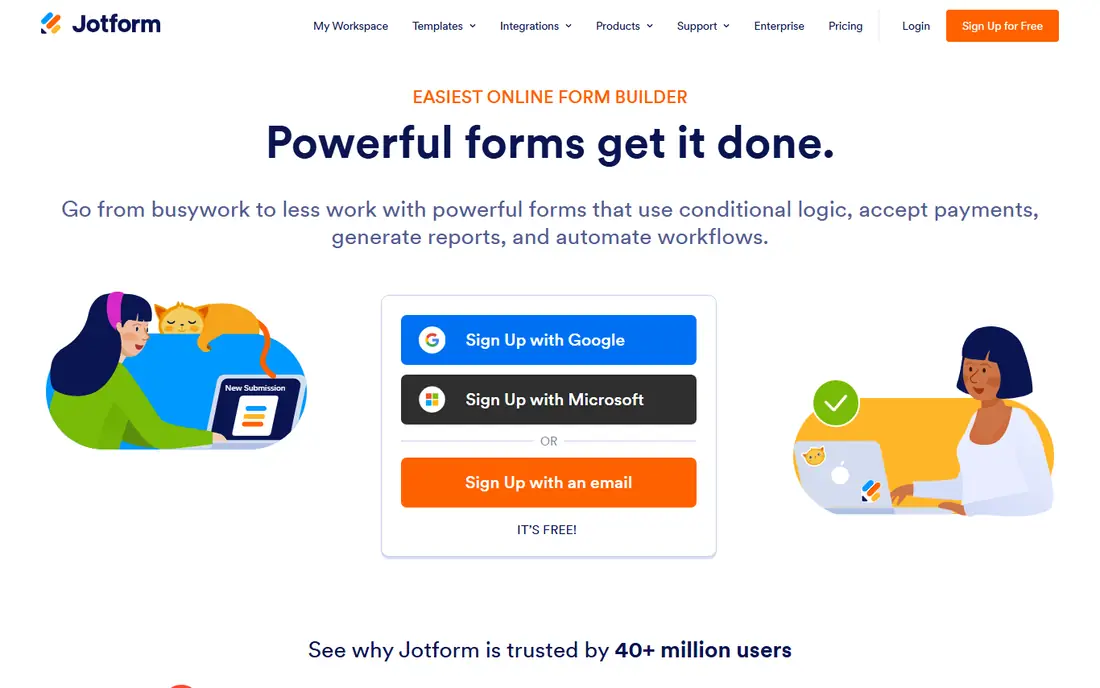
Jotform is the closest thing to a direct upgrade from Google Forms, with a familiar drag-and-drop builder and a much larger set of templates for registrations, orders, applications, and feedback. It also adds tools Google Forms does not offer in the same way, including payment collection, e-signatures, and approval workflows that route a submission to the right person. For a small business or nonprofit, that combination often removes the need for a second tool.
The catch is the counting. The free Starter plan covers five forms and 100 monthly submissions, which is fine for a quiet contact form but tight for a busy intake form. Paid plans raise those limits and remove Jotform branding. Before you commit, estimate your busiest month, not your average month, and pick a plan that leaves room for a spike.
- Large template library
- Payment, signature, and approval features
- Strong free Starter plan
- Submission and form limits apply on lower plans
- Advanced features can take time to learn
Typeform shows one question at a time, which can feel calmer for respondents than a long page of fields. That design suits lead capture, short feedback surveys, and quizzes where you want people to finish rather than abandon the form halfway through. Its logic tools let later questions change based on earlier answers, so a respondent only sees what applies to them.
The trade-off is price per response. The Basic plan, at $28 per month when billed annually, includes 100 monthly responses, so a popular form can hit the limit fast. Typeform is a strong pick when quality of completion matters most, and a weaker pick when you expect thousands of low-cost submissions each month.
- Clean one-question-at-a-time design
- Strong logic and branching
- Good integrations
- Response limits are tight on lower plans
- Costs rise quickly with volume
Microsoft Forms will feel familiar to anyone who has used Google Forms, and it fits naturally into a workplace that already runs on Microsoft 365. Responses can flow into Excel for analysis, and forms can be shared inside Teams or by link. For internal polls, training quizzes, and simple event sign-ups, it does the job with very little setup.
It is less convincing as a public-facing marketing tool. Design options are plain, payment collection is not its strength, and advanced workflow features are thinner than those in Jotform or Fillout. Choose it when your team already lives in Microsoft tools and simplicity matters more than polish.
- Simple to use
- Works well with Excel and Teams
- Easy sharing inside an organisation
- Fewer design and payment options than dedicated builders
- Branding control is limited
SurveyMonkey has been built for surveys first, and that focus shows in its question types, skip logic, and reporting. You can compare groups, filter results, and spot patterns without exporting everything to a spreadsheet first. For customer research, employee feedback, and market surveys, that analysis layer is the main reason to pay.
The free plan works for a quick test, but it caps responses per survey and keeps branding on the form. If you only need a simple contact form, SurveyMonkey is more tool than you need. If you need to defend a decision with survey data, its reporting tools justify a closer look.
- Strong survey logic and analysis tools
- Large template and question bank
- Trusted by research teams
- Free plan is limited
- Full analysis features sit on higher plans
Zoho Forms is a practical choice for teams that already use Zoho CRM, Zoho Desk, or Zoho Books, because submissions can feed straight into those tools. It supports conditional logic, file uploads, payments, and multi-page forms, and its workflow rules can send alerts or approvals when a form arrives. For a small team that wants one vendor for several jobs, that integration is a real time saver.
Outside the Zoho world, it is still a capable builder, though its templates and visual polish lag behind the design-led options here. Check the current pricing page before you buy, since Zoho prices and plan names change, and confirm that the plan you pick includes the payment or approval feature you need.
- Good value in the Zoho suite
- Approval and notification workflows
- Solid mobile app
- Design options feel dated next to Paperform
- Best value comes inside the Zoho ecosystem
Fillout stands out for people who build many forms but do not want to pay for each one. Its builder is quick to learn, and it connects well to Airtable and Notion, which suits teams that already keep their data in those tools. You can build quizzes, applications, and booking forms, and customise the look without writing code.
Because Fillout is newer than Jotform or SurveyMonkey, its template library is smaller and its community is less established. That matters less if you build from scratch, and more if you rely on ready-made forms. Try the free plan with a real form first, and check that its limits fit your busiest month before you move a live form across.
- Unlimited forms on the free plan in many cases
- Modern builder
- Good Airtable and Notion links
- Newer brand, so fewer templates than Jotform
- Some advanced features need a paid plan
Paperform treats a form like a page, not a questionnaire, so you can mix text, images, video, and questions in a layout that looks like your website. That makes it a good fit for landing pages, bookings, event registrations, and simple product orders where appearance helps persuade someone to finish. Payments are built in, so you can charge for a ticket or a service without sending people elsewhere.
The downside is that there is no lasting free tier, only a trial, so you need to be ready to pay after testing. If your forms are mostly internal or plain, Paperform may be more design power than you need. If your form is also your sales page, its polish can be worth the price.
- Strong visual design control
- Built-in payments and product pages
- Good for bookings and orders
- No permanent free plan
- Can cost more than simpler builders
Cognito Forms is the pick when your form needs to do maths. You can build price calculators, quotes, and order forms where totals change as a respondent picks options, adds quantities, or selects add-ons. Repeating sections let someone add several items or several people without you building a separate form for each case. That makes it useful for registrations, rental bookings, and service quotes.
The builder is more functional than beautiful, and it takes a little longer to learn than a simple survey tool. If you only need a short feedback form, look elsewhere. If your form replaces a spreadsheet calculator, Cognito Forms earns its place.
- Strong calculation and repeating-section features
- Payment support
- Good for complex orders
- Interface feels more technical than Typeform
- Design options are plainer
How we picked these
We compared official feature pages, pricing pages, and app store listings for form builders that genuinely replace Google Forms, and we left out tools that only build surveys with no sharing or export path. We favoured tools with a current free plan or trial, clear response limits, and a real use case beyond a single feature. Prices shown here come from vendor pricing pages where we could confirm them, and we use See website where a price varies by plan, region, or billing period.
What to check before you switch
Start with volume, not design. Count how many forms you run, how many submissions you get in your busiest month, and how many file uploads or payments you expect. A beautiful form that closes when you hit a response cap is worse than a plain form that keeps working.
Payments, signatures, and approvals
If you charge for anything, confirm which payment providers the plan supports and whether payment submissions count against your monthly limit. The same check applies to signatures and approvals, since those features often sit on paid plans only.
Branding and data control
Check whether your plan removes the vendor logo, lets you use your own domain, and lets you export responses in full. Also check where data is stored and how long submissions are kept, especially if you collect health, financial, or children's information.
Moving your old forms
Most builders let you import or rebuild a Google Form, but logic, file uploads, and payment fields rarely transfer perfectly. Rebuild one important form first, test it with a colleague, and only then move the rest.
Frequently asked questions
What are the best free alternatives to google forms?
Jotform, Fillout, Cognito Forms, and Microsoft Forms all offer free plans, and each one suits a different need. Jotform is the best all-round free option, Fillout suits people who build many forms, and Microsoft Forms suits teams already on Microsoft 365. Check submission limits, since the free tier often caps monthly responses.
Are there alternatives to google form that accept payments?
Yes. Jotform, Paperform, Cognito Forms, and Zoho Forms all support payments on at least some plans, so you can charge for registrations, orders, or bookings inside the form. Confirm which payment provider each tool supports and whether payment submissions have their own limit before you publish a paid form.
Which alternative is best for surveys?
SurveyMonkey is the strongest choice for research surveys because of its analysis and reporting tools. Typeform is better when you want a short, polished survey with a high completion rate. For simple internal polls, Microsoft Forms or Zoho Forms may be enough without extra cost.
Can I use a google forms alternative without a monthly fee?
Yes, if your volume stays inside the free plan limits. Free plans usually limit forms, submissions, storage, or branding, so a quiet contact form can run free for years. A busy intake form will usually need a paid plan, and it is cheaper to pick that plan early than to lose submissions at the cap.
Is Typeform a good alternative to Google Forms?
Typeform is a good alternative when design and completion rate matter more than volume. Its one-question-at-a-time style feels calm and modern, and its logic tools are strong. It is a weaker pick when you need thousands of responses cheaply, since response limits rise in price quickly.
Sources we checked (7)

Online Jobs is an independent blog about careers, online work, learning new skills and the tools that help people earn. More about us.
Keep reading
All posts
Zoom Alternatives
Zoom alternatives compared for 2026: Google Meet, Microsoft Teams, Webex, Jitsi and more for free calls, large meetings and webinars for teams and classrooms.

What Is the Best Free Tool to Rotate a PDF
What is the best free tool to rotate a PDF? We compare eight free rotation tools on per-page control, limits, privacy and saved output quality in detail.

What Is the Best AI Dubbing Tool
We compared the best AI dubbing tools in 2026, from ElevenLabs and HeyGen to Rask AI, Dubverse and Veed, for videos and creators in many languages worldwide.