Best Front Alternatives in 2026: 8 Tools Compared


Collaborative shared email and team chat · Starting price: $14 per user per month
How we put this together: we compare official feature and pricing pages, app store listings, privacy policies and public user reviews. Prices change, so check the provider's site before you pay.
Key takeaways
- Missive is the closest Front alternative for teams that want shared email, team chat and tasks in one collaborative client.
- Help Scout and Freshdesk suit teams that want a more formal support desk with a knowledge base and ticket workflows.
- Hiver and Gmelius suit Gmail-first teams that want to stay inside Gmail rather than move to a separate app.
- HubSpot Service Hub and Zoho Desk suit teams already using those wider platforms, where a shared inbox should sit next to a CRM.
Quick comparison
| Name | Who it suits | Starting price | Free option | |
|---|---|---|---|---|
| Missive | Collaborative shared email and team chat | $14 per user per month | Free trial | Visit |
 Help Scout | Email-first support with a knowledge base | $25 per user per month | Yes | Visit |
 Zendesk | Large support teams that need scale | $19 per agent per month | Free trial | Visit |
 Freshdesk | Affordable ticketing with room to grow | $19 per agent per month | Free trial | Visit |
 Hiver | Gmail teams that want a shared inbox inside Gmail | $25 per user per month | Free trial | Visit |
 Gmelius | Gmail automation and shared boards | $25 per user per month | Free trial | Visit |
 HubSpot Service Hub | Teams already using HubSpot CRM | Free | Yes | Visit |
 Zoho Desk | Tight budgets and Zoho users | $7 per user per month | Yes | Visit |
The best Front alternatives
Front is a shared inbox for support, sales and operations, with collaboration, automation and multi-channel messages in one place. People look for alternatives to Front for several reasons: price, a wish to stay inside Gmail, a need for a full help desk, or a simpler tool for a small team. We compared official feature pages, pricing pages and public documentation, and we kept the focus on shared inbox work: assigning conversations, avoiding double replies, and keeping a clear record of who handled what.
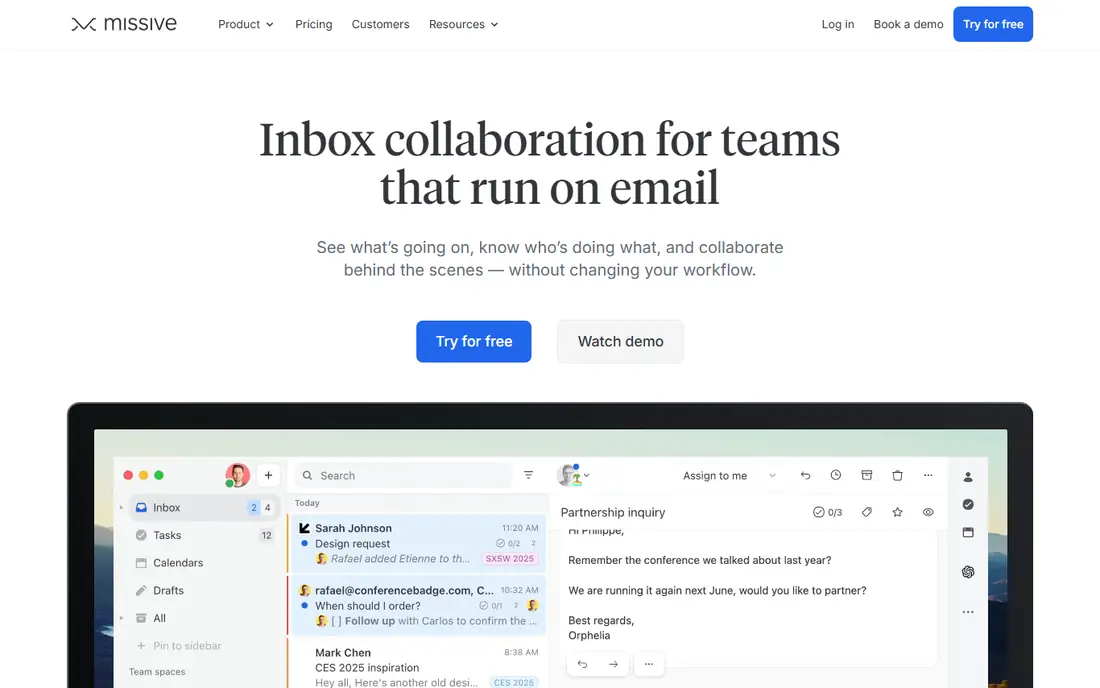
Missive is the most direct Front alternative for small and mid-size teams. It works like an email client, not a ticket queue, so customers get replies that look like normal emails. Under each message, team members can chat, draft a reply together and assign the conversation to a person or a team. Support, sales and operations messages can live in the same system without forcing every team into ticket numbers.
The main gap is self-service. Missive has no built-in help centre, so teams that rely on help articles will need a separate knowledge base tool or a help desk such as Help Scout. Live chat also needs your own Twilio account in the published setup. If your core job is shared email collaboration, those gaps may not matter. If self-service is central, weigh them carefully.
- Shared inboxes with team chat under each message
- Works with Gmail, Outlook and other mail
- Tasks and assignments built in
- No built-in help centre
- Live chat needs a separate account with a telephony provider
Help Scout suits support teams that want email to feel simple for customers and organised for staff. Conversations are assigned, collision detection warns when two people open the same message, and a built-in knowledge base lets customers find answers before they write in. That mix of inbox and help centre is why many small support teams choose it over a pure shared inbox.
The free plan, for up to five users in the published terms, makes it easy to test with a real team. The trade-off is breadth. Help Scout is built for support first, so teams that also run sales and operations inboxes may prefer Missive or Front itself. Check the free plan limits on contacts and inboxes before you rely on it for a large team.
- Familiar inbox view with a built-in knowledge base
- Free plan for small teams
- Clear assignment and collision detection
- Less suited to sales or operations inboxes than Missive
- Advanced automation sits on higher plans
Zendesk is the scale pick in this list. It handles ticketing, live chat, phone, social messages and help centres in one platform, with automation, service level tools and reporting that suit large support operations. Teams that expect fast growth, complex routing or strict reporting will find depth here that simpler shared inboxes do not offer.
That depth comes with cost and complexity. The entry price is only the start, because higher tiers, AI add-ons and extra channels raise the total. Small teams often find Zendesk more system than they need. Choose it when your support volume, reporting needs or channel mix already outgrow a shared inbox, not as a first step for a team of three.
- Deep ticketing, automation and reporting
- Wide channel and integration range
- Strong for large, formal support operations
- Higher total cost once add-ons and higher tiers are counted
- Setup and admin effort grows with scale
Freshdesk gives teams a structured ticket system without the enterprise price of Zendesk. Tickets can be assigned, prioritised and tracked, a knowledge base supports self-service, and automation handles routine routing. That structure helps once shared email alone starts to lose track of open requests.
The catch is packaging. Some omnichannel and AI features sit in higher packages or as paid add-ons, so the price for the setup you actually want may sit above the entry tier. Use the trial to test the exact channels you need, such as chat or phone, and confirm which package includes them. For email-first teams that want ticketing, Freshdesk is a strong middle ground.
- Clear ticketing at a lower entry price than Zendesk
- Knowledge base and automation included
- Easy to scale up
- Omnichannel features sit in a different package for some plans
- AI copilot features add cost
Hiver is built for teams that do not want to leave Gmail. It adds shared inboxes, shared labels, internal notes, assignments and analytics inside the Gmail interface, so staff need little retraining. That familiarity is a real advantage: adoption is faster when the tool lives where the team already works.
The limit is platform. Hiver is Gmail-first, and Outlook support is more limited than in Missive or Help Scout. Service level management also sits on higher plans in the published terms. If your team lives in Google Workspace, Hiver is one of the best Front alternatives. If your team mixes Gmail and Outlook, check the current Outlook support before you commit.
- Works inside Gmail, so staff keep a familiar inbox
- Shared labels, notes and assignments
- Service level tools on higher plans
- Gmail-first design limits teams on Outlook
- Some features need higher plans
Gmelius turns Gmail into a shared workspace, with shared inboxes, shared labels, Kanban boards, automation and team templates. Operations teams like the board view, because an email can move from new to in progress to done like a task. That visual workflow suits teams that manage projects and support in the same inbox.
Like Hiver, Gmelius is Gmail-only in the published terms, so Outlook teams should look elsewhere. It also lacks the full ticketing and help centre depth of Zendesk or Freshdesk. For a Gmail-only team that wants boards and automation without leaving Gmail, Gmelius is a strong, focused pick.
- Shared inboxes and Kanban boards inside Gmail
- Automation and shared templates
- Good for Gmail-only operations
- No Outlook support in the published terms
- Less of a full help desk than Zendesk or Freshdesk
HubSpot Service Hub makes sense when the CRM is already the centre of your work. A shared inbox sits next to contact and deal records, so support staff can see customer history without switching systems. Tickets, feedback tools and a knowledge base are available on paid plans, and free tools give small teams a way to start.
The trade-off is lock-in to the HubSpot way of working. If you do not use HubSpot CRM, Service Hub alone is less compelling than Missive or Help Scout. Paid seats also add up as a support team grows. For a team already on HubSpot, though, the shared inbox plus CRM record is a genuine advantage over a standalone inbox.
- Shared inbox tied to HubSpot CRM records
- Free tools to start
- Ticketing and knowledge base on paid plans
- Full value needs the wider HubSpot setup
- Paid seats add up for larger support teams
Zoho Desk is the budget pick in this list, with a free plan for up to three users in the published terms and a low paid entry price. It offers ticketing, a knowledge base, automation and multi-channel support, which is a wide set for the price. Teams already using Zoho CRM or other Zoho apps get extra value from the shared data.
The honest catch is polish. Some teams find the setup and interface less smooth than Help Scout or Missive, and the best experience comes inside the Zoho ecosystem. If price is the main constraint and you need a real help desk, Zoho Desk is hard to beat. If ease of use is the main constraint, test Help Scout or Missive first.
- Low entry price
- Free plan for small teams
- Ticketing, knowledge base and automation in one desk
- Interface and setup feel less polished than Help Scout for some teams
- Best value inside the Zoho ecosystem
How we picked these
We compared official feature pages, pricing pages and public documentation for tools that handle shared inboxes or help desk work as a core job. We favoured tools that are live now, that state a starting price or free tier, and that cover distinct needs: collaborative email, formal ticketing, Gmail-native work and CRM-linked support. We did not claim hands-on testing we did not do.
What to check before you choose
Shared inbox or help desk
A shared inbox suits teams that reply by email and want collaboration. A help desk suits teams that need tickets, service levels and reporting. Many teams start with an inbox and move to a desk as volume grows.
Which mail platform you use
Gmail-first tools such as Hiver and Gmelius shine inside Gmail and struggle elsewhere. Multi-provider tools such as Missive suit mixed Gmail and Outlook teams. Confirm platform support before you sign up.
Count seats honestly
Per-user pricing rises fast. Count everyone who replies, plus managers who need reports, and check free plan limits on users, contacts and inboxes.
Test collision and assignment
During a trial, open the same conversation from two accounts, assign it, add an internal note and close it. That short test shows if the tool really stops double replies.
Frequently asked questions
What are the best Front alternatives?
Missive is the closest collaborative alternative, Help Scout suits email-first support with a knowledge base, and Freshdesk suits affordable ticketing. Hiver and Gmelius suit Gmail-first teams, while Zendesk suits large operations that need scale.
Are Missive alternatives the same as Front alternatives?
Mostly, yes. Missive and Front cover similar shared inbox work, so many tools that replace one also replace the other. The difference is focus: Missive leans toward collaborative email, while Front leans toward a wider omnichannel inbox, so check channel needs in a trial.
What are Frontapp alternatives for small teams?
Missive, Help Scout and Zoho Desk are strong small-team picks. Missive starts at a lower per-user price, Help Scout offers a free plan for small teams, and Zoho Desk offers a free plan and a low paid entry price.
What are alternatives to Front that work inside Gmail?
Hiver and Gmelius are the clearest Gmail-native alternatives to Front. Both add shared inboxes, notes and assignments inside Gmail, so staff keep a familiar inbox. Missive also connects to Gmail, but it works as a separate app rather than inside Gmail.
Is there a free Front app alternative?
HubSpot Service Hub, Help Scout and Zoho Desk all offer free tools or free plans, with limits on users, contacts or features. A free plan suits a small team testing shared inbox work, but growing teams should budget for a paid plan.
Sources we checked (8)

Online Jobs is an independent blog about careers, online work, learning new skills and the tools that help people earn. More about us.
Keep reading
All posts
n8n Alternatives
n8n alternatives compared for 2026, with Zapier, Make, Activepieces, and more, covering visual builders, code steps, self-hosting, and pricing models.

ZoomInfo Alternatives
The best ZoomInfo alternatives in 2026, compared on price, free plans, data coverage, and which tool fits small teams or large sales teams best in detail.

Workday Alternatives
We compared the best workday alternatives for HR, payroll, and global hiring, from BambooHR and Gusto to Rippling, Deel, and HiBob for growing teams in 2026.