Best Free Alternatives to Adobe Illustrator in 2026: 8 Tools Compared

How we put this together: we compare official feature and pricing pages, app store listings, privacy policies and public user reviews. Prices change, so check the provider's site before you pay.
Key takeaways
- Inkscape is the best free alternative to Adobe Illustrator for full vector work, with no subscription and native SVG support.
- Vectr and Boxy SVG suit beginners and web graphics, while Figma suits interface design and team collaboration.
- Canva and Photopea are better for template-based graphics and opening Illustrator files than for deep vector illustration.
- Gravit Designer is no longer a safe pick, because Corel retired it in 2025, so avoid guides that still list it as a free option.
Quick comparison
| Name | Who it suits | Starting price | Free option | |
|---|---|---|---|---|
 Inkscape | Full vector illustration | Free | Yes | Visit |
 Vectr | Simple web graphics | Free | Yes | Visit |
 Boxy SVG | Clean SVG editing | Free | Yes | Visit |
 Figma | Interface design and collaboration | Free | Yes | Visit |
 Canva | Template-based graphics | Free | Yes | Visit |
 Photopea | Opening AI and PSD files in browser | Free | Yes | Visit |
 SVG-Edit | Quick browser SVG fixes | Free | Yes | Visit |
 Linearity Curve | Vector design on Mac and iPad | Free | Yes | Visit |
The best free alternatives to Adobe Illustrator
Adobe Illustrator is the industry standard for vector design, but its subscription cost pushes many freelancers, students, and small teams to look for free tools. The tools below are not all full Illustrator replacements. Some are full vector editors, some are browser tools for simpler work, and some are design platforms that handle vector graphics as part of a wider job. We compared official feature pages, pricing pages, and current availability in 2026.
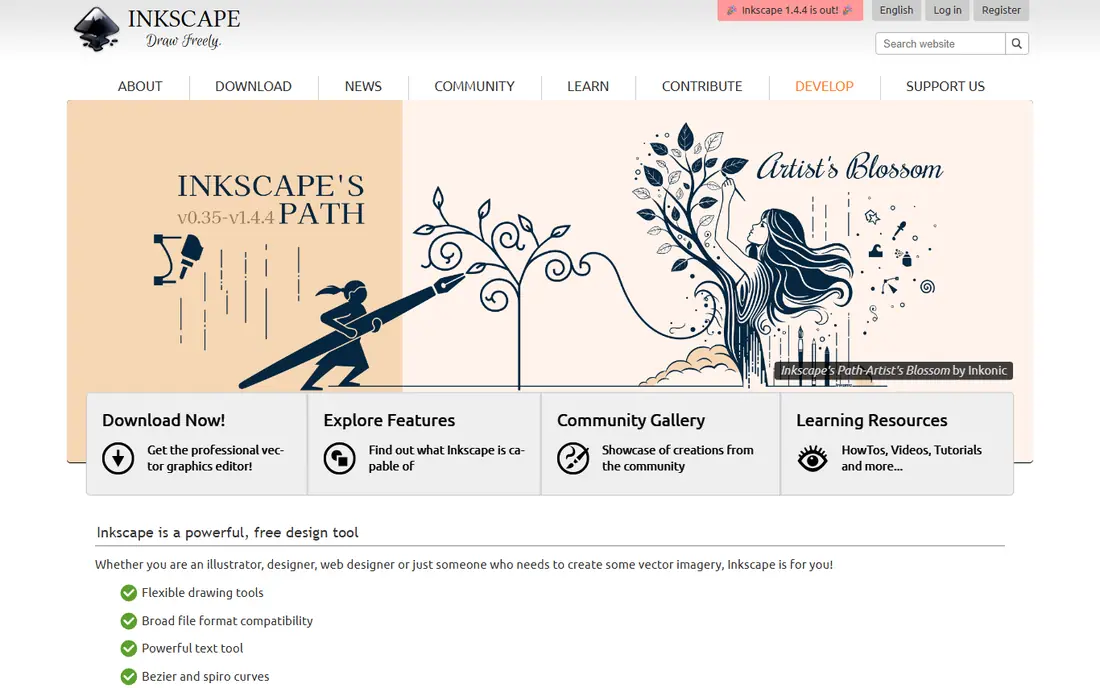
Inkscape is the closest free match to Illustrator for serious vector work. It offers pen and pencil tools, node editing, path operations, gradients, layers, and text tools, and it uses SVG as its native format, which makes web work straightforward. Logos, illustrations, icons, and print graphics are all within its range.
The trade-offs are style and learning. The interface is functional rather than polished, and Illustrator users will need time to relearn shortcuts and workflows. There is also no real-time collaboration. If you want a free desktop editor that can handle a full illustration project, Inkscape is the first tool to install.
- Free and open source
- Native SVG support
- Pen, node, and path tools for professional work
- Interface feels dated
- Learning curve for Illustrator users
- No built-in collaboration
Vectr is a browser-based vector editor aimed at beginners and quick web graphics. You can draw shapes, add text, use layers, and share a live link so someone else can view or edit the same graphic. For social graphics, simple logos, and shared drafts, that simplicity is a real advantage.
The limit is depth. Vectr lacks the advanced path, gradient, and print tools that Inkscape offers, and it needs an internet connection and an account for full editing. Use it when speed and sharing matter more than advanced illustration, and move to Inkscape when a project outgrows it.
- Free
- Very easy to learn
- Real-time collaboration in browser
- Fewer advanced tools than Inkscape
- Needs an account for the editor
- Web only
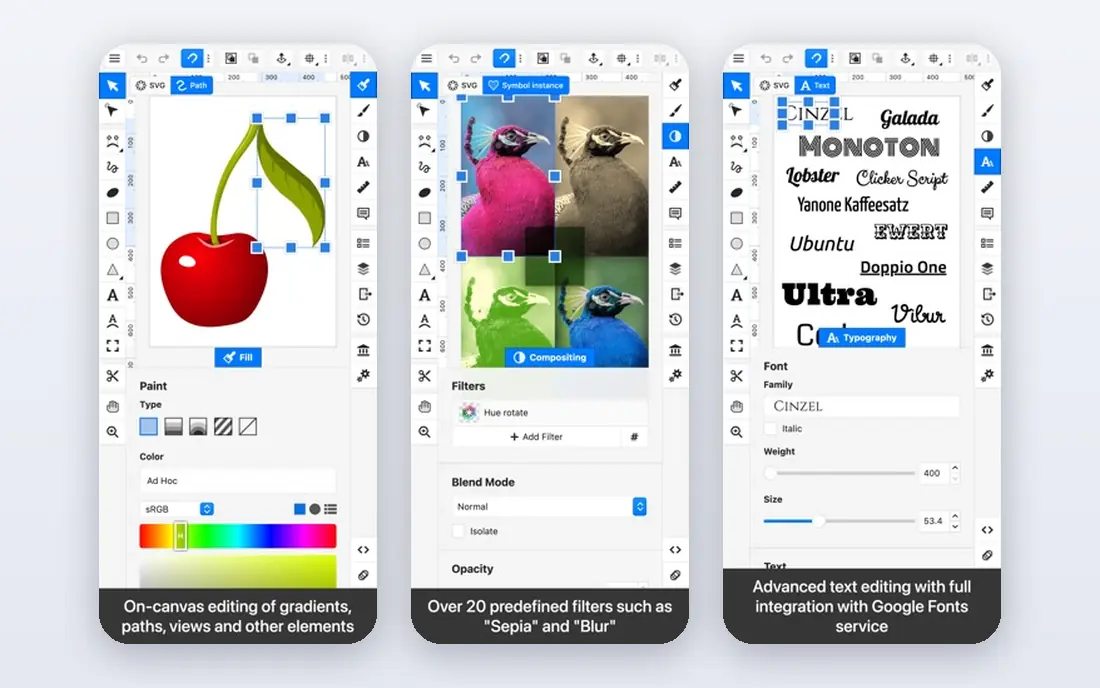
Boxy SVG is built around one idea: editing SVG files cleanly. Its interface stays out of the way, with most work happening directly on the canvas, and panels that expand only when you need them. That focus makes it a good choice for web designers who need icons, illustrations, and SVG assets that stay clean in code.
The free version covers basic editing, but some features need a paid upgrade, listed in comparisons at around $10 per year. It also lacks the full illustration depth of Inkscape. If your main output is SVG for the web, Boxy SVG is a strong, focused pick. If you need print work and complex illustration, Inkscape is still better.
- Clean SVG-focused interface
- Web and desktop versions
- Good for hand-edited SVG assets
- Free version is limited
- Fewer illustration tools than Inkscape
- Some features need a paid upgrade
Figma is best known for interface design, but its free tier also handles vector graphics well. You can draw shapes, use pen tools, build components, and export SVG, PNG, and PDF files, all while collaborating in real time. For web and app design, that combination is hard to beat for free.
It is not a full Illustrator replacement for print illustration. Colour management, print workflows, and advanced path work are weaker than in Inkscape. Use Figma when your vector work is for screens and teams, and use Inkscape when it is for print or complex illustration.
- Free tier for individuals
- Real-time collaboration
- Strong for UI and web design
- Not a full print illustration tool
- Needs an account and internet for most work
- Paid plans for larger teams
Canva suits people who need a good-looking graphic fast, not people who need to draw one from scratch. Its free tier offers templates for social posts, presentations, posters, and more, with drag-and-drop editing that needs no design training. For a small business owner, that speed matters more than pen-tool precision.
The vector limits are real. Canva has basic shape and positioning tools, but it is not a vector illustration editor, and SVG export sits on the Pro plan. Use Canva for template-based work and quick marketing graphics, and use Inkscape or Figma when you need true vector drawing.
- Free tier
- Huge template library
- Easy for non-designers
- Limited vector editing
- SVG export needs Pro
- Templates can look generic
Photopea is a browser editor that opens a wide range of file types, including Illustrator AI files, Photoshop PSD files, and SVG files. That makes it a useful free tool when a client sends an Illustrator file and you do not have Illustrator to open it. You can view, edit, and export the file without installing software.
It is primarily a raster editor with vector support, not a dedicated vector illustration tool. Its vector tools are useful for edits and exports, but they do not match Inkscape for drawing from scratch. Keep Photopea as a file-opening and quick-edit tool, and use a dedicated vector editor for new illustration work.
- Free in browser
- Opens AI, PSD, and SVG files
- No install needed
- Ads in free version
- Raster-first workflow
- Vector tools are more limited than Inkscape
SVG-Edit is a free, browser-based SVG editor that needs no account and no install. You can open an SVG file, adjust shapes, change ordering, edit text, and save it again in minutes. For a quick fix to an icon or a logo file, that speed is exactly what you need.
It is not a full design tool. Layers, advanced effects, and illustration workflows are limited, and there is no collaboration or cloud saving. Use SVG-Edit when you need a fast correction to an existing SVG, and use Inkscape or Boxy SVG when you need to build a graphic from scratch.
- Free and open source
- No account or install
- Good for fast SVG corrections
- Basic feature set
- No collaboration
- Interface is simple rather than polished
Linearity Curve, formerly Vectornator, is a vector design app for Mac, iPad, and iPhone with a free plan. It offers pen tools, layers, and export to SVG, PNG, PDF, and AI formats, and it works well with Apple Pencil on iPad. For an Apple user who wants a polished vector app without a subscription, it is a strong pick.
The limits are platform and price. It does not run on Windows or Android, and some advanced features sit on paid tiers. Its community and tutorial library are also smaller than Inkscape. If you work on Apple devices and want a modern vector app, try Curve. If you work across platforms, Inkscape is the safer free choice.
- Free plan on Mac, iPad, and iPhone
- Professional vector tools
- Good Apple Pencil support
- Apple devices only
- Some features need paid tiers
- Smaller community than Inkscape
How we picked these
We compared official feature pages, pricing pages, and current availability for vector tools that are free to use in 2026. We excluded tools that have been retired, including Gravit Designer, which Corel retired in 2025. We kept a mix of full desktop editors, browser tools, and design platforms, and we noted where SVG export or advanced features need a paid plan. We did not claim hands-on testing, and we did not invent prices.
How to choose a free Illustrator alternative
Start with your output. If you need print illustration or complex logos, pick Inkscape. If you need web icons and SVG assets, Boxy SVG or SVG-Edit may be faster. If you need interface design or team work, pick Figma. Matching the tool to the output saves more time than picking the tool with the longest feature list.
Check file compatibility before you commit
If clients send Illustrator AI files, test opening one in your chosen tool before you promise a delivery date. Photopea opens many AI files, and Inkscape imports SVG and PDF well, but complex Illustrator effects may not transfer perfectly. Keep the original file, export a test, and check text, colours, and layers before you start a paid job.
Learn one tool well, not five poorly
Free tools have different shortcuts and workflows, and switching between them slows you down. Pick one main editor for drawing, add one browser tool for quick fixes, and learn those two well. That combination covers most freelance and small-business vector work without a subscription.
Frequently asked questions
What is the best free alternative to Adobe Illustrator?
Inkscape is the best free alternative to Adobe Illustrator for full vector illustration, because it is free, open source, and handles logos, icons, and print graphics. Vectr and Boxy SVG are easier for simple web graphics, while Figma suits interface design.
Are there free Illustrator alternatives for beginners?
Yes. Vectr is the easiest browser editor for beginners, Canva is easiest for template-based graphics, and SVG-Edit is easiest for quick SVG fixes. Inkscape takes longer to learn, but it rewards that time with far more control.
Can a free tool open Adobe Illustrator files?
Photopea can open many AI files in a browser, and Inkscape can import SVG and PDF exports from Illustrator. Complex effects, fonts, and layers may not transfer perfectly, so test a real client file before you rely on a free tool for paid work.
Is Inkscape really free?
Yes. Inkscape is free and open source, with no subscription and no paid tier for core features. You can download it for Windows, Mac, and Linux, and use it for commercial work without paying a licence fee.
What happened to Gravit Designer?
Corel retired Gravit Designer, under the Corel Vector name, on 31 August 2025, and the editor and its cloud files were removed. Avoid guides that still list it as a free Illustrator alternative, and use Inkscape, Vectr, or Boxy SVG instead.
Sources we checked (8)

Online Jobs is an independent blog about careers, online work, learning new skills and the tools that help people earn. More about us.
Keep reading
All posts
n8n Alternatives
n8n alternatives compared for 2026, with Zapier, Make, Activepieces, and more, covering visual builders, code steps, self-hosting, and pricing models.

ZoomInfo Alternatives
The best ZoomInfo alternatives in 2026, compared on price, free plans, data coverage, and which tool fits small teams or large sales teams best in detail.

Zoom Alternatives for Webinars
Compare Zoom alternatives for webinars in 2026, from browser-based rooms to enterprise events, with prices, attendee limits, features and honest trade-offs.