Best Excel Alternatives in 2026: 9 Tools Compared

How we put this together: we compare official feature and pricing pages, app store listings, privacy policies and public user reviews. Prices change, so check the provider's site before you pay.
Key takeaways
- Google Sheets is the best overall Excel alternative, free for individuals with real-time collaboration and direct .xlsx editing.
- LibreOffice Calc is the best free desktop replacement, running offline on Windows, Mac and Linux with full .xlsx support.
- ONLYOFFICE offers the most Excel-faithful editing of any free tool, keeping formatting intact when files go back and forth with Excel users.
- Airtable and Smartsheet are not pure spreadsheets but spreadsheet-style work tools: Airtable for linked records, Smartsheet for projects with dates and owners.
- Excel itself is free on the web, so if you only need basic spreadsheets, you may not need an alternative at all.
Quick comparison
| Name | Who it suits | Starting price | Free option | |
|---|---|---|---|---|
 Google Sheets Google Sheets | Real-time collaboration | Free | Yes | Visit |
 LibreOffice Calc LibreOffice Calc | Free offline desktop | Free | Yes | Visit |
 Zoho Sheet Zoho Sheet | Free online sheets for teams | Free | Yes | Visit |
 Apple Numbers Apple Numbers | Apple users and design | Free | Yes | Visit |
 ONLYOFFICE Sheets ONLYOFFICE Sheets | Excel-faithful editing | Free | Yes | Visit |
 WPS Office WPS Office | Excel-like suite on any device | Free | Yes | Visit |
 Airtable Airtable | Linked records and databases | Free | Yes | Visit |
 Smartsheet Smartsheet | Projects in a grid | $9 per member per month | Free trial | Visit |
 Grist Grist | Relational data with formulas | Free | Yes | Visit |
The best Excel alternatives
Excel remains the spreadsheet standard, but it is not free: Microsoft 365 Personal runs 99.99 dollars a year, and the one-time Office Home 2024 license costs 179.99 dollars. For budgets, lists, analysis and sharing, there is an excellent alternative at every price, including free, and one of the best free options comes from Microsoft itself. We compared vendor pricing pages and file-format support from October 2026.
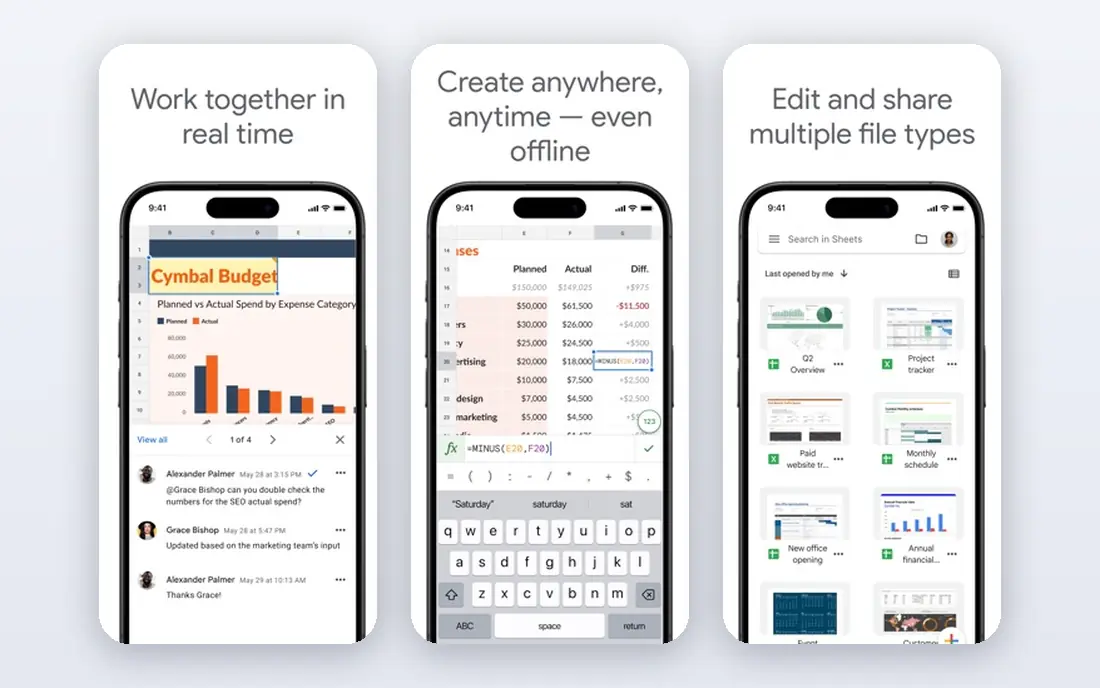
Google Sheets is the best overall Excel alternative for most people. It is free with a Google account, runs entirely in the browser, and lets several people edit the same sheet at once with comments, version history and auto-save. It opens and edits .xlsx files directly, so sharing with Excel users is painless.
Paid Google Workspace plans start at 7 dollars per user a month and add business email, more storage and admin controls. For heavy financial modeling, macros and complex pivot tables, Excel still leads. For team collaboration on everyday spreadsheets, Sheets is the easiest switch.
- Free for individuals
- Best real-time co-editing
- Edits .xlsx files directly
- Integrates with Google Workspace apps
- Weaker than Excel for heavy analysis, macros and pivot tables
- Needs internet for full features
- Large files can slow down
LibreOffice Calc is the best free desktop spreadsheet. It runs offline on any desktop operating system, opens and saves .xlsx files, and handles pivot tables, charts and macros without a subscription or account. For privacy-conscious users and anyone who works without reliable internet, it is the strongest choice.
The interface looks older than Google Sheets or Excel, and complex Excel macros may not translate perfectly. But for a free, private, offline spreadsheet that handles real work, nothing beats Calc.
- Completely free and open source
- Runs offline on Windows, Mac and Linux
- Opens and saves .xlsx files
- Supports macros and pivot tables
- Interface feels dated next to modern apps
- Excel macro compatibility is imperfect
- No built-in real-time collaboration
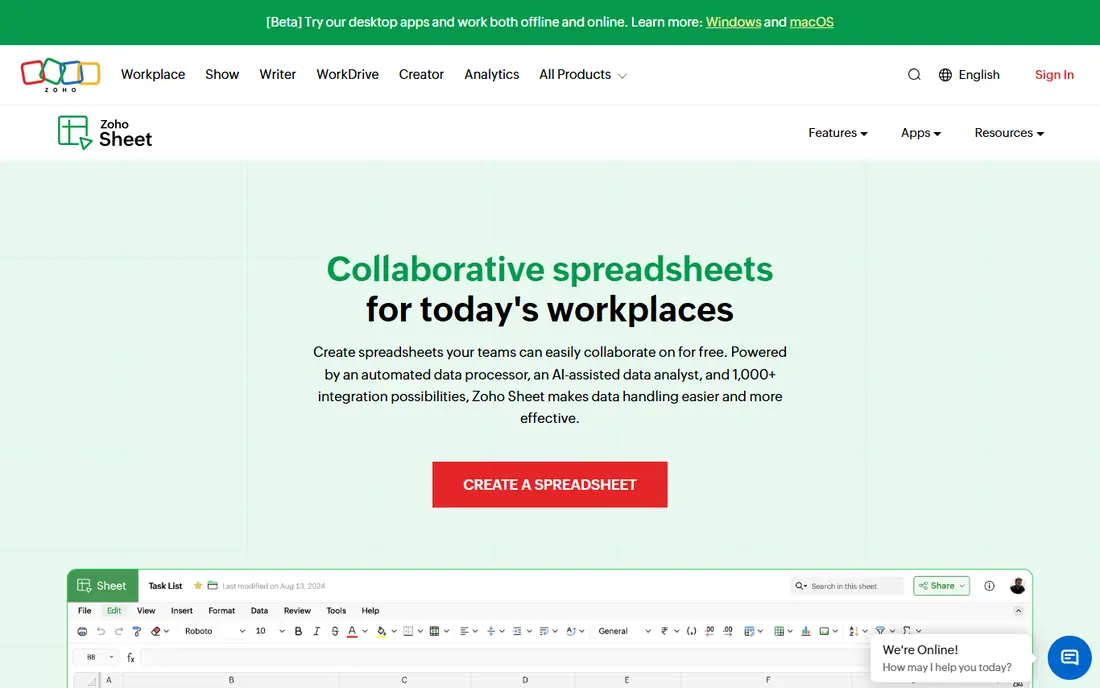
Zoho Sheet takes a familiar spreadsheet interface and adds AI-powered data cleanup, real-time collaboration and cross-platform apps for browser, Windows, Mac and phones. It imports and exports .xlsx files, and it integrates with Zoho CRM, Projects and Books, making it a natural fit for businesses already using Zoho apps.
It is free for individuals, and Zoho Workplace Standard, which includes Sheet, costs 3 dollars per user a month billed annually. For teams already on Zoho, Sheet is the obvious spreadsheet. For everyone else, Google Sheets has the larger ecosystem.
- Free for individuals
- Real-time collaboration with version history
- AI assistant Zia for data cleaning
- Desktop apps available
- Smaller ecosystem than Google or Microsoft
- Advanced features trail Excel
- Best value inside the Zoho suite
Apple Numbers is the spreadsheet for people who care how data looks. Free on every Mac, iPhone and iPad, it offers visually rich templates, a flexible canvas where tables, charts and text sit anywhere on the page, and smooth integration with the Apple ecosystem. It imports and exports .xlsx files and runs in a browser at iCloud.com.
For heavy analysis, pivot tables and macros, Numbers trails Excel and even Google Sheets. For Mac-first users building polished budgets, plans and reports, it is a pleasure to use and costs nothing.
- Free on Mac, iPhone and iPad
- Beautiful templates and flexible canvas layouts
- Works in a browser at iCloud.com
- Weaker than Excel for heavy analysis
- .xlsx export can shift formatting
- Limited to Apple devices for the full experience
ONLYOFFICE Sheets is the best choice when files constantly move between you and Excel users. Its formatting fidelity is the closest of any free tool, so complex spreadsheets, charts and pivot tables survive round trips with minimal breakage. Desktop editors are free for Windows, Mac and Linux, and DocSpace cloud starts free for small teams.
Business cloud plans cost 20 dollars per admin a month. For offices that share .xlsx files daily but do not want Microsoft 365 subscriptions, ONLYOFFICE is the most faithful free alternative.
- Most Excel-faithful formatting of any free editor
- Free desktop editors
- Open source core
- Good for files shared with Excel users
- Cloud collaboration needs DocSpace setup
- Smaller template library
- Some advanced Excel features still differ
WPS Office is the closest free clone of Microsoft Office. Its Spreadsheet app mirrors Excel's interface, so Excel users feel at home immediately, and it runs on every major platform with cloud sync. It opens and saves .xlsx files, includes a word processor and presentation app, and handles pivot tables and charts.
The free version shows ads, and Pro+ at 5.83 dollars a month billed yearly removes them and adds AI tools and 20 GB of cloud storage. For users who want the Excel experience without the Microsoft price, WPS is the most familiar free option.
- Free suite with an Excel-like interface
- Runs on Windows, Mac, Linux, phones and browser
- Opens and saves .xlsx files
- Includes Writer and Presentation
- Free version includes ads
- AI features need Pro+
- Cloud storage is only about 1 GB on the free plan
Airtable is the gentlest landing spot for teams whose spreadsheets have outgrown spreadsheets. You work in a familiar grid, but records link across tables, so a customer name typed once appears everywhere, and views switch between grid, calendar, Kanban and gallery. Automations handle routine updates in the background.
The free plan covers up to 5 editors and 1,000 records per base, Team costs 20 dollars per user a month billed annually with 50,000 records, and Business costs 45 dollars. For project tracking, content planning and lightweight databases, Airtable is the best spreadsheet-to-database bridge.
- Spreadsheet grid with real relational database power
- Calendar, Kanban and gallery views
- Automations and AI field agents
- Free plan caps at 1,000 records per base
- Team costs 20 dollars per user a month
- Every editor adds to the bill
Smartsheet runs projects in a grid. Teams that think in rows and columns get Gantt charts, card views, automations, dashboards and approvals on top of the familiar spreadsheet layout, with dates, owners and status tracked in columns. It imports .xlsx files, though only the first tab, and exports back out.
Pro costs 9 dollars per member a month billed yearly, Business costs 19 dollars, and a 30-day free trial is available. For project and job tracking with dates and owners, Smartsheet is the best grid-based project tool here.
- Grid interface with project management power
- Gantt charts, automations and dashboards
- Imports .xlsx files
- No permanent free plan, only a 30-day trial
- Imports only the first tab of a spreadsheet
- Per-member pricing adds up
Grist is the spreadsheet-database hybrid for formula fans. Tables link relationally, formulas use Python for real power, and the free Community edition can be self-hosted, giving teams full control of their data. It imports and exports spreadsheet files, making migration straightforward.
Pro costs 8 dollars per user a month billed annually, Business costs 24 dollars. The interface is more technical than Airtable's, and the community is smaller. For teams that want relational data, Python formulas and self-hosting, Grist is the most powerful free option here.
- True relational data with Python formulas
- Self-hostable free Community edition
- Imports and exports spreadsheets
- Smaller community than Airtable
- Interface is more technical
- Paid plans start at 8 dollars per user a month
How we picked these
We compared vendor pricing pages, file-format support and platform availability from October 2026, favoring tools with clear pricing, real .xlsx compatibility and distinct strengths for different users. We checked that each official site belongs to the product. Prices change often, so confirm the current plan on each vendor's pricing page before committing.
What to check before you switch
Start with your file flow. If you constantly share .xlsx files with Excel users, ONLYOFFICE or WPS Office preserves formatting best. If you collaborate live, Google Sheets or Zoho Sheet fits. If you work offline, LibreOffice Calc is the answer.
Next, test your hardest file, not your simplest. Open your most complex spreadsheet with macros, pivot tables or heavy formatting in the trial or free version and check what breaks. Finally, count editors, not viewers: Airtable and Smartsheet charge per editor, so a team with many viewers and few editors pays far less than the headcount suggests.
Frequently asked questions
What is the best free Excel alternative?
Google Sheets is the best free alternative for collaboration, and LibreOffice Calc is best for free offline desktop work. Both open and save .xlsx files. Excel itself is also free on the web for basic spreadsheet work, which suits many users without any switch.
What is the best Excel alternative for Mac?
Apple Numbers is best for Mac users who value design and polish, and it is free on every Mac, iPhone and iPad. LibreOffice Calc and Google Sheets also run well on Mac and offer stronger .xlsx compatibility and analysis features than Numbers.
Can Google Sheets open Excel files?
Yes. Google Sheets opens and edits .xlsx files directly, and you can save back to .xlsx format. Complex macros and some advanced Excel features may not translate perfectly, so test your most complex files before fully switching.
What is the best Excel alternative for project management?
Smartsheet is best for running projects in a grid, with Gantt charts, automations and dashboards on top of spreadsheet rows. Airtable is best for linked project records with multiple views. Both charge per editor, so count editing users when budgeting.
Is LibreOffice Calc really free?
Yes. LibreOffice Calc is completely free and open source, with no subscription, account or feature paywall. It runs on Windows, Mac and Linux, opens and saves .xlsx files, and supports macros and pivot tables.
What is the best Excel alternative for databases?
Airtable is best for teams that want a friendly spreadsheet grid with relational database power, starting free. Grist is best for technical teams that want Python formulas and self-hosting. Both import spreadsheet data and add linked records, automations and views.
Sources we checked (9)

Online Jobs is an independent blog about careers, online work, learning new skills and the tools that help people earn. More about us.
Keep reading
All posts
Zoom Alternatives
Zoom alternatives compared for 2026: Google Meet, Microsoft Teams, Webex, Jitsi and more for free calls, large meetings and webinars for teams and classrooms.

What Is the Best Free Tool to Rotate a PDF
What is the best free tool to rotate a PDF? We compare eight free rotation tools on per-page control, limits, privacy and saved output quality in detail.

What Is the Best AI Dubbing Tool
We compared the best AI dubbing tools in 2026, from ElevenLabs and HeyGen to Rask AI, Dubverse and Veed, for videos and creators in many languages worldwide.