Evernote Alternatives in 2026: 8 Apps Compared

Free notebook replacement · Starting price: Free
How we put this together: we compare official feature and pricing pages, app store listings, privacy policies and public user reviews. Prices change, so check the provider's site before you pay.
Key takeaways
- Evernote's free plan now limits users to 50 notes, 1 notebook, and 1 device, which is why many people are switching.
- Microsoft OneNote and Apple Notes are the closest free replacements, depending on whether you use Microsoft or Apple devices.
- Notion suits teams and structured workspaces, while Obsidian suits private, local notes you own as files.
- Joplin and UpNote are the best low-cost options for people who want Evernote-style notebooks without a high subscription.
Quick comparison
| Name | Who it suits | Starting price | Free option | |
|---|---|---|---|---|
| Microsoft OneNote | Free notebook replacement | Free | Yes | Visit |
 Notion | Teams and structured workspaces | Free | Yes | Visit |
 Obsidian | Local Markdown notes | Free | Yes | Visit |
 Apple Notes | Apple users, free | Free | Yes | Visit |
 Bear | Apple writers and Markdown | Free | Yes | Visit |
 UpNote | Evernote look-alike, low cost | $39.99 lifetime | Yes | Visit |
 Joplin | Open-source privacy | Free | Yes | Visit |
 Logseq | Outliner and linked notes | Free | Yes | Visit |
The best Evernote alternatives
Evernote alternatives split by what you miss most: free notebooks, team workspaces, local files, or a simple notebook-and-tag model. The best alternative to Evernote depends on that reason, not on a single ranking.
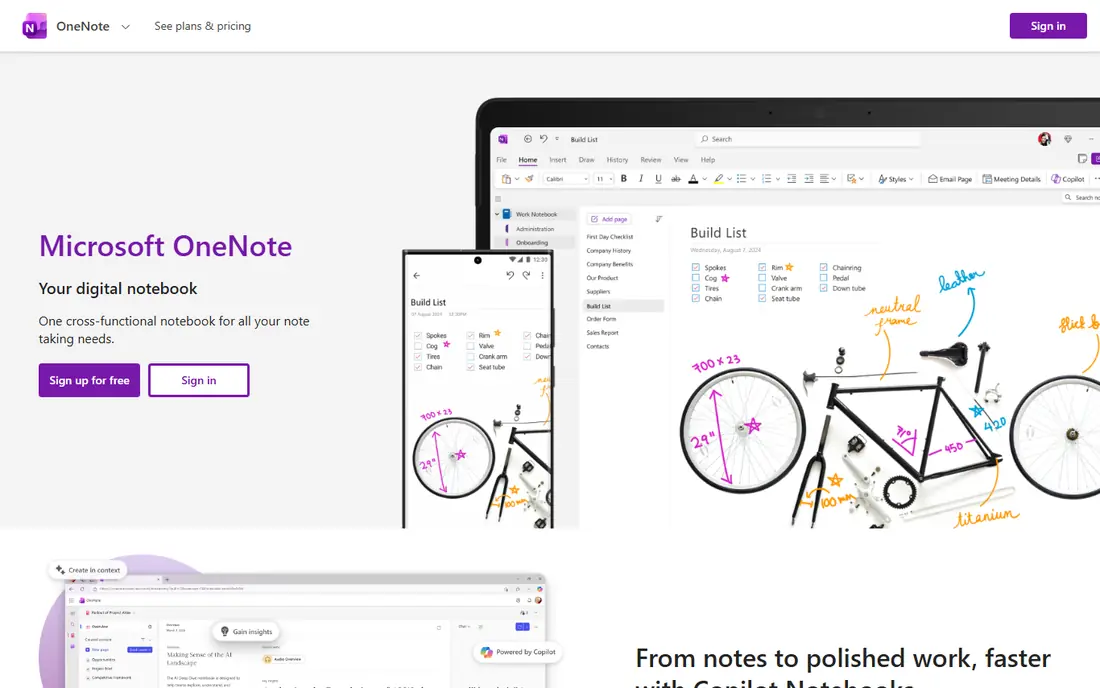
OneNote is the closest free replacement for Evernote's notebook model. Notebooks, sections, and pages map cleanly to Evernote's structure, and the free apps cover web, Windows, Mac, iOS, and Android. Handwriting support and Office integration are strong, which helps students and meeting-heavy users.
The weaknesses are structure and polish. OneNote lacks the database features that make Notion powerful, and formatting across devices can feel inconsistent. For a straight notebook replacement at no cost, those flaws are minor. For a team workspace, Notion fits better.
- Free notebooks, sections, and pages
- Web and mobile apps
- Handwriting and Office integration
- Formatting can feel inconsistent
- No true databases
- Large notebooks can feel slow

Notion suits people who want notes to turn into work. Pages, databases, wikis, and project trackers live together, and the free plan covers individuals well. Teams use it for docs, meeting notes, and project hubs, with templates that cut setup time.
The catch is complexity and offline access. New users can spend days building a system instead of taking notes, and offline use is weaker than local apps like Obsidian. If you mainly need quick capture, a simpler app will serve you better. If you need a shared workspace, Notion is the strongest pick here.
- Pages, databases, and wikis in one place
- Generous free plan for individuals
- Strong templates
- Learning curve is steep
- Offline use is limited
- Plus costs $10 per member per month on annual billing

Obsidian is the pick for people who want to own their notes. Notes are plain Markdown files on your device, with no note limit and no account required for the core app. Links, backlinks, and a graph view help writers and researchers build a long-term knowledge base that survives any vendor change.
The trade-offs are sync and collaboration. Official sync costs extra, starting around $4 per month on annual billing, and real-time team editing is not native. Mobile setup also takes more work than OneNote. If privacy and portability matter most, Obsidian is hard to beat.
- Free app with unlimited notes
- Local Markdown files you own
- Large plugin community
- Sync costs extra
- No native real-time collaboration
- Setup takes effort
Apple Notes is the simplest Evernote alternative for Apple users. It is built in, opens fast, syncs through iCloud, and handles handwriting, checklists, and document scanning well. For quick capture and everyday notes, it needs no setup and no subscription.
The limits are ecosystem and structure. There is no Windows or Android app, and organization stays simpler than Notion databases or Obsidian links. If you live on Apple devices and want free, fast notes, it is the obvious choice. If you mix platforms, pick OneNote or Joplin instead.
- Built into iPhone, iPad, and Mac
- Fast capture
- ICloud sync
- Handwriting and scanning
- Apple devices only
- Limited structure compared with Notion
- Web access is basic
Bear is the writer's pick among Apple note apps. The editor is clean, Markdown is native, and tags replace folders for flexible organization. Focus mode and fast search make it pleasant for long-form writing and daily notes alike.
The catch is platform and price. Bear runs only on Apple devices, and sync across devices requires Pro, priced around $2.99 per month on recent listings. Writers who stay on Apple will love it. Writers who need Windows or Android should look at Obsidian or Joplin.
- Clean Markdown editor
- Tags instead of folders
- Fast search and focus mode
- Apple only
- Sync needs a Pro subscription
- No Windows or Android app
UpNote copies Evernote's model most closely: notebooks, tags, and a clean editor, on every major platform. The lifetime price of $39.99, on recent listings, is far cheaper than a yearly Evernote subscription, which makes it the best value for people who simply want Evernote without the price rise.
The weaknesses are scale and depth. The community is smaller, team features are limited, and the web clipper is simpler than Evernote's mature clipper. If you clip heavily from the web, test that flow first. If you mainly write and organize notes, UpNote is a strong, cheap switch.
- Notebook-and-tag model close to Evernote
- All major platforms
- One-time lifetime price
- Smaller community and plugin range
- Fewer team features
- Web clipper is simpler than Evernote
Joplin is the open-source pick for privacy-minded users. The app is free, notes are Markdown, end-to-end encryption is available, and it imports Evernote export files, which eases migration. Self-hosted sync options give full control over where notes live.
The trade-off is polish and setup. The interface is plain, sync needs configuration, and sharing notes with a team is manual rather than built in. If you value control and cost over design, Joplin delivers. If you want a polished, ready-to-go app, OneNote or UpNote will feel easier.
- Free and open source
- End-to-end encryption
- Imports Evernote export files
- Markdown notes
- Interface is functional rather than polished
- Sync setup takes work
- Collaboration is manual
Logseq suits thinkers who organize by outline and daily notes. Each day gets a journal page, bullets link to topics, and backlinks build a network of ideas over time. Notes stay local, the app is free and open source, and researchers and developers often prefer this structure to folders.
The catch is style. Outlining is not for everyone, and users who prefer long documents may find it awkward. The interface is also less polished than Bear or Notion. Try it for a week of daily notes before migrating a full archive, and keep Joplin or Obsidian in mind if outlining does not click.
- Free and open source
- Outliner with daily notes
- Local files
- Backlinks and graph
- Outliner style suits some users only
- Interface is less polished
- Learning curve for new users
How we picked these
We compared official pricing pages, app store listings, and migration guides for note apps available in 2026. We favored apps with a usable free tier or low one-time cost, a clear Evernote replacement job, and an export or import path. We did not claim hands-on testing, and we checked prices against vendor pages where listings conflicted.
How to choose the right Evernote alternative
Start with why you are leaving
If price is the reason, OneNote, Apple Notes, Joplin, and UpNote solve it. If the 50-note free cap is the reason, Obsidian and Joplin remove the cap entirely. If you want notes to become team work, Notion is the answer. Matching the app to the reason avoids a second migration.
Test migration before you cancel
Export a sample notebook from Evernote and import it into your top two choices. Check attachments, tags, and formatting, since no import is perfect. Keep Evernote active until the new app holds your key notes correctly, then cancel.
Check sync and platform coverage
A note app is only useful if it is on every device you use. Apple Notes and Bear fail Windows and Android users, while OneNote, Notion, Joplin, and UpNote cover all major platforms. Confirm sync cost too, since Obsidian and Bear charge for it while OneNote and Joplin offer free or self-hosted options.
Before migrating, clean up tags and notebook names in Evernote. Duplicate tags, empty notebooks, and vague titles carry over into the new app and make the fresh start feel messy. A short cleanup pass, plus a test import of one notebook, will show formatting problems early, when they are still easy to fix.
Frequently asked questions
What are the best alternatives to Evernote?
Microsoft OneNote and Apple Notes are best free, Notion is best for teams, Obsidian is best for local notes, and UpNote is best low-cost Evernote look-alike. The best Evernote alternative depends on your platform and reason for leaving.
Is there a free alternative to Evernote?
Yes, OneNote, Apple Notes, Obsidian, Joplin, and Logseq all offer free plans with no note cap like Evernote's free tier. UpNote also offers a free tier, with a lifetime paid option at $39.99 on recent listings.
How do I move notes from Evernote to another app?
Export notebooks from Evernote as ENEX files, then import them into Joplin, Obsidian with a plugin, or another app that supports ENEX. Test a sample notebook first, since formatting and attachments may need cleanup.
Is Notion better than Evernote?
Notion is better for teams, databases, and structured workspaces, while Evernote is simpler for quick capture and web clipping. If you work alone and clip heavily, an Evernote-style app like UpNote may fit better than Notion.
Is Obsidian really free?
Yes, the core Obsidian app is free for personal and commercial use, with unlimited notes and local files. Paid options cover sync and publishing, starting around $4 per month for sync on annual billing, but neither is required to use the app.
Sources we checked (8)

Online Jobs is an independent blog about careers, online work, learning new skills and the tools that help people earn. More about us.
Keep reading
All posts
Zoom Alternatives
Zoom alternatives compared for 2026: Google Meet, Microsoft Teams, Webex, Jitsi and more for free calls, large meetings and webinars for teams and classrooms.

Which Software Is Best for Data Entry
Compare the best data entry software for forms, OCR scanning, and spreadsheets, with free plans, pricing, and honest limits for each tool before you commit.

What Is the Best Free Tool to Rotate a PDF
What is the best free tool to rotate a PDF? We compare eight free rotation tools on per-page control, limits, privacy and saved output quality in detail.