Eventbrite Alternatives in 2026: 8 Products Compared


Low flat fees for paid events · Starting price: See website
How we put this together: we compare official feature and pricing pages, app store listings, privacy policies and public user reviews. Prices change, so check the provider's site before you pay.
Key takeaways
- Ticket Tailor and TicketSpice suit paid events where flat per-ticket fees beat percentage fees, especially as ticket prices rise.
- Humanitix and Zeffy suit cause-led and nonprofit events, since fees fund charity work or are covered by optional tips.
- Luma suits community and tech meetups, while Tito suits conferences that need a clean registration flow.
- Eventbrite still leads on discovery, so switching away can mean you must drive more of your own ticket sales.
- Compare the total cost on your real ticket price and volume, including payment processing, not just the headline platform fee.
Quick comparison
| Name | Who it suits | Starting price | Free option | |
|---|---|---|---|---|
| Ticket Tailor | Low flat fees for paid events | See website | Yes | Visit |
 Humanitix | Charity-minded event ticketing | See website | Yes | Visit |
 Luma | Community and tech meetups | See website | Yes | Visit |
 Zeffy | Nonprofits wanting zero fees | Free | Yes | Visit |
 Tito | Conferences and workshops | See website | Yes | Visit |
 TicketSpice | Venues and high-volume events | See website | No | Visit |
 Eventzilla | Registration-heavy conferences | See website | Free trial | Visit |
 Cvent | Enterprise event programmes | See website | No | Visit |
The best Eventbrite alternatives
Eventbrite is a marketplace as much as a ticketing tool. People browse it to find events, which helps public events sell. The alternatives here trade some of that discovery for lower fees, better branding, deeper registration or a mission-led model. We compared them on fees, free events, page control and the kind of organiser each one serves best.

Ticket Tailor is the most common first switch from Eventbrite for small and mid-size organisers. It charges a flat fee per ticket, with prepaid credits lowering the per-ticket cost further, and it connects to your own Stripe, PayPal or Square account. That structure keeps costs predictable as ticket prices rise, since a percentage fee would climb with every price increase. Free events are free up to a yearly allowance on Ticket Tailor, which suits community groups and free workshops. The trade-off is discovery. Ticket Tailor does not bring the same browsing audience as Eventbrite, so you need your own mailing list, social channels or partners to sell tickets. It fits best for organisers with an existing audience who want lower fees and a branded checkout. Check the pricing page in your currency, since fees vary by currency and credit volume.
- Flat fees rather than percentages
- Own payment account
- Free events free
- Less built-in discovery than Eventbrite
- Reserved seating costs more
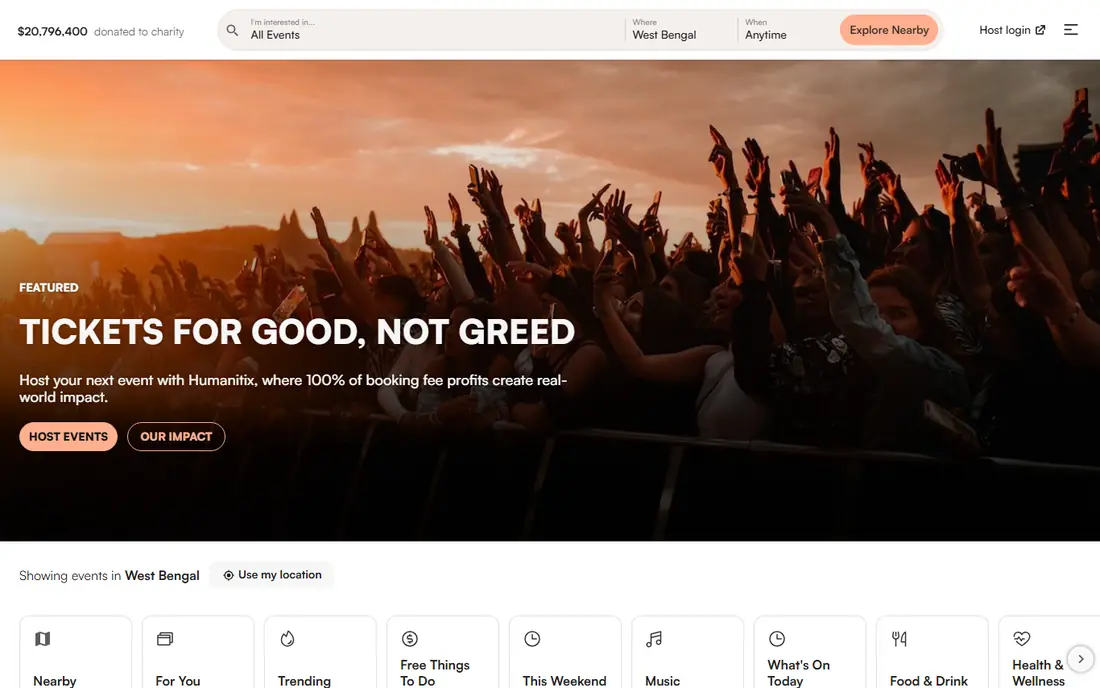
Humanitix is a nonprofit ticketing platform that directs its profits to charity projects, including education programs. For schools, charities and cause-led events, that story helps sell tickets, since buyers know fees support a mission rather than shareholders. The platform itself is clean and easy to use, with event pages, ticket types and basic reporting that cover most standard events. Fees are percentage-based plus a per-ticket charge and payment processing, so Humanitix is not the cheapest option for high-priced tickets. It also lacks the deep seating and venue features of some rivals. Humanitix fits best for charity events, school events, community fundraisers and any organiser where the mission story matters to buyers. Check the charity and school rate on the vendor page, since it differs from the standard rate.
- Profits fund charity projects
- Clear event pages
- Free events free
- Percentage-based fees
- Less suited to complex seating

Luma grew as a home for community, startup and tech events, and its pages reflect that audience. Events look clean, calendars sync well, and guests can discover related events from hosts they follow. For free meetups, talks and community gatherings, Luma is one of the easiest tools to run, with a simple RSVP flow and reminders. Paid events work on Luma, but the free plan takes a percentage platform fee plus payment processing, and a paid plan removes that platform fee. Luma is less suited to large paid conferences that need complex registration, seating or exhibitor tools. It fits best for meetups, workshops, demo days and community events where the page and the calendar matter as much as the ticket. If most of your events are free, Luma is a strong Eventbrite replacement.
- Clean event pages
- Calendar and community features
- Easy RSVP flow
- Paid ticket fees on the free plan
- Less suited to large paid conferences
Zeffy is built for registered nonprofits in eligible countries, and its model is simple: no platform fees and no payment processing fees for the nonprofit, funded by optional tips from supporters at checkout. That makes it a strong fit for charity galas, school fundraisers, nonprofit conferences and donation campaigns where every dollar should reach the cause. Eligibility is the limit. Zeffy is not a general ticketing tool for commercial organisers, and its features centre on nonprofit needs such as donations, memberships and fundraising forms. Some buyers may also pause at the optional tip step, though Zeffy lets supporters adjust it. Zeffy fits best for eligible nonprofits that run events and fundraising together. Confirm eligibility and country coverage on the vendor site before you move an event to Zeffy.
- No platform or processing fees for eligible nonprofits
- Donations and ticketing in one place
- Nonprofit eligibility required
- Optional tips may confuse some buyers
Tito is popular with tech conferences, workshops and community events that want a simple, professional checkout without heavy branding. It charges a percentage per paid ticket plus payment processing, and free events are free. The checkout flow is fast, ticket types are flexible, and the admin tools cover check-in, refunds and basic reporting well. Tito does not try to be a marketplace, so you must bring your own audience. It also lacks deep venue features such as reserved seating maps for theatres. Tito fits best for conferences, paid workshops and developer events where the audience already knows the event and the organiser values a clean buying experience. Compare its percentage fee against a flat-fee rival on your ticket price, since the better deal flips as prices rise.
- Clean checkout
- Percentage fees
- Free events free
- Good for tech conferences
- Less discovery than Eventbrite
- Fewer venue and seating features
TicketSpice suits venues, attractions, tours and recurring events that sell many tickets. Its flat per-ticket fee stays predictable at volume, and its page builder, timed entry and box office tools fit attractions better than a simple event page. Organisers who run the same event many times a year benefit from reusable pages and consistent checkout. Payment processing is extra, so the total cost needs both figures. Free events are free only when the organiser also runs paid events on the platform, which matters for purely free programs. TicketSpice fits best for venues, museums, tours, classes and high-volume event series. Trial the page builder with a real event, and check the lower fee for low-priced and box office tickets on the vendor page.
- Flat per-ticket fee
- Page builder
- Box office and timed entry options
- Processing fees extra
- Free events need a paid event alongside
Eventzilla is built for conferences, trainings and corporate events where registration detail matters. Organisers can build multi-step forms, collect custom attendee data, manage agendas and handle group registrations. Tiered pricing lets an organiser pick a per-registration model that fits event size and complexity, from a basic flat fee to percentage-based tiers. The trade-off is feel. Eventzilla suits professional events more than social gigs or community meetups, and payment processing sits on top of the platform fee. It fits best for training providers, associations and conference organisers who need registration depth that simpler ticketing tools lack. Test the registration form as an attendee would, since a long form can reduce completions if it asks for too much too early.
- Deep registration forms
- Agenda and attendee tools
- Tiered per-registration pricing
- Processing extra
- Interface feels more corporate than social
Cvent is an enterprise event platform that covers registration, event websites, attendee management, venue sourcing and reporting in one suite. Large companies, associations and event agencies use it to run many events to a common standard, with approvals, branding controls and detailed reports for stakeholders. For a programme of events, that consistency is the main benefit. Cvent is priced by quote, which means small organisers cannot easily compare it without a sales conversation, and the platform is heavy for a single small event. It fits best for organisations running frequent, large or complex events where central control and reporting justify an enterprise contract. Small teams should start with a simpler alternative and move to Cvent only when event volume and reporting needs outgrow it.
- Full event management suite
- Venue sourcing
- Enterprise reporting
- Quote-based pricing
- Heavy for small events
How we picked these
We selected platforms that are live in October 2026, that sell or register event tickets, and that offer a clear alternative to Eventbrite on fees, features or audience. We checked vendor pricing pages and feature lists, and we kept only platforms with a real self-service or sales route a reader can use. We weighted total ticket cost, free event handling, page and checkout quality, registration depth and the size of organiser each platform serves. We did not rank on headline fee alone, because processing fees, currency, ticket price and volume change the total. Where a price was not published as a standard rate, we wrote See website rather than copying a third-party estimate. Check the vendor pricing page in your currency and at your volume before you switch, since fees and free allowances change.
How to switch without losing sales
Switching platforms is a marketing task as much as a technical one. Before you move, export your past attendee lists, ticket types and event pages, and note which integrations you rely on, such as email tools, payment accounts and check-in apps. Set up the new platform with a test event, run a full purchase as a buyer, and check email confirmations, refunds and check-in before you announce the change. Tell your audience early. A short note explaining the new checkout, with a link to the first event on the new platform, prevents confusion and lost sales. Keep your Eventbrite page live for past events if buyers need receipts, and redirect links where possible. After the first event, compare conversion, fee totals and support queries against your Eventbrite baseline. If sales drop, check whether discovery, page load or checkout friction caused it before blaming the platform itself.
Fee math that matters
Work out the total fee on your real ticket price, not on a round example. A percentage fee hurts more on a $150 gala ticket than on a $15 workshop ticket, while a flat fee hurts more on a very low-priced ticket. Multiply by expected volume, add processing, and include any monthly or credit costs. That total, per event, is the only fair comparison between platforms.
Frequently asked questions
What is the best free Eventbrite alternative?
For free events, Ticket Tailor, Humanitix, Luma and Tito all offer free event handling, and Zeffy offers zero fees for eligible nonprofits. The best free option depends on your event type: Luma for meetups, Ticket Tailor for community events with paid follow-ups, and Zeffy for nonprofit fundraising. Check yearly free allowances on each vendor page.
Why switch from Eventbrite?
Organisers switch mainly for lower fees, better branding, deeper registration or a mission-led model. Eventbrite charges a percentage plus a per-ticket fee and processing, which adds up on higher-priced tickets. If you already drive your own audience through email and social channels, a lower-fee platform can save a large sum across a season.
Do I lose Eventbrite discovery if I switch?
You lose some browsing discovery, since Eventbrite lists public events to its own audience. Organisers with a mailing list, a community or partner channels usually replace that traffic, while organisers who rely on Eventbrite search may see fewer casual sales. Weigh fee savings against discovery loss for your specific events.
Can I use more than one ticketing platform?
Yes, many organisers use one platform for public ticketed events and another for free meetups, fundraising or conferences. That split can work, but it adds admin work, separate attendee lists and separate check-in tools. Keep the split only where the feature or fee gain is clear, and document which platform holds each event.
How do ticket fees work for buyers?
Platforms either add fees at checkout for buyers to pay, absorb fees so the organiser pays, or split them. The same platform fee can feel very different depending on who pays it. Decide your policy before you set ticket prices, and show the total price clearly so buyers are not surprised at checkout.
Which alternative is best for a conference?
Tito and Eventzilla suit conferences well, with Tito offering a cleaner checkout and Eventzilla offering deeper registration forms. Cvent suits large enterprise conference programmes. Choose Tito for a simple paid conference, Eventzilla when registration data matters most, and Cvent when you run many events to one standard.
Sources we checked (8)

Online Jobs is an independent blog about careers, online work, learning new skills and the tools that help people earn. More about us.
Keep reading
All posts
Best Free PDF Split Software
Find the best free PDF split software in 2026. We compare 8 free tools for splitting PDFs by pages, ranges, bookmarks, and size offline or online in detail.
Best Data Recovery Software
Find the best data recovery software for PC and Mac in 2026. We compare 8 tools for deleted files, formatted drives, photos, and video recovery in detail.

Best AI Tools for App Development
Compare the best AI tools for app development, from code editors and agents to browser app builders, with pricing notes and honest limits for each workflow.