Dropbox Alternatives Free in 2026: 8 Services Compared

How we put this together: we compare official feature and pricing pages, app store listings, privacy policies and public user reviews. Prices change, so check the provider's site before you pay.
Key takeaways
- Google Drive suits most people who want free space plus strong document collaboration.
- MEGA offers the largest free encrypted tier on this list, with 20 GB reported on its free plan.
- Proton Drive and Sync suit privacy-focused users who want end-to-end encryption by default.
- Free space is shared with mail and photos on some services, so check what counts against your limit.
Quick comparison
| Name | Who it suits | Starting price | Free option | |
|---|---|---|---|---|
 Google Drive | Collaboration and docs | Free | Yes | Visit |
 Microsoft OneDrive | Windows and Office users | Free | Yes | Visit |
 Apple iCloud Drive | Apple households | Free | Yes | Visit |
 MEGA | Large free encrypted tier | Free | Yes | Visit |
 Proton Drive | Privacy-first storage | Free | Yes | Visit |
 pCloud | Flexible paid plans | Free | Yes | Visit |
 Sync.com | Private client sharing | Free | Yes | Visit |
 Box | Business sharing | Free | Yes | Visit |
The best Dropbox alternatives free
Dropbox free space is small, at 2 GB, so many users look for a free service with more room, better collaboration, or stronger privacy. The services below all offer a free tier, and they differ in space, encryption, and ecosystem fit.
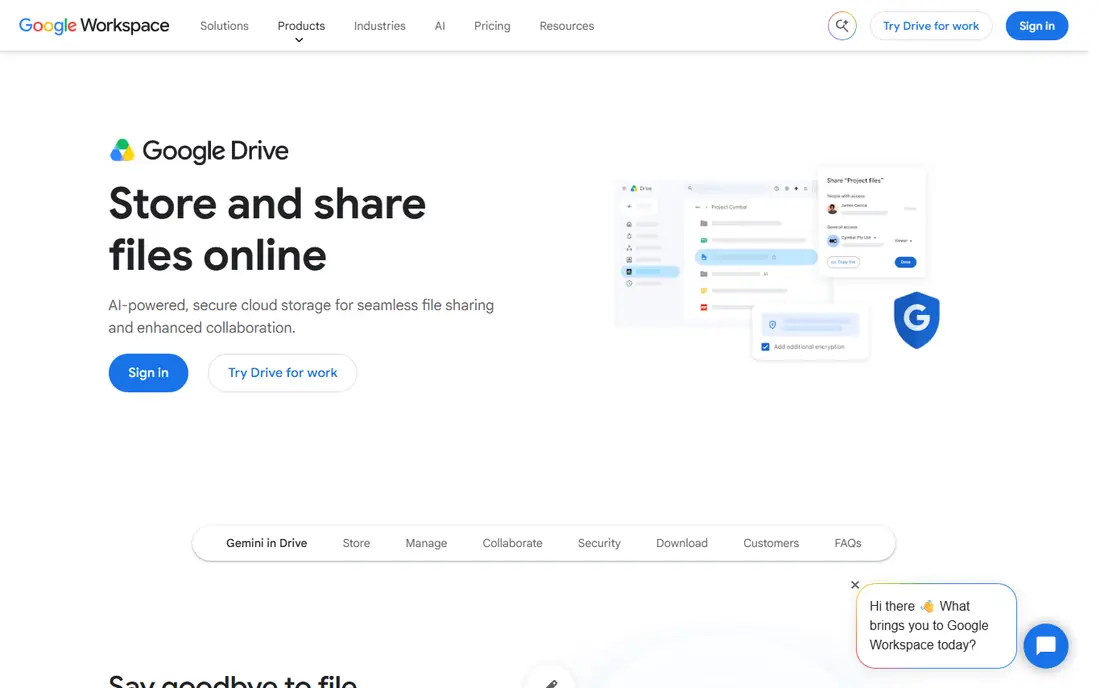
Google Drive is the easiest free swap for most people. A Google account gives 15 GB free, and Docs, Sheets, and Slides let several people edit the same file at once with comments and version history. Search finds text inside documents and images, which helps when files pile up.
The shared limit is the catch. Gmail and Google Photos use the same 15 GB, so the space fills faster than it first appears. Privacy is another trade, since files are encrypted in transit and at rest, but not end-to-end by default. For everyday collaboration, it remains the top free pick.
- 15 GB free shared across Google services
- Strong Docs, Sheets, and Slides collaboration
- Excellent search
- Free space is shared with Gmail and Photos
- No end-to-end encryption by default
OneDrive is built into Windows and Office, so files, photos, and Office docs sync with little setup. Word, Excel, and PowerPoint collaboration works well, and Personal Vault adds an extra protected area for sensitive files. For Windows households, that integration is hard to beat.
Free space is only 5 GB, which fills fast with photos and large files. The best value comes with Microsoft 365, which adds 1 TB and the full Office apps. If you already pay for Microsoft 365, OneDrive is the natural Dropbox replacement.
- 5 GB free
- Deep Windows and Office integration
- Personal Vault for sensitive files
- Smaller free tier than Google Drive
- Best value needs a Microsoft 365 plan
iCloud Drive is the default for Apple users, syncing files, photos, and device backups across iPhone, iPad, and Mac. It works quietly in the background, and files appear in Finder and Files without extra apps. For a household that lives on Apple devices, it is the simplest option.
The free tier is only 5 GB, and that space is shared with backups and photos, so many users need a paid plan quickly. Windows and Android support is weaker than Apple support. If you mix platforms, Google Drive or OneDrive may fit better.
- 5 GB free
- Built into iPhone, iPad, and Mac
- Smooth device backup and sync
- Smaller free tier
- Weaker on Windows and Android
- Best with Apple devices
MEGA offers 20 GB free with end-to-end encryption, which means only you hold the keys to your files in the usual MEGA model. That combination of large free space and privacy is rare, and apps cover Windows, macOS, Linux, iOS, and Android.
Transfer quotas on free accounts can limit large downloads, and real-time document collaboration is weaker than Google Workspace. Pick MEGA when free space and privacy matter more than joint document editing, and keep an eye on transfer limits for large files.
- 20 GB free
- End-to-end encryption by default
- Apps for all major platforms
- Transfer quotas apply on free accounts
- Collaboration is weaker than Google Drive
Proton Drive, from the team behind Proton Mail, encrypts files, file names, and metadata end to end on every plan. The free tier offers up to 5 GB after setup steps, and paid plans add more space plus Proton Docs and Sheets for encrypted document work.
The free tier is smaller than MEGA or Google Drive, and collaboration is less mature than Google Workspace. Pick Proton Drive when privacy is the top need and you already use, or want to use, the wider Proton suite for mail, calendar, and VPN.
- End-to-end encryption by default
- Swiss jurisdiction
- Docs and Sheets in the Proton suite
- Free tier up to 5 GB
- Collaboration is still maturing compared with Google
pCloud offers up to 10 GB free, with steps such as referrals and setup tasks to reach the full amount. Media playback is strong, with built-in players for audio and video, and lifetime paid plans appeal to users who dislike monthly fees.
Client-side encryption, called pCloud Crypto, is a paid add-on rather than a default, so privacy-focused users should check that cost. If you want a flexible free tier with an option to pay once later, pCloud is a solid middle ground.
- Up to 10 GB free
- Lifetime paid plans available
- Good media playback
- Client-side encryption is a paid add-on
- Free tier needs steps to reach full space
Sync.com offers 5 GB free with end-to-end encryption on every plan, plus sharing controls that suit professionals who send files to clients. Link expiry, password protection, and access controls help when you share sensitive work outside your team.
The free tier is modest, and integrations are fewer than Dropbox or Google Drive. Pick Sync when private sharing matters more than a large free tier, and check the paid plan if you need terabytes of space.
- 5 GB free
- End-to-end encryption by default
- Strong sharing controls for clients
- Smaller free tier
- Fewer third-party integrations than Dropbox
Box offers 10 GB free on a personal plan, with business plans adding governance, workflow, and security controls. Integrations with Office, Google Workspace, and many business apps make it useful for teams that share files across tools.
The personal free plan limits individual file size, so large video files may need another service. Box shines most in business use, where admin controls and compliance matter. For personal free use, it still works well for documents and smaller files.
- 10 GB free on personal plan
- Strong business governance and sharing controls
- Many integrations
- Personal free plan has a file size limit
- Best features need a business plan
How we picked these
We compared official pricing pages and product docs for cloud storage services that offer a free tier in October 2026. We kept services with a usable free plan, apps for major platforms, and a clear path to paid storage. We left out services with no free tier, services that had closed, and self-hosted tools that need your own server, since this guide focuses on free hosted alternatives.
How to choose a free Dropbox alternative
Start with your ecosystem. Google users get the most from Google Drive, Windows and Office users from OneDrive, and Apple users from iCloud Drive. Switching ecosystems for a few extra gigabytes often costs more time than it saves, since you lose built-in sync and collaboration.
Check free space, not just the headline
Free space claims hide details. Google Drive shares 15 GB with Gmail and Photos, iCloud shares 5 GB with backups, and pCloud needs steps to reach 10 GB. Add up what you already store in mail, photos, and backups before you judge a free tier, and test a large upload early.
Decide how much privacy you need
If you store tax files, client work, or sensitive photos, end-to-end encryption from MEGA, Proton Drive, or Sync may matter more than collaboration. If you mainly share documents with a team, Google Drive or Box collaboration may matter more. Pick the trade that fits your files, not just the largest free number. Also check recovery options before you store important files in an encrypted service, since losing a password or recovery key can lock you out of your own files. A service that offers a clear recovery path, plus a local backup you control, gives you both privacy and a safety net.
Frequently asked questions
What is the best free Dropbox alternative?
Google Drive is the best free alternative for most people, thanks to 15 GB free and strong collaboration. MEGA suits users who want more free encrypted space, while Proton Drive suits privacy-first users.
What are free alternatives to Dropbox?
Free alternatives include Google Drive, OneDrive, iCloud Drive, MEGA, Proton Drive, pCloud, Sync.com, and Box. Each offers a free tier with different space, encryption, and collaboration features.
Which free cloud storage offers the most space?
On this list, MEGA offers 20 GB free, followed by Google Drive at 15 GB shared across Google services. Check transfer limits and sharing rules, since the largest free tier is not always the most useful.
Is Proton Drive a good Dropbox alternative?
Yes, if privacy is your top need. Proton Drive offers end-to-end encryption by default and a growing Docs and Sheets suite, but its free tier is smaller and collaboration is less mature than Google Drive.
Can I use Google Drive instead of Dropbox?
Yes, for most everyday uses, including file sync, sharing, and document collaboration. Dropbox still leads for some third-party integrations and team workflows, so test sharing and sync with your main apps before you move everything.
Is free cloud storage safe?
Free tiers from major providers use encryption in transit and at rest, but only some offer end-to-end encryption by default. Use strong passwords, turn on two-factor authentication, and keep a local backup of important files, since no cloud service should be your only copy.
Sources we checked (8)

Online Jobs is an independent blog about careers, online work, learning new skills and the tools that help people earn. More about us.
Keep reading
All posts
Zoom Alternatives
Zoom alternatives compared for 2026: Google Meet, Microsoft Teams, Webex, Jitsi and more for free calls, large meetings and webinars for teams and classrooms.

Which Software Is Best for Data Entry
Compare the best data entry software for forms, OCR scanning, and spreadsheets, with free plans, pricing, and honest limits for each tool before you commit.

What's the Best App to Read PDFs
Find what's the best app to read PDFs in 2026, from Adobe Acrobat Reader and Foxit to PDF Expert and Xodo, with free options and honest limits for every device.