Best Customer Service Best Practices in 2026: 9 Tools Compared

How we put this together: we compare official feature and pricing pages, app store listings, privacy policies and public user reviews. Prices change, so check the provider's site before you pay.
Key takeaways
- The best practice is to answer in the channel the customer already uses, and keep the full history in one place so no one has to repeat themselves.
- A short, searchable help center answers routine questions before they become tickets, and it frees agents for the cases that need a person.
- Speed matters less than clarity, because a clear next step and an honest time frame build more trust than a fast but vague reply.
- The tools below differ mainly in price structure and depth, so pick the one that matches your team size, channels, and budget rather than the longest feature list.
Quick comparison
| Name | Who it suits | Starting price | Free option | |
|---|---|---|---|---|
 Zendesk | Large and growing support teams | See website | Free trial | Visit |
 Freshdesk | Small and mid-size teams starting fast | See website | Free trial | Visit |
 Intercom | Support inside a website or app | See website | Free trial | Visit |
 Help Scout | Email-first small teams | See website | Yes | Visit |
 HubSpot Service Hub | Teams already using HubSpot CRM | Free | Yes | Visit |
 Zoho Desk | Budget-conscious teams | Free | Yes | Visit |
 LiveChat | Live chat on a website | See website | Free trial | Visit |
 Front | Shared inboxes across channels | See website | Free trial | Visit |
 Salesforce Service Cloud | Large teams on Salesforce | See website | Free trial | Visit |
The best customer service best practices tools
Good service is mostly habit, and the right tool makes those habits easier to repeat. The nine options below help teams put the practices in this guide into daily work, from shared inboxes to self-service help centers.

Zendesk fits teams that need structure. Tickets, chat, voice, and self-service can sit in one system, and managers can route work by topic, language, or priority. That structure matters when volume grows, because ad hoc inboxes and shared email accounts start to hide work and slow replies.
The honest catch is cost and complexity. Small teams may pay for depth they do not use yet, and the admin side rewards someone who will own settings, views, and automations. If you have that owner, or you plan to grow into it, Zendesk gives you room to scale without moving tools again soon.
- Wide channel coverage
- Strong ticketing and workflow options
- Large integration library
- Pricing can rise quickly with add-ons
- Setup takes more time than simpler tools
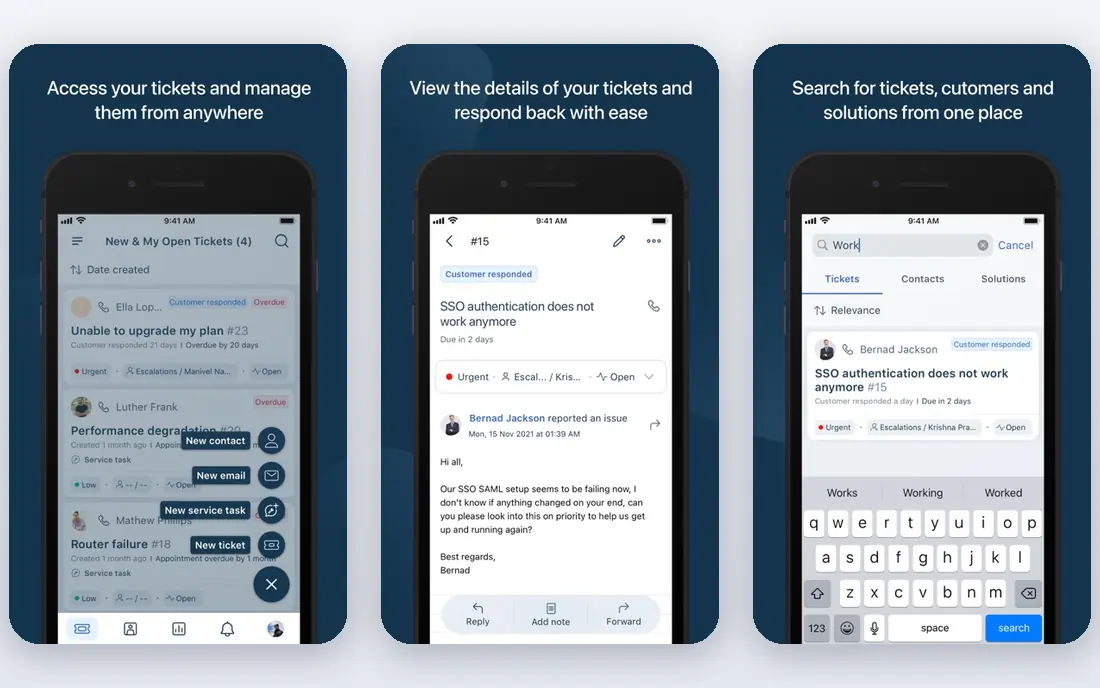
Freshdesk is a practical starting point for teams that want a real helpdesk without a long project. Tickets arrive from email, chat, phone, and social channels, and agents can see history, assign work, and set priorities from one queue. A knowledge base is included, which supports the best practice of publishing answers once and linking to them often.
Where it can disappoint is at the top end. Teams that need deep custom reporting, complex service level rules, or very granular permissions should check the plan details before they commit. For most small and mid-size teams, though, the balance of price, setup speed, and everyday usability is strong.
- Clear ticket views
- Useful automations on paid plans
- Chat and phone options in the same family
- Some advanced reporting sits on higher plans
- AI features vary by plan
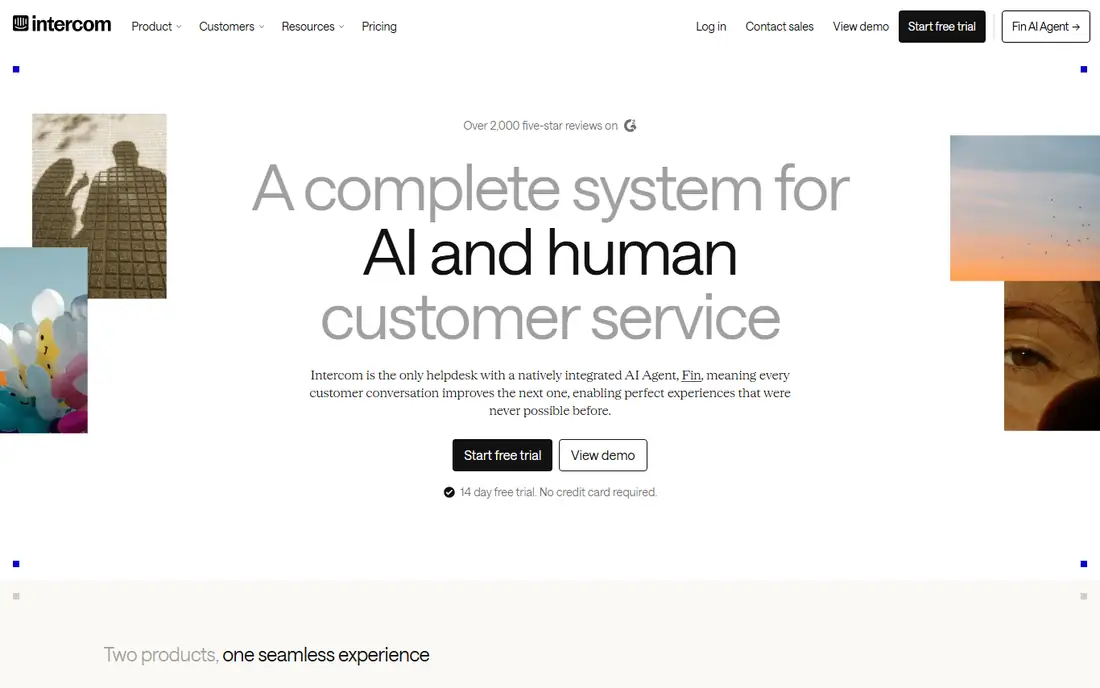
Intercom suits companies whose customers live inside a product. The messenger appears where people already work, and it can show help articles, collect details, and hand a conversation to a person with context intact. That fits the best practice of meeting customers where they are, rather than asking them to open a separate support portal.
The trade-off is the bill. Seat pricing plus charges for AI resolutions can grow with volume, so teams should model a busy month, not a quiet one. If most of your support is email, a more traditional helpdesk may be cheaper and simpler.
- Strong in-product messenger
- Helpful AI answers from your own content
- Good for onboarding and support in one place
- Pricing depends on seats and AI usage
- Less suited to email-only teams
Help Scout keeps email support calm. Messages land in a shared inbox, agents can assign and comment internally, and customers still see a normal email thread. That simplicity supports good practice, because agents spend less time learning the tool and more time writing clear replies.
It is not the best pick for teams that need heavy phone queues, complex service level management, or deep custom automation. If email and chat cover most of your work, and you want a tool that a new hire can use on day one, Help Scout is a sensible choice.
- Simple shared inbox
- Clean help center
- Easy to learn for new agents
- Limited phone support options
- Fewer deep workflow tools than enterprise platforms
HubSpot Service Hub makes sense when customer records already live in HubSpot. An agent can see past purchases, deals, and conversations beside a ticket, which helps avoid repeated questions and generic replies. The free tools let a small team start with tickets and a help center before paying for more.
The catch is fit. Outside HubSpot, much of the advantage fades, and the paid tiers are priced for teams that will use the wider platform. Check the onboarding fee on higher plans, and confirm that the plan you need includes the reporting and automation you expect.
- Ticketing next to CRM records
- Free tools to start
- Useful feedback and survey options
- Higher tiers carry onboarding costs
- Best value only inside the HubSpot system
Zoho Desk is the budget pick that still feels like a proper helpdesk. It gathers email, chat, phone, and social tickets, supports team assignments and service level rules, and offers a free edition for very small teams. For a business watching costs, that combination is hard to beat.
The compromise is polish. Some screens pack in a lot of options, and new admins may need time to set up views and workflows cleanly. If you already use Zoho apps, the value grows, because contacts and records can stay connected across the suite.
- Low entry cost
- Multi-channel tickets
- Works well with other Zoho apps
- Interface feels busy in places
- Some features need careful setup
LiveChat focuses on one job and does it well. Visitors can start a chat from a website, agents can answer with saved replies, and chats can be routed to the right person or team. That speed supports the best practice of answering simple questions in the moment, before a visitor leaves.
It is not a full replacement for a helpdesk on its own. Teams that also handle email tickets, phone calls, and complex cases will usually pair LiveChat with a ticketing tool. Used in that role, it is a strong, focused addition.
- Fast website chat setup
- Useful canned replies and routing
- Clear chat history
- Ticketing depth is limited compared with full helpdesks
- Best as part of a wider stack
Front suits teams that live in email but need to share it properly. Instead of forwarding messages or copying people in, agents work from a shared inbox, leave internal notes, and assign threads. Customers still get normal replies, while the team keeps a clear record of who owns what.
The main limit is price structure. Seat-based pricing can add up for larger teams, and small teams should compare it with simpler shared inbox tools. If collaboration inside email is your core need, Front is one of the cleanest ways to do it.
- Email, SMS, and social in one inbox
- Internal comments and assignments
- Useful for account teams
- No free plan for most teams
- Costs rise with seats
Salesforce Service Cloud fits large organizations that already run on Salesforce. Cases sit beside customer records, service processes can be automated in detail, and reporting can cover teams, regions, and products. That depth supports consistent practice at scale, where many agents must follow the same steps.
For a small team, it is usually more than needed. Implementation takes planning, admin time is ongoing, and the price reflects enterprise depth. Choose it when your CRM is Salesforce and your support operation needs that level of control.
- Deep CRM and case management
- Strong automation and reporting
- Wide enterprise options
- Complex setup
- Cost and admin time are high for small teams
How we picked these
We checked official feature pages, pricing pages, and app store listings for each tool, and we compared channel coverage, ticket handling, self-service options, and price structure. We also read public reviews to see where users praised setup speed or reported limits, and we left out tools that did not fit the support job or that we could not verify as current products. Where a price was not clear on the vendor site at the time of checking, we wrote See website rather than repeating a third-party figure.
How to put these practices to work
Start with first contact. Publish a clear way to reach you, state expected reply times, and route each message to a named owner. A ticket that sits unassigned is the most common cause of a slow reply, and it is easy to fix with a simple rule: every new message gets an owner within one working day, and sooner for urgent cases.
Next, write replies that a customer can act on. State what you found, what happens next, and when it will happen. Avoid jargon, avoid blaming the customer for a confusing step, and close with a single next action. If you need more detail, ask one clear question rather than sending a long list.
Then build self-service that people trust. Write short help articles for the ten questions you answer most often, link to them from replies, and update them when a product or policy changes. Measure which articles get read and which tickets keep arriving, because that gap shows where your help center still needs work.
Finally, review the work each week. Read a sample of tickets, look for repeated problems, and fix the cause when you can. A tool can route, remind, and report, but the practice of learning from tickets is what turns good service into a steady habit.
Frequently asked questions
What are the best customer service practices for a small team?
Answer the channel your customers use, assign every message to an owner, and reply with a clear next step and time frame. Publish short help articles for repeated questions, and review tickets weekly for patterns you can fix at the source.
What are the best practices in customer service for handling complaints?
Listen first, restate the problem in plain words, and own the next step even when the fix needs another team. Give an honest time frame, follow up when you said you would, and record the outcome so the customer does not have to explain it again.
What are the best practices for customer service online?
Keep replies short, specific, and human, and make it easy to move from chat or social messages to a ticket when a case needs follow-up. Share links to help articles, confirm details in writing, and protect private information by moving account details to a secure channel.
Which online customer service best practices help reduce repeat contacts?
A searchable help center, clear order and account pages, and proactive updates about delays or outages all help. When customers can check status themselves, and when agents link to the same answer each time, fewer people need to write twice about one issue.
How do I choose a tool for these practices?
List your main channels, your team size, and the reports you need, then shortlist two tools and test them with real tickets for a week. Check the total price for your team size, the limits on the plan you would buy, and how easy it is to export your data if you later move.
Do I need a paid helpdesk to follow these practices?
No, you can start with a shared inbox, a simple help page, and a weekly review habit. A paid tool helps when volume grows, when several channels must stay in one queue, or when you need automation and reporting that a shared inbox cannot provide.
Sources we checked (9)

Online Jobs is an independent blog about careers, online work, learning new skills and the tools that help people earn. More about us.
Keep reading
All posts
n8n Alternatives
n8n alternatives compared for 2026, with Zapier, Make, Activepieces, and more, covering visual builders, code steps, self-hosting, and pricing models.

ZoomInfo Alternatives
The best ZoomInfo alternatives in 2026, compared on price, free plans, data coverage, and which tool fits small teams or large sales teams best in detail.

Workday Alternatives
We compared the best workday alternatives for HR, payroll, and global hiring, from BambooHR and Gusto to Rippling, Deel, and HiBob for growing teams in 2026.