Best ChatGPT Alternatives in 2026: 9 Chatbots Compared

How we put this together: we compare official feature and pricing pages, app store listings, privacy policies and public user reviews. Prices change, so check the provider's site before you pay.
Key takeaways
- Most of these chatbots have a usable free plan, so start free and pay only when you hit a limit that matters to your work.
- Claude is our pick for long writing and careful editing, while Perplexity is the strongest choice when every answer needs a source you can check.
- Gemini makes the most sense if you already live in Google apps, and Microsoft Copilot fits best inside Word, Excel, and Outlook.
- DeepSeek and Meta AI cost nothing for chat, which makes them good second options for drafting, coding help, and study questions.
- Paid plans cluster around 20 dollars a month, so usage limits and extra tools matter more than the headline price.
Quick comparison
| Name | Who it suits | Starting price | Free option | |
|---|---|---|---|---|
 Claude Claude | Long writing and editing | $20 per month | Yes | Visit |
 Google Gemini Google Gemini | Google Workspace users | $19.99 per month | Yes | Visit |
 Microsoft Copilot Microsoft Copilot | Microsoft 365 users | $19.99 per month | Yes | Visit |
 Perplexity Perplexity | Cited research answers | $20 per month | Yes | Visit |
 Meta AI Meta AI | Free everyday chat | Free | Yes | Visit |
 Mistral Le Chat Mistral Le Chat | Lower cost paid plan | $14.99 per month | Yes | Visit |
 Grok Grok | Live web and social search | $30 per month | Yes | Visit |
 DeepSeek DeepSeek | Free coding and reasoning help | Free | Yes | Visit |
 Poe Poe | Trying many models in one place | $19.99 per month | Yes | Visit |
The best chatgpt alternatives
ChatGPT set the pattern for general chatbots, but it is no longer the only sensible default. The tools below cover the same ground in different ways, from cited search to long document editing, and several of them are free. We compared official feature pages, pricing pages, and app store listings.

Claude, from Anthropic, is the alternative we would point most writers to first. It handles long drafts, rewrites, and structured documents with a steady tone, and it is good at following detailed instructions about length, format, and audience. The free plan covers chat on the web, mobile, and desktop, plus web search, memory, and file creation.
The paid Pro plan costs 20 dollars per month when billed monthly, or 200 dollars up front for a year, which works out to 17 dollars per month. Pro adds more usage, access to more models, unlimited projects, research tools, and Claude Code for coding work. The catch is transparency around limits. Anthropic describes Pro usage as a multiple of the free plan rather than a fixed number of messages, so heavy users should test the free plan first and watch how quickly limits appear in their own routine.
- Strong writing and editing
- Useful for long documents
- Includes web search and file tools on the free plan
- The most capable models and coding tools sit behind the paid plan
- Usage limits are not published as a fixed message count
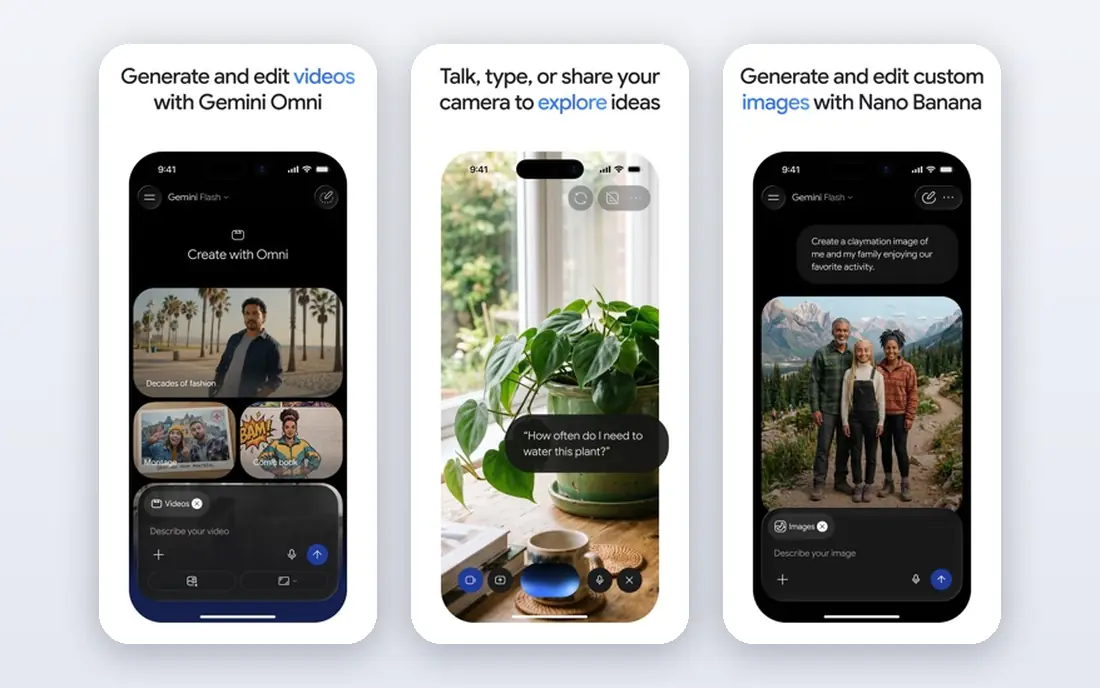
Gemini is Google's chatbot, and its main advantage is placement. If your notes, mail, and files already live in Google apps, Gemini can draft, summarize, and search across them with fewer steps than a separate tool. The free plan still handles everyday questions, image work, and voice chat.
Google AI Pro costs 19.99 dollars per month and adds the more capable Pro models, higher limits, and 5 TB of cloud storage, along with Gemini in Gmail and Docs. A cheaper AI Plus plan at 4.99 dollars per month keeps the faster Flash models but no longer includes the Pro models. If you only need quick answers, the free plan or Plus may be fine, but serious writing and research work now points toward Pro.
- Built into Gmail, Docs, and Drive on paid plans
- Strong image tools
- Generous free tier for everyday questions
- Free users now get a narrower choice of models
- The best models require the Pro plan
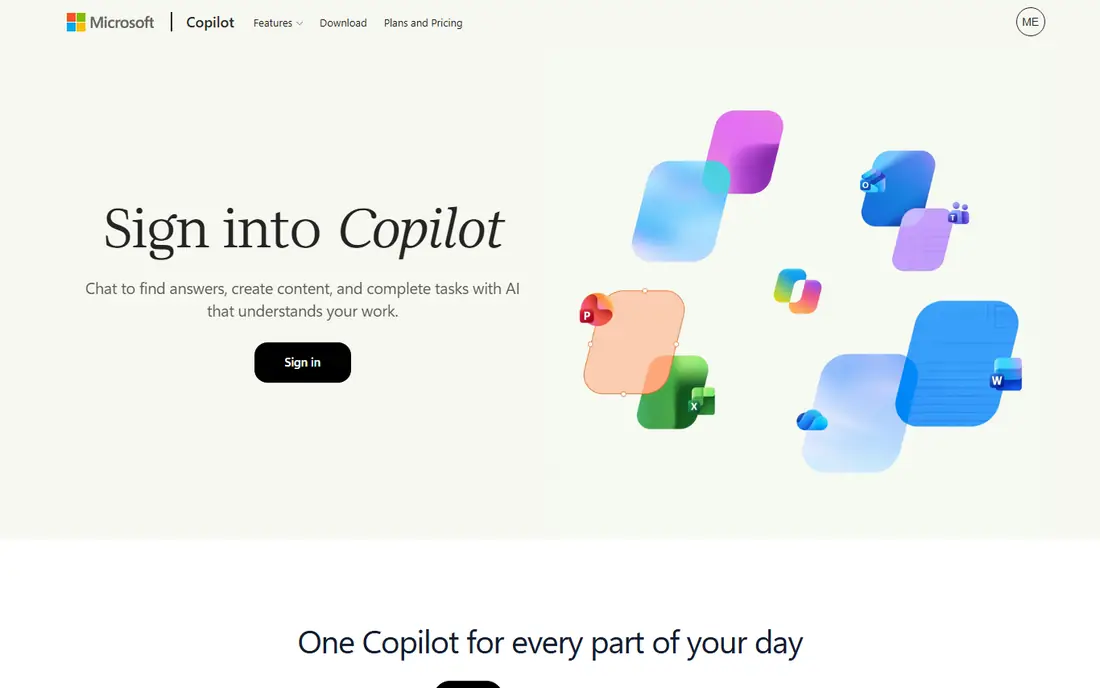
Microsoft Copilot is the natural alternative for people who already pay for Microsoft 365. Free Copilot covers web chat, research, and drafting, and it works on the web, on desktop, and on mobile. The paid features, such as AI help inside Word, Excel, PowerPoint, and Outlook, now come through Microsoft 365 Premium at 19.99 dollars per month for individuals, which also includes the Office apps and storage.
That bundle changes the value calculation. If you already subscribe to Microsoft 365, Copilot adds real convenience inside documents and mail. If you do not use those apps, a standalone chatbot such as Claude or Gemini gives you more for a similar monthly price. Copilot also keeps work and personal conversations separate.
- Works inside Word, Excel, PowerPoint, and Outlook on paid plans
- Free chat with a Microsoft account
- Keeps work and personal chats separate
- The standalone Copilot Pro plan was retired, so new buyers take a bundle
- Full value depends on using Microsoft apps
Perplexity is built for a different job than most chatbots on this list. Instead of giving you a polished paragraph and asking you to trust it, Perplexity searches the live web and shows its sources alongside the answer. That makes it the best pick here for checking a claim or comparing products, since you can open the cited page and judge it yourself.
The free plan covers basic search with citations, with a small daily allowance of deeper Pro searches. Perplexity Pro costs 20 dollars per month, or 200 dollars per year, and adds model choice, deeper research, file uploads, and image generation. Students and educators with verified status can get Education Pro for 10 dollars per month. Pro is not unlimited, since limits are set weekly and monthly.
- Answers include sources you can open and check
- Strong for current events and product research
- Paid plan adds model choice
- Less suited to long creative writing than Claude
- Paid limits are weekly and monthly rather than unlimited
Meta AI is the free chatbot from Meta, and its strength is reach. Many people already meet it inside WhatsApp, Instagram, Facebook, and Messenger, so there is nothing new to install and no subscription to weigh up. It handles quick questions, explanations, brainstorming, and image generation well enough for everyday use, and it is a fair choice for anyone who chats with AI only occasionally.
The trade-off is depth. Meta AI does not offer the same kind of paid upgrade path as Claude or Gemini, so if you hit limits or need long document editing, coding tools, and research features, you will likely move to a paid rival.
- Free to use
- Available inside WhatsApp, Instagram, Facebook, and Messenger
- Good for quick questions and image ideas
- No paid tier to raise limits in the same way as rivals
- Less suited to long document work
Mistral Le Chat, from the French company Mistral AI, is the budget pick among paid chatbots. The free plan gives you access to current Mistral models, web search, image generation, and document uploads, with daily usage limits. The Pro plan costs 14.99 dollars per month and raises message, search, and image limits, adds extended thinking and deep research, and includes more storage and coding help. That is about five dollars a month less than the standard paid plans from Anthropic, Google, and Perplexity.
The weaker side is the surrounding ecosystem. It does not match Google or Microsoft for built-in office apps, and its mobile app and third-party integrations are less mature. If you mainly want a strong chat window at a lower price, that trade is easy to accept.
- Cheapest paid plan among the major chatbots here
- Web search with citations
- Image generation and coding help included
- Smaller app ecosystem than Google or Microsoft
- Some advanced coding features need the paid plan
Grok is the chatbot from xAI, and its clearest edge is live information. It searches the web and social posts in real time, which makes it useful for breaking news, sports, and fast-moving stories where an older training cutoff would leave gaps. The free tier covers chat, voice, and real-time search at lower limits, and it is enough to test whether the style suits you.
The paid plan, SuperGrok, costs 30 dollars per month and adds higher limits, the more capable Grok model, expert search, and image and video generation. That is ten dollars more than the usual 20-dollar paid tier, so it only makes sense if live search or media generation is central to you. Grok is closely tied to the social platform X. If you want a neutral work assistant, Claude or Gemini may feel like a better fit.
- Real-time web and social search
- Voice mode
- Image and video generation on paid plans
- SuperGrok costs more than most rivals
- Paid limits are usage pools rather than fixed message counts
DeepSeek is the most interesting free option on this list for technical work. Its chatbot is free on the web and in its apps, with no paid consumer subscription tier, and it is notably strong at coding help, math, and problems that need careful step-by-step reasoning. DeepSeek also publishes its model weights under an open license, so developers can run the models on other servers, though the developer API itself is billed per token.
The limits are plain. DeepSeek chat does not generate images, its voice features are basic compared with paid rivals, and its project and memory tools are thinner than those in Claude or Gemini. Privacy is the other point to weigh. DeepSeek is a Chinese company, and its data handling differs from US and European providers, so we would not paste private client material, medical details, or unpublished business plans into it. For study, coding practice, and general drafting, the price and quality combination is hard to beat.
- Free chat with no paid subscription tier
- Strong on coding, math, and step-by-step reasoning
- Open model weights for developers
- No image generation in chat
- Data is handled under its own policies, so avoid pasting sensitive material
Poe, built by Quora, takes a different approach from every other entry here. Instead of selling you one model, it sells access to many. A single Poe subscription lets you chat with models from OpenAI, Anthropic, Google, Meta, and others in one place, switch models inside a conversation, and compare answers to the same prompt. That makes it the best choice if you are still deciding which model you like, or if different tasks suit different models.
The free plan gives a daily allowance of points for basic models and limited messages to premium models. The paid plan costs 19.99 dollars per month and adds a much larger monthly points allowance. The catch is the points system itself. Each model costs a different number of points per message, and the most capable models cost the most, so heavy use of flagship models can drain the allowance faster than a flat subscription would. Still, for exploration and comparison, no single-model subscription matches it.
- One subscription covers models from several companies
- Easy to compare answers side by side
- Custom bots to share
- Usage runs on a points system that takes time to learn
- Native apps often have deeper features for a single model
How we picked these
We started with chatbots live and usable in the United States in October 2026, then checked each vendor's homepage, pricing page, and app store listing for current plans and free tiers. We kept only general chatbots, not single-purpose tools, with a mix of large providers and smaller ones. Where a price could not be confirmed from the vendor's own site, we would have written "See website" rather than guessing. We did not claim hands-on testing, and we treated published limits as the deciding factor.
What to check before you pay
Start with the free plan, even if you expect to pay later. A week of real prompts tells you more than any feature list. Pay attention to how often you hit a cap and whether you actually use the extra tools that justify a paid tier.
Next, match the tool to where your work already lives. Gemini fits Google Drive and Gmail, Copilot fits Microsoft 365, and Perplexity fits research that needs sources. A chatbot inside your daily apps will get used, while a stronger chatbot in a separate tab may sit idle. Finally, check the privacy terms for anything sensitive. Free plans from different companies handle prompts differently, and business or client material deserves a provider whose data policy you have actually read.
When a free plan is enough
If you chat a few times a day and draft short pieces, a free plan from Claude, Gemini, Meta AI, or DeepSeek will usually cover you. Pay only when you regularly hit limits or need tools such as deep research or office integration.
When paying makes sense
Paying makes sense when AI chat is part of your daily work. Writers, researchers, students, and developers who use a chatbot every day will feel the difference in limits and model quality quickly. In that case, compare the paid plans on limits first and price second, since a cheaper plan that caps out midweek is worse value than a slightly dearer plan that lasts the month.
Frequently asked questions
What are the best free alternatives to ChatGPT?
Claude, Gemini, Meta AI, and DeepSeek all offer free chat plans that cover everyday questions, drafting, and explanations. DeepSeek stands out for free coding and reasoning help, while Perplexity is best when you want sources with your answers.
What are the best alternatives to ChatGPT for research?
Perplexity is the strongest research pick here because its answers link to sources you can open and verify. Claude and Gemini also search the web and handle longer research documents well, and Grok adds real-time social and web search for fast-moving stories. For academic work, always open the cited source rather than trusting the summary.
Are there good open AI alternatives to ChatGPT?
Yes. DeepSeek publishes open model weights, and Mistral also releases open-weight models alongside its Le Chat product. Open weights matter mainly for developers and researchers who want to run a model on their own servers. For most everyday users, the hosted chat apps from those same companies are the simpler choice.
What is the best ChatGPT alternative for writing?
Claude is our pick for long writing and editing, thanks to its steady tone and its handling of detailed instructions about structure and length. Poe is useful when you want to compare how several models handle the same brief. Read the draft through once yourself before you publish it.
Is there a completely free alternative to ChatGPT?
Meta AI and DeepSeek both offer free chat with no paid consumer subscription required for basic use, and Claude and Gemini have free tiers with limits. Free still means limits on usage, speed, or model choice. If you need unlimited use of the strongest models, expect to pay.
Which GPT alternative is cheapest for a paid plan?
Mistral Le Chat Pro, at 14.99 dollars per month, is the cheapest paid plan among the major chatbots in this list. Poe and Gemini sit near 20 dollars per month, while Grok's SuperGrok costs 30 dollars per month. Price alone is a weak guide, since limits and included tools differ enough to change the real value.
Sources we checked (9)

Online Jobs is an independent blog about careers, online work, learning new skills and the tools that help people earn. More about us.
Keep reading
All posts
Best Writing Software
Looking for the best writing software in 2026? We compared 9 writing apps for books, articles and screenplays on price, features and fit. All verified.

Best Weather Apps
Searching for the best weather app? We compared eight top weather apps for accurate forecasts, radar, severe alerts, and daily planning near you today.

Best Video Editing Software
We compared the best video editing software for beginners and pros, checking official pricing, free plans and honest limits before ranking all nine editors.