Best Free Canva Alternatives in 2026: 9 Tools Compared

How we put this together: we compare official feature and pricing pages, app store listings, privacy policies and public user reviews. Prices change, so check the provider's site before you pay.
Key takeaways
- No single free tool matches Canva in every area, so pick by job: social, photo, vector or infographic.
- Free plans often limit storage, assets, AI credits or exports, so check the limit that will bite first.
- Browser photo editors suit quick edits, while desktop editors suit detailed print and photo work.
- Brand kits, locked templates and shared libraries matter more than templates alone for teams.
- Export format, size and commercial use terms should be checked before you publish a design.
Quick comparison
| Name | Who it suits | Starting price | Free option | |
|---|---|---|---|---|
 Adobe Express | Closest Canva-style swap | Free | Yes | Visit |
 VistaCreate | Template social posts | Free | Yes | Visit |
 Photopea | Browser photo and PSD editing | Free | Yes | Visit |
 Pixlr | Quick browser photo edits | Free | Yes | Visit |
 Figma | Team layout and design files | Free | Yes | Visit |
 Microsoft Designer | Fast AI social graphics | Free | Yes | Visit |
 Visme | Infographics and presentations | Free | Yes | Visit |
 Piktochart | Infographics and reports | Free | Yes | Visit |
 GIMP | Free desktop photo editing | Free | Yes | Visit |
The best free Canva alternatives
Canva is popular because it combines templates, photos, text and simple editing in one place. Free alternatives tend to be stronger in one area than in all areas, so the list below groups them by the job they do best.
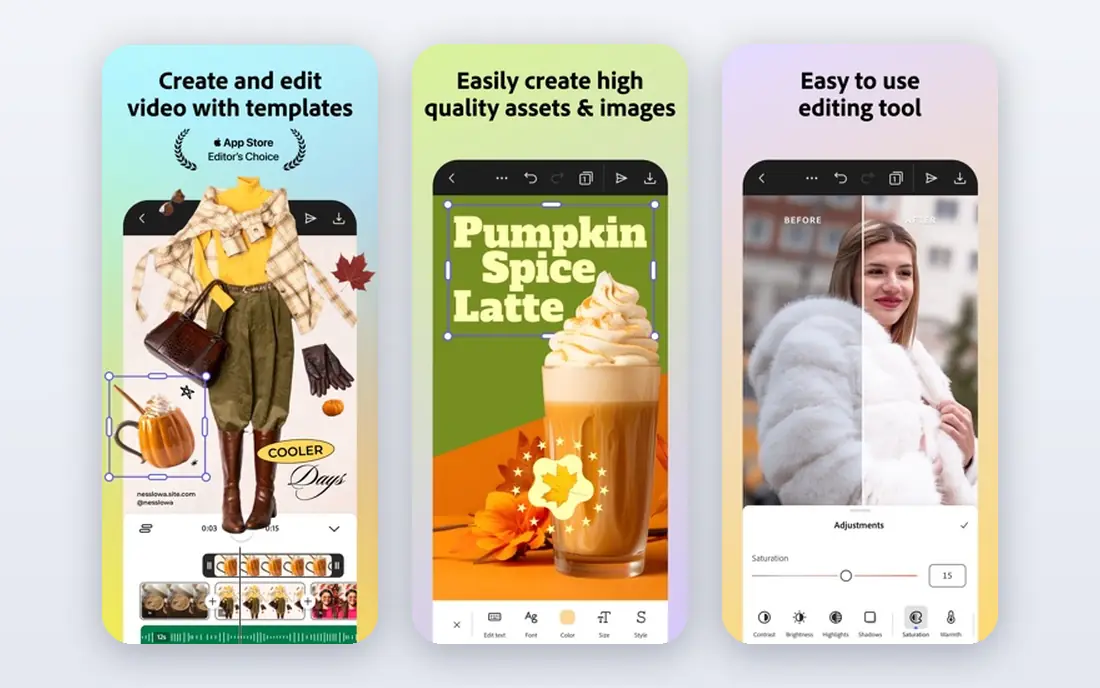
Adobe Express is the closest free swap for Canva users, because it offers templates for social posts, presentations and marketing graphics, plus photo and video editing in one browser tool. If you already use Adobe fonts or assets, the shared ecosystem is a practical bonus. The editor is easy to learn, and resizing a design for different social formats is straightforward. The free plan is not unlimited. Storage, AI credits and some premium assets are limited, so heavy users will hit a ceiling. Adobe Express fits occasional to regular social designers who want a Canva-like workflow without a subscription, and who can work within free limits or pay only when volume grows.
- Template library
- Photo and video tools
- Adobe asset and font access
- Free plan limits storage and AI credits
- Premium features need a paid plan
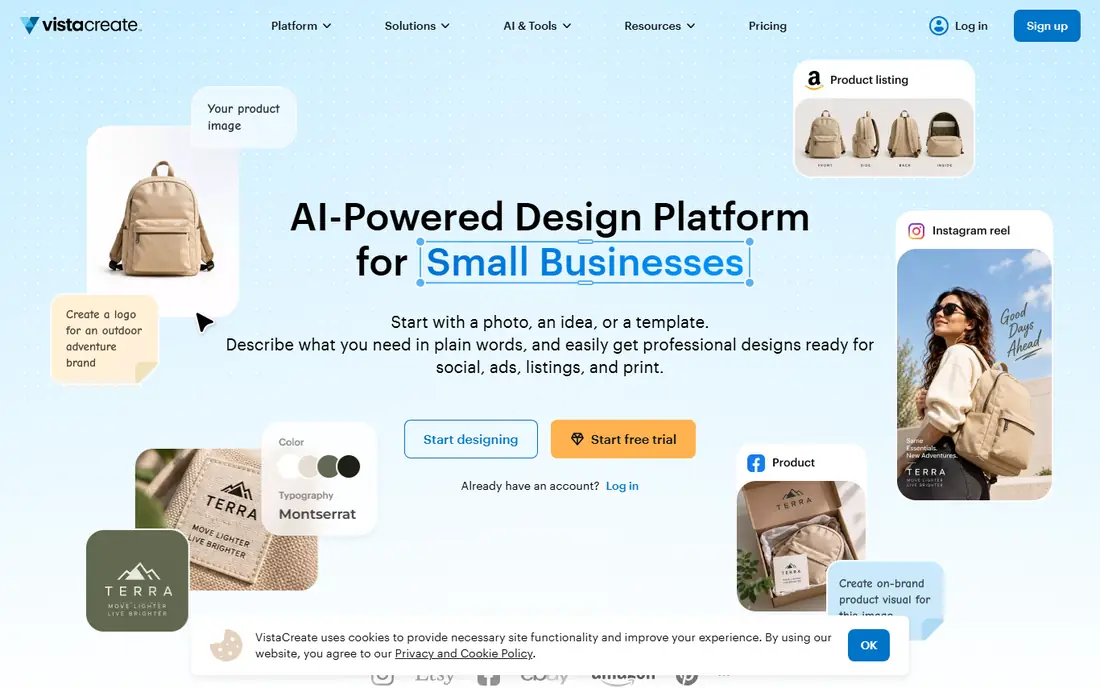
VistaCreate feels familiar to Canva users from the first session, with templates for social posts, ads, banners and print items. Background removal, animation and a brand kit are part of the appeal, and the editor stays simple even for users with no design training. That familiarity makes switching less disruptive for a small team. Free storage and asset limits are the main constraints. The free library is useful, but paid assets and unlimited storage need a subscription. VistaCreate fits social media managers and small businesses that publish regular template-based posts and want a low learning curve.
- Large template set
- Background removal on free plan in many cases
- Simple editor
- Free asset library is smaller than paid
- Storage is limited on free plan
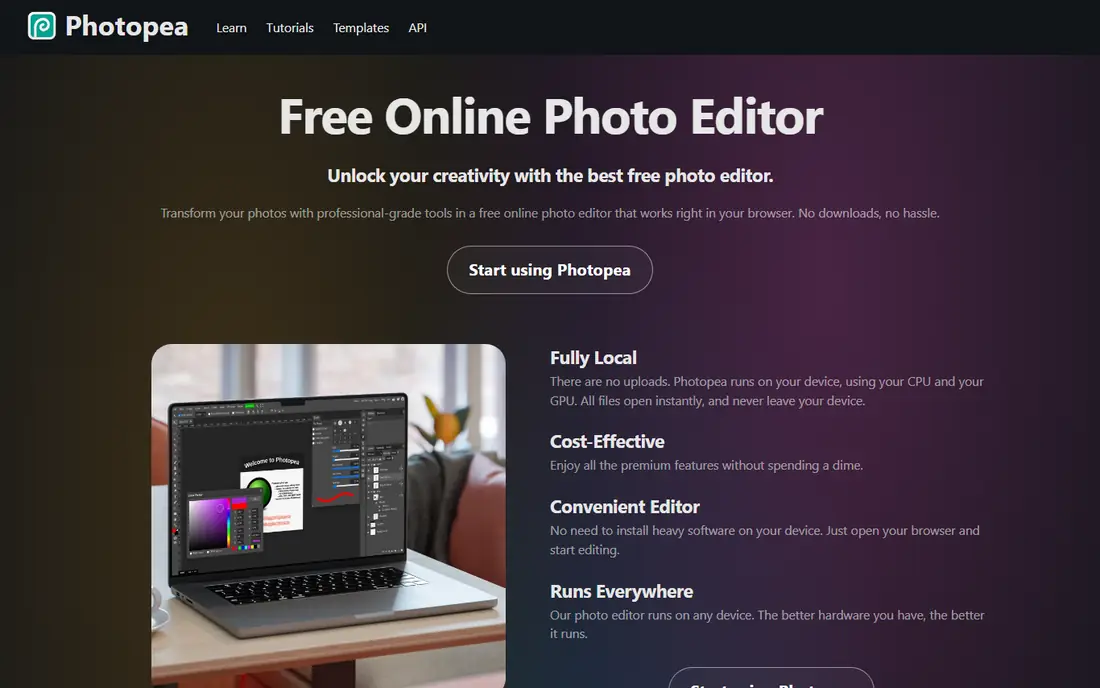
Photopea is a browser editor that handles layered image editing, including PSD files, without installing software. That makes it useful for fixing a design file, editing a photo in layers, or preparing an image for print or web. It runs on most computers with a browser, which helps users who cannot install desktop software. The interface is closer to Photoshop than to Canva, so beginners may find it dense at first. Ads support the free version, and a paid plan removes them and adds more storage. Photopea fits users who need real photo editing power for free, not users who only need a quick template.
- Opens PSD and common image formats
- Layer editing in the browser
- No install needed
- Ads on free plan
- Interface is complex for beginners
Pixlr suits quick photo work: crop, colour fixes, background removal and simple social graphics, all in a browser. Its AI cleanup tools can remove objects or improve a photo with little manual work, which helps creators who edit many images a week. Templates add a Canva-like starting point for social posts. Free limits and ads are the trade-off, and detailed layered work is less deep than in Photopea or GIMP. Pixlr fits creators who need fast, good-enough edits and who do not want to learn a full desktop editor. For a single hero image that needs precise retouching, a desktop tool may still be better.
- Fast browser editing
- AI tools for cleanup
- Templates for social posts
- Free plan has ads and limits
- Advanced editing is thinner than Photopea or GIMP
Figma is a design tool built for teams, with precise layout, shared files and real-time collaboration. Marketing teams can build social templates, web graphics and brand systems in Figma, then reuse them across campaigns. Version history and comments make team review cleaner than passing image files back and forth. Figma is not a Canva clone. It has fewer ready-made social templates, and photo editing is not its strength. It fits teams that want control, consistency and collaboration, and that are willing to build or import templates. Solo creators who want a quick template may prefer Adobe Express or VistaCreate.
- Free starter plan
- Precise layout
- Real-time team collaboration
- Not a template library like Canva
- Learning curve for print and photo work
Microsoft Designer uses AI to turn a prompt or a photo into a social graphic, with templates and editing tools to refine the result. That speed suits one-off posts, event graphics and quick announcements, where a full design session would be overkill. A Microsoft account is enough to start, and the editor stays simple. Monthly AI credits limit how much free generation you can do, and licence terms for business use should be checked on the vendor page. Microsoft Designer fits individuals and small teams who need fast, AI-assisted graphics for social use, not teams that need a full brand system or print workflow.
- AI image and design suggestions
- Simple editor
- Works with a Microsoft account
- AI credits limit free use
- Personal licence terms need checking for business use
Visme is stronger than Canva-style tools for data-led content. Infographics, reports and presentations can include charts, maps and interactive elements, which helps teams that need to explain numbers visually. Templates are built around data stories, not just pretty layouts, so a report can stay readable while still looking polished. Free storage is limited, and some exports or features need a paid plan. Visme fits content teams, educators and marketers who publish infographics and slide decks regularly, and who need data widgets that a simple social editor does not offer.
- Infographic and presentation templates
- Data widgets
- Interactive content options
- Free plan limits storage and downloads
- Watermark or limits may apply
Piktochart makes infographics and reports accessible to non-designers. You can start from a template, add charts and icons, and produce a clean visual report without learning a desktop design tool. That simplicity helps small teams, teachers and nonprofits that need to share data clearly. Free downloads are limited, so a team that publishes many infographics will need a paid plan or a different workflow. Piktochart fits occasional infographic work and report design, especially when the story is data-led and the audience needs a clear, simple visual.
- Easy infographic builder
- Chart tools
- Report templates
- Free downloads are limited
- Advanced branding needs a paid plan
GIMP is a free, open-source desktop editor for detailed photo and image work. It supports layers, masks, retouching and print preparation, and it costs nothing with no ads or subscription. For users who need Photoshop-level control without paying, GIMP is the most capable free desktop option in this list. It is not a Canva replacement for templates or quick social posts. The interface is technical, and learning takes time. GIMP fits photographers, print designers and editors who need deep image control offline, and who will pair it with a template tool for social graphics when needed.
- Free and open source
- Deep photo editing
- No subscription or ads
- Steep learning curve
- No template library
- Interface feels technical
How we picked these
We compared official feature pages, pricing pages, app store listings, privacy policies and public reviews. We looked for a genuinely free way to design, not just a trial, and we checked templates, asset libraries, export options, storage, AI credits and commercial use terms where published. We favoured tools that cover a distinct job, so readers can combine a template tool with a photo editor rather than expecting one tool to do everything. We did not claim hands-on testing. Where free limits varied by region or plan, we wrote Free in the table and described the limit in general terms, and we advise checking the vendor page before publishing commercial work.
How to replace Canva without losing quality
Split the job by tool
Use a template tool for social posts, a photo editor for images, and an infographic tool for data visuals. That split often gives better results than forcing one free tool to do every job badly. Keep a shared folder for brand colours, fonts and logos so every tool produces work that looks consistent.
Check exports before you publish
Test export size, format and quality for each channel you use, including print if needed. A design that looks fine on screen can export too small for print or too compressed for a large banner. Check whether a free plan adds a watermark, limits downloads or restricts commercial use.
Build a small brand kit
Even without a paid brand kit, you can keep a simple document with exact colours, fonts, logo versions and template links. Share it with everyone who designs, and reuse the same templates for repeat formats. Consistency comes from that shared system, not from any single tool.
Frequently asked questions
What is the best free alternative to Canva?
Adobe Express is the closest free swap for general social design, VistaCreate is a strong template alternative, and Photopea suits photo editing. The best pick depends on whether you need templates, photo power or infographics most. Many users combine two free tools rather than picking one.
Is there a completely free Canva alternative?
Photopea and GIMP are free with no subscription, while Adobe Express, VistaCreate and Figma offer free plans with limits. Completely free does not always mean unlimited, so check storage, assets and export limits. For occasional design, a free plan is often enough.
Can I use free Canva alternatives for business?
Yes, in many cases, but check licence terms for assets, fonts and AI-generated images on the vendor page. Some free plans limit commercial use or require attribution for certain assets. If you publish client work, confirm commercial terms before you deliver a design.
What is the best free alternative to Canva Pro?
Adobe Express premium is a lower-cost paid step, while a mix of VistaCreate free, Photopea and GIMP can cover many Pro features at no cost. Pro features such as brand kits, background removal and large asset libraries are the hardest to replace fully for free, so a paid plan may still be worth it for heavy teams.
Is Photopea really free?
Photopea offers a free version supported by ads, with a paid option to remove ads and add storage. It opens PSD and other common formats in a browser, which makes it a practical free photo editor. Check current terms on its site, because free limits can change.
Which free tool is best for infographics?
Visme and Piktochart are built for infographics and reports, with chart tools and data templates. Visme suits interactive and presentation-style infographics, while Piktochart suits simple, clean report visuals. Both offer free plans with download or storage limits.
Sources we checked (9)

Online Jobs is an independent blog about careers, online work, learning new skills and the tools that help people earn. More about us.
Keep reading
All posts
Zoom Alternatives
Zoom alternatives compared for 2026: Google Meet, Microsoft Teams, Webex, Jitsi and more for free calls, large meetings and webinars for teams and classrooms.

Which Software Is Best for Data Entry
Compare the best data entry software for forms, OCR scanning, and spreadsheets, with free plans, pricing, and honest limits for each tool before you commit.

What Is the Best Free Tool to Rotate a PDF
What is the best free tool to rotate a PDF? We compare eight free rotation tools on per-page control, limits, privacy and saved output quality in detail.