Best Canva Alternatives in 2026: 10 Tools Compared

How we put this together: we compare official feature and pricing pages, app store listings, privacy policies and public user reviews. Prices change, so check the provider's site before you pay.
Key takeaways
- Adobe Express is our pick for most people leaving Canva, because it offers templates, stock assets, and AI tools in a familiar editor.
- VistaCreate is the closest like-for-like swap for social graphics, with a large template library and a low paid price.
- Visme and Piktochart suit data-heavy work, such as infographics, reports, and presentations with charts.
- Figma suits teams that design with developers, while Snappa suits fast social graphics with a simple editor.
- Check free plan limits on downloads, brand kits, and exports, because those limits decide whether a free tool stays useful.
Quick comparison
| Name | Who it suits | Starting price | Free option | |
|---|---|---|---|---|
 Adobe Express Adobe Express | All-round Canva swap | $9.99 per month | Yes | Visit |
 VistaCreate VistaCreate | Closest social swap | $10 per month | Yes | Visit |
 Visme Visme | Data and presentations | $12.25 per month | Yes | Visit |
 Snappa Snappa | Fast social graphics | $10 per month | Yes | Visit |
 Piktochart Piktochart | Infographics and reports | $10 per month | Yes | Visit |
 Figma Figma | Design teams | $16 per month | Yes | Visit |
 Desygner Desygner | Mobile-first team design | See website | Yes | Visit |
 Microsoft Designer Microsoft Designer | AI social graphics | Free | Yes | Visit |
 Venngage Venngage | Professional infographics | $10 per month | Yes | Visit |
 Kittl Kittl | Typography and merch | See website | Yes | Visit |
The best canva alternatives
Canva is popular because it is fast and template-driven, but people leave it for more control, better data tools, a different price, or a tool that fits a team workflow. The alternatives below cover social graphics, infographics, presentations, and team design, so you can pick by the work you actually do.
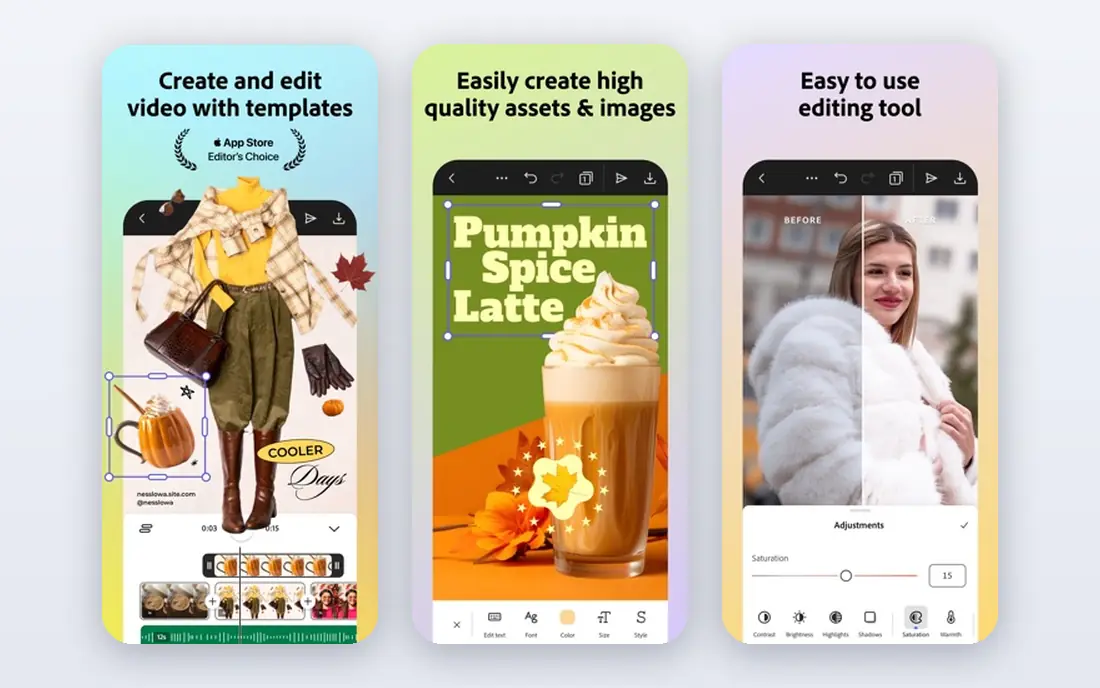
Adobe Express is the closest all-round swap for Canva, because it covers social posts, videos, presentations, and quick photo edits in one editor. Templates are plentiful, Adobe Stock assets are built in, and Firefly AI tools help with image generation and generative fill. For a small business owner who already uses Adobe tools, Express fits the workflow well.
The free plan covers basic design, while Premium at $9.99 per month adds brand kits, resize, and more AI credits and stock access. That means the free plan is useful, but a business that needs consistent branding will likely pay. If you want a Canva-style editor with Adobe assets and AI, Adobe Express is our pick.
- Templates, stock assets, and Firefly AI tools
- Brand kits and resize on paid plans
- Strong mobile apps
- Resize and brand kits need Premium
- Adobe ecosystem benefits matter most if you use Adobe tools

VistaCreate, formerly Crello, is the most like-for-like Canva alternative for social media design. It offers thousands of templates for posts, stories, ads, and print, plus a simple drag-and-drop editor that a non-designer can learn quickly. Small teams like the low price and the shared workspace for a handful of users.
The free plan covers basic design with 10 GB storage, while Pro at $10 per month adds more seats, resize, and HD downloads. VistaCreate is less strong for data-heavy infographics or complex team design than Visme or Figma. For everyday social and marketing graphics, it is a direct, low-cost swap.
- A large template library for social and marketing
- Simple editor
- Good value for small teams
- Free plan limits seats and downloads
- Resize and HD download need Pro
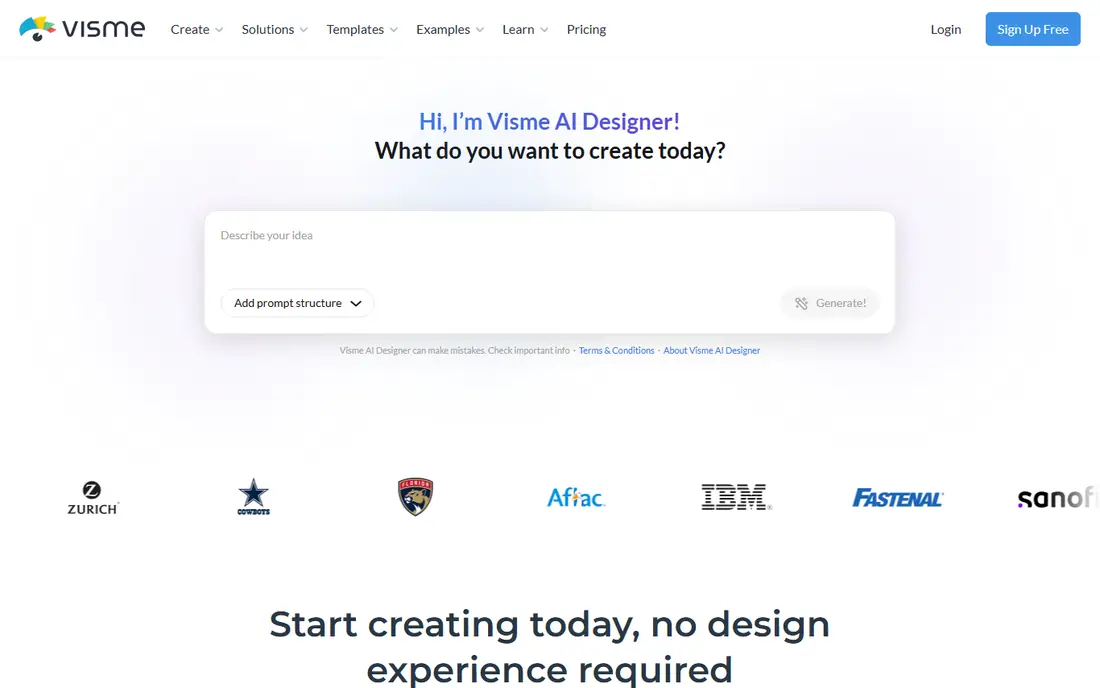
Visme suits work where data must be clear, such as reports, presentations, infographics, and internal communications. Charts, data widgets, maps, and interactive elements help a team turn numbers into a readable visual, and templates cover business reports as well as social graphics. Brand controls help a team keep colors and fonts consistent.
The free plan is limited, with download limits and Visme branding, and paid plans start at $12.25 per month billed annually. Visme is more work than Canva for a quick social post, but it is stronger for a report that must present data well. Choose Visme when charts and presentations matter more than speed alone.
- Charts, data widgets, and interactive presentations
- Templates for reports and infographics
- Brand controls
- Free plan limits downloads and adds branding
- The learning curve is higher than Canva for simple posts
Snappa is built for speed. The editor is simple, templates cover common social sizes, and stock photos and graphics are built in, so a marketer can make a post in minutes. That focus helps a small business owner who needs regular social graphics without learning a complex design tool.
The free plan allows only 3 downloads per month, which limits it as a long-term free tool. Pro at $10 per month removes that limit and adds more features, while a team plan adds collaboration. Snappa is a good pick for fast, simple social graphics, and a weaker pick for infographics, presentations, or complex brand work.
- A very simple editor
- Fast social graphics
- Built-in stock photos and graphics
- Free plan allows only 3 downloads per month
- Fewer templates than Canva or VistaCreate
Piktochart focuses on infographics, reports, posters, and presentations, with templates that help a non-designer present data clearly. Chart tools, icons, and layout options make it easier to build a readable infographic than a general social editor. Teams use it for internal reports, HR communications, and simple data stories.
The free plan allows only 2 PNG downloads, so it is best treated as a trial for real work. Paid plans start at $10 per member per month, with more downloads and features. Piktochart is less flexible for freeform design than Figma, but for infographics and reports, its templates save time.
- Strong infographic and report templates
- Simple chart tools
- Good for internal communications
- Free plan allows only 2 PNG downloads
- Design control is lighter than Figma
Figma is a different kind of Canva alternative, built for design teams and product work rather than quick social posts. Real-time collaboration, components, styles, and prototyping let designers and developers work on the same files, and the free plan covers basic design with limits on files. For a team that designs websites, apps, or a full brand system, Figma offers control Canva does not.
The learning curve is higher, and the paid price starts at $16 per full seat per month, which adds up for a large team. Figma is not the fastest tool for a single social post, and its AI image tools are limited on the free plan. Choose Figma when team design, components, and developer handoff matter, not when you only need templates.
- Real-time collaboration
- Reusable components and styles
- Strong for product and web design
- A higher learning curve than Canva
- The free plan limits files and AI features
Desygner is a mobile-first design tool for teams and small businesses that need social, print, and business graphics on the go. Templates cover common formats, and team features help a manager control brand assets and templates. The mobile apps are a noted strength, which helps a team that designs from a phone as often as a computer.
Pricing varies by plan and region, with a free plan for basic design and paid plans for teams, so check the vendor pricing page for your country. Desygner is less widely known than Adobe Express or Figma, which can mean fewer tutorials. For a mobile-heavy team that wants brand control, it is worth a trial.
- Strong mobile apps
- Templates for social, print, and business
- Team and brand controls
- Paid pricing varies by plan and region
- Less known than Adobe Express or Figma
Microsoft Designer uses AI to turn a prompt or an image into social graphics, invitations, and simple marketing designs. It is free to start, with more AI credits for Microsoft 365 subscribers, and it suits a personal user or a Microsoft 365 household that wants quick graphics without a new subscription. The editor is simple, and the AI suggestions can speed up a first draft.
The free tier is limited to personal, non-commercial use in its terms, so a business should check the commercial terms before using it for marketing. Template depth is also thinner than Canva or Adobe Express for business work. Microsoft Designer is a good free pick for personal and quick AI graphics, and a weaker pick as a full business replacement for Canva.
- Free AI design tools
- Simple social graphics
- Useful for Microsoft 365 users
- Personal, non-commercial use limits on the free tier
- Fewer templates than Canva for business work
Venngage is built for professional infographics and data visualization, with templates, chart types, icons, and accessibility options that help a business present data clearly. It suits reports, white papers, and presentations where the chart must be accurate and readable, not just decorative. Premium plans start at $10 per month, with Business plans at $24 per month for more features.
The free plan is limited, so Venngage is best tested on a real report before paying. It is less suited to quick social graphics than VistaCreate or Snappa, and its strength is information design. For a team that makes infographics for clients or internal reports, Venngage is a strong specialist pick.
- Strong infographic templates and chart types
- Accessible chart options
- Business report templates
- Free plan is limited
- Business features need higher plans
Kittl suits designers and small brands that need typography-led work, such as logos, T-shirts, posters, and merch. Its text effects, vintage styles, and illustration tools go further than a general social editor for that kind of design, and templates help a beginner start from a strong layout. That focus makes it popular for print-on-demand and merch sellers.
The free plan is limited to personal use with lower resolution exports, so commercial work needs a paid plan. Paid pricing varies by plan and billing term, so check the vendor site. Kittl is a specialist pick for typography and merch, not a general replacement for Canva social templates.
- Strong typography and vintage design tools
- Good for logos, merch, and print
- A growing template library
- Free plan is limited to personal use and lower resolution exports
- Paid pricing varies
How we picked these
We compared official feature pages, pricing pages, app store listings, and public reviews for design tools that replace Canva work in the United States. We favored tools with templates, brand controls, and clear free or trial terms, and we noted where free plans limit downloads, exports, or commercial use. We did not claim hands-on testing, and we did not rank a specialist infographic tool against a general social editor as if they did the same job.
Check the vendor pricing page before you buy, because design tool pricing varies by seat, billing term, and region, and free plan limits change often.
What to check before you switch
Switching design tools is easier when you test a real project, not just a template preview. Rebuild a recent social post, a report page, and a brand template in the trial, and check exports, fonts, and colors. That test shows whether the tool fits your workflow.
Templates, brand kits, and exports
Check whether brand kits, fonts, and colors carry over, and whether resize and transparent exports need a paid plan. A tool that looks free can become paid quickly if your team needs brand kits or high-resolution exports. Test a download in the size and format you use for print and social.
Team size, seats, and collaboration
Canva alternatives price seats differently, so count the people who will design, review, and approve work. Figma charges per full seat, Piktochart charges per member, and VistaCreate and Desygner offer team plans with different seat limits. A tool that is cheap for one person can become expensive for a team of ten.
Data, charts, and print needs
If you make infographics and reports, test chart tools, data import, and print exports in the trial. Visme, Piktochart, and Venngage lead here, while Snappa and Microsoft Designer focus on quick social graphics. For print, check resolution, color, and bleed options before you commit to a client project.
Frequently asked questions
What are the best Canva alternatives?
Adobe Express is our all-round pick, VistaCreate is the closest social swap, and Visme and Piktochart lead for infographics. Figma suits design teams, while Snappa suits fast social graphics. The top alternatives to Canva for you depend on whether you make social posts, reports, or product designs.
What is the best free Canva alternative?
Adobe Express, VistaCreate, Microsoft Designer, and Figma all offer free plans, but with different limits. Adobe Express is the most complete free all-round pick, while Microsoft Designer is best for free AI graphics. Check download, brand kit, and commercial use limits, because a free plan that blocks exports is not truly free for business work.
Is there a Canva alternative for infographics?
Yes. Visme, Piktochart, and Venngage all focus on infographics, reports, and data visualization, with chart tools and templates. Visme suits interactive presentations, Piktochart suits simple reports, and Venngage suits professional infographics. Try each on the same data set to see which chart style fits your brand.
What is the best alternative to Canva for teams?
Figma suits product and design teams with components and developer handoff, while Desygner and VistaCreate suit small marketing teams with brand controls. Adobe Express suits a team that already uses Adobe tools. Count seats and check collaboration features, because team pricing varies widely.
Can I use a Canva alternative on mobile?
Yes. Adobe Express, VistaCreate, Desygner, and Microsoft Designer all offer mobile apps or mobile web editors. Figma and Visme work best on desktop for complex work, though they offer mobile viewing. Test the mobile editor on your phone before you rely on it for daily design.
What is the difference between Canvas and Canva alternatives?
Canvas, with an s, is a learning management system used by schools, while Canva is a design tool for graphics and presentations. Alternatives for Canva in this article are design tools such as Adobe Express, VistaCreate, and Figma, not learning platforms. If you meant Canvas for education, you need a different tool category.
Sources we checked (10)

Online Jobs is an independent blog about careers, online work, learning new skills and the tools that help people earn. More about us.
Keep reading
All posts
Best Writing Software
Looking for the best writing software in 2026? We compared 9 writing apps for books, articles and screenplays on price, features and fit. All verified.

Best Weather Apps
Searching for the best weather app? We compared eight top weather apps for accurate forecasts, radar, severe alerts, and daily planning near you today.

Best Video Editing Software
We compared the best video editing software for beginners and pros, checking official pricing, free plans and honest limits before ranking all nine editors.