Best Writing Software for Authors in 2026: 9 Tools Compared
 Online Jobs·Updated Oct 24, 2026·12 min read
How we put this together: we compare official feature and pricing pages, app store listings, privacy policies and public user reviews. Prices change, so check the provider's site before you pay.
Key takeaways
- You can write a whole book for free. Reedsy Studio's core writing and formatting tools cost nothing, and Google Docs is free with a Google Account.
- Scrivener is a one-time purchase at $59.99 for macOS or Windows (iOS is $23.99), which makes it cheaper over several years than any subscription tool here.
- Vellum has the highest up-front price ($199.99 for ebooks, $249.99 for ebooks and paperbacks) and runs on Mac only, but you can build and preview a book before paying.
- Dabble is the priciest subscription on this list, with plans starting at $15 per month, while Ulysses costs $39.99 per year and Reedsy's paid add-ons start at $4.99 per month.
- Writing and formatting are separate jobs. Many authors draft in one app and format in another, so check the export options before you commit.
Quick comparison
| Name | Who it suits | Starting price | Free option | |
|---|---|---|---|---|
 Scrivener Scrivener | Long, complex manuscripts | $59.99 one-time | Free trial (30 days) | Visit |
 Atticus Atticus | Formatting books for print and ebook | See website | See website | Visit |
 Vellum Vellum | Polished ebook and print layouts on a Mac | $199.99 one-time | Free preview | Visit |
 Reedsy Studio Reedsy Studio | Writing and formatting at no cost | Free | Yes | Visit |
 Dabble Dabble | Plotting and drafting novels | $15 per month | Free trial (14 days) | Visit |
 Ulysses Ulysses | Distraction-free writing on Apple devices | $5.99 per month | See website | Visit |
 novelcrafter novelcrafter | Story notes and AI-assisted drafting | $4 per month | Free trial (21 days) | Visit |
 Microsoft Word Microsoft Word | Editor and publisher compatibility | $9.99 per month | Yes | Visit |
 Google Docs Google Docs | Free drafting and easy sharing | Free | Yes | Visit |
The best writing software for authors
Authors need two kinds of help: a place to draft and organize a manuscript, and a way to turn it into a clean book file. Some tools do one, some do both. We list them roughly from dedicated author tools to general-purpose writing apps, and we say clearly where each one stops.
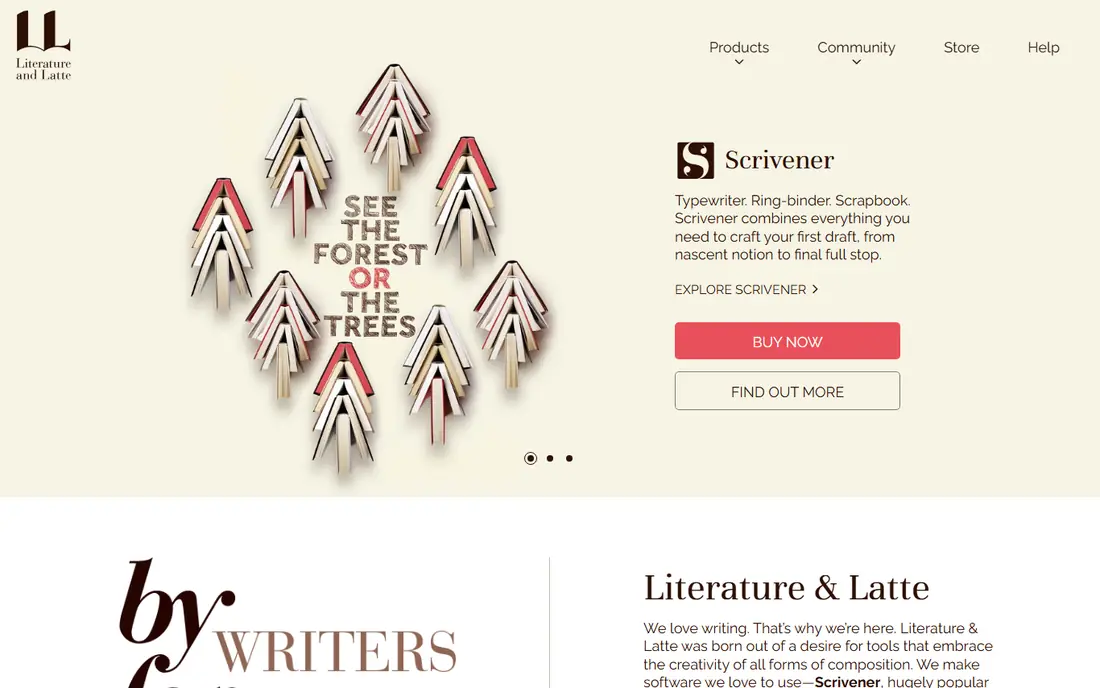
Scrivener is the long-standing choice for authors who juggle research, scenes and rewrites. Its store lists a 30-day free trial, and the macOS and Windows licenses were both $59.99 at checkout when we looked, with a separate iOS and iPad app at $23.99. A bundle for both desktop platforms is also sold at a discount.
What sets it apart is structure. You write in small pieces, drag them around on a corkboard or outline, and read them together as one flowing document. You can keep notes, images and PDFs in the same project, set word targets, and save a snapshot before a big rewrite so you can roll back.
The catch is the learning curve. Scrivener has a lot of options, and its compile step (turning your project into a manuscript or ebook) confuses many new users. Its own overview page lists Mac version 3.5.2 and Windows version 3.1.6, so the two editions do not always match feature for feature.
- One-time price instead of a subscription
- Corkboard, outliner and snapshots for restructuring
- Compiles to Word, PDF, Epub and Kindle formats
- Takes time to learn
- Windows version number trails the Mac version
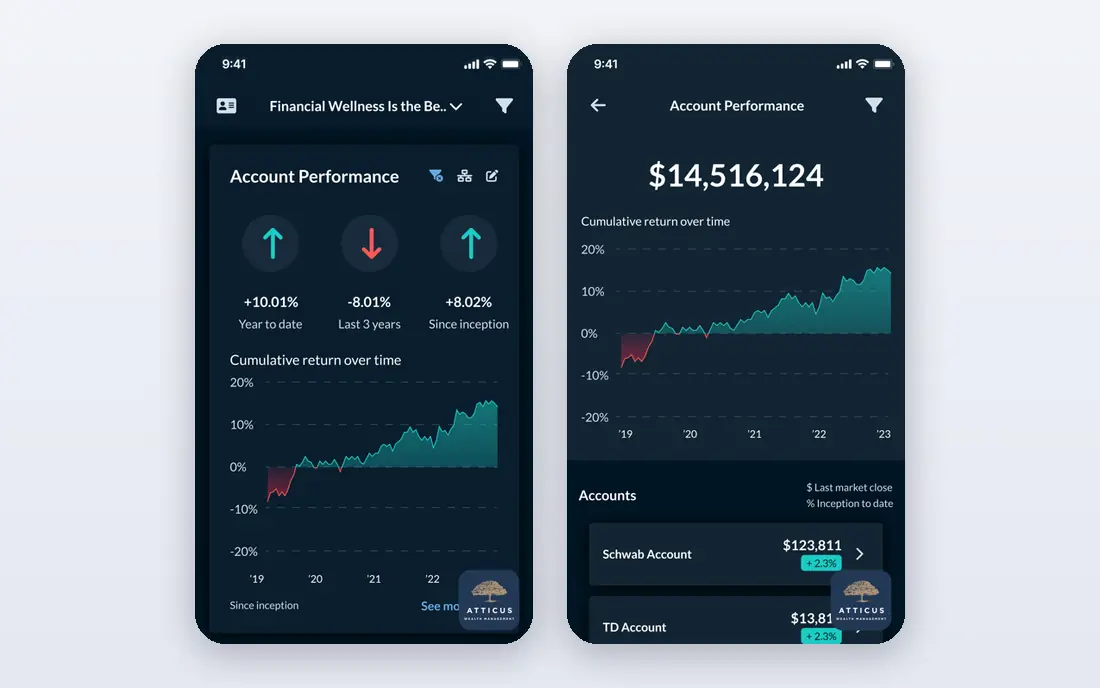
Atticus is the best-known formatting tool for authors who do not own a Mac. Third-party reviews describe it as a one-time purchase around $147 that runs in a browser on Windows, Mac, Linux and Chromebook, and as a combined writing and formatting app. Atticus's own site sat behind a bot check when we tried to load it, so we cannot confirm the price, trial terms or features ourselves.
Treat the $147 figure as a lead, not a quote. Open the Atticus site, check whether the price is still a single payment, and look for a refund policy before you buy. That is good advice for any one-time software purchase.
We include Atticus because it is the usual answer when someone says they want Vellum-style books on Windows. If your manuscript is finished in another app, it can be used for the formatting step alone. Compare its sample layouts against Vellum's before choosing.
- Writing and formatting in one tool
- Works outside the Apple ecosystem
- Alternative to Mac-only Vellum
- Needs an internet connection for most tasks, according to third-party reviews
- We could not load its official pricing page
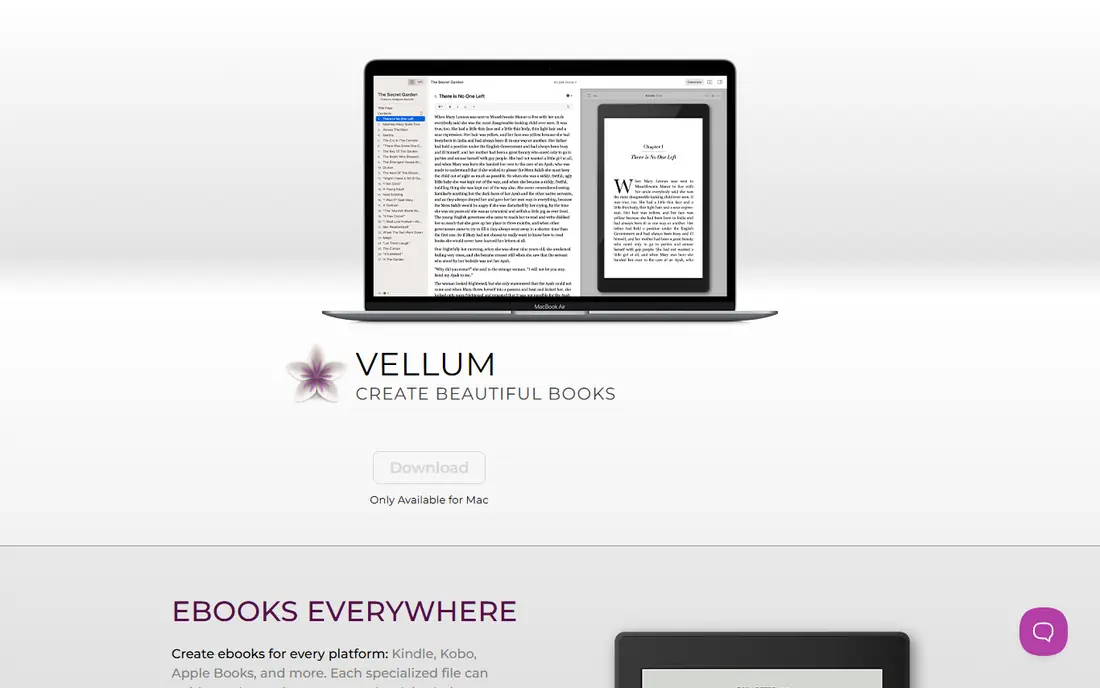
Vellum does one thing and does it well: it turns a finished manuscript into a good-looking ebook or paperback. Its site lists two prices, $199.99 for unlimited ebooks and $249.99 for unlimited ebooks and paperbacks. You can download it, build and preview your book, and pay only when you are ready to publish.
The pitch is control without fiddling. You pick a book style, with drop caps, fonts and ornaments, and Vellum handles margins, page numbers, headers and footers. It supports paperback or hardcover, large print and full-bleed pages, and it can make advance reader copies for beta readers.
There are two catches. The software is available for Mac only, so Windows users need another route. And it is a formatter, so you still write your book somewhere else. For authors who publish often, the one-time price pays off. For a single book, it is a lot of money.
- Automated print layout with 24 trim sizes
- Ebooks for Kindle, Kobo and Apple Books
- Free to build and preview before buying
- Mac only (macOS 13 or newer)
- Formatting only, not a drafting tool
Reedsy Studio is the strongest free option. Its page says the core writing and formatting features are completely free, and the free version includes a chapter-based editor, goal setting, boards for notes and research, and exports to EPUB and print-ready PDF. A free Reedsy account is all you need.
Studio also helps when other people read your draft. You can invite an editor or beta reader to comment and suggest changes in real time, and share previews. Reedsy runs a marketplace of professional editors, which is handy if you plan to hire one.
Paid plans exist but are optional. The Studio page lists Studio Essential at $4.99 per month and Outlining at $7.99 per month, and says there is a 30-day free trial with no credit card. The weak spot is that it runs in your browser. There is no dedicated mobile app, though it works in a phone browser and can be added to a home screen.
- Core writing and formatting are free
- One-click EPUB and print-ready PDF export
- Real-time collaboration with comments and track changes
- Web-based with no dedicated mobile app
- Premium extras cost more
Dabble is built for novelists who want planning and writing in one place. It tracks chapters, scenes and characters, keeps an Ideas Notebook separate from the manuscript, and has a Plot Grid for laying out a three-act structure. It is less intimidating than Scrivener for people who just want to start.
Dabble's pricing page lists three tiers: Writer at $15 per month ($180 per year), Author at $23 per month ($276 per year) and Bestseller at $39 per month ($468 per year). Writer covers unlimited manuscripts, cloud sync, goals and stats, and co-authoring. Author adds comments, track changes, and advanced grammar and style checks. Bestseller adds workshops and the course library. Check at checkout whether the monthly figure assumes annual billing.
There is a 14-day free trial with no credit card. Two lifetime options exist, $699 for Author access and $899 for Bestseller access. Those are steep, so weigh them against Scrivener's single payment before you decide.
- Plot Grid for tracking storylines
- Goals, stats and cloud sync on every plan
- Active writing community and courses
- Subscription cost adds up
- Lifetime plans are expensive ($699 and $899)
Ulysses is a minimalist writing app for people who live on Apple devices. Its pricing page says it works on all your Macs, iPads and iPhones, and lists $5.99 per month or $39.99 per year for US customers. It can also be had through the Setapp subscription.
It suits authors who like a calm screen and a single library of writing. It is less of a novel-planning tool than Scrivener or Dabble, so if you want a corkboard of scenes and a research folder, look elsewhere. Think of it as a calm place to write rather than a book-planning system.
The limits are clear. There is no Windows or Android version, and Ulysses is a subscription only. We could not confirm a free trial from its pricing page, so look for one in the App Store listing before you pay.
- Clean writing experience across Mac, iPad and iPhone
- Yearly plan is $39.99
- Also available through Setapp
- Apple devices only
- No trial mentioned on its pricing page
novelcrafter is a newer tool aimed at novelists who want an organized story bible. Its Codex stores characters, locations and other story elements, and is available on every plan. Pricing runs from Scribe at $4 per month through Hobbyist at $8, Artisan at $14 and Specialist at $20, and annual billing includes two months off.
The AI features start at the Hobbyist tier, where you bring your own API key for scene summaries, character extraction and drafting from scene beats. If you do not want AI near your book, the Scribe plan skips all that and still gives you the Codex and review tools.
The trial lasts 21 days with every feature available and no credit card required, and there is no free plan after it ends. Inviting collaborators to your novels requires the top Specialist tier.
- Codex keeps characters and locations organized
- Cheapest entry plan in this list
- 21-day trial with every feature
- No free plan
- AI features need a higher tier and your own API key
Word is not clever about novels, but it is what agents, editors and many publishers expect to receive. Microsoft 365 Personal costs $9.99 per month or $99.99 per year on Microsoft's plans page, and Family is $12.99 per month or $129.99 per year. Both include the Word desktop app.
Microsoft also says you can get free access to Word through Microsoft 365 for the web, with files saved to OneDrive and 5 GB of cloud storage. That is enough for drafting, though the web version has fewer features than the desktop app.
Word's weakness is scale. Moving scenes around in a 100,000-word document is clumsy compared with Scrivener or Dabble, and its Navigation pane only goes so far. Many authors outline elsewhere and use Word for the final pass or when an editor asks for tracked changes.
- Industry standard for submissions and editors
- Track Changes familiar to every editor
- Free web version available
- Weak at organizing long books
- Full desktop app needs a Microsoft 365 subscription
Google Docs is the zero-cost answer. Google says anyone with a Google Account can create in Docs, you can edit without an internet connection, and you can view and restore earlier versions. It also opens and edits Word files, which helps when an editor sends a .docx.
For short books, memoirs and nonfiction, that is often all you need. Sharing a draft with a beta reader takes a link, and comments work the way you would expect. The downside is organization. Docs does not give you a corkboard, character database or word-count targets by chapter. Very long documents can feel slow, so splitting the book into chapter files is the usual workaround. It also will not format a print-ready paperback, so you need another tool for that step.
- Free with a Google Account
- Version history lets you restore earlier drafts
- Offline editing available
- No planning tools for novels
- Long documents can get slow
How we picked these
We looked at each product's own website, pricing page and store listing, and compared prices, platforms, free options and what each app exports. We did not run our own long-term writing tests, so what we say about how an app feels comes from its official descriptions and public reviews. Where a price or trial term could not be confirmed from the vendor, we say so.
We also separated drafting tools from formatting tools. Scrivener, Dabble, Ulysses, novelcrafter, Word and Google Docs are for writing. Vellum and Atticus are mainly for turning a finished manuscript into a book. Reedsy Studio does a bit of both.
How to choose the right tool
Start with your computer
Vellum and Ulysses need Apple hardware. Scrivener runs on Mac, Windows and iOS but has no Android app listed on its overview page. Reedsy Studio, Google Docs and Dabble work in a browser, so they suit mixed setups. Pick a tool that runs on every device you write on.
Decide how complex your book is
A memoir or short nonfiction book can live happily in Google Docs or Word. A fantasy series with dozens of characters and overlapping timelines benefits from Scrivener, Dabble or novelcrafter.
Compare cost over three years
A $39.99 yearly app is $120 over three years. Scrivener's one-time $59.99 is half that, and Dabble Writer at $180 per year is $540.
Check your export needs
If you plan to self-publish, make sure the app can produce EPUB for ebooks and a print-ready PDF. Scrivener compiles to both, Reedsy Studio exports EPUB and PDF, and Vellum is built for it. If you plan to query agents, a clean .docx from Word or Scrivener is usually what you need.
Frequently asked questions
What is the best writing software for authors?
It depends on how you work. Scrivener is the best-known choice for long manuscripts, Dabble suits plotters who like a guided layout, and Reedsy Studio is the strongest free option. Try a free trial of two or three before paying.
Is there free book writing software?
Yes. Reedsy Studio's core writing and formatting features are free, and Google Docs is free with a Google Account. Word for the web is also free through Microsoft 365 for the web, with files saved to OneDrive.
What is the best app for writing a book on a phone or tablet?
Scrivener has an iOS and iPadOS app at $23.99, and Ulysses covers iPhone and iPad as part of its subscription. Reedsy Studio and Google Docs work in a mobile browser. Check how each app syncs with your computer before you start.
Do I need separate software to format my book?
Not always. Reedsy Studio exports EPUB and print-ready PDF for free, and Scrivener can compile to several formats. Dedicated formatters like Vellum and Atticus give you more polished layouts, especially for print.
Can I use AI writing software for a novel?
Some tools, such as novelcrafter, offer AI features, usually with your own API key. Check each retailer's current rules on disclosing AI use before you publish, and decide how much you want a machine involved in your voice.
Is Scrivener worth it in 2026?
For long books with lots of research, many authors think so, and the one-time $59.99 price is hard to beat. Download the 30-day trial first, because the interface takes time to learn.
Sources we checked (15)
- https://www.literatureandlatte.com/scrivener/overview
- https://www.literatureandlatte.com/store/scrivener
- https://checkout.paddle.com/api/2.0/prices?product_ids=558657,558662
- https://atticus.io/
- https://reedsy.com/studio/resources/atticus-review/
- https://vellum.pub/
- https://reedsy.com/studio
- https://reedsy.com/studio/pricing
- https://www.dabblewriter.com/pricing
- https://www.dabblewriter.com/
- https://ulysses.app/pricing/
- https://www.novelcrafter.com/pricing
- https://www.microsoft.com/en-us/microsoft-365/buy/compare-all-microsoft-365-products
- https://www.microsoft.com/en-us/microsoft-365/free-office-online-for-the-web
- https://workspace.google.com/products/docs/
Online Jobs is an independent blog about careers, online work, learning new skills and the tools that help people earn. More about us.
Keep reading
All posts
iObeya Alternatives
Compare the best iObeya alternatives in 2026, from Miro and Mural to Klaxoon, Businessmap and Planview AgilePlace, with US prices, free plans and trade-offs.
Best Planner Apps
Looking for the best planner app in 2026? Compare Todoist, TickTick, Structured, Sunsama, Motion, Reclaim.ai, Fantastical and Things 3 on price and free plans.
Free Kahoot Alternatives
Looking for free Kahoot alternatives for large groups? We compare 8 options in 2026, including Gimkit, Slido and Blooket, with US prices and free player limits.