Best Workflow Software in 2026: 8 Tools Compared

How we put this together: we compare official feature and pricing pages, app store listings, privacy policies and public user reviews. Prices change, so check the provider's site before you pay.
Key takeaways
- Monday.com and Asana suit most teams that want visual work tracking with automation included, without a long setup project.
- ClickUp offers the lowest starting price in this list for teams that want tasks, docs, and goals in one place.
- Kissflow and Pipefy fit approval-heavy work better than general project tools, especially intake, onboarding, and finance requests.
- Process Street is the clearest pick when the same procedure must be followed the same way every time, with a record to prove it.
- Check automation limits and minimum seat counts before you buy, since both can change the real monthly bill.
Quick comparison
| Name | Who it suits | Starting price | Free option | |
|---|---|---|---|---|
 Monday.com | Visual team workflows | $9 per seat per month | Yes | Visit |
 Asana | Cross-team work management | $10.99 per user per month | Yes | Visit |
 ClickUp | All-in-one work on a budget | $7 per user per month | Yes | Visit |
 Wrike | Enterprise project workflows | $10 per user per month | Yes | Visit |
 Smartsheet | Spreadsheet-style tracking | $9 per user per month | Free trial | Visit |
 Kissflow | No-code approval apps | See website | Free trial | Visit |
 Pipefy | Request and process portals | See website | Yes | Visit |
 Process Street | Repeatable checklists | See website | Free trial | Visit |
The best workflow software
Good workflow software does one job well. It moves work from request to completion without losing requests in inboxes, spreadsheets, or chat threads. The tools below cover that job from different angles, from visual boards to strict approval chains.
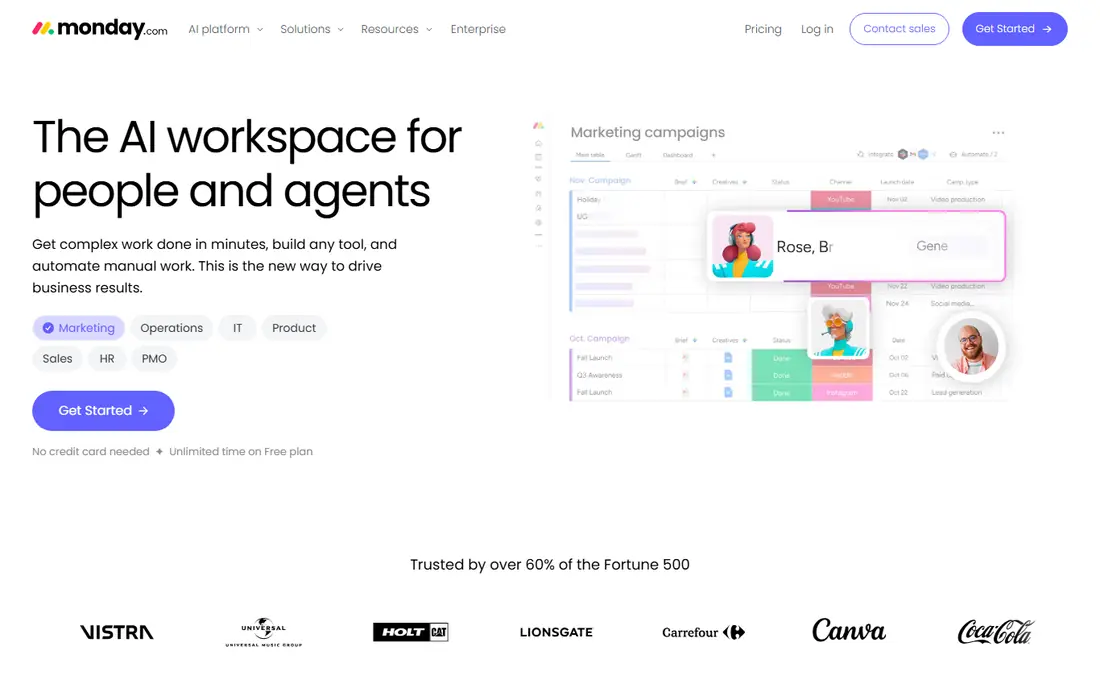
Monday.com starts with boards that most people understand in minutes. Columns, statuses, owners, and dates sit in one view, and templates cover marketing, sales, operations, and human resources work. That visual clarity is why it works well for teams that need to see where every item stands without learning a complex system first.
The trade-off is price at scale. The entry paid plan requires a minimum number of seats, and automation allowances are limited on lower tiers. Teams that run hundreds of automated moves each month should check the plan limits closely before committing, and test the free plan with a real process rather than a demo board.
- Easy board setup
- Strong templates
- Useful automations on paid plans
- Costs rise with larger teams
- Advanced features sit on higher tiers

Asana suits teams that already think in projects, tasks, and deadlines. Timelines show dependencies clearly, portfolios roll work up for managers, and rules can move tasks, assign owners, and send alerts when a status changes. For cross-team work that touches marketing, product, and operations, that structure keeps handoffs visible.
It is less suited to strict process control. If you need detailed approval chains, audit trails for regulated work, or form-based intake with conditional routing, a specialist tool below will fit better. Asana still earns its place for general work management, especially where adoption matters more than formal process design.
- Clean timelines and dependencies
- Strong integrations
- Good reporting
- Approval governance is lighter than specialist tools
- Costs add up for large teams
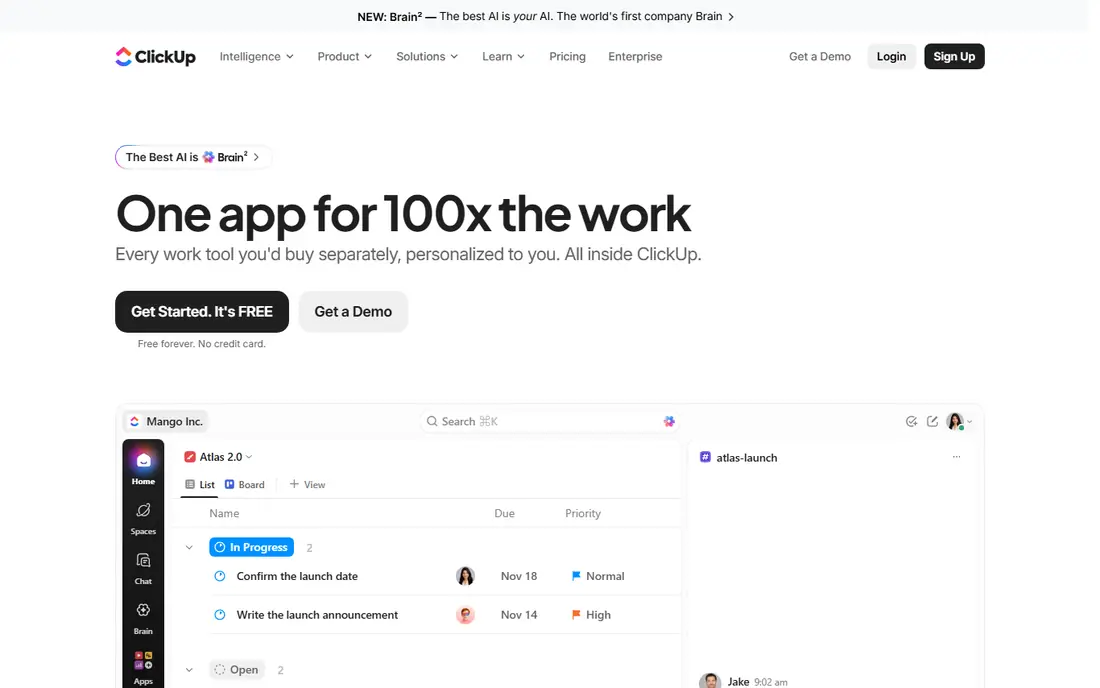
ClickUp tries to replace several apps at once. Tasks, documents, whiteboards, goals, and time tracking live in one workspace, and the free plan covers unlimited tasks for personal use. Small teams on a tight budget get a lot of room to grow before they need to pay.
The catch is choice overload. With so many views and settings, a new team can spend weeks tuning the workspace instead of doing the work it was meant to track. Start with one workflow, one view, and a small set of statuses, then add features only when a real bottleneck appears.
- Low starting price
- Tasks, docs, and goals in one app
- Generous free plan
- Settings can feel crowded
- Setup takes time to get right
Wrike fits larger teams that need proofing, approvals on creative work, and reporting across many projects at once. Gantt charts, workload views, and dashboards give managers a clear picture of who is overloaded and which projects are slipping. It also handles request forms and intake well for service teams.
Smaller teams may find it heavier than they need. The interface has a lot of depth, and training takes longer than with Monday.com or Trello-style boards. If your team is under ten people and your processes are simple, start simpler and move to Wrike when reporting becomes a real need.
- Strong reporting and proofing
- Good for large, cross-functional teams
- Flexible views
- Learning curve for new users
- Automation limits on lower tiers
Smartsheet appeals to people who already live in spreadsheets. Rows, columns, formulas, and conditional formatting feel familiar, while forms, automated alerts, and dashboards add workflow control on top. Teams migrating from Excel often adopt it faster than a board-first tool, since the mental model does not change.
The downside is that it can feel like a smarter spreadsheet rather than a modern workflow app. Card and calendar views exist, but the grid remains the heart of the product. If your team prefers drag-and-drop boards or chat-style collaboration, test those views before you settle on Smartsheet.
- Familiar grid layout
- Strong formulas and reports
- Good dashboards
- Less visual than board tools
- Automation caps on lower plans
Kissflow is built for business users who need to create approval apps without writing code. Drag-and-drop forms, conditional routing, and dashboards let teams build onboarding, expense, leave, and procurement processes that would otherwise live in email. Templates speed up the first few apps, and permissions help keep sensitive requests controlled.
Pricing requires a conversation with the vendor, which makes direct comparison harder. That is common for enterprise workflow platforms, but it means you should get a written quote for your actual user count before judging value. For firms that need governance and audit trails, that effort is usually worth it.
- Drag-and-drop process builder
- Ready-made templates
- Good governance controls
- Pricing is not published in a simple per-seat list
- Setup needs planning for complex processes
Pipefy starts where work starts: the request. Public forms and internal portals collect structured requests, then Kanban pipes move each request through defined stages with owners, deadlines, and checklists. Service, finance, and human resources teams use it to stop requests arriving as vague emails and to give requesters a visible status.
It is less of a general project manager than Asana or Monday.com. If your main need is tracking creative projects with timelines and dependencies, look elsewhere. If your main need is intake, triage, and approvals, Pipefy is one of the most direct fits in this list.
- Clear intake portals
- Kanban process views
- Good for service teams
- Paid pricing varies by plan
- Deeper automation sits on higher tiers
Process Street turns a procedure into a checklist that a team runs the same way every time. Each run records who completed each step, when, and with what notes or attachments. That record matters for onboarding, client delivery, quality checks, and compliance work where consistency is the point.
The limit is scope. Process Street does not try to manage open-ended projects, creative brainstorming, or long-term planning. Use it alongside a project tool if you need both, and let Process Street own the repeatable procedures that must not be skipped or improvised.
- Clear checklist runs
- Audit trail for completed work
- Easy to standardise procedures
- Not a full project manager
- Pricing needs a vendor check for larger teams
How we picked these
We compared official feature pages, pricing pages, and app listings for tools that cover workflow management, approvals, and repeatable processes. We favoured tools that are actively sold and supported in 2026, that publish clear feature information, and that fit distinct needs rather than repeating the same board tool eight times. Where a vendor does not publish a simple starting price, we wrote See website instead of guessing.
What to check before you choose
Start by mapping one real process end to end, from request to completion, including who approves what and what happens when a step is delayed. A tool that cannot model that process cleanly will frustrate your team no matter how attractive its dashboard looks. Run a pilot with that single process and the people who will actually use it daily.
Next, check the costs that do not appear in the headline price. Minimum seat counts, automation limits, guest access rules, and paid add-ons for signatures or advanced reporting can change the bill fast. Ask for a quote based on your real team size, and confirm what happens to your data and workflows if you cancel. A short pilot with honest feedback from frontline users tells you more than any feature list.
Automation limits and approvals
Count how many automated actions your process will trigger in a typical month, including status changes, assignments, and notifications. Compare that count with the plan limit, not just the feature list. For approvals, test a rejected request and a request that needs two approvers, since those edge cases reveal weak tools quickly.
Adoption and reporting
Pick the tool your team will actually open every day. A simple board that everyone updates beats a powerful platform that only managers use. At the same time, confirm that managers can report on bottlenecks, overdue items, and completion times without exporting data to a spreadsheet every week.
Frequently asked questions
What is the best workflow software for a small team?
Monday.com, Asana, and ClickUp all suit small teams, and the best choice depends on how your team already works. ClickUp offers the lowest starting price here, Monday.com offers the clearest visual boards, and Asana offers the cleanest project timelines. Start with a free plan and one real process before paying.
What is the best workflow management tool for approvals?
Kissflow and Pipefy lead for approvals, since both were built around intake forms, conditional routing, and audit trails. Process Street also fits when approvals are part of a fixed checklist. General project tools can handle simple approvals, but they lack the same governance depth.
What is the best workflow app for repeatable procedures?
Process Street is the strongest pick for repeatable procedures, because each run creates a checklist with a recorded audit trail. That structure suits onboarding, quality checks, and client delivery work where steps must be completed in order and proven afterwards.
Is there a good free workflow app?
ClickUp, Asana, Monday.com, and Pipefy all offer free plans, though limits differ on users, features, and automation. Free plans work well for testing a process or running a small team. Larger teams, or teams that need advanced automation and reporting, usually need a paid plan.
How much does workflow software cost?
Entry paid plans in this list start around 7 dollars to 11 dollars per user per month when billed annually, while enterprise platforms use custom quotes. Always check minimum seat counts, automation limits, and renewal terms, since those factors shape the total cost more than the headline price.
Sources we checked (8)

Online Jobs is an independent blog about careers, online work, learning new skills and the tools that help people earn. More about us.
Keep reading
All posts
Zoom Alternatives
Zoom alternatives compared for 2026: Google Meet, Microsoft Teams, Webex, Jitsi and more for free calls, large meetings and webinars for teams and classrooms.

What Is the Best Free Tool to Rotate a PDF
What is the best free tool to rotate a PDF? We compare eight free rotation tools on per-page control, limits, privacy and saved output quality in detail.

What Is the Best AI Dubbing Tool
We compared the best AI dubbing tools in 2026, from ElevenLabs and HeyGen to Rask AI, Dubverse and Veed, for videos and creators in many languages worldwide.