Best Workflow Management Software in 2026: 8 Tools Compared

How we put this together: we compare official feature and pricing pages, app store listings, privacy policies and public user reviews. Prices change, so check the provider's site before you pay.
Key takeaways
- ClickUp offers the most features per dollar, while Asana is the safest default for cross-team work with clear ownership.
- monday.com suits visual, non-technical teams, while Trello suits small teams that only need a simple kanban board.
- Free plans cover many small teams, but timelines, automations, portfolios, and reporting often sit on paid tiers.
- Basecamp wins for larger teams that hate per-seat pricing, because its flat rate does not grow with every new member.
- Pick by pricing model as well as features: per-seat costs add up fast as a team grows.
Quick comparison
| Name | Who it suits | Starting price | Free option | |
|---|---|---|---|---|
 Asana | Cross-team task coordination | $10.99 per month | Yes | Visit |
 monday.com | Visual boards for teams | $9 per month | Yes | Visit |
 ClickUp | Most features per dollar | $7 per month | Yes | Visit |
 Trello | Simple kanban boards | $5 per month | Yes | Visit |
 Wrike | Marketing and approval workflows | $10 per month | Yes | Visit |
 Smartsheet | Spreadsheet-style planning | $9 per month | Yes | Visit |
 Notion | Tasks plus docs and wikis | $10 per month | Yes | Visit |
 Basecamp | Flat-rate team collaboration | See website | Free trial | Visit |
The best workflow management software
Workflow management software turns scattered tasks, approvals, and deadlines into one shared system, so teams spend less time on status meetings and more time on the work itself. These best workflow management platforms cover visual boards, timelines, docs, spreadsheets, and flat-rate collaboration, and they overlap heavily with top 10 workflow management software lists.

Asana is the safest default when a team wants workflow software without a steep learning curve. Tasks, projects, timelines, and calendars sit in one interface most people learn in an afternoon, and every task has an owner and a due date, which ends the usual question of who is doing what. Automation rules can move tasks, assign owners, and update status without manual work. The honest catch is price at scale. The free plan covers small teams, but Starter at $10.99 per user per month is where timelines and dashboards arrive, and portfolios sit higher still. For cross-functional teams that need everyone aligned, Asana remains a strong pick, but budget it per head, not per project.
- Clear task ownership and due dates
- Timelines and calendars
- Strong automation rules
- Portfolios need higher tiers
- Per-user cost adds up at scale
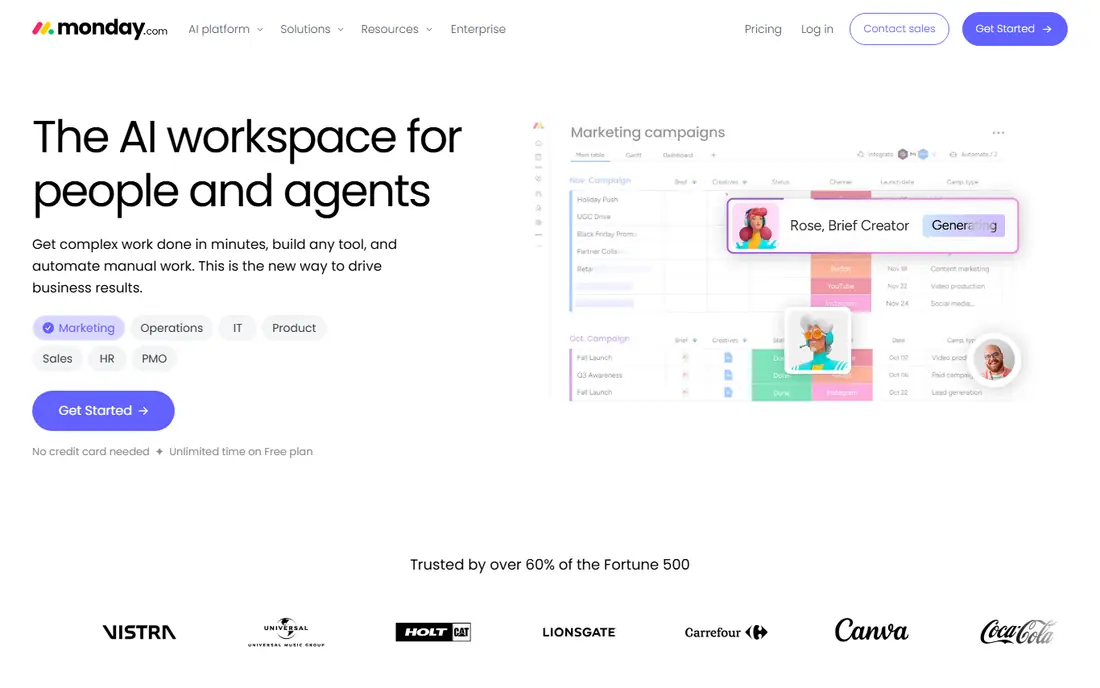
monday.com wins on approachability. Boards are color-coded, visual, and readable by people who have never used project software, which is why marketing, HR, and operations teams adopt it faster than more technical tools. Templates for campaign tracking, hiring, and content calendars mean most teams start from something close to what they need. The limit is seat and automation rules. Paid plans have a minimum seat count, and automation actions are capped by plan, so a large or automation-heavy team should check limits before committing. For visual teams that want flexible boards and fast adoption, monday.com is a strong best workflow management app.
- Colorful, readable boards
- Templates for many workflows
- Easy adoption for non-technical teams
- Paid plans have a seat minimum
- Automation actions are capped by plan
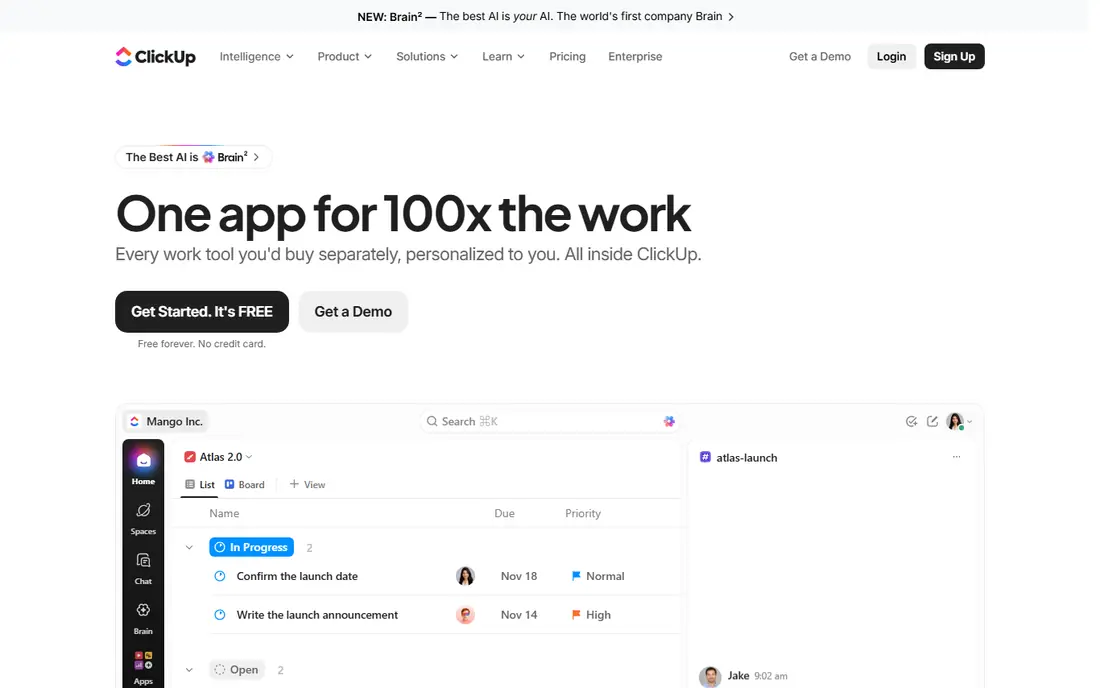
ClickUp offers the most features per dollar in this list. Its Free Forever plan covers unlimited tasks and members, and paid plans at $7 per user per month add timelines, automations, dashboards, and more views, including list, board, calendar, and Gantt. For small and mid-size teams that want one workspace for tasks, docs, and goals, ClickUp is hard to beat on price. The trade-off is complexity. ClickUp packs in so many options that new users can feel lost during setup, and teams need a short period to agree on views and naming. If you invest that setup time, ClickUp rewards you with a flexible system. If you want the simplest possible board, Trello will feel lighter.
- Free plan with unlimited tasks and members
- Many views
- Strong value on paid plans
- Setup can feel overwhelming
- Interface has many options for new users
Trello is the best workflow tool for teams that want a board running today. Cards move across lists, members and due dates are clear, and Power-Ups add calendars, automation, and integrations when needed. For a small team, a content pipeline, or a personal workflow, Trello stays out of the way and just works. The limit is structure. Trello has no native task dependencies on lower plans, and reporting is limited compared with Asana or ClickUp. When a workflow needs dependencies, timelines, and portfolios, you will outgrow Trello. Until then, its simplicity is a feature, not a weakness.
- Simplest kanban workflow
- Fast setup
- Useful free plan
- No native task dependencies
- Reporting is limited on lower plans
Wrike suits marketing, creative, and operations teams that handle a steady stream of requests and reviews. Approval workflows, proofing, Gantt charts, and shareable dashboards help managers see workload and bottlenecks, while request forms turn incoming work into tracked tasks. For teams that live on approvals, Wrike is more structured than a simple board. The catch is seat rules and complexity. Some Wrike plans sell seats in groups, and the interface can feel busy for small teams. If your workflow centers on requests, reviews, and approvals at scale, Wrike earns its price. If you only need a simple task list, a lighter tool will be faster.
- Approval workflows
- Gantt charts and dashboards
- Good for high-volume request teams
- Seats sold in groups on some plans
- Interface can feel busy
Smartsheet is the pick for operations teams that think in spreadsheets, not boards. Its grid looks like a spreadsheet, but rows can carry owners, dates, status, attachments, and formulas, and you can switch to Gantt, card, or calendar views. That mix suits project plans, budgets, event checklists, and resource tracking in one sheet. The limit is feel. Creative teams may find Smartsheet less visual than monday.com, and some automation and reporting features sit on higher tiers. If your team already plans in spreadsheets and wants workflow features without learning a new board model, Smartsheet is a natural step up.
- Familiar spreadsheet grid
- Gantt and card views
- Strong for operations planning
- Less intuitive for creative teams
- Some features need higher tiers
Notion is the best software for workflow management when tasks live beside docs, wikis, and meeting notes. You can build a project database, link tasks to docs, and keep team knowledge in the same workspace, which reduces the need to jump between apps. Templates for roadmaps, content calendars, and project trackers help teams start quickly. The trade-off is structure. Notion is flexible, which means a team without clear rules can build a messy workspace, and its workflow features are less enforced than Asana or Wrike. If your team values docs and tasks together and can agree on a simple structure, Notion is excellent. If you need strict approvals and dependencies, a dedicated workflow tool suits better.
- Tasks, docs, and wikis in one place
- Flexible databases
- Good templates
- Workflow features are less structured than Asana
- Can become messy without rules
Basecamp is different because it charges a flat rate, not per user, which changes the math for larger teams. Projects combine to-dos, messages, schedules, docs, and file storage in a simple interface, and client access lets outside partners follow progress without a separate tool. For teams over 20 people, flat pricing often beats per-seat plans. The catch is depth. Basecamp has fewer Gantt, automation, and reporting options than Asana, ClickUp, or Wrike, and it suits teams that want simplicity over complex workflow rules. If per-seat pricing is your main pain, Basecamp is the best workflow management platform to test. If you need advanced automation, a per-seat tool may still win.
- Flat pricing for unlimited users
- Simple projects, messages, and schedules
- Client access
- Fewer advanced workflow views
- Less automation than rivals
How we picked these
We looked for best workflow management tools that are available in 2026, that offer a free plan or trial, and that cover visual boards, timelines, docs, spreadsheets, and flat-rate models. We checked official feature and pricing pages for starting price, free tier, seat rules, automation limits, and views, and we listed See website where pricing was not a simple per-user figure. We did not claim hands-on testing, and we excluded tools that only handle single-user to-do lists without team workflow features.
Choosing the best workflow tools for your team size
Start with team size and pricing model. For a team of two to five, a free plan from ClickUp, Trello, or Asana may be enough, and the paid decision can wait until you hit limits. For a team of five to twenty, compare per-seat costs at $5 to $11 per user per month, and check automation caps, timeline access, and guest rules, because those limits decide the real cost. Next, test with a real workflow, not a blank board. Import one current project, assign owners and due dates, run an approval or automation, and check reporting for a manager. Finally, agree on naming, status labels, and one main view before you roll the tool out, because a workflow tool fails when every team uses it differently. A short pilot with one team beats a company-wide launch that no one adopts.
Frequently asked questions
What is the best workflow management software for small teams?
ClickUp and Trello suit small teams best, because their free plans cover unlimited tasks and members or a useful kanban board at low cost. Asana suits small teams that need clear ownership and timelines, while monday.com suits visual teams. Start free, test with a real project, and pay only when you hit a limit that matters.
What are the best free workflow management software options?
ClickUp Free Forever, Trello free, Asana free, monday.com free, Wrike free, Smartsheet free, and Notion free all cover basic team work without payment. ClickUp free is the most generous for tasks and members, while Trello free is simplest. Paid plans add timelines, automations, dashboards, and reporting, so check which free limits you hit first.
Is Asana or monday.com better for workflow management?
Asana is better for structured task ownership, timelines, and cross-team coordination, while monday.com is better for visual boards and fast adoption by non-technical teams. Asana free covers small teams, while monday.com paid plans have a seat minimum. Pick Asana for structure, monday.com for visual flexibility, and test both with the same project if you can.
What is the best workflow management app for agencies?
Wrike suits agencies that need approvals and request forms, ClickUp suits agencies that want many views at low cost, and Basecamp suits agencies with large teams that want flat pricing and client access. The right pick depends on whether approvals, price per seat, or client visibility matters most to your agency.
How much does workflow management software cost?
Entry paid tiers in this list run $5 to $11 per user per month billed annually, except Basecamp, which uses flat pricing. For a 10-person team, expect $600 to $1,320 per year on entry tiers, plus higher tiers for portfolios, advanced automation, and reporting. Check seat minimums and automation caps, because they change the total.
Do I need paid workflow software, or is a free plan enough?
Not always. Free plans from ClickUp, Trello, Asana, and Notion cover many small teams for tasks, boards, and docs. You need paid when you hit user caps, need timelines and automations, want guest access and reporting, or need portfolios across many projects. Start free and upgrade when a specific limit blocks your work.
Sources we checked (8)

Online Jobs is an independent blog about careers, online work, learning new skills and the tools that help people earn. More about us.
Keep reading
All posts
ZoomInfo Alternatives
The best ZoomInfo alternatives in 2026, compared on price, free plans, data coverage, and which tool fits small teams or large sales teams best in detail.

Workday Alternatives
We compared the best workday alternatives for HR, payroll, and global hiring, from BambooHR and Gusto to Rippling, Deel, and HiBob for growing teams in 2026.

Which SaaS Tools Have the Best Customer Support
Which SaaS tools have the best customer support? Compare eight popular tools on help centres, live help, response options and overall support quality.