Best Widget Apps in 2026: 8 Apps Compared

How we put this together: we compare official feature and pricing pages, app store listings, privacy policies and public user reviews. Prices change, so check the provider's site before you pay.
Key takeaways
- Widgetsmith is the best starting point for most iPhone users, because it builds custom widgets for calendars, weather, photos, and health data.
- Color Widgets wins for ready-made aesthetic themes, while Widgy suits users who want full dashboard control.
- KWGT is the Android pick for builders who want to design widgets from scratch, with a free editor to learn in.
- Most widget apps are free to try, with paid tiers for premium designs, extra slots, or removing limits.
- Pick by platform first, because the best iPhone widget apps do not run on Android, and vice versa.
Quick comparison
| Name | Who it suits | Starting price | Free option | |
|---|---|---|---|---|
 Widgetsmith | Custom iPhone widgets | Free | Yes | Visit |
 Color Widgets | Ready-made aesthetic themes | Free | Yes | Visit |
 Widgy | Advanced iPhone dashboards | Free | Yes | Visit |
 KWGT | Android widget building | Free | Yes | Visit |
 ScreenKit | Widgets plus icons and wallpapers | Free | Yes | Visit |
 Photo Widget | Photo widgets from your albums | Free | Yes | Visit |
 Widgetable | Shared widgets with friends | Free | Yes | Visit |
 Overdrop | Weather widgets on Android | Free | Yes | Visit |
The best widget apps
Widget apps let you put useful information and personal photos on your home screen and lock screen, instead of opening an app for every check. The best ones balance looks with usefulness, so a widget shows the next meeting, the weather, or a photo that matters, without cluttering the phone. Our pick for most iPhone users is Widgetsmith, while Android builders should start with KWGT.
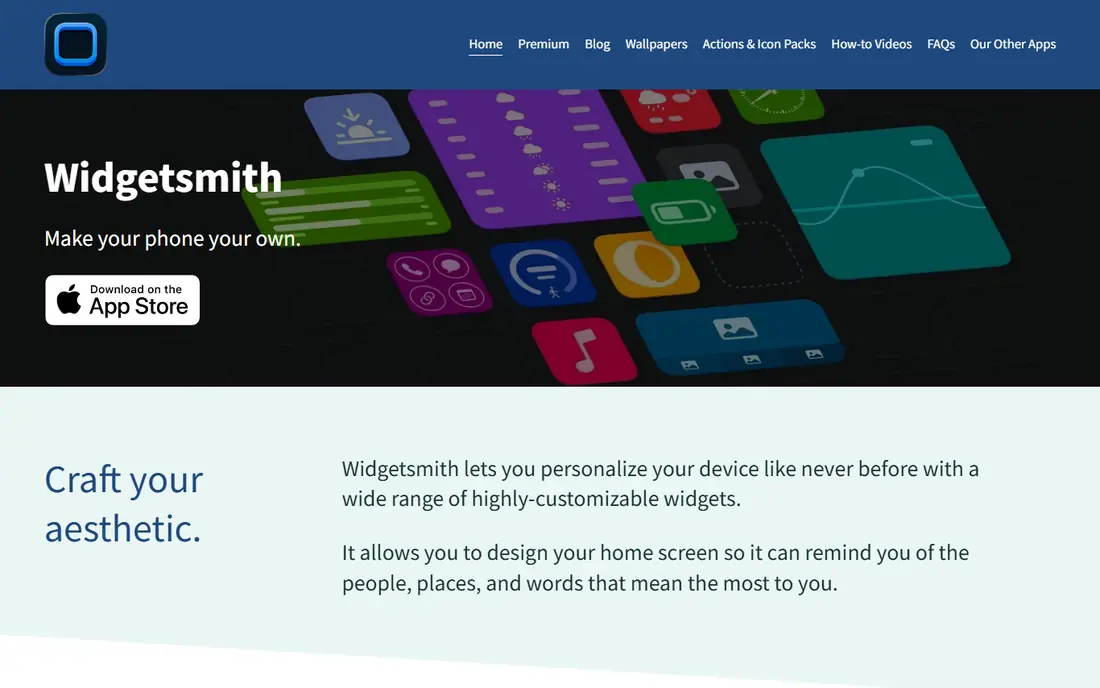
Widgetsmith is the app that made custom iPhone widgets mainstream. You can build widgets in several sizes, choose the data they show, and style fonts and colors to match a wallpaper. Scheduled widgets are a clever extra: one slot can show weather in the morning, calendar at work, and activity in the evening, following rules you set.
The free version covers a lot, but Premium, listed from $1.99 per month, adds more designs and features. Widgetsmith is iPhone and iPad only, so Android users need KWGT or Overdrop instead. For iPhone owners who want control without a steep learning curve, it remains the first app to try.
- Wide widget types for date, weather, calendar, photos, and health
- Scheduled widgets that change through the day
- Works on home and lock screens
- Premium subscription needed for some designs and features
- IPhone and iPad only
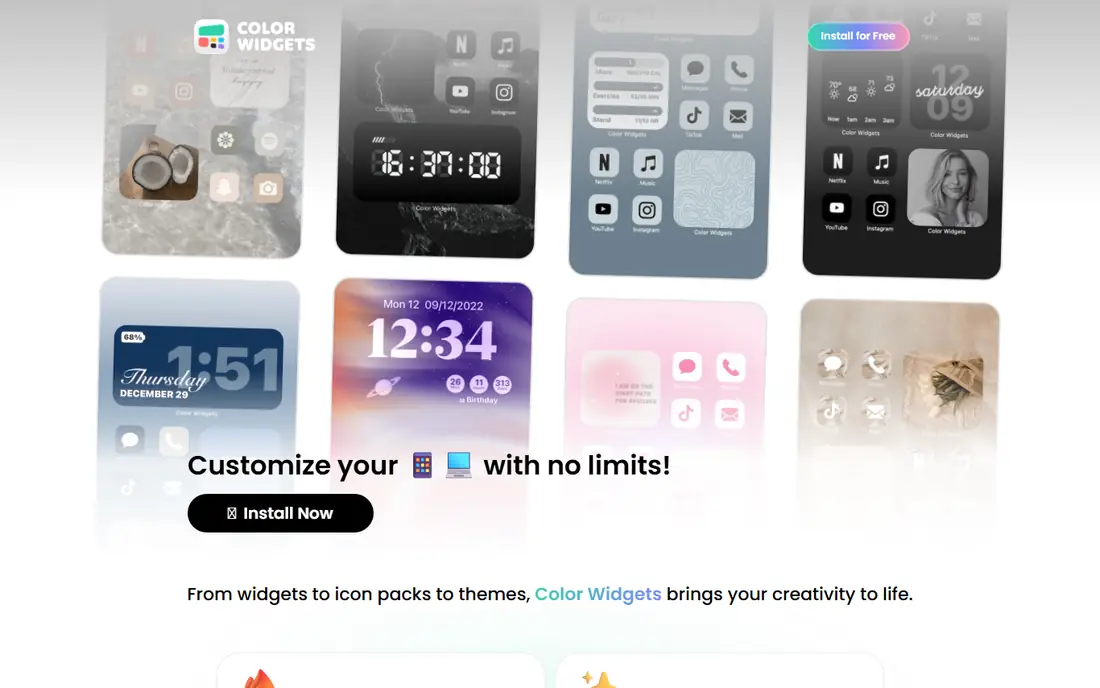
Color Widgets suits users who want a good-looking home screen fast. Instead of building each widget from scratch, you pick a design from a large library, adjust colors if you like, and place it. Themes that bundle widgets with icons and wallpapers make a full makeover possible in minutes, which is why the app stays popular with aesthetic-focused users.
The free tier includes plenty of designs, while Pro, listed from $4.99 per month, opens the full library. The trade-off is information density: many Color Widgets designs show less data than a Widgetsmith widget built for the same slot. Pick Color Widgets for style first, and Widgetsmith when data matters more.
- Large library of ready-made widget designs
- Themes bundle widgets, icons, and wallpapers
- Easy lock screen widgets
- Pro subscription needed for the full design library
- Some designs favor looks over information
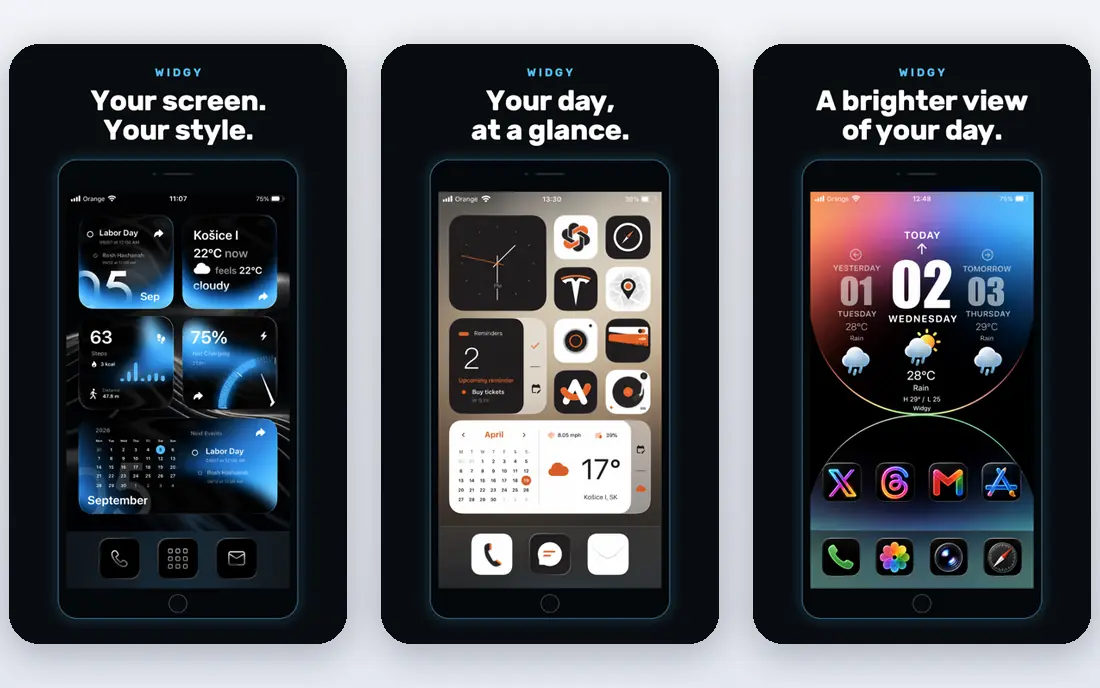
Widgy is for iPhone users who find Widgetsmith too limiting. You can build dashboards that combine several data sources in one widget, control layout in fine detail, and import designs shared by other users. That depth makes it possible to build a home screen that works like a personal control panel.
Depth comes with effort. Widgy takes longer to learn, and extra widget slots are sold in packs listed at $7.99 each, so heavy users should budget for that. If you enjoy tinkering and want a widget that no template can match, Widgy is worth the learning time. If you want a quick result, start with Widgetsmith or Color Widgets.
- Deep customization for multi-data dashboards
- Community-shared widget designs
- Flexible layout controls
- Steeper learning curve than Widgetsmith
- Extra widget slots sold in packs
KWGT, short for Kustom Widget Maker, is the Android answer to advanced widget building. The free editor lets you design widgets from scratch, control text, shapes, images, and data, and import presets shared by the community. With more than ten million installs, it has one of the largest preset libraries of any widget tool.
Beginners should expect a learning curve. The editor is powerful but busy, and some features need a paid upgrade listed at $6.99 per item. Start with one small widget, such as a clock with date and weather, and expand from there. If you only want a ready-made widget, a simpler Android app or a built-in widget may suit you better.
- Full widget editor for Android
- Huge community preset library
- No upfront cost to learn the editor
- Android only
- Learning curve is steep for beginners
ScreenKit is a good choice when you want the whole home screen to change at once. Themes bundle matching widgets, app icons, and wallpapers, so you do not need to style each part separately. New theme packs arrive regularly, which keeps the library fresh for users who like to change their look often.
Free themes cover the basics, while full themes start from $9.99. As with Color Widgets, the prettiest themes are not always the most informative, so check what data each widget actually shows before you commit to a theme. For a fast, coordinated makeover, ScreenKit is hard to beat.
- Bundles widgets, app icons, and wallpapers into themes
- Easy full home screen makeover
- Regular new theme packs
- Full theme library needs payment
- Some themes prioritize style over widget data
Photo Widget does one job simply: it puts your photos on the home screen. You can pick an album, set how often the photo changes, and place a widget that shows memories instead of data. That simplicity is appealing for users who want a personal home screen without learning a widget editor.
The free version covers basic photo widgets, while Pro is listed at $6.99 per month or $24.99 per year and adds more features. Photo Widget will not replace Widgetsmith for calendar or weather data, but as a companion app for photo widgets, it is easy to recommend.
- Simple photo widgets from your own albums
- Multiple albums and refresh options
- Works on home and lock screens
- Pro subscription needed for full features
- Limited data widgets compared with Widgetsmith
Widgetable adds a social twist that other widget apps miss. Friends or couples can share widgets that show distance, status, mood, or photos, turning the home screen into a small shared space. Setup is simple, and the shared widgets update without opening the app, which makes them feel alive.
Both people need the app for sharing to work, and Premium, listed at $19.99 per year, adds more widgets and features. Widgetable will not replace a data-focused widget app, but as a fun second app for a close friend or partner, it earns its place in this list.
- Shared widgets for friends and couples
- Fun interactive widgets such as distance and status
- Easy setup for pairs
- Premium subscription for full features
- Shared widgets need both people to use the app
Overdrop is the best pick when weather is the widget you check most. It offers clean weather widgets in many styles, from minimal text to detailed hourly views, and tapping a widget opens a fuller forecast. Android users who want a weather widget that looks good and stays accurate will like it.
The limit is scope. Overdrop does not build calendar, photo, or health widgets, so it works as a specialist alongside KWGT or a built-in widget app. If weather is your main home screen need, that focus is a strength, not a weakness.
- Clean weather widgets in many styles
- Detailed forecasts behind the widget
- Android home screen friendly
- Weather only, not a general widget builder
- Some styles and data sources need payment
How we picked these
We compared official app pages, app store listings, and current widget roundups checked in October 2026, and we kept apps that are actively maintained and genuinely add widgets to the home or lock screen. Platform mattered: we included strong iPhone and Android options rather than pretending one app fits both. Apps that only change icons or wallpapers without adding widgets did not make the list.
How to build a home screen that stays useful
Start with one widget for the information you check most, such as calendar, weather, or steps, and place it where your thumb naturally lands. Add a second widget only when the first one proves its worth for a week. A home screen with six widgets that you ignore is worse than a screen with two that you actually use.
Next, match widget size to the job. Small widgets suit a single fact such as temperature, medium widgets suit a short list such as the next three meetings, and large widgets suit photos or a full day plan. Keep fonts readable at a glance, because a widget you must squint at will not get used.
Keep style and battery in balance
Animated widgets, frequent refreshes, and many data sources can use more battery, especially on older phones. If battery life drops after a makeover, reduce refresh rates, remove widgets you rarely check, and keep live data widgets to the few you truly need. A calm home screen usually lasts longer and feels better to use.
Try free tiers before paying
Almost every app in this list is free to try, so test the free designs for a week before paying for Premium or Pro. Check whether the paid designs add data you need or just more looks, and confirm the subscription renews at a price you accept. Cancel promptly if the paid tier does not change how you use your phone.
Frequently asked questions
What is the best widget app for iPhone?
Widgetsmith is the best widget app for most iPhone users, because it builds custom widgets for calendars, weather, photos, and health data with scheduled changes through the day. Color Widgets is better for ready-made aesthetic themes, and Widgy suits advanced users who want full dashboard control. Try the free tiers of all three before paying.
What is the best widget app for Android?
KWGT is the best widget app for Android users who want to design widgets from scratch, with a free editor and a large community preset library. Overdrop is the best specialist pick for weather widgets. Android users who want ready-made designs can also use widget packs and built-in widgets from apps they already use.
Are widget apps free?
Most widget apps are free to download and try, with paid tiers for premium designs, extra slots, or full theme libraries. Widgetsmith Premium starts from $1.99 per month, Color Widgets Pro from $4.99 per month, and KWGT offers paid items from $6.99. Check the free tier first, since it often covers everyday widget needs.
Do widget apps drain battery?
Widgets can use more battery when they refresh often or pull live data, but a few well-chosen widgets usually have a small effect. Reduce refresh rates, remove widgets you rarely check, and avoid stacking many live widgets on one screen if battery life falls. Static photo widgets use less power than widgets that update every few minutes.
Can I use widgets on my lock screen?
Yes, iPhone users can add widgets to the lock screen from Widgetsmith, Color Widgets, Photo Widget, and other apps in this list, subject to the lock screen widget sizes Apple supports. Android lock screen support varies by phone maker and Android version, so check your device settings. Home screen widgets remain the most flexible option on both platforms.
Sources we checked (8)

Online Jobs is an independent blog about careers, online work, learning new skills and the tools that help people earn. More about us.
Keep reading
All posts
Zoom Alternatives
Zoom alternatives compared for 2026: Google Meet, Microsoft Teams, Webex, Jitsi and more for free calls, large meetings and webinars for teams and classrooms.

Which Software Is Best for Data Entry
Compare the best data entry software for forms, OCR scanning, and spreadsheets, with free plans, pricing, and honest limits for each tool before you commit.

What's the Best App to Read PDFs
Find what's the best app to read PDFs in 2026, from Adobe Acrobat Reader and Foxit to PDF Expert and Xodo, with free options and honest limits for every device.