Best Website Platform for Small Business in 2026: 9 Tools Compared


Design led service businesses · Starting price: $19 per month
How we put this together: we compare official feature and pricing pages, app store listings, privacy policies and public user reviews. Prices change, so check the provider's site before you pay.
Key takeaways
- Design quality and ease of editing matter more than a long feature list for most small businesses.
- Selling online needs a different platform choice than a simple brochure site, so decide on commerce first.
- Free plans are useful for testing, but a custom domain and checkout usually need a paid plan.
- Long term cost includes renewals, apps and payment fees, not just the first year price.
Quick comparison
| Name | Who it suits | Starting price | Free option | |
|---|---|---|---|---|
| Squarespace | Design led service businesses | $19 per month | Free trial | Visit |
 Wix | Flexible all in one sites | $17 per month | Yes | Visit |
 Shopify | Online stores | $29 per month | Free trial | Visit |
 WordPress.com | Blogging and content sites | Free | Yes | Visit |
 Webflow | Design and SEO control | $14 per month | Yes | Visit |
 Hostinger | Low cost fast launch | $2.99 per month | Free trial | Visit |
 Framer | Design led portfolios | $10 per month | Yes | Visit |
 GoDaddy | Fast simple business sites | $9.99 per month | Yes | Visit |
 Duda | Agencies and multi site owners | $19 per month | Free trial | Visit |
The best website platform for small business
We compared platforms that help a small business launch a credible site without hiring a developer, covering design, selling, bookings and ongoing costs.
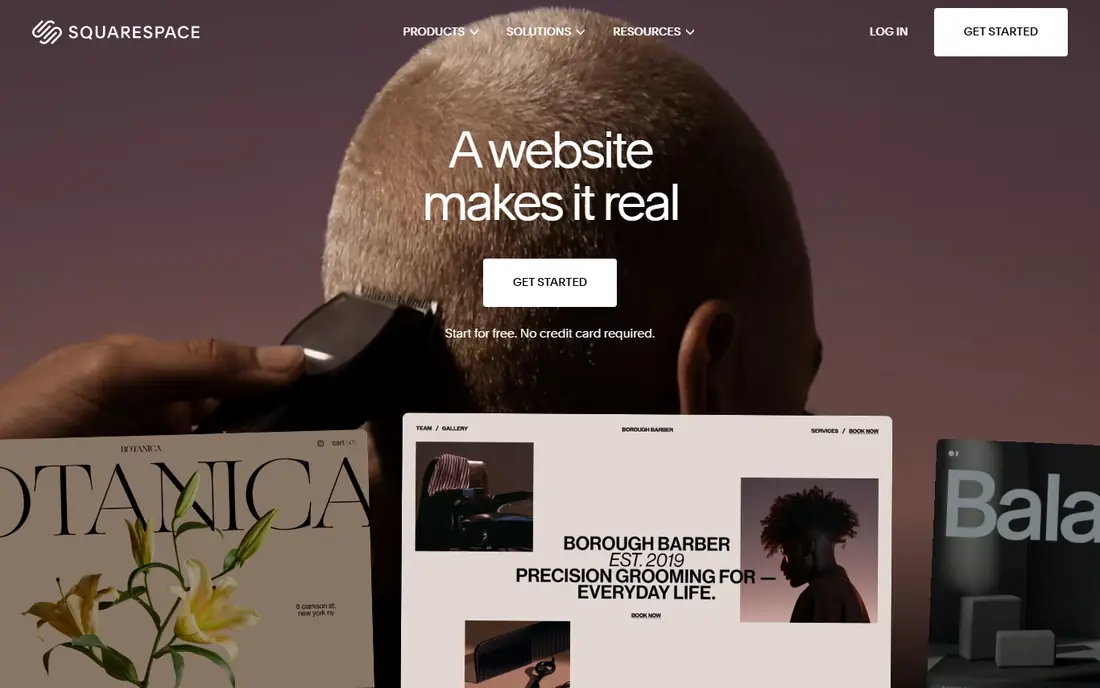
Squarespace is our pick for small businesses that want a polished site with little fuss. Templates look professional out of the box, and the editor keeps design choices consistent, which helps service businesses, creatives and restaurants present a clear brand. Blogging, bookings and selling tools sit in the same account, so you do not need many add ons to get started.
The trade off is flexibility. Complex stores and unusual layouts can feel constrained compared with more open platforms, and selling features improve on higher plans. If design matters and your needs are straightforward, Squarespace is hard to beat. If you need deep customisation, check Webflow or WordPress.com first.
- Polished templates
- Built in blogging and selling
- Hosting and security included
- Less flexible for complex stores
- Commerce features vary by plan
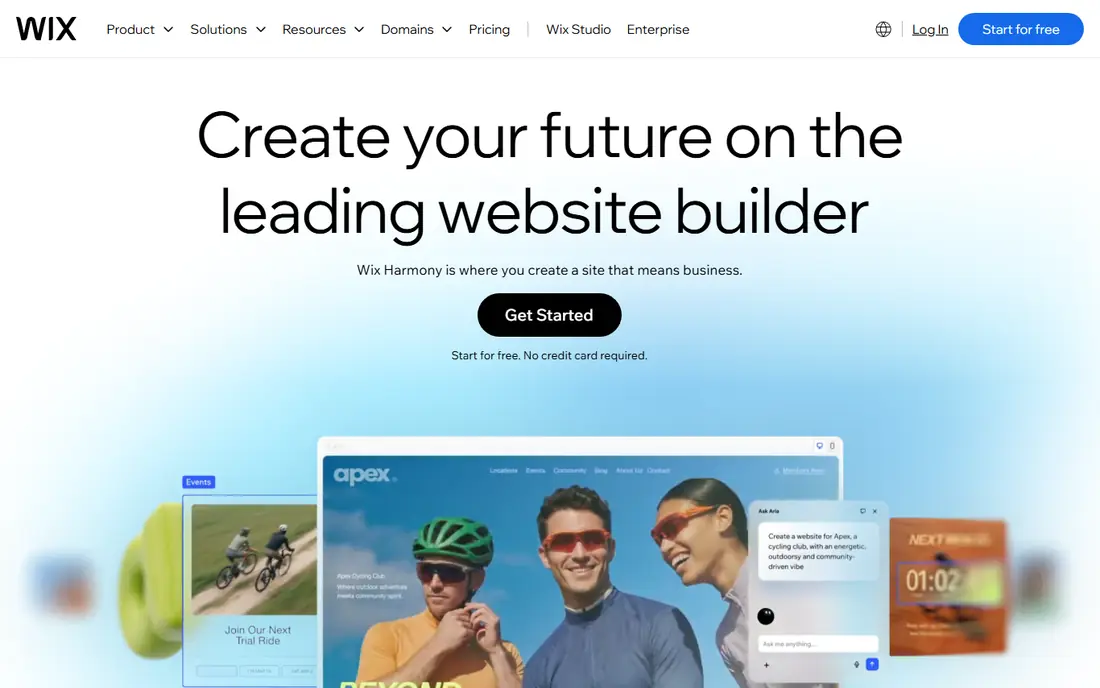
Wix suits small businesses that want choice. The template range is wide, the drag and drop editor allows detailed layout changes, and the app marketplace adds bookings, stores, forms and marketing tools as you grow. That breadth helps businesses that are still shaping their offer, from a salon to a small shop to a consultancy.
The catch is complexity and lock in. So many options can make a first site feel busy, and moving a Wix site elsewhere later is not simple. Start with a template close to your final design, keep pages few and clear, and Wix gives you a flexible site that can grow without rebuilding.
- Large template range
- Drag and drop editor
- Wide app marketplace
- Can feel busy
- Moving to another platform is hard

Shopify is the clear choice when selling is the main job of your site. Product pages, inventory, discounts, shipping and checkout are built for commerce, and the app store adds marketing, reviews and fulfilment tools as you scale. It also handles selling across your site and social channels from one dashboard, which saves time for small teams.
The catch is cost and focus. For a simple service site with no store, Shopify is more than you need and more expensive than a basic builder. If you sell products, take orders online or plan to grow a catalogue, that extra cost buys commerce depth that general builders cannot match.
- Strong commerce features
- Many payment options
- Large app store
- Overkill for a brochure site
- Monthly cost plus transaction fees
WordPress.com suits businesses that publish often. Blogging, news and resource pages are its strength, and themes give you a solid starting design without code. The free plan lets you test the platform, and paid plans add a custom domain, more storage and, on higher tiers, plugins and greater control.
The trade off is learning curve and plan tiers. Some useful features sit on higher plans, and design control depends on the theme you pick. If content marketing drives your business, WordPress.com is a strong long term home. If you want the simplest drag and drop site, Wix or Squarespace may feel easier.
- Strong blogging tools
- Many themes
- Flexible plans
- Plugins need higher plans
- Design control varies by theme
Webflow suits design led businesses and agencies that want precise control without coding every page by hand. The visual editor allows detailed layout, animation and CMS driven pages, and built in SEO controls help content sites grow. For portfolios, studios and content heavy business sites, the result can look truly custom.
The catch is learning time. Webflow rewards patience and punishes rushing, and pricing can grow as traffic and features increase. If you have design skills or an agency partner, it is a powerful choice. If you need a site live this week with little setup, a simpler builder will get you there faster.
- Precise design control
- Clean code output
- Strong CMS
- Steeper learning curve
- Pricing grows with traffic and features
Hostinger is our budget pick for small businesses that need a credible site at a low monthly cost. Its AI builder can draft a site from a few answers, hosting is included, and the editor covers the basics for services, portfolios and small shops. For a first site or a side business, the value is hard to ignore.
The catch is the long prepaid term behind the headline price and the extra cost for full selling features. Renewal prices are higher than intro prices, so check the renewal rate before committing. If you accept those terms, Hostinger gives you a fast, affordable start.
- Low entry price
- AI builder
- Hosting included
- Intro price needs a long term
- Selling needs an add on
Framer suits creatives and design led businesses that want a modern site quickly. Templates are stylish, publishing is fast, and the editor focuses on visual polish rather than a long list of business tools. For portfolios, studios, landing pages and small service sites, Framer can produce a sharp result in a short time.
The trade off is breadth. Large stores, complex bookings and deep business apps are not its strength, and you may need other tools for those jobs. If your site mainly needs to look excellent and explain your work, Framer is a strong choice. If selling is central, Shopify or Wix fit better.
- Modern templates
- Fast publishing
- Strong visual design
- Less suited to large stores
- Fewer business apps
GoDaddy suits owners who want a simple site live fast, with domain and email handled in the same account. The builder asks a few questions, drafts a site, and lets you edit text, images and pages without learning a complex editor. That speed matters when your site mainly needs to show services, contact details and opening hours.
The catch is design depth. Templates and layouts are more limited than Squarespace or Wix, and advanced features are thinner. If you need a clean, functional business site and value speed over polish, GoDaddy does the job. If brand design is central, spend more time with a design led builder.
- Quick setup
- Domain and email in one place
- Simple editor
- Design flexibility is limited
- Advanced features are thinner
Duda is built for people who manage sites for clients, but it also suits a small business with several locations or brands. Team tools, client permissions and reusable sections help you keep multiple sites consistent without rebuilding each one. Widgets cover forms, bookings and stores for typical business needs.
The catch is price for a single simple site. If you only need one brochure site, cheaper builders offer better value. If you run several sites, manage client work or plan to expand to new locations, Duda's structure and team features make that growth much easier to handle.
- Built for client sites
- Team tools
- Good widget range
- Less suited to single hobby sites
- Higher cost for one site
How we picked these
We checked official pricing pages and product pages for each platform, including free plans, trial lengths and what each starting plan includes. We favoured platforms with clear pricing, hosting and security included, and a realistic path from a first site to a growing business. We also weighed editor ease, because a site you cannot update will soon go out of date.
We did not claim hands on testing we did not do. Prices change often and vary by billing term, so confirm the current price and renewal rate on the vendor page before you buy. Where sources disagreed, we used the most recent vendor pricing we could verify and noted where a plan needs annual billing.
How to choose a website platform for your small business
Start with the main job of the site. A shop needs checkout, inventory and shipping. A service business needs bookings, contact forms and trust signals. A portfolio needs strong visuals and fast loading. Choosing for that main job first avoids paying for commerce depth you will never use, or discovering too late that selling is limited.
Next, test editing on your phone and computer. Add a page, change a photo, update opening hours and publish. If that feels awkward in a trial, it will feel worse when you are busy. A platform that is easy to update keeps your site current, which matters more for customers than a perfect first design.
Finally, check total cost for year two. Look at renewal price, domain cost, paid apps and payment fees for stores. A low first year price can hide a higher renewal. Pick the platform whose year two cost still feels fair, and whose features match the business you expect to be in a year from now.
Frequently asked questions
What is the best website platform for a small business?
For most small businesses, Squarespace suits design led service sites, Wix suits flexible all in one needs, and Shopify suits stores. The best choice depends on whether selling, bookings or content is the main job of your site.
Can I build a small business website for free?
Yes, several platforms offer free plans or trials. Free plans usually use a platform subdomain and show branding, and a custom domain and checkout usually need a paid plan. A free plan is still useful for testing design and editing before you commit.
Do I need to know code to build a website?
No. All platforms on this list let you build without code, using templates and drag and drop editors. Code can help for custom features, but most small business sites do not need it. Focus on clear pages, good photos and easy contact options.
How much does a small business website cost per month?
Entry prices in this list range from free to about $29 per month, depending on platform and billing term. Add domain renewal, paid apps and, for stores, payment fees to get the true monthly cost. Check renewal prices, not just intro offers.
Can I move my website to another platform later?
Moving is possible but rarely simple, because templates and some features do not transfer directly. Content and images can usually be moved, but design often needs rebuilding. Pick a platform you can grow with to avoid a rebuild in a year.
Is WordPress.com the same as WordPress.org?
No. WordPress.com is a hosted service with plans and support included. WordPress.org is free software you install on your own hosting, which gives more control but needs setup and maintenance. For most small businesses, the hosted option is simpler.
Sources we checked (9)

Online Jobs is an independent blog about careers, online work, learning new skills and the tools that help people earn. More about us.
Keep reading
All posts
n8n Alternatives
n8n alternatives compared for 2026, with Zapier, Make, Activepieces, and more, covering visual builders, code steps, self-hosting, and pricing models.

ZoomInfo Alternatives
The best ZoomInfo alternatives in 2026, compared on price, free plans, data coverage, and which tool fits small teams or large sales teams best in detail.

Workday Alternatives
We compared the best workday alternatives for HR, payroll, and global hiring, from BambooHR and Gusto to Rippling, Deel, and HiBob for growing teams in 2026.