Best Web Scraping Tools for Data Extraction in 2026: 8 Tools Compared

How we put this together: we compare official feature and pricing pages, app store listings, privacy policies and public user reviews. Prices change, so check the provider's site before you pay.
Key takeaways
- Apify is our pick for most teams, because its marketplace of ready-made scrapers covers many sites without building from scratch.
- Bright Data suits enterprise teams scraping hard, high-volume targets that need a large proxy network.
- ScraperAPI and ScrapingBee suit developers who want one API call to return a page, with proxies and rendering handled.
- Octoparse and Browse AI suit non-developers who need point-and-click extraction and scheduled runs.
- Scrapy remains the best free option for developers who want full control and are happy to maintain their own code.
Quick comparison
| Name | Who it suits | Starting price | Free option | |
|---|---|---|---|---|
 Apify | Ready-made scrapers and marketplace | See website | Yes | Visit |
 Bright Data | Enterprise scale and proxies | See website | Yes | Visit |
 ScraperAPI | Simple scraping API | $49 per month | Free trial | Visit |
 ScrapingBee | API with rendering | $49 per month | Free trial | Visit |
 Octoparse | No-code visual extraction | See website | Yes | Visit |
 Browse AI | No-code robots and monitoring | See website | Yes | Visit |
 Firecrawl | LLM-ready page data | See website | Yes | Visit |
 Scrapy | Free open source crawling | Free | Yes | Visit |
The best web scraping tools for data extraction
Web scraping tools turn web pages into structured data such as prices, listings, reviews, or articles. The best web scraping tools for data extraction differ by skill level: some need code, some need only clicks, and some return data through an API. We compared official pricing pages and public tool descriptions for tools that are live today, with a mix of all three approaches.
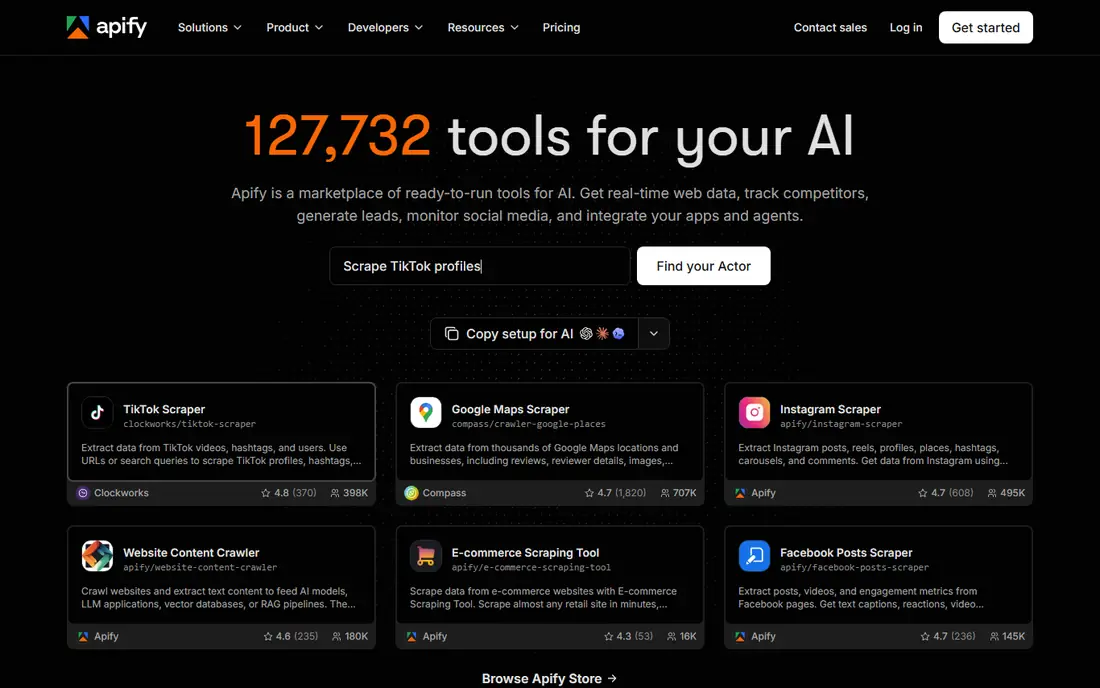
Apify is the best starting point for a team that needs data from a known site quickly. Instead of building a scraper, you can often pick a ready-made Actor from the marketplace, set its inputs, and run it on Apify cloud infrastructure. Results can be exported as structured data, and runs can be scheduled to keep data fresh.
The catch is cost control. Pricing follows compute usage, so a large or frequent job costs more than a small one, and a poorly chosen Actor can waste credits. Apify still wins for most teams because it bridges no-code and code: start with a marketplace tool, then customise it when your needs get specific.
- Large marketplace of ready-made scrapers
- Hosted runs and scheduling
- Code can be customised when needed
- Pricing depends on compute usage, so costs vary by job
- Choosing a good marketplace scraper takes care
Bright Data is the enterprise choice for difficult targets at volume. Its proxy network helps a scraper reach sites that block datacenter IPs, and its pre-built scrapers and unblocking tools handle JavaScript-heavy pages. For a data team collecting millions of pages, that infrastructure matters more than a simple API.
The downside is price and complexity. Pricing varies by product and volume, and small teams may find the minimums and the sales process heavy. Bright Data makes sense when scale and access are the main problems, not when you need a few hundred pages once.
- Very large proxy network
- Pre-built scrapers for many sites
- Tools for hard, JavaScript-heavy targets
- Pricing is complex and often quoted
- Enterprise minimums can be high for small teams
ScraperAPI suits a developer who wants to send a URL and get back page HTML without managing proxies or browsers. The API handles proxy rotation, headless rendering, and common anti-bot problems, so a small script can collect data reliably. That simplicity is why many developers use it for straightforward extraction jobs.
The trade-off is cost per request when you need rendering or premium proxies, since those features use more credits. For simple pages, the entry plan goes a long way. For very large crawls, compare it with a self-hosted crawler plus a proxy provider before committing.
- One endpoint handles proxies, rendering, and anti-bot handling
- Simple credit model
- Easy to integrate
- Credit costs rise with advanced features such as rendering
- Less control than a self-built crawler
ScrapingBee is a good API choice for JavaScript-heavy pages, because it can render pages in a real browser and return HTML, screenshots, or extracted data. Integration is a single API call, which keeps code simple, and the service handles proxies and retries. Teams that need reliable rendering without running their own browser fleet will like it.
The catch is the same as with other credit APIs: advanced features cost more credits per request, so a high-volume job needs careful budgeting. For moderate volumes and hard pages, ScrapingBee is a practical middle ground between a simple API and a full enterprise platform.
- Strong JavaScript rendering and screenshot options
- Simple API
- Clear credit pricing
- Stealth and rendering features use more credits
- No marketplace of ready-made scrapers
Octoparse suits a business user who needs data but does not write code. You click the fields you want on a page, build a workflow visually, and schedule it to run in the cloud. Templates for common sites speed up setup, and results export to spreadsheets or databases.
The limit is that very complex or heavily protected sites can still defeat a visual builder, and higher volumes need a paid plan. For regular extraction from stable, public pages, Octoparse is one of the most accessible tools here, and a non-developer can run it without engineering help.
- Point-and-click workflow builder
- Cloud scheduling
- Templates for common sites
- Paid plans are needed for serious volume
- Complex sites may still need manual fixes
Browse AI is built for people who want to watch a page and extract data from it without code. You train a robot by selecting data on a page, then schedule it to run and alert you when data changes. That monitoring angle suits price tracking, listing checks, and competitor watching.
The trade-off is scale. Lower tiers limit robots and runs, and a large custom crawl is better served by an API or a code library. For a small team tracking a set of pages, Browse AI is simple, visual, and easy to maintain.
- Point-and-click robots
- Change monitoring and alerts
- No code needed
- Per-robot and credit limits on lower tiers
- Less suited to very large custom crawls
Firecrawl suits developers feeding web data into language model workflows, such as search, retrieval, or research assistants. It converts pages to clean Markdown or structured JSON, handles crawling across a site, and offers an API plus an open source version for self-hosting. That LLM-ready output saves the cleaning step that raw HTML requires.
The caution is that usage-based pricing can grow with crawl size, and the tool is newer than rivals such as Apify or Bright Data. For AI pipelines, the clean output is a real advantage. For general scraping, a broader platform may offer more ready-made site coverage.
- Returns clean Markdown or JSON for language models
- Handles crawling and extraction
- Open source option
- Pricing is usage-based, so large crawls need budgeting
- Newer tool with a changing feature set
Scrapy remains the best free tool for a developer who wants full control. It is a mature Python framework for large crawls, with support for pipelines, middleware, and extensions that handle common scraping tasks. A team can build exactly the crawler it needs, with no monthly fee for the software itself.
The cost is time. Proxies, JavaScript rendering, anti-bot handling, and long-term maintenance all fall to your team, and a Scrapy project needs a developer to keep it working as sites change. For a one-off or a well-understood crawl, that trade is often worth it. For ongoing business data, a managed tool may save more time than it costs.
- Free and open source
- Full control over crawling logic
- Large community and extension library
- Needs Python skills
- You manage proxies, rendering, and maintenance yourself
How we picked these
We compared official pricing pages and public tool descriptions for scraping tools that are live today, and we kept a mix of no-code builders, APIs, marketplaces, and open source libraries. We favoured tools with clear data export, scheduling or API access, and a real track record on public sites. Where pricing is quoted or usage-based and hard to pin to one number, we wrote See website. Scraping must respect site terms, robots rules, and privacy law, so check the legal position for your use case before collecting data.
Choosing the right web scraping tool
Start with your skill level and your target sites, not with the longest feature list. A tool that fits your team will collect data reliably, while a powerful tool nobody can maintain will fail when a site changes.
Match the tool to your skills
Non-developers should start with Octoparse or Browse AI, developers who want convenience should start with ScraperAPI, ScrapingBee, or Firecrawl, and developers who want control should start with Scrapy or Apify custom Actors. Trying to force a code tool onto a non-technical team, or a visual tool onto a huge crawl, wastes time.
Test on your hardest target first
Run a trial on the most difficult site you need, not the easiest one. Check JavaScript rendering, login needs, pagination, and how the tool handles blocks or rate limits. A tool that works on a simple blog may fail on a protected marketplace, and that failure is better found during a trial than after a contract.
Plan for maintenance and legal risk
Sites change layout often, so budget time for fixing scrapers, and set up alerts when a run returns empty or partial data. Only collect public data you have a right to use, respect rate limits, avoid personal data unless you have a lawful basis, and get legal advice for commercial scraping. A reliable tool does not make an unlawful use lawful.
Frequently asked questions
What is the best web scraping tool for data extraction?
Apify is our pick for most teams, because its marketplace covers many sites and it bridges no-code and code work. Developers who want a simple API should compare ScraperAPI and ScrapingBee, while non-developers should start with Octoparse or Browse AI.
What is the best web scraping service for data extraction at enterprise scale?
Bright Data suits enterprise scale, with a large proxy network and pre-built scrapers for hard targets. Apify also scales well for many teams, but Bright Data has the edge when access and proxy depth are the main problem.
Is there a free web scraping tool?
Yes, Scrapy is free and open source, and Apify, Octoparse, Browse AI, and Firecrawl all offer free tiers. Free tiers usually limit volume or features, so they suit testing and small jobs rather than large ongoing crawls.
Is web scraping legal?
Scraping public data is often lawful, but it depends on the site terms, the data involved, and local law, and scraping personal data raises privacy issues. Check the terms of each target site, avoid overloading servers, and get legal advice before a commercial project.
Do I need proxies for web scraping?
Not always, but proxies help when a site rate-limits or blocks repeated requests from one IP address. API tools such as ScraperAPI and ScrapingBee include proxy handling, while a self-built Scrapy crawler needs a separate proxy setup for protected targets.
What is the best data extraction tool for web scraping without code?
Octoparse and Browse AI are the best no-code picks here. Octoparse suits visual workflow building and cloud scheduling, while Browse AI suits page monitoring and alerts, so pick based on whether you need bulk extraction or ongoing change tracking.
Sources we checked (8)

Online Jobs is an independent blog about careers, online work, learning new skills and the tools that help people earn. More about us.
Keep reading
All posts
n8n Alternatives
n8n alternatives compared for 2026, with Zapier, Make, Activepieces, and more, covering visual builders, code steps, self-hosting, and pricing models.

ZoomInfo Alternatives
The best ZoomInfo alternatives in 2026, compared on price, free plans, data coverage, and which tool fits small teams or large sales teams best in detail.

Zoom Alternatives for Webinars
Compare Zoom alternatives for webinars in 2026, from browser-based rooms to enterprise events, with prices, attendee limits, features and honest trade-offs.