Best Weather Forecast App in 2026: 9 Apps Compared

How we put this together: we compare official feature and pricing pages, app store listings, privacy policies and public user reviews. Prices change, so check the provider's site before you pay.
Key takeaways
- Hourly and minute level rain timing matters most when you are about to head out, and only a few apps do it well.
- Radar is the fastest way to judge whether rain is passing or settling in, so a weak radar view is a real drawback.
- Free apps cover daily forecasts well, but ad free use and extra map layers usually sit behind a paid plan.
- Checking two forecasts before a trip helps when models disagree, especially for rain and wind.
Quick comparison
| Name | Who it suits | Starting price | Free option | |
|---|---|---|---|---|
 AccuWeather | Minute by minute rain timing | See website | Yes | Visit |
 The Weather Channel | Everyday forecasts and alerts | See website | Yes | Visit |
 Windy | Detailed maps and models | See website | Yes | Visit |
 WeatherBug | Storm and lightning alerts | See website | Yes | Visit |
 MyRadar | Fast radar checks | See website | Yes | Visit |
 CARROT Weather | Personality and widgets | See website | No | Visit |
 Weather Underground | Hyperlocal station data | See website | Yes | Visit |
 Apple Weather | Simple forecasts on iPhone | Free | Yes | Visit |
 Yahoo Weather | Simple and visual forecasts | Free | Yes | Visit |
The best weather forecast apps
We compared apps that give a clear local forecast, useful radar and timely alerts, so you can pick one for daily planning and one for storms.
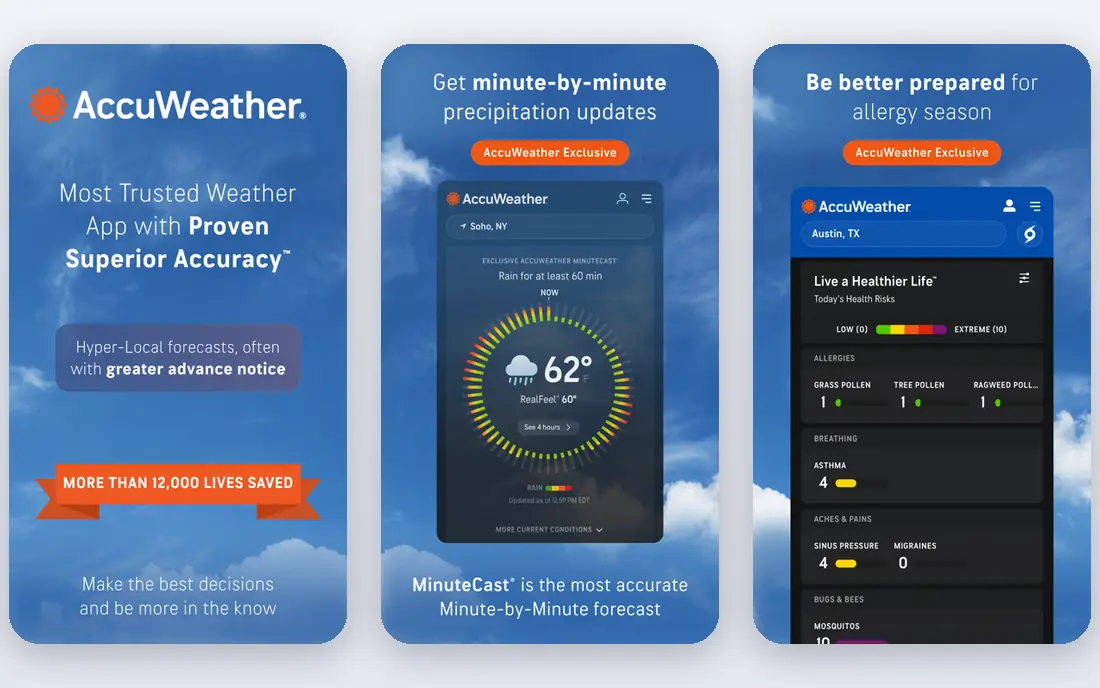
AccuWeather suits people who want a plain daily forecast plus a sharper view of the next few hours. Its MinuteCast feature focuses on when rain is expected to start and stop nearby, which helps with school runs, dog walks and outdoor work. Hourly details, daily outlooks and alerts sit together in one place, so you do not need to jump between screens for the basics.
The trade off is clutter and cost. The free version carries ads, and the fuller experience sits behind a subscription, so casual users may pay for detail they rarely open. If you mainly check the morning temperature and whether it will rain today, a simpler free app may be enough. AccuWeather earns its place when short term timing changes your plans.
- MinuteCast short term rain timing
- Detailed hourly and daily forecasts
- Severe weather alerts
- Ads in the free version
- Some features need a paid plan
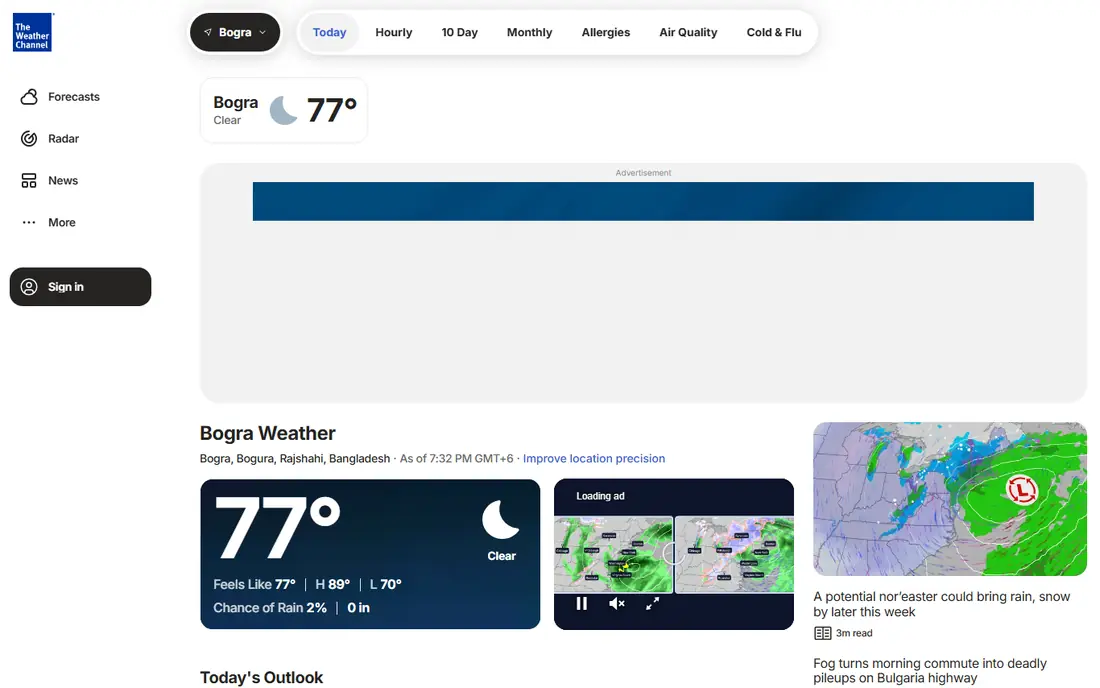
The Weather Channel works as a general purpose weather app for most households. It opens with current conditions and an hourly view, then adds a longer outlook, radar and alerts for your saved places. That mix suits commuters, parents and travellers who want one app for the week ahead rather than a specialist tool for one kind of weather.
The layout can feel busy because news and video sit alongside forecast data. If you prefer a quiet, map first screen, you may find it noisy. Still, for everyday use it is hard to fault: forecasts are easy to read, alerts are clear, and radar helps you see storms moving across your area.
- Broad local forecasts
- Live radar
- Storm news and video context
- Content heavy layout
- Ads in the free version
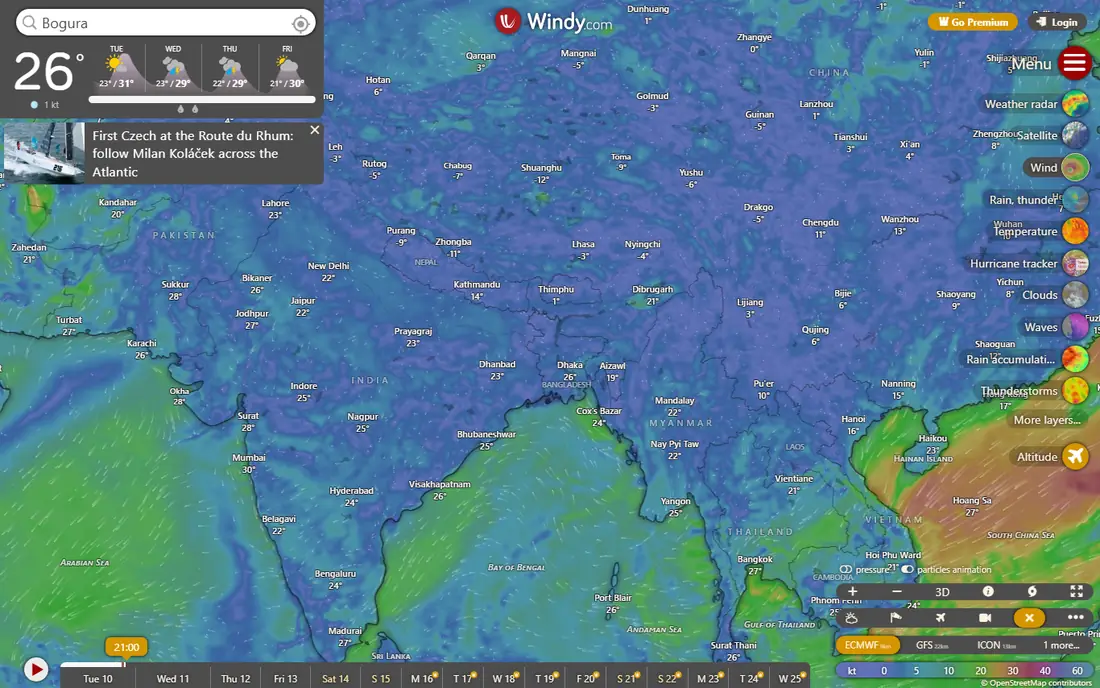
Windy is our pick for people who want to see weather, not just read a summary. Its maps show wind, rain, temperature and pressure, and you can switch between forecast models to see where they agree and where they differ. That is useful for sailing, hiking, cycling and flying, and for anyone who likes to judge a forecast rather than take one number at face value.
The catch is complexity. A first time user can feel lost among layers and model names, and the app does not hand you a simple daily summary in the same way. Give it a few sessions, learn two or three layers that matter to you, and it becomes a strong second app alongside a simpler daily forecast.
- Interactive wind and rain maps
- Several forecast models to compare
- No ads in the core app
- Steep learning curve
- Too much detail for casual checks
WeatherBug is built around safety and local detail. It pairs forecasts with lightning alerts, live radar and air quality and pollen information, which helps families, outdoor workers and people with allergies plan the day. Its station network adds a local feel, so conditions can reflect your town rather than a broad regional average.
The free experience includes ads, and the design is less polished than some rivals. Neither point matters much when a storm warning arrives quickly, which is the main reason to keep it. Use it as your alert app even if another app handles your morning forecast.
- Fast severe weather alerts
- Lightning detection
- Local station data
- Ads can intrude
- Layout feels dated in places
MyRadar does one job well: it shows radar fast. Open it, see rain moving across the map, and decide whether to wait, go now or move plans indoors. That focus makes it a good companion app for anyone who already has a forecast app but wants a cleaner radar view without extra news, video or clutter.
The limit is scope. It is not the best place for a ten day outlook, hourly temperature detail or pollen and air quality notes. Treat it as a specialist tool. For a quick rain check before a walk or a drive, few apps are quicker to read.
- Quick radar loading
- Clear precipitation view
- Simple controls
- Limited forecast detail
- Not a full daily planning app
CARROT Weather stands out because it lets you shape the app around your habits. Widgets, complications and data views can be set up for the details you check most, from rain timing to wind and humidity. Under the playful surface sits serious forecast data, so it works for people who check weather often and want it on their home screen.
The catch is price and personality. Full features need a subscription, and the humorous tone will not suit every household. If you want a quiet, neutral forecast, pick a plainer app. If you like a weather app with character and strong widgets, CARROT is easy to enjoy.
- Customisable widgets
- Detailed data sources
- Playful tone
- Paid subscription for full features
- Tone is not for everyone
Weather Underground suits people who live somewhere with changeable local weather. Its network of personal weather stations can show conditions closer to your street than a city wide forecast, and history views help you compare today with recent days. That local detail is useful for gardening, running and planning outdoor work.
The interface packs in a lot, so new users may need time to find the views they want. Ads appear in the free version too. If your area has active local stations, the extra detail is worth the busier screen. If it does not, a standard forecast app will serve you just as well.
- Personal weather station network
- Detailed local history
- Neighbourhood level detail
- Ads in the free version
- Interface can feel dense
Apple Weather is the sensible default for iPhone users who want a forecast without downloading anything. It is clean, quick and covers hourly and ten day views, precipitation charts and severe weather alerts in a calm layout. For most daily checks, it answers the question in seconds and stays out of the way.
The limit is depth. It does not offer the model comparison of Windy or the radar focus of MyRadar, and it is not available on Android. If you are happy on Apple devices and want a simple forecast, keep it. If you chase storms or plan outdoor sport, add a specialist app beside it.
- Clean design
- Hourly and ten day forecasts
- Built into iPhone
- Only on Apple devices
- Fewer specialist map layers
Yahoo Weather suits people who want a forecast that is pleasant to open. Photos and a simple layout make the daily and hourly views easy to scan, and it covers the basics without asking you to learn map layers or settings. It is a good low effort option for a morning check before work or school.
The trade off is depth. Radar and specialist data are thinner than in the leaders, and serious weather watchers will want more. As a simple, free daily forecast it does the job well, and it pairs nicely with a radar app when rain is on the way.
- Clean photo led design
- Easy hourly and daily views
- Quick to check
- Fewer advanced features
- Limited radar depth
How we picked these
We checked official app pages and vendor sites for features, free plans and pricing, and we compared how each app handles forecasts, radar and alerts. We favoured apps that are easy to read at a glance and that explain where their data comes from. We also weighed the free experience, because most people will try an app free before paying.
We did not claim hands on testing we did not do. Instead we based this list on published features, pricing pages and public app store listings, and we left prices as See website where a vendor price could not be verified at the time of writing. That keeps the list honest about what is known and what can change.
How to choose a weather app without paying for detail you will not use
Start with how you actually check weather. If you check once in the morning, a clean daily forecast and an hourly view matter more than model maps. If you work outdoors, sail or hike, radar, wind and lightning alerts matter more, and a specialist app is worth the extra screen time. Match the app to the decision you make most often.
Next, test the free version for a week in real weather, not just on a sunny day. Check how fast alerts arrive, how clear radar looks on your phone, and whether ads get in the way at the moment you need a quick answer. A forecast that is hard to read in rain is less useful than a simpler one you trust.
Finally, decide what a paid plan should buy. Ad free use, extra radar layers and longer forecasts are common paid extras. Pay only if you open those features often. For many people, a free daily app plus a free radar app covers every need without a subscription.
Frequently asked questions
What is the most accurate weather app?
Accuracy varies by place, variable and how far ahead you look. Temperature forecasts tend to be more reliable than rain timing, and a seven day outlook is less certain than tomorrow. That is why comparing two apps before a weather dependent trip is often more useful than trusting one number.
Is there a good free weather forecast app?
Yes. Several apps on this list offer a useful free tier with daily and hourly forecasts and alerts. Free versions usually include ads and fewer map layers, but they cover everyday planning well. Pay only if you want ad free use or specialist layers.
Which weather app is best for local weather?
Apps with local station data or hyperlocal forecasts, such as Weather Underground and WeatherBug, can reflect conditions near your home more closely. Check whether your area has active local stations, because that detail depends on coverage where you live.
Which app is best for rain radar?
MyRadar and Windy are strong for radar, with MyRadar best for a fast check and Windy best for detailed maps and model comparison. The Weather Channel and WeatherBug also include radar alongside forecasts and alerts.
Do weather apps work without an internet connection?
Most weather apps need a connection to fetch fresh forecasts and radar. Some offer widgets and cached forecasts, but those go out of date quickly. For travel in areas with weak signal, check the forecast before you leave and save the key details.
Should I use more than one weather app?
For everyday planning, one good app is enough. For storms, outdoor sport or travel, two apps help: one for a clear daily forecast and one for radar or alerts. That split keeps each check fast and avoids relying on a single model.
Sources we checked (9)

Online Jobs is an independent blog about careers, online work, learning new skills and the tools that help people earn. More about us.
Keep reading
All posts
Best Weather Radar App
Find the best weather radar app for live storms in 2026. We compared 8 radar apps on maps, alerts, lightning, hurricane tracking and free plans. Start here.

n8n Alternatives
n8n alternatives compared for 2026, with Zapier, Make, Activepieces, and more, covering visual builders, code steps, self-hosting, and pricing models.

eBay Alternatives
Looking for ebay alternatives? We compared 9 marketplaces for sellers on fees, buyer reach, categories and ease of listing, to help you sell with confidence.