Best Radar App in 2026: 8 Apps Compared

How we put this together: we compare official feature and pricing pages, app store listings, privacy policies and public user reviews. Prices change, so check the provider's site before you pay.
Key takeaways
- MyRadar is our pick for most people, with a fast, free animated radar loop and useful layers without a steep learning curve.
- RadarScope is the pick for storm chasers and weather professionals who want raw radar data, velocity and storm tracking tools.
- Windy gives the best global view, with radar, wind, rain and forecast models on one map, and a strong free tier.
- Free radar apps vary on coverage: some focus on the United States, while Windy and RainViewer cover far more of the world.
- A radar app is a planning aid, not a substitute for official warnings; always follow alerts from your national weather service in severe weather.
Quick comparison
| Name | Who it suits | Starting price | Free option | |
|---|---|---|---|---|
 MyRadar | Fast free radar for most people | Free | Yes | Visit |
 RadarScope | Raw radar for professionals | $9.99 per month | No | Visit |
 Windy | Global radar and wind maps | Free | Yes | Visit |
 WeatherBug | Alerts and lightning | Free | Yes | Visit |
 CARROT Weather | Custom radar and forecasts | See website | Free trial | Visit |
 RainViewer | Global radar coverage | Free | Yes | Visit |
 AccuWeather | Forecasts plus radar | Free | Yes | Visit |
 The Weather Channel | Everyday radar and news | Free | Yes | Visit |
The best radar apps
A good radar app shows where rain is now, where it is heading, and how intense it is, without making you wait for a slow map to load. The apps below cover that basic job in different ways, from a simple free loop to professional radar products with velocity and storm cell tracking. We focused on apps that are still maintained in 2026 and that show radar clearly on a phone.
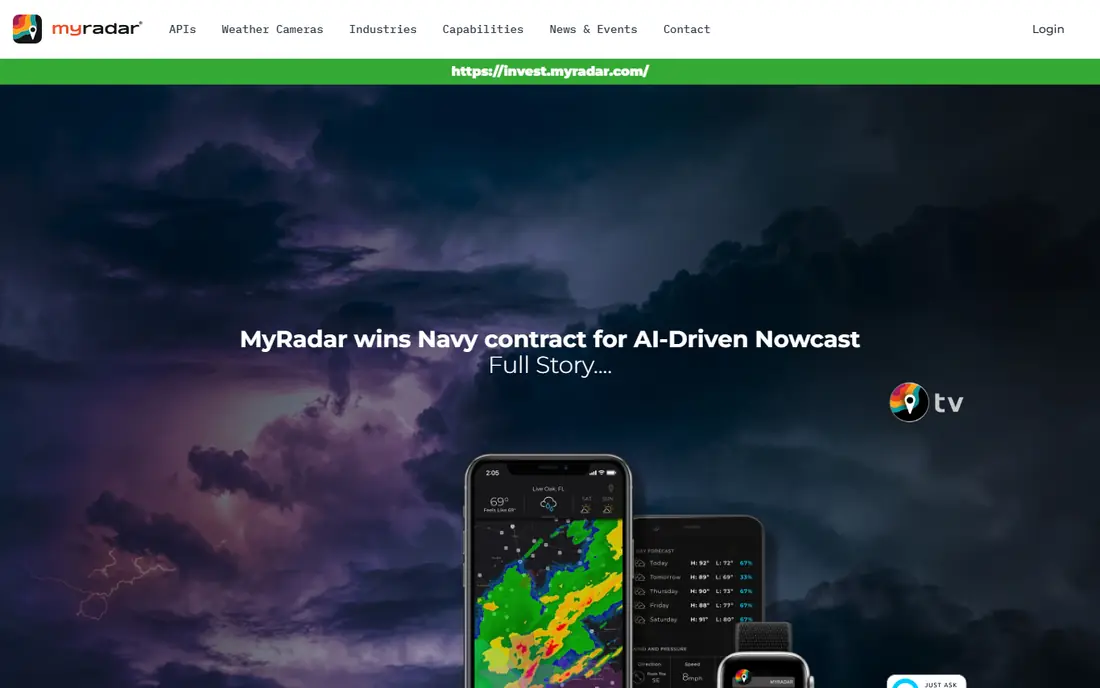
MyRadar opens to animated radar around your location, which is exactly what most people want when they check the weather before leaving home. The map loads quickly, the loop shows rain movement clearly, and you can add layers for warnings, temperatures, hurricanes and more without digging through menus. A paid Pro version removes ads and adds hurricane tracking and a professional radar pack, but the free version already covers the core job well.
The main limits are coverage and depth. MyRadar is strongest in the United States, and users outside that area may find Windy or RainViewer more complete. Advanced radar products, such as individual station views, sit behind paid upgrades, so storm chasers will still want RadarScope alongside it. For everyday use, though, MyRadar is the app we recommend first, because it is fast, free and easy to read at a glance.
- Fast animated radar
- Location aware opening view
- Optional layers for warnings, hurricanes, wind and wildfires
- Advanced layers need paid upgrades
- Coverage is strongest in the United States
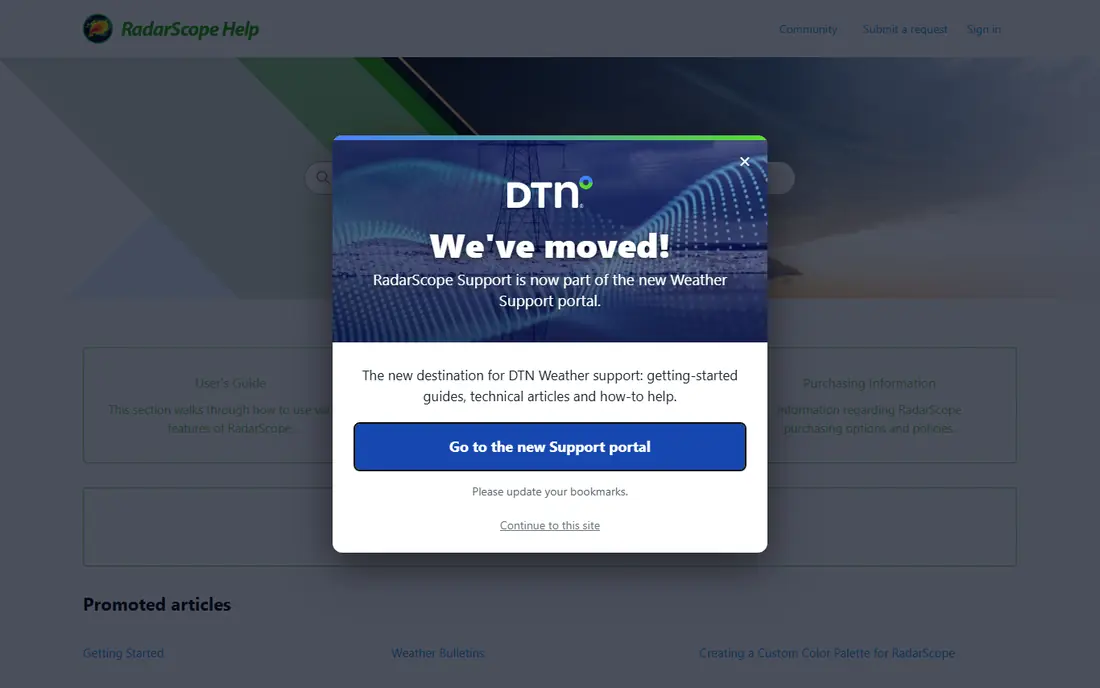
RadarScope is the standard tool for people who read radar as data rather than as a weather picture. It shows native resolution radar products, including reflectivity and velocity, which reveal rotation and wind direction inside a storm. Storm tracking, lightning data and severe weather warnings add context, and the app is widely used by meteorologists, storm chasers and emergency managers, which speaks to its reliability in active weather.
That power comes with a learning curve and a subscription, listed at $9.99 per month in recent comparisons. A casual user who only wants to know if it will rain in an hour will find MyRadar faster and simpler. RadarScope earns its place here because no free app matches its radar depth, and for anyone who tracks severe storms seriously, the subscription is the price of the right tool.
- Native radar data with velocity and other products
- Storm tracking and lightning data
- Trusted by meteorologists and chasers
- Paid subscription
- Steep learning curve for casual users
- Interface is built for data, not forecasts
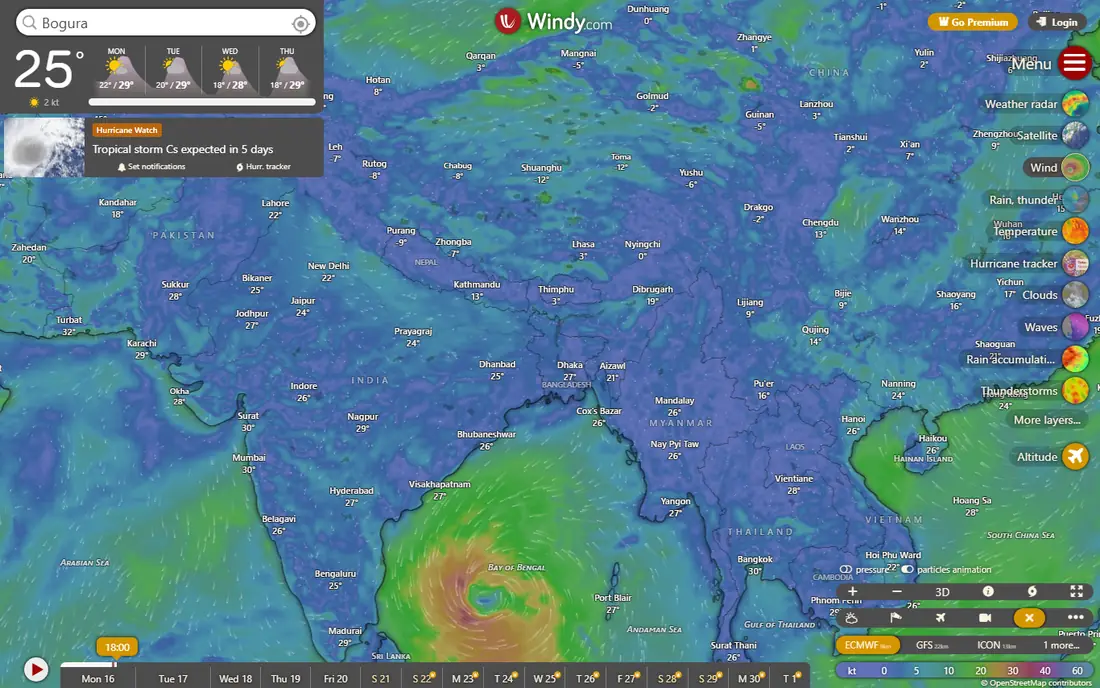
Windy is the best choice when you need radar beyond one country, or when wind matters as much as rain. The map combines radar with wind, rain, temperature, clouds and several forecast models, and you can step forward in time to see how models expect conditions to change. Altitude layers and airport data make Windy useful for pilots, sailors and outdoor planners, not just for checking rain at home.
The interface is dense, and a new user can feel lost among layers and model names. Windy rewards a few minutes spent learning which layer answers your question, and the free tier already covers most needs, with a paid Premium tier adding faster updates and more features. If you travel, sail, fly or live outside the United States, Windy should be on your phone alongside a simpler radar app.
- Global radar, wind, rain and forecast models
- Altitude layers for pilots and sailors
- Strong free tier
- Dense interface for new users
- Forecast models need interpretation
WeatherBug combines radar with lightning detection and alerts, which makes it useful during thunderstorms. The map shows lightning strikes near a storm, and alerts can warn you about severe weather, lightning nearby and other hazards. WeatherBug also draws on a large network of personal weather stations, which can give a closer view of conditions near you than a single official station.
The free version includes ads, and the app is broader than a pure radar tool, so radar is one part of a larger forecast app rather than the whole focus. That breadth is a strength for everyday use, since you get hourly forecasts, air quality and alerts in the same place. WeatherBug is a good second app for anyone who wants lightning and alerts without paying for RadarScope.
- Live radar with lightning detection
- Severe weather alerts
- Large network of weather stations
- Ads in the free version
- Forecast detail varies by location
CARROT Weather is the most customisable weather app on this list. You can change the layout, choose data sources, add complications to an Apple Watch, and adjust how much detail the radar and forecast show. The radar itself is clear and fast, and the app appeals to users who want their weather app to look and behave exactly as they like, rather than accepting a fixed design.
The full feature set needs a subscription, with pricing that varies by tier and platform, so check the current price in your app store before you subscribe. The app's well known humorous voice can be switched to a plain style, which is worth knowing if you only want the data. CARROT Weather fits Apple users and customisation fans best, while Android users may prefer MyRadar or Windy for radar alone.
- Highly custom radar and interface
- Apple Watch support
- Choice of weather data sources
- Paid subscription for full features
- Humour style is not for everyone
RainViewer answers a simple question better than most apps: where is it raining right now, anywhere in the world. It collects radar data from more than 1,000 stations across 90 plus countries and shows it as a clean animated loop, with a forecast of rain movement based on recent motion. The interface stays simple, which makes it easy to check rain in a city you are visiting without learning a new app.
RainViewer is not a full forecast app, and it offers fewer alerts and forecast details than WeatherBug or AccuWeather. Data quality also varies by country, since radar coverage and update speed depend on local networks. Use RainViewer as a global radar viewer, and pair it with a local forecast app for warnings and hourly detail. For travellers, it is one of the most useful free radar tools available.
- Radar from more than 1,000 stations in 90 plus countries
- Clean animated loop
- Simple interface
- Fewer forecast and alert features than larger apps
- Data quality varies by country
AccuWeather is a familiar forecast app that pairs radar with its MinuteCast precipitation forecast, which estimates rain start and stop times for your location in many areas. That combination suits planning a walk, a run or a commute, since you get both the radar picture and a plain language rain timing estimate. Coverage is wide, and the app is available on most phones and watches.
Minute forecasts are estimates, not measurements, and they work better in areas with dense radar coverage than in rural or mountainous areas. Ads appear in the free version, and some advanced features need a paid upgrade. AccuWeather is best for everyday planning rather than severe storm analysis, and it pairs well with MyRadar when you want to see the raw radar loop behind the forecast.
- Minute by minute precipitation forecasts in many areas
- Radar plus hourly and daily forecasts
- Wide coverage
- Ads in the free version
- Minute forecasts are less reliable in some regions
The Weather Channel app gives a simple radar loop alongside hourly forecasts, daily outlooks and severe weather news, which makes it a good all round choice for United States users. The radar is easy to read, alerts are clear, and the news and video sections add context during major storms, such as hurricane tracks and safety information. For many users, this is the app already on their phone, and it covers the basics well.
The interface can feel busy, with news, video and sponsored content around the radar, and the free version includes ads. It also lacks the raw radar depth of RadarScope and the global model choice of Windy. The Weather Channel fits users who want one app for radar, forecasts and storm news, rather than a specialist radar tool.
- Easy radar loop and hourly forecasts
- Severe weather news and video
- Wide United States coverage
- Ads in the free version
- Interface can feel busy
How we picked these
We shortlisted radar apps that are still maintained in 2026, show animated radar clearly on a phone, and are available on iOS or Android, or both. We compared radar speed and clarity, coverage, layers such as velocity and lightning, alert quality, free tier value and subscription price. We gave weight to apps with a clear radar focus, such as MyRadar and RadarScope, alongside broader apps that many readers already use.
We did not test radar accuracy against official radar feeds in a lab, and we did not rely on store ratings alone, since ratings reflect many factors beyond radar quality. Prices were checked against vendor listings and recent comparisons, and where a price varies by platform or region, we list See website. Radar data comes from national networks and third party providers, so update speed and coverage will vary by location and by storm.
How to read a radar map well
Start with the loop, not a single still image. A loop shows direction and speed, which tells you whether rain is heading toward you, away from you, or stalling overhead. A single frame can mislead, especially when a storm is moving fast.
Learn the colours and the limits
Green usually means light rain, yellow and orange mean moderate to heavy rain, and red and purple often mean very heavy rain or hail, though colour scales differ by app. Bright colours do not always mean rain at ground level, since radar beams can pick up melting snow, birds or ground clutter. If the radar shows rain but the sky is clear, check a second source before you change plans.
Use velocity for severe weather
Velocity shows wind moving toward or away from the radar, and it can reveal rotation inside a severe storm. That layer is most useful in RadarScope and Windy, and it takes practice to read well. For most users, the key step is simpler: if a severe thunderstorm or tornado warning covers your area, follow official guidance and shelter, rather than trying to interpret rotation yourself.
Check update time and coverage
Radar loops update every few minutes in well covered areas, but updates can be slower elsewhere or during outages. Check the timestamp on the loop, and be cautious if the newest frame is old. In rural areas, a storm may sit between radar sites and appear weaker than it is, so combine radar with local alerts and observations.
Frequently asked questions
What is the best free weather radar app?
MyRadar is our pick for the best free weather radar app, with a fast animated loop and useful layers at no cost. Windy and RainViewer are also strong free options, with Windy offering more global models and RainViewer offering wider global radar coverage.
What is the best radar app for storm chasing?
RadarScope is the standard choice for storm chasing, with native radar products, velocity, storm tracking and lightning data. It needs a subscription and some learning, but no free app on this list matches its radar depth for severe weather work.
Which radar app is most accurate?
Accuracy depends more on the underlying radar network and update speed in your area than on the app brand. MyRadar, RadarScope and Windy all draw on official radar data in the United States, so differences come from how each app displays that data and how often it refreshes. Compare two apps during a rainy day to see which updates fastest where you live.
Do free radar apps include severe weather alerts?
Many do, including MyRadar, WeatherBug and The Weather Channel, though alert quality and speed vary. Enable location alerts and check your phone notification settings, and always treat an official warning from your national weather service as the final word in dangerous weather.
Can I use a radar app outside the United States?
Yes, but coverage varies. Windy and RainViewer offer the widest global radar coverage on this list, while MyRadar and RadarScope focus mainly on the United States. If you travel often, keep Windy or RainViewer installed for radar abroad.
What is the difference between radar and a forecast model?
Radar shows rain that is happening now, measured by radar stations. A forecast model estimates where rain may go in the future, based on weather physics and current data. Use radar for the next hour, and use models and forecasts for planning later in the day, since future radar is a model estimate, not a measurement.
Sources we checked (8)

Online Jobs is an independent blog about careers, online work, learning new skills and the tools that help people earn. More about us.
Keep reading
All posts
Best Weather Radar App
Find the best weather radar app for live storms in 2026. We compared 8 radar apps on maps, alerts, lightning, hurricane tracking and free plans. Start here.
Best Weather Forecast App
Compare the best weather forecast app options for local forecasts, radar and alerts, with prices and free plans explained in plain terms for 2026 in detail.

n8n Alternatives
n8n alternatives compared for 2026, with Zapier, Make, Activepieces, and more, covering visual builders, code steps, self-hosting, and pricing models.