Best Weather Apps in 2026: 8 Apps Compared


Clear daily forecasts with MinuteCast rain timing · Starting price: Free
How we put this together: we compare official feature and pricing pages, app store listings, privacy policies and public user reviews. Prices change, so check the provider's site before you pay.
Key takeaways
- AccuWeather and The Weather Channel suit most people, with clear hourly forecasts, daily summaries, and severe weather alerts.
- MyRadar and Windy are stronger for people who want to read radar and wind maps themselves rather than trust a single summary.
- CARROT Weather stands out for customization and personality, while Apple Weather is the simplest choice for iPhone users.
- Forecast accuracy varies by location and model, so check how an app handles your town, your commute, and your outdoor plans.
Quick comparison
| Name | Who it suits | Starting price | Free option | |
|---|---|---|---|---|
| AccuWeather | Clear daily forecasts with MinuteCast rain timing | Free | Yes | Visit |
 The Weather Channel The Weather Channel | Detailed forecasts and weather news | Free | Yes | Visit |
 Weather Underground Weather Underground | Neighborhood stations and past weather | Free | Yes | Visit |
 CARROT Weather CARROT Weather | Custom widgets, alerts, and data sources | See website | Free trial | Visit |
 Windy Windy | Wind, rain, and detailed map layers | Free | Yes | Visit |
 MyRadar MyRadar | Fast radar for tracking storms | See website | Yes | Visit |
 WeatherBug WeatherBug | Fast alerts and neighborhood weather | Free | Yes | Visit |
 Apple Weather Apple Weather | Simple forecasts built into iPhone | Free | Yes | Visit |
The best weather apps
A good weather app should answer three questions fast: will it rain, when will it change, and should I change my plans. The apps below differ in how much detail they show, how they present radar, and how well they handle alerts. We compared them on forecast clarity, radar tools, alert options, and ease of daily use.
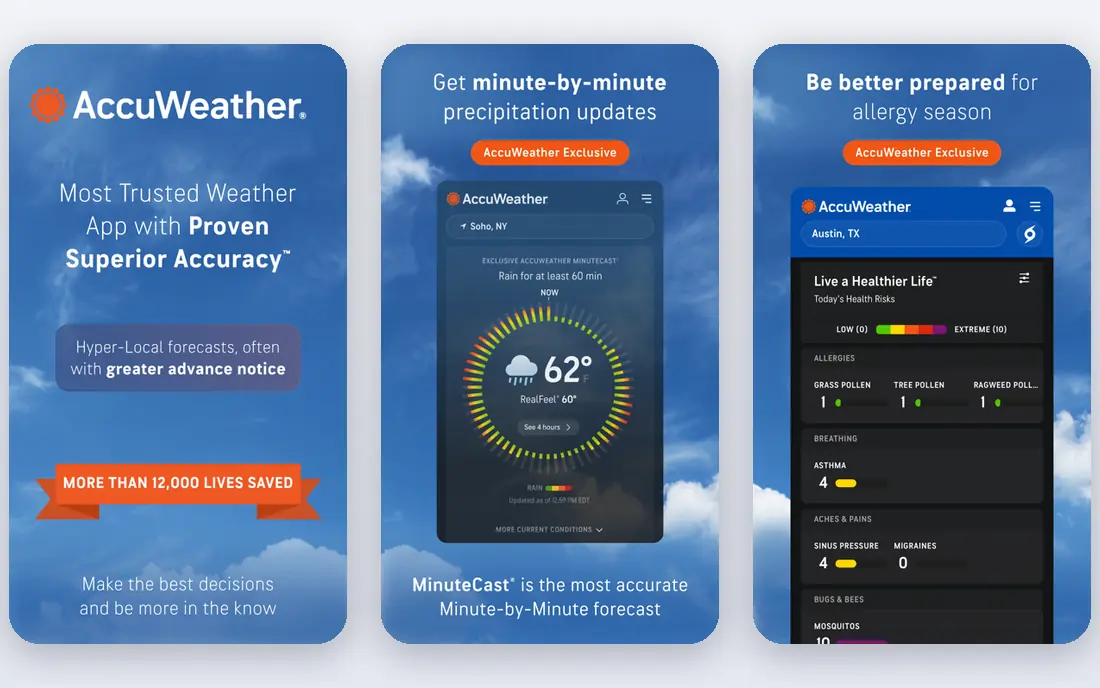
AccuWeather is a safe first choice for most US readers. The home screen shows current conditions, the hourly outlook, and the daily forecast without forcing you to dig through menus. MinuteCast aims to show when rain will start and stop at your location, which helps with decisions such as whether to walk the dog now or wait twenty minutes. Severe weather alerts are easy to turn on, and the app covers a wide range of US locations.
The free version carries ads, and the interface can feel busy when you open extra layers and videos. Paid plans remove ads and add more detailed data, but most casual users will not need them. If you want one app for school runs, commutes, and weekend plans, AccuWeather covers the basics well.
- Hourly and daily forecasts in plain language
- MinuteCast precipitation timing
- Severe weather alerts
- Free version includes ads
- Some advanced features sit behind a paid plan

The Weather Channel app gives a large amount of detail in one place, including hourly forecasts, extended outlooks, radar, and articles about major weather events. Allergy, air quality, and pollen information can help people who plan outdoor exercise around breathing conditions. The radar view is useful for tracking a storm line, and the daily summary is written in plain terms.
The main drawback is clutter. Ads and extra content compete with the forecast itself, especially on smaller screens. Users who want a minimal view may prefer a simpler app, while users who like depth will appreciate the extra layers. For households that check weather several times a day, the breadth of data is a real strength.
- Rich hourly and 10-day forecasts
- Radar and maps
- Health and allergy information
- Ads in the free version
- Layout can feel crowded
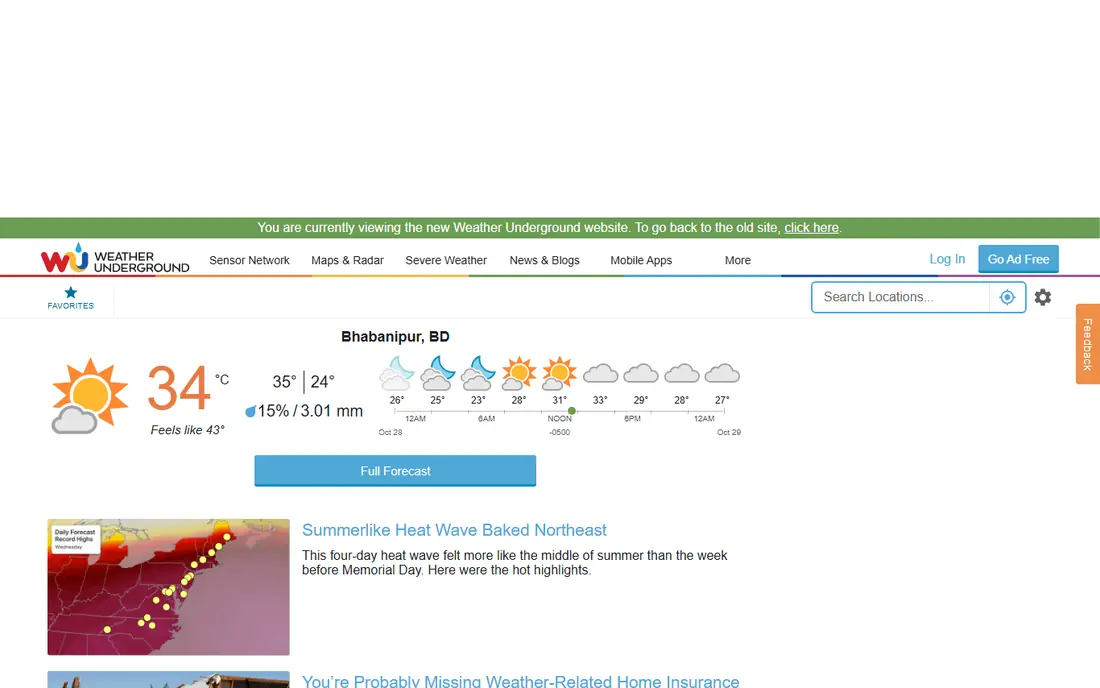
Weather Underground draws on a network of personal weather stations, which can give a closer picture of conditions in your neighborhood than a forecast for a whole city. That local detail matters in hilly areas, near large lakes, or in places where rain varies street by street. Historical data also helps with questions such as how hot a given date was last year, or how often a town sees snow in November.
Station quality is not uniform, since personal stations differ in placement and upkeep. The app interface also feels more functional than elegant. Still, for weather watchers, gardeners, and people who live in microclimates, Weather Underground offers local depth that broader apps often miss.
- Data from personal weather stations
- Historical weather records
- Detailed local forecasts
- Interface is less polished than rival apps
- Station quality varies by area
CARROT Weather is built for people who like to shape their own forecast view. You can choose data sources, customize widgets, set detailed alerts, and view radar, hourly charts, and daily summaries in a layout that suits you. Apple Watch support is strong, and the app works well for users who check weather from a watch or a home screen widget rather than opening a full app each time.
The humor and snark in the default voice will not suit every household, though it can be toned down in settings. Many of the best features require a paid subscription, so the free experience is more limited than in AccuWeather or The Weather Channel. For users who want control and are willing to pay for it, CARROT is the most flexible option here.
- Highly customizable interface
- Choice of forecast sources
- Strong widgets and Apple Watch support
- Paid plan needed for full features
- Personality and humor are not for everyone
Windy is a map-first tool, and it shines for outdoor activities where wind and rain matter. Sailors, cyclists, hikers, and pilots can compare forecast models, check wind speed at different heights, and watch rain bands move across a region. The map layers are detailed, and the ability to switch models helps users see where forecasts agree and where they differ.
Beginners may find Windy overwhelming at first, since it assumes some comfort with maps and weather terms. It is less suited to a quick glance before school than AccuWeather. For anyone who plans around wind, waves, or mountain weather, though, Windy gives a level of map detail that simple forecast apps do not match.
- Rich map layers for wind, rain, and temperature
- Multiple forecast models
- Global coverage
- Learning curve for beginners
- Less focus on simple daily summaries
MyRadar focuses on doing one job well: showing radar clearly and quickly. The animation is smooth, storm tracks and warnings are easy to read, and the map controls stay out of the way. During a summer storm or a winter snow band, that clarity matters more than a long written forecast. Many users keep MyRadar alongside a forecast app, using one for the outlook and MyRadar for the live picture.
MyRadar is not a full replacement for a forecast app, since its text forecasts are thinner. Platform differences also mean that some features may appear on one phone system before the other. As a radar companion, however, it is fast, focused, and easy to trust in a storm.
- Smooth, fast radar animation
- Storm tracks and warnings
- Simple map controls
- Less detailed text forecasts
- Some features vary by platform
WeatherBug is known for lightning detection and for alerts that arrive quickly. The app shows current conditions, hourly forecasts, and live camera views in many areas, which helps users judge conditions visually. Lightning alerts are useful for outdoor workers, coaches, and parents watching practice from the sidelines. Neighborhood-level detail also helps in larger cities where conditions change across town.
Ads and extra content can distract from the core forecast, and some users may find the home screen busy. The alert system, though, is a strong reason to keep WeatherBug installed, especially in regions with frequent thunderstorms. Pair it with a radar app for the clearest storm picture.
- Lightning alerts and live cameras
- Neighborhood-level forecasts
- Spark lightning data
- Ads in the free version
- Interface includes extra content
Apple Weather comes built into iPhone, iPad, and Mac, so many users already have it without a download. The design is clean, the hourly chart is easy to read, and the 10-day outlook covers most planning needs. Severe weather alerts are included, and the app stays simple enough for a quick check before leaving home.
The limit is platform and depth. Android users need another app, and map lovers will want more layers than Apple Weather provides. For iPhone users who want a tidy, reliable daily forecast without ads or extra setup, Apple Weather is often all they need.
- Clean design
- No separate download for iPhone users
- Hourly and 10-day forecasts
- Only on Apple devices
- Fewer map layers than Windy or MyRadar
How we picked these
We compared official app pages, feature lists, and app store listings for weather apps that work in the United States in October 2026. We favored apps with current radar, hourly forecasts, and severe weather alerts, and we mixed simple daily apps with map-focused tools for outdoor users. We did not claim hands-on testing that did not happen, and we wrote See website where paid pricing was not stable on the vendor page at the time of writing. Forecast skill varies by region, so we focused on clarity and tools rather than a single accuracy claim.
Choosing the right weather app for your routine
Think about when you check weather most. A commuter needs a clear morning summary, rain timing, and road conditions at a glance. A parent needs alerts for lightning and school delays. A hiker, sailor, or cyclist needs wind, rain maps, and a longer outlook. Match the app to that moment, and you will open it less often but get more from each check.
Alerts, radar, and widgets
Turn on severe weather alerts for your home and for places you travel to often, and test them during a calm week so you know how they sound. A home screen widget can show temperature and rain timing without opening the app. For storms, add a radar app such as MyRadar or Windy, since a text forecast alone cannot show a storm line moving toward you. Check location permissions too, since an app set to a single city will miss weather at your actual location.
Why forecasts sometimes differ
Different apps use different models and different local data, so two forecasts for the same town can disagree. When models agree, confidence is higher. When they differ, check radar, check the hourly trend, and look at the range rather than a single number. For safety decisions, follow official warnings from the National Weather Service in addition to any app alert.
Frequently asked questions
What is the best free weather app?
AccuWeather and The Weather Channel are strong free choices for most people, with hourly forecasts, radar, and alerts. WeatherBug is also free and adds fast lightning alerts. Try one for a week in your town before deciding, since local accuracy matters more than a national ranking.
What is the best weather app for iPhone?
Apple Weather is the simplest iPhone option because it is built in, clean, and free of ads. CARROT Weather is better for iPhone users who want widgets, custom alerts, and a choice of data sources. AccuWeather and The Weather Channel also work well on iPhone and add more detail.
Which weather app is best for radar?
MyRadar is our pick for fast, clear radar animation and storm tracks. Windy is better for users who also want wind layers, rain models, and map controls. Many people keep both: a forecast app for the daily outlook and a radar app for live storms.
What is the best weather app for severe weather alerts?
WeatherBug, AccuWeather, and The Weather Channel all offer severe weather alerts, and Apple Weather includes them on iPhone. Turn on alerts for your exact location, keep notifications enabled, and also follow official warnings for tornadoes, floods, and winter storms. No app should be your only source in a dangerous storm.
Are paid weather apps worth it?
Paid plans mainly remove ads and add advanced maps, widgets, and data sources. Most casual users do fine with a free plan. Paying makes sense if you rely on radar daily, want custom alerts, or use a watch and widgets heavily. Check what the paid plan adds before subscribing, since free plans already cover basic forecasts.
Why do weather apps show different forecasts?
Apps use different forecast models, different local stations, and different update times, so small differences are normal. Larger differences often appear several days out, when uncertainty is higher. Compare the hourly trend and the radar, and treat a single temperature number as an estimate rather than a promise.
Sources we checked (8)

Online Jobs is an independent blog about careers, online work, learning new skills and the tools that help people earn. More about us.
Keep reading
All posts
Best Writing Software
Looking for the best writing software in 2026? We compared 9 writing apps for books, articles and screenplays on price, features and fit. All verified.

Best Video Editing Software
We compared the best video editing software for beginners and pros, checking official pricing, free plans and honest limits before ranking all nine editors.

Best Translation App
Searching for the best translation app? We compare 8 free and paid translation apps and tools for travel, work, and study, with prices and honest limits.