Best Voice Recording Software in 2026: 9 Tools Compared

How we put this together: we compare official feature and pricing pages, app store listings, privacy policies and public user reviews. Prices change, so check the provider's site before you pay.
Key takeaways
- Audacity and GarageBand cover most solo recording needs at no cost, and both run on ordinary computers without subscriptions.
- Remote interviews need a different tool, since Riverside and Zencastr record each guest locally so a weak connection cannot ruin the audio.
- Descript suits creators who think in words, because it lets you edit audio by editing a transcript.
- Adobe Audition and Reaper are the serious editing picks, with Audition leading on cleanup and Reaper leading on value.
Quick comparison
| Name | Who it suits | Starting price | Free option | |
|---|---|---|---|---|
 Audacity | Free multitrack recording and editing | Free | Yes | Visit |
 Adobe Audition | Professional cleanup and post-production | $22.99 per month | Free trial | Visit |
 GarageBand | Free recording on Mac and iOS | Free | Yes | Visit |
 Reaper | Full DAW at a low one-time price | $60 one-time | Free trial | Visit |
 Descript | Editing audio by editing text | Free | Yes | Visit |
 Riverside | Remote interviews in studio quality | $29 per month | Yes | Visit |
 Zencastr | Simple browser-based remote recording | See website | Yes | Visit |
 OBS Studio | Free screen and live recording | Free | Yes | Visit |
 Hindenburg PRO | Spoken-word and podcast production | $12 per month | Free trial | Visit |
The best voice recording software
Voice recording software splits into several jobs: capturing your own voice, recording remote guests, editing the result, and making music. The tools below cover each job, so the right pick depends on what you record most, not on which app has the longest feature list.
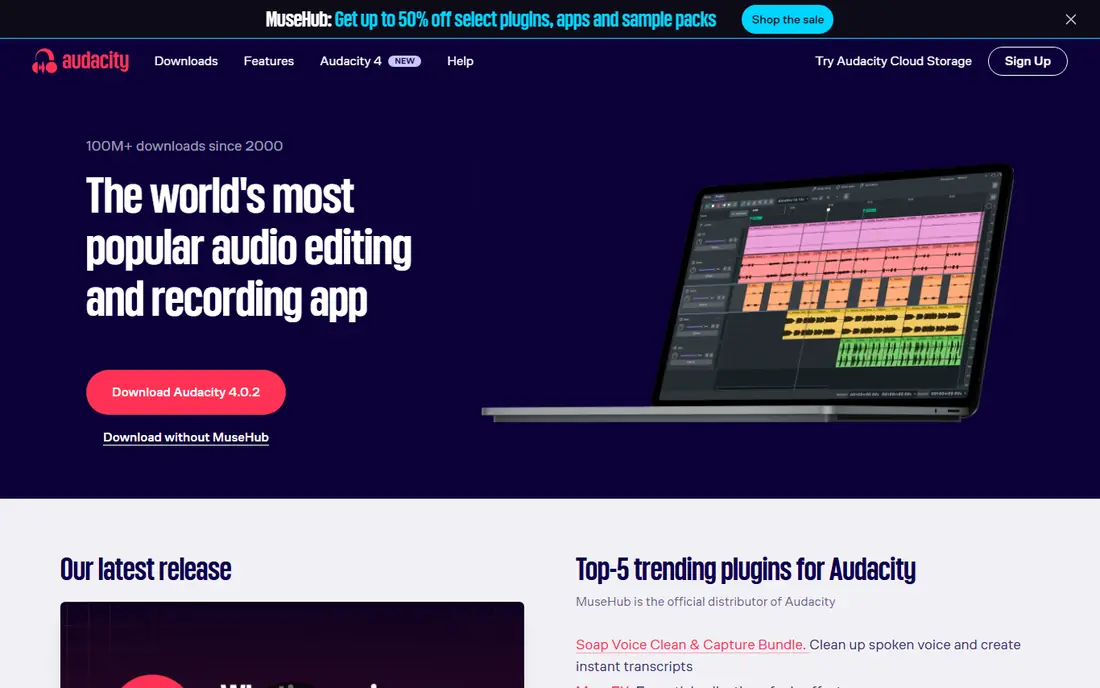
Audacity has been the default free recording tool for two decades, and it still covers most solo needs. Record a voiceover, cut mistakes, apply noise reduction, and export to common formats, all without paying anything. It runs on Windows, Mac, and Linux, and recent versions have improved the interface without changing the simple workflow.
The editing model is destructive, meaning some edits change the audio directly rather than sitting as reversible layers. For straightforward voice work that rarely matters, but music producers and heavy editors usually graduate to Reaper or a full DAW. For podcasts, voice notes, and narration, Audacity is hard to beat at its price.
- Free and open source
- Runs on Windows, Mac, and Linux
- Huge plugin support
- Destructive editing model
- Interface looks dated next to paid rivals
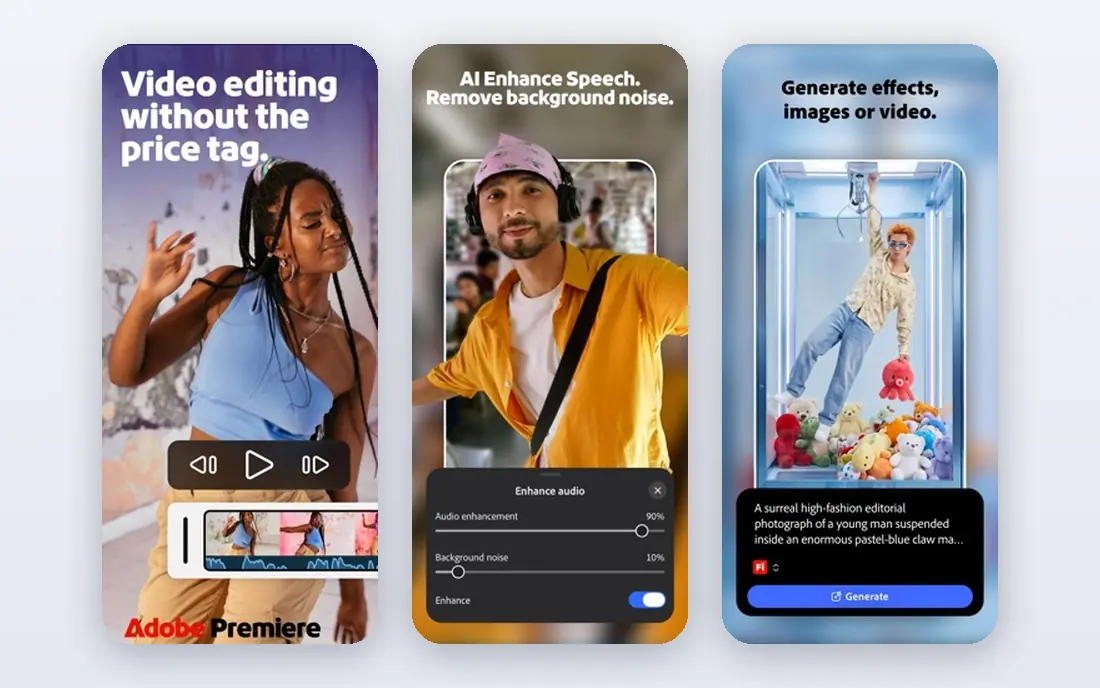
Adobe Audition is the professional choice for cleaning up spoken audio. Its spectral frequency display lets editors see and paint out noises, while adaptive noise reduction rescues recordings that other tools cannot fix. It also integrates with Premiere Pro, which matters for video creators who finish audio and video together. Pricing starts at $22.99 per month on an annual plan, with a 7-day trial.
The subscription is the obvious downside, and Audition is not a music workstation, so composers should look elsewhere. For podcasters, broadcasters, and voiceover artists who regularly repair imperfect recordings, Audition earns its monthly cost.
- Best-in-class repair and restoration tools
- Spectral editing
- Premiere Pro integration
- Subscription only
- Not built for composing music
GarageBand comes free with Macs, iPhones, and iPads, and it is the easiest way for an Apple owner to start recording. Voice, instruments, and loops all work in one friendly interface, and projects can later move to Logic Pro if ambitions grow. For a first podcast or song sketch, GarageBand needs no purchase and little learning.
Windows users are out of luck, and experienced mixers will hit its limits sooner than they would with Reaper. As a free starting point on Apple hardware, though, GarageBand removes every excuse for not recording.
- Free with Apple devices
- Friendly for beginners
- Includes loops and instruments
- Mac and iOS only
- Limited depth for professional mixing
Reaper is a complete digital audio workstation that costs $60 for a discounted license, far less than most professional rivals. It records, edits, mixes, and masters across Windows, Mac, and Linux, with deep customization for users who want it. The 60-day trial is fully functional, so buyers can test it properly before paying.
The out-of-the-box interface is plain, and new users may need to set up themes and templates before it feels comfortable. That setup cost is small compared with the savings, and Reaper suits anyone who wants professional depth without a subscription.
- Full professional DAW
- $60 discounted license
- 60-day fully functional trial
- Interface needs customization to feel friendly
- Fewer bundled sounds than rivals
Descript changes the editing job by turning audio into a transcript that you edit like a document. Delete a sentence from the text and it disappears from the audio, which makes cutting interviews and podcasts far faster than waveform editing for most people. A free plan covers basic use, with paid plans for heavier workloads.
The weakness is precision work. Detailed music production and fine sound design still belong in Audition or Reaper, and Descript pricing rises with transcription hours. For spoken-word creators who think in sentences rather than waveforms, Descript is the fastest route from recording to finished episode.
- Edit by editing a transcript
- Filler-word removal
- Good for podcast and video teams
- Music and detailed sound design are weak
- Paid plans needed for heavy use
Riverside solves the main problem with remote interviews: internet glitches. Each guest is recorded locally on their own device, so the final audio stays clean even if the live call stutters. Separate tracks per speaker make editing easier, and video recording is included for podcasts that publish to video platforms. Plans start at $29 per month, with a limited free plan.
Occasional interviewers may find the monthly cost hard to justify for a few episodes a year. Regular podcasters and interview shows, though, will notice the quality difference immediately, especially with guests on weak connections.
- Records each guest locally in high quality
- Video included
- Separate tracks per speaker
- Monthly cost adds up for occasional use
- Audio-only shows may not need video features
Zencastr offers the same core idea as Riverside in a simpler package: guests join from a browser, and each voice is recorded locally for clean final audio. Setup is minimal, which helps when guests are not technical, and a free plan lets new podcasters try remote recording without paying.
Feature depth is thinner than Riverside, particularly for video production and post-production tools. For audio-first shows that value simplicity over a full studio feature set, Zencastr is a strong and low-friction choice.
- Runs in the browser with no installs
- Local recording per guest
- Simple guest invites
- Fewer video and production features than Riverside
- Pricing varies by plan
OBS Studio is free software for recording screens and live streams, and it handles voice recording as part of that job. Teachers, streamers, and tutorial makers can capture microphone, system audio, webcam, and screen in one session, then edit the result elsewhere. It costs nothing and runs on Windows, Mac, and Linux.
OBS is not an editor, so cutting and polishing still need Audacity, Descript, or a DAW. Its settings also take some learning before a first clean recording. As a capture tool, though, OBS is the free standard for screen-based voice work.
- Free and open source
- Records screen, webcam, and audio together
- Live streaming built in
- Not an audio editor
- Setup takes some learning
Hindenburg PRO is designed for journalists and podcasters who build spoken-word stories. Its workflow organizes clips on a clipboard, supports manuscript-style editing, and auto-levels voices so episodes sound consistent without manual mixing. Plans start at $12 per month, with a trial available.
Music producers should look elsewhere, since Hindenburg is voice-first by design. For narrative podcasts, radio-style features, and interview shows, its focused workflow can save more time than a general-purpose DAW.
- Built for voice and story structure
- Auto-leveling
- Clipboard and manuscript tools
- Not suited to music production
- Subscription pricing for a niche tool
How we picked these
We compared vendor pricing pages, platform support, and the recording job each tool serves, from solo voice capture to remote interviews and full production. We favored tools that are actively maintained, publish clear pricing or a real free tier, and cover distinct needs rather than duplicating each other. Where pricing varied between sources, we used the most recent vendor figure or marked the price as See website.
How to choose voice recording software
Match the tool to the recording job
Solo voiceovers need Audacity or GarageBand, remote interviews need Riverside or Zencastr, and music needs Reaper or a full DAW. Buying a music workstation for voice notes wastes money, while recording guests over a plain video call wastes quality.
Test with your actual microphone
Software cannot fix a bad recording environment, but some tools handle noise better than others. Record a short test in your real room, listen on headphones, and check how much cleanup each tool needs. That test tells you more than any feature list.
Check export and editing needs before you commit
Make sure the tool exports the format your publisher or editor needs, and that you can edit comfortably in it or move files to an editor you like. A recorder that locks files into an awkward workflow will cost time on every episode.
Frequently asked questions
What is the best voice recording app for beginners?
Audacity is the best voice recording app for most beginners because it is free, runs on every desktop platform, and covers recording and basic editing. Mac and iPhone owners can also start with GarageBand, which is free and friendlier for first-time recorders.
What is the best free recording software for PC?
Audacity is the best free recording software for PC, with OBS Studio as the free pick for screen recording. Both are open source and free forever, and together they cover voice, music sketches, tutorials, and live sessions.
What is the best app for voice recording on the go?
GarageBand on iOS is a strong free option for Apple users, while Audacity and Descript cover desktop recording and editing. For quick voice notes, the built-in recorder on most phones is enough, and files can move into Audacity or Descript for cleanup.
Which software is best for recording remote podcast guests?
Riverside is the best choice for remote podcast recording because it records each guest locally in high quality, with separate tracks and video included. Zencastr is the simpler, cheaper alternative for audio-first shows that want browser-based recording.
Is Audacity or Adobe Audition better for voiceovers?
Audacity is better for most voiceover work at no cost, while Adobe Audition is better when recordings need serious repair, spectral editing, or broadcast-level finishing. Many voice artists record in Audacity and only pay for Audition when cleanup demands justify it.
Sources we checked (9)

Online Jobs is an independent blog about careers, online work, learning new skills and the tools that help people earn. More about us.
Keep reading
All posts
Zoom Alternatives
Zoom alternatives compared for 2026: Google Meet, Microsoft Teams, Webex, Jitsi and more for free calls, large meetings and webinars for teams and classrooms.

What Is the Best Free Tool to Rotate a PDF
What is the best free tool to rotate a PDF? We compare eight free rotation tools on per-page control, limits, privacy and saved output quality in detail.

What Is the Best AI Dubbing Tool
We compared the best AI dubbing tools in 2026, from ElevenLabs and HeyGen to Rask AI, Dubverse and Veed, for videos and creators in many languages worldwide.