Best Video Editing Apps for Affiliate Marketing in 2026: 9 Apps Compared

How we put this together: we compare official feature and pricing pages, app store listings, privacy policies and public user reviews. Prices change, so check the provider's site before you pay.
Key takeaways
- CapCut is the fastest route to short-form affiliate content, while DaVinci Resolve gives pro-level editing with no subscription.
- Descript suits talking-head reviews and tutorials because you edit the transcript instead of scrubbing a timeline.
- Adobe Premiere Pro remains the strongest choice for affiliates who publish long-form YouTube reviews and need a deep toolset.
- Most affiliate creators need two tools, not one: a fast mobile editor for daily clips and a stronger editor for flagship videos.
- Check the price shown in your account before buying, since several of these apps price differently by platform and billing cycle.
Quick comparison
| Name | Who it suits | Starting price | Free option | |
|---|---|---|---|---|
 CapCut | Fast short-form social clips | See website | Yes | Visit |
 Descript | Talking-head reviews and tutorials | $16 per month | Yes | Visit |
 Adobe Premiere Pro | Long-form YouTube reviews | $22.99 per month | Free trial | Visit |
 DaVinci Resolve | Pro editing without a subscription | Free | Yes | Visit |
 Wondershare Filmora | Beginner-friendly desktop editing | See website | Yes | Visit |
 Microsoft Clipchamp | Free browser-based editing | Free | Yes | Visit |
 VEED | Browser editing with captions | See website | Yes | Visit |
 InVideo | Template-driven promo videos | $20 per month | Yes | Visit |
 Canva | Quick branded social videos | Free | Yes | Visit |
The best video editing apps for affiliate marketing
Affiliate marketing runs on video now, and the right editor depends on where your audience watches. Short-form clips need speed and templates, while long reviews need clean audio, captions, and a polished finish. These nine apps cover that whole range, from free phone editors to full desktop suites.
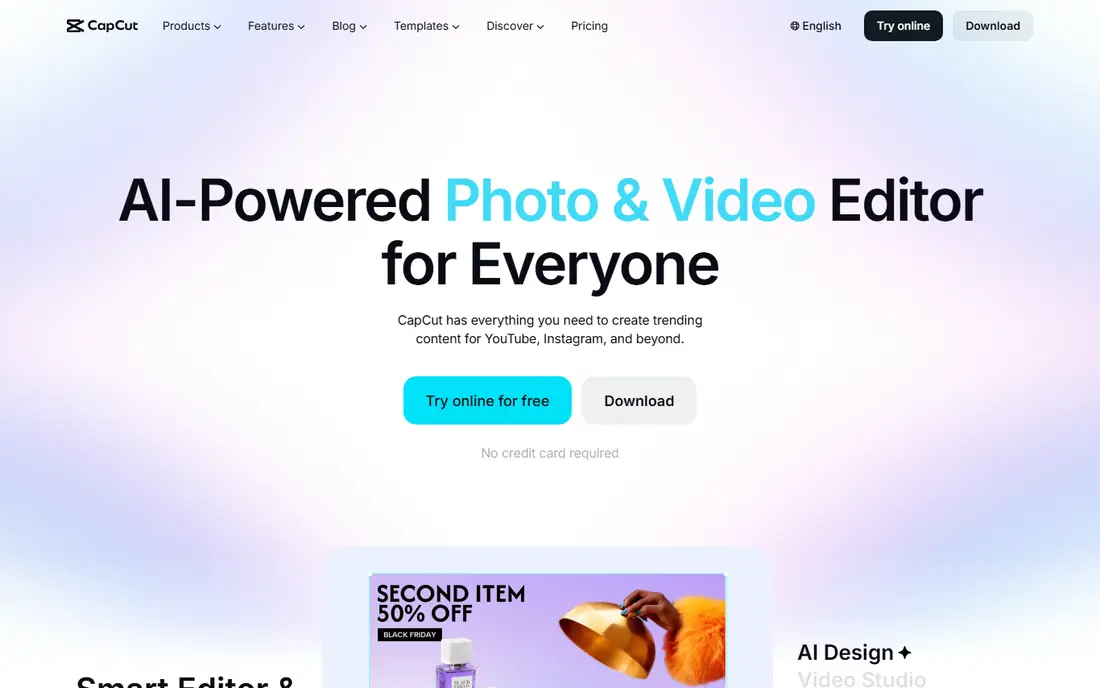
CapCut is built for the pace of affiliate content on TikTok, Reels, and Shorts. Templates, trending effects, and automatic captions let you turn a product clip into a finished post in minutes, which matters when you publish daily. The free plan covers a lot of ground, including 1080p export for most everyday edits.
The catch is pricing. CapCut Pro costs different amounts by purchase channel, mobile, desktop, or web, so check the figure in your own account before you commit. It is also a social-first editor, not a tool for long, complex projects with heavy color work. For short affiliate clips, though, few tools move faster.
- Huge template and effects library
- Strong auto-caption tools
- Projects sync across phone, desktop, and web
- Pricing varies by platform and region
- Some advanced features sit behind the Pro tier
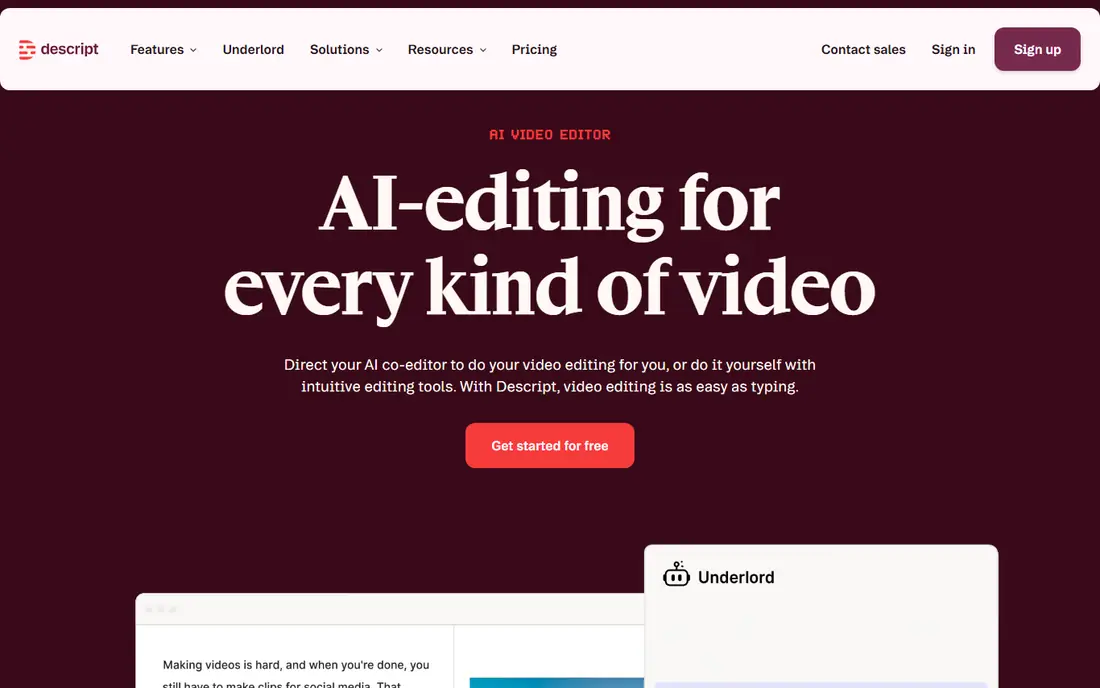
Descript flips the usual workflow. You record a review or tutorial, get a transcript, and cut the video by deleting words from the text. Removing a rambling sentence removes it from the video too, which makes trimming a 20 minute product walkthrough far less painful. Studio Sound polishes rough microphone audio, and filler-word removal tidies up hesitant delivery.
The free plan gives you a small amount of media time each month, and paid plans start at $16 per month on annual billing. Watch the metered limits if you process a lot of footage, since media hours and AI credits are tracked separately. If your content is mostly you talking to the camera about a product, Descript is hard to beat for speed.
- Edit video by editing the transcript
- Filler-word removal and Studio Sound clean up audio fast
- Exports to Premiere Pro and Final Cut Pro
- Media hours and AI credits are metered
- Less natural for visually driven edits
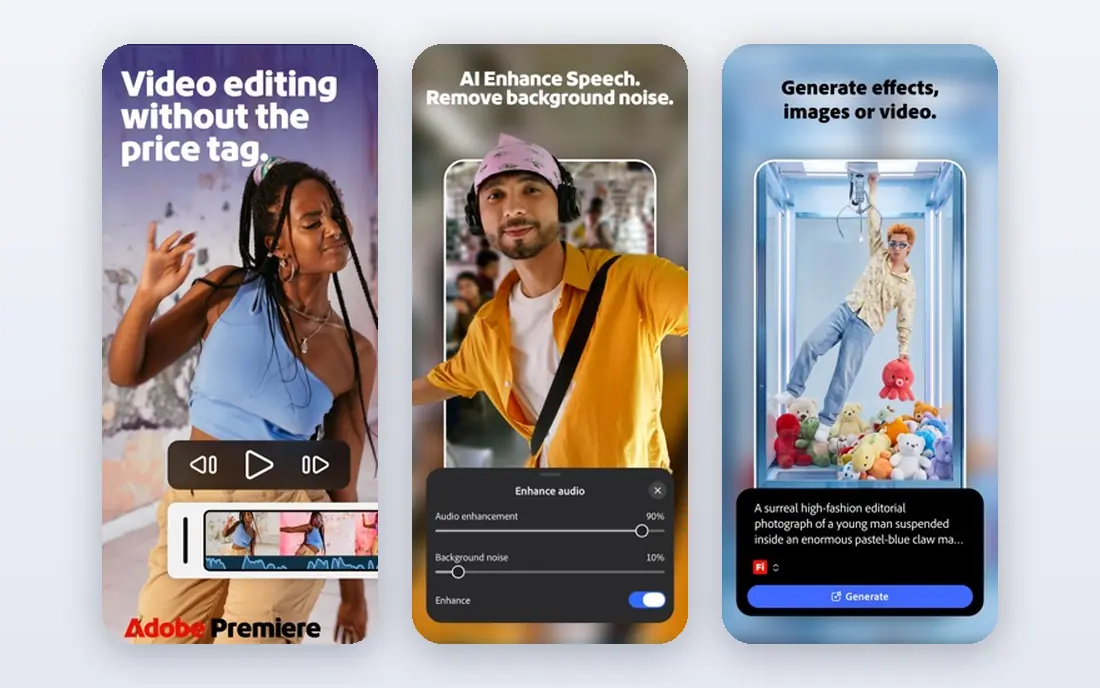
Premiere Pro is the default choice for affiliates who treat YouTube as their main channel. It handles multi-camera shoots, long timelines, and detailed color and audio work without breaking stride, and its text-based editing borrows the transcript idea for fast rough cuts. If you ever hire an editor or collaborate with a team, Premiere project files are the common currency.
The price is $22.99 per month, and there is no free plan beyond a trial. Beginners may find the interface dense, and the subscription adds up over a year. But for a flagship review channel where production quality directly affects trust and conversions, Premiere Pro is a sound investment.
- Industry-standard toolset
- Text-based editing for rough cuts
- Deep color, audio, and effects controls
- Subscription only
- Steep learning curve for beginners
DaVinci Resolve is the rare pro editor that is genuinely free. The free version includes the core editor, strong color tools, and audio mixing, which is more than most affiliate creators will ever need. The paid Studio version costs $295 as a one-time purchase and adds extra effects, stereoscopic tools, and higher-end features.
The trade-off is hardware and learning time. Resolve rewards a decent computer and some patience, especially on its color and effects pages. If you dislike subscriptions and want room to grow from simple cuts to polished, color-graded reviews, this is our pick for most people starting out on desktop.
- Full-featured free version
- Outstanding color grading tools
- One-time Studio purchase instead of a subscription
- Demanding on older hardware
- Learning curve for the color and Fusion pages
Filmora sits in the middle ground between a phone app and a pro suite. Its drag-and-drop timeline, ready-made titles, and effects packs make it easy to produce clean product demos and list videos without a week of tutorials. The interface stays friendly even as projects get longer, which suits affiliates who edit several videos a week.
The free version exports with a watermark, so budget for a paid plan if you publish regularly. It also lacks the depth of Premiere or Resolve for advanced color work. For creators who want desktop editing without a steep climb, Filmora is a sensible middle step.
- Gentle learning curve
- Large effects and title library
- Good preset templates for product videos
- Free exports carry a watermark
- Some features require higher tiers
Clipchamp is Microsoft's browser editor, and its free tier is unusually generous. You can export in 1080p without a watermark, which covers most affiliate content for social and YouTube. Templates and a simple timeline keep the learning curve short, and because it runs in the browser, it works on modest machines.
The limits show up when you want premium stock footage, 4K export, or a brand kit, all of which sit behind paid plans. It is also not the tool for heavy effects work. As a free starting point for affiliate video, though, Clipchamp is difficult to argue against.
- Free 1080p exports with no watermark
- Runs in the browser with nothing to install
- Brand kit on paid tiers
- Premium stock and 4K export need a paid plan
- Fewer advanced effects than desktop suites
VEED is a strong pick for affiliates who publish a lot of captioned video. Its subtitle tools are quick and accurate enough to make silent-autoplay viewing work, which is how many people watch social clips. Screen recording is built in, so software and product walkthroughs need no extra tool, and teams can share projects in the browser.
The free plan is best for trying the tool rather than publishing at volume, since exports carry limits. Desktop editors still win for long, effects-heavy projects. If your workflow is mostly short, captioned clips edited in a browser, VEED fits well.
- Fast automatic subtitles
- Browser-based with team collaboration
- Simple screen recording built in
- Free exports are limited
- Heavier projects can feel slower than desktop editing
InVideo is built for marketers who need a promo video today, not next week. Pick a template, swap in your product shots and offer text, and you have a usable ad or social clip. Text-to-video drafting speeds up the first version, and paid plans include stock media so you are not hunting for b-roll.
The risk is sameness. Templates that everyone uses can make your affiliate content blend in, so customize colors, fonts, and hooks. Paid plans start at $20 per month, and free exports carry a watermark. Used with a clear brand voice, InVideo is a fast way to test many ad angles.
- Huge template library for promos and ads
- Text-to-video options for fast drafts
- Stock media included on paid plans
- Free exports carry a watermark
- Template-heavy results can look generic without customization
Canva is not a full video editor, but for affiliates it earns a place because so much affiliate content is simple: a product clip, a text overlay, a logo, and a call to action. Its templates and brand kit keep every post looking consistent, and anyone on the team can use it without training. The free plan covers basic video creation.
The limits are real. Timeline control, audio mixing, and effects are basic compared with dedicated editors. If your videos are mostly short branded clips and graphics-led posts, Canva is the fastest tool here. For anything longer or more detailed, pair it with one of the editors above.
- Enormous template library
- Brand kit keeps affiliate content consistent
- Very easy for non-editors
- Video editing is simpler than dedicated editors
- Some premium elements need a Pro plan
How we picked these
We compared official feature pages, pricing pages, and app store listings for editors that affiliate marketers actually use, and we favored tools with a clear free or trial route so you can test before paying. We looked for coverage across the formats that drive affiliate sales: short social clips, talking-head reviews, and long YouTube content. We also weighed the honest costs, including watermarks, metered limits, and subscription pricing, rather than headline features alone.
What to check before you pay
Start with the format that earns you money. If most of your sales come from short clips, a fast mobile or browser editor will pay for itself quickly, and a pro suite would slow you down. If long YouTube reviews drive your income, invest in a desktop editor with strong audio tools, since muffled audio loses viewers faster than imperfect visuals.
Test the export path before you commit. Check whether the free plan watermarks your videos, what resolution it allows, and whether captions export cleanly. These details decide whether a tool is usable day to day. Also confirm the price in your own account, since several vendors price differently by platform, region, and billing cycle.
Finally, think about disclosure and trust. Affiliate videos should clearly state the affiliate relationship, and production quality supports that trust. A clean edit, readable captions, and honest product coverage do more for conversions than flashy effects. Pick the tool you will actually use every week, not the most powerful one on the list.
Frequently asked questions
What is the best video editing app for affiliate marketing beginners?
CapCut or Clipchamp are the easiest starting points. CapCut wins for phone-first short-form content, while Clipchamp gives free 1080p exports in a browser. Move to Filmora or DaVinci Resolve when you want more desktop control.
Can I edit affiliate videos for free?
Yes. CapCut, DaVinci Resolve, Clipchamp, and Canva all offer free plans that produce publishable video. Watch for watermarks and export limits on free tiers, and check whether captions and 1080p export are included before you rely on a free plan.
Which app is best for YouTube affiliate reviews?
Adobe Premiere Pro and DaVinci Resolve are the strongest choices for long-form reviews. Premiere Pro suits creators who collaborate or hire editors, while Resolve gives pro tools with no subscription. Descript is a good middle option for talking-head reviews edited from a transcript.
Do I need captions on affiliate videos?
Captions help a lot, since many viewers watch social video with sound off. CapCut, VEED, and Descript all generate captions quickly, and adding them usually takes minutes. Clear captions also make your call to action readable when audio is muted.
Is CapCut Pro worth paying for?
It depends on volume. If you publish daily short-form content and use premium effects, templates, and 4K export, the Pro tier can pay for itself in time saved. Check the price in your own account first, since it varies by platform, and try the free plan to see how much you actually use.
Sources we checked (9)

Online Jobs is an independent blog about careers, online work, learning new skills and the tools that help people earn. More about us.
Keep reading
All posts
ZoomInfo Alternatives
The best ZoomInfo alternatives in 2026, compared on price, free plans, data coverage, and which tool fits small teams or large sales teams best in detail.

Workday Alternatives
We compared the best workday alternatives for HR, payroll, and global hiring, from BambooHR and Gusto to Rippling, Deel, and HiBob for growing teams in 2026.

Which SaaS Tools Have the Best Customer Support
Which SaaS tools have the best customer support? Compare eight popular tools on help centres, live help, response options and overall support quality.