Best User Research Tools in 2026: 8 Tools Compared

How we put this together: we compare official feature and pricing pages, app store listings, privacy policies and public user reviews. Prices change, so check the provider's site before you pay.
Key takeaways
- No single tool covers every research method well, so most teams need a testing tool, an interview tool and a way to store findings.
- Maze leads for fast unmoderated prototype testing, while UserTesting leads for large-panel video studies.
- Dovetail leads for turning scattered notes and recordings into searchable findings that other teams can reuse.
- Hotjar and Lyssna offer free plans that suit small teams, while enterprise tools such as UserTesting need a sales quote.
- Match the tool to the question, because usability, motivation and information architecture need different methods.
Quick comparison
| Name | Who it suits | Starting price | Free option | |
|---|---|---|---|---|
 Maze | Fast prototype testing | Free | Yes | Visit |
 UserTesting | Large-panel video studies | See website | No | Visit |
 Dovetail | Research repository and analysis | Free | Yes | Visit |
 Lookback | Live interviews and sessions | See website | Free trial | Visit |
 Hotjar | Heatmaps and behaviour signals | Free | Yes | Visit |
 Lyssna | Quick design tests | Free | Yes | Visit |
 Optimal Workshop | Card sorting and tree testing | Free | Yes | Visit |
 User Interviews | Participant recruitment | Free | Yes | Visit |
The best user research tools
We compared user research tools on methods covered, participant recruitment, analysis, integrations and price, favouring tools that produce findings teams can act on quickly.

Maze is our pick for product and design teams that need answers in hours, not weeks. Upload a Figma prototype, write task prompts, and get a report with success rates, navigation paths and misclick data, often the same day. The built-in panel speeds recruitment, and shareable clips help stakeholders see problems without reading a long report.
The limit is method. Maze is built for unmoderated testing, so live interviews, diary studies and deep motivation work need a different tool. Results also reflect prototype behaviour, which can differ from live product behaviour once real data, loading times and edge cases appear. For rapid validation before building, though, few tools are faster.
- Fast unmoderated testing for Figma prototypes
- Automated usability metrics such as success rates and misclicks
- A built-in participant panel
- Live moderated interviews need another tool
- Results are strongest for prototypes, not live products
- Higher tiers needed for larger teams
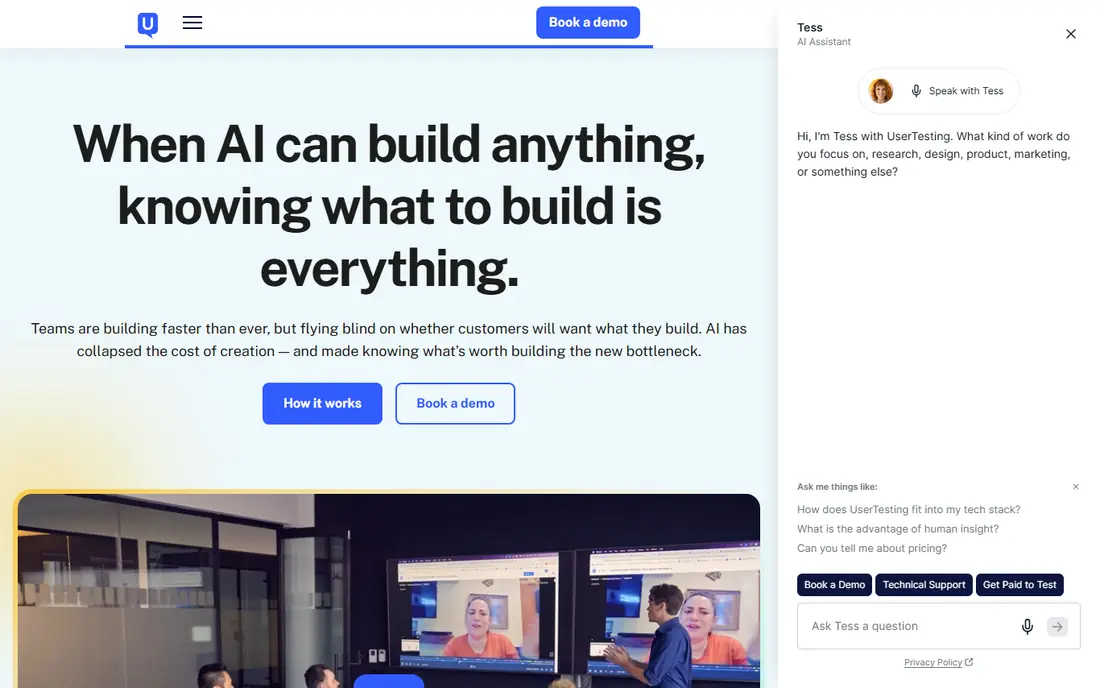
UserTesting suits teams that need video evidence from real users at scale. Its panel covers many demographics and locations, and moderated sessions let researchers probe answers in real time, while unmoderated tests collect video at volume. That combination makes it the default enterprise choice for usability studies that must convince senior stakeholders.
The drawback is cost and speed. Entry pricing is enterprise-level, and a full study takes longer to set up and run than a Maze test. Small teams with a simple prototype question should start with Maze or Lyssna, and reserve UserTesting for studies where panel scale, video depth or enterprise security matter most.
- A large participant panel for moderated and unmoderated studies
- Video and audio that show real user thinking
- Strong enterprise controls
- Enterprise pricing that needs a sales quote
- Slower and costlier than Maze for quick checks
- Analysis still needs researcher time
Dovetail solves the problem every research team faces after a year of studies: findings scattered across docs, drives and inboxes. It stores interviews, notes and recordings in one searchable place, lets researchers tag insights, and turns those tags into themes and reports that product teams can reuse. That reuse saves repeat studies and stops teams from asking users the same questions twice.
Dovetail does not replace a testing tool, so it pairs best with Maze, UserTesting or Lookback rather than standing alone. Its value also depends on tagging discipline, because an untagged repository becomes another dumping ground. Teams that commit to tagging will find it the most valuable long-term tool on this list.
- A searchable repository for notes, recordings and findings
- Tagging and synthesis tools for qualitative analysis
- Sharing that reuses past research
- It does not run usability tests itself
- Tagging takes discipline to stay useful
- Higher tiers needed for larger teams
Lookback is the pick for live, moderated research, where watching a user struggle and asking a follow-up question matters more than a metric. Observers can watch sessions live, researchers can take timestamped notes, and recordings stay linked to those notes for later analysis. That setup suits interviews, usability sessions and concept discussions.
Recruitment is the gap, because Lookback does not bring its own panel, so teams must recruit through User Interviews, their own lists or another panel. Pricing also needs a conversation for some plans, which slows comparison. For teams that already have participants and need a reliable live session tool, Lookback is a strong, focused choice.
- Live moderated interviews with observers
- Session recording and notes in one place
- Works for mobile and desktop studies
- No built-in participant panel, so recruitment is separate
- Pricing is quote-based on some plans
- Unmoderated testing is not its focus
Hotjar answers a different question from the tools above: what do users actually do on a live site? Heatmaps show where people click and scroll, recordings show where they hesitate, and on-site surveys capture feedback in context. For teams that already have traffic, that behavioural signal is fast, cheap and often surprising.
The limit is interpretation. Hotjar shows where users struggle, but not why, so a confusing recording still needs an interview or a test to explain it. Privacy also needs care, because recordings can capture personal data if forms are not masked. Use Hotjar to find problems, then use Maze, Lookback or UserTesting to understand them.
- Heatmaps, session recordings and on-site surveys in one tool
- A free plan for getting started
- Simple setup on live sites
- It shows behaviour, not motivation, so interviews are still needed
- Recordings need careful privacy handling
- Deeper analysis needs another tool
Lyssna, formerly UsabilityHub, is the pick for quick design decisions. Five-second tests show whether a headline or layout communicates at a glance, preference tests compare two designs head to head, and first-click tests show where users expect to find something. Results arrive fast and are easy to share with designers and stakeholders.
Depth is the trade-off. Lyssna will not explain why users prefer a design in the way an interview would, and its panel is smaller than enterprise panels. For directional design choices, that speed is worth it, but for high-stakes product decisions, pair a Lyssna test with a Maze study or a moderated session.
- Fast five-second tests, preference tests and first-click tests
- A free plan for small studies
- Simple results that designers can read quickly
- Depth is limited compared with full usability studies
- Panel size is smaller than UserTesting
- Analysis features are basic
Optimal Workshop is the specialist pick for information architecture, which is the structure of menus, categories and navigation. Card sorting shows how users group content, tree testing shows whether they can find items in a proposed structure, and first-click testing checks navigation choices. For a redesign or a large content site, those methods prevent navigation mistakes that prototype tests may miss.
Its focus is also its limit. Optimal Workshop does not run general usability tests or interviews, so it complements Maze and Dovetail rather than replacing them. Pricing for larger studies also needs checking, since free plans suit small tests best. For architecture questions, though, it is the clearest tool available.
- Card sorting, tree testing and first-click tools for information architecture
- Clear visual results for navigation decisions
- A free plan for small studies
- Focused on architecture, not general usability
- Pricing rises for larger studies
- Results need a researcher to interpret well
User Interviews solves recruitment, which is often the slowest part of research. Its pool includes consumers and professionals, screening filters narrow that pool to the right people, and scheduling tools reduce the back-and-forth of booking sessions. Pay-per-participant pricing also suits teams that research occasionally, without an annual platform commitment for every method.
The distinction matters: User Interviews finds people, while Lookback, Maze and UserTesting run the study. Incentive costs sit on top of platform fees, so a study with ten professionals can cost more than expected. Careful screening is also essential, because a poorly screened participant wastes a whole session. For teams that struggle to find the right users, it is the most useful tool on this list.
- Access to a large participant pool, including professionals
- Screening and scheduling tools
- Pay-per-participant options for occasional use
- It recruits participants, it does not run tests
- Incentive costs add to the platform fee
- Quality depends on screening care
How we picked these
We compared official feature pages, pricing pages and public reviews for user research tools, and we kept only tools still available and working in October 2026. We favoured method fit, recruitment options, analysis quality and honest free or trial access, and we noted where a tool covers one method well rather than every method. We did not claim hands-on testing, and prices we could not verify on a vendor site are shown as See website.
How to build a research stack without overspending
Start with the question, then pick the method, then the tool. A usability question calls for Maze or UserTesting, a motivation question calls for Lookback interviews, an architecture question calls for Optimal Workshop, and a behaviour question calls for Hotjar. Buying one enterprise platform for all four usually wastes money, because each method needs different features.
Next, add a repository early. Dovetail, or a disciplined shared drive if budget is tight, stops findings from vanishing after each study. Recruit through User Interviews or a tool's own panel, and keep a panel of your own customers for repeat studies, since they are often the most relevant participants. Finally, review tool use every quarter and drop tools that produced no decision in the last three months, because an unused research subscription is easy to overlook.
Ethics and privacy in user research
Get consent before recording, explain how recordings and notes will be used, and store them in a tool with access controls rather than a shared drive. Mask personal data in Hotjar recordings, and avoid collecting sensitive information you do not need. Participants should be paid fairly for their time, and findings should be reported without identifying individuals unless they agreed to be named. Good ethics also produce better research, because participants speak more openly when they trust the process.
Frequently asked questions
What are the best user research tools?
Maze leads for fast prototype testing, UserTesting for large-panel video studies, Dovetail for storing and analysing findings, and Lookback for live interviews. Hotjar and Lyssna suit small teams with free plans, while Optimal Workshop leads for information architecture. Most teams need two or three of these, not one tool for everything.
What are the best UX research tools for beginners?
Maze and Lyssna are the best starting points, because both offer free plans and produce results quickly without moderated sessions. Hotjar is also easy to start, since it only needs a script on your site to show heatmaps and recordings. Add Dovetail once you have several studies to store, and add User Interviews when recruitment becomes the bottleneck.
How much do user research tools cost?
Costs range from free plans at Maze, Dovetail, Hotjar, Lyssna, Optimal Workshop and User Interviews to enterprise quotes at UserTesting and Lookback. Panel incentives, participant counts and seat numbers change totals sharply, so we show See website where a current vendor price could not be verified. Start free, run a real study, and only then commit to a paid tier.
What is the difference between Maze and UserTesting?
Maze focuses on fast, unmoderated prototype testing with automated metrics, while UserTesting focuses on moderated and unmoderated video studies with a large panel. Maze is faster and cheaper for quick validation, while UserTesting gives deeper video evidence and broader recruitment. Many teams use Maze for weekly checks and UserTesting for major studies.
Do I need a research repository tool?
Yes, once you run more than a few studies, because findings scattered across docs and drives get lost and repeated. Dovetail stores notes, recordings and tagged insights in one searchable place, so product teams can reuse past research before commissioning new studies. Smaller teams can start with a disciplined shared folder, but a repository pays for itself as study volume grows.
Sources we checked (8)

Online Jobs is an independent blog about careers, online work, learning new skills and the tools that help people earn. More about us.
Keep reading
All posts
Zoom Alternatives
Zoom alternatives compared for 2026: Google Meet, Microsoft Teams, Webex, Jitsi and more for free calls, large meetings and webinars for teams and classrooms.

Which Software Is Best for PDF Page Removal
Which software is best for PDF page removal? We compare free and paid tools for deleting pages quickly, safely, and without harming your file in this guide.

Which Software Is Best for Data Entry
Compare the best data entry software for forms, OCR scanning, and spreadsheets, with free plans, pricing, and honest limits for each tool before you commit.