Best Truck GPS Apps in 2026: 8 Apps Compared

How we put this together: we compare official feature and pricing pages, app store listings, privacy policies and public user reviews. Prices change, so check the provider's site before you pay.
Key takeaways
- Hammer is our pick for a free truck GPS, with truck routing, offline maps and weigh station alerts at no cost for core features.
- Trucker Path is the best pick for truck stops, parking and fuel information alongside routing.
- Sygic Truck is the best pick for offline navigation in areas with poor signal.
- A car GPS is not a truck GPS, because it can route a truck under a low bridge or onto a weight restricted road.
- Always check your truck height, weight, axles and hazmat load in the app before you start a route, even on a familiar road.
Quick comparison
| Name | Who it suits | Starting price | Free option | |
|---|---|---|---|---|
 Hammer | Free truck routing | Free | Yes | Visit |
 Trucker Path | Truck stops and parking | Free | Yes | Visit |
 TruckMap | Free Android routing | Free | Yes | Visit |
 Sygic Truck | Offline truck maps | $9.99 per month | Yes | Visit |
 CoPilot GPS | Professional truck profiles | See website | Yes | Visit |
 TomTom GO Expert | Truck routing in Europe and beyond | $19.99 per month | Yes | Visit |
 SmartTruckRoute | Truck routing plus trip tools | See website | Yes | Visit |
 PTV Navigator | International truck compliance | See website | Yes | Visit |
The best truck gps app
A truck GPS must do more than give turn by turn directions. It must route by truck height, weight, length, axles and load type, warn about low clearances and weight limits, and show truck parking, fuel and weigh stations. The apps below do those jobs in different ways, so pick by your routes, your phone and your budget.
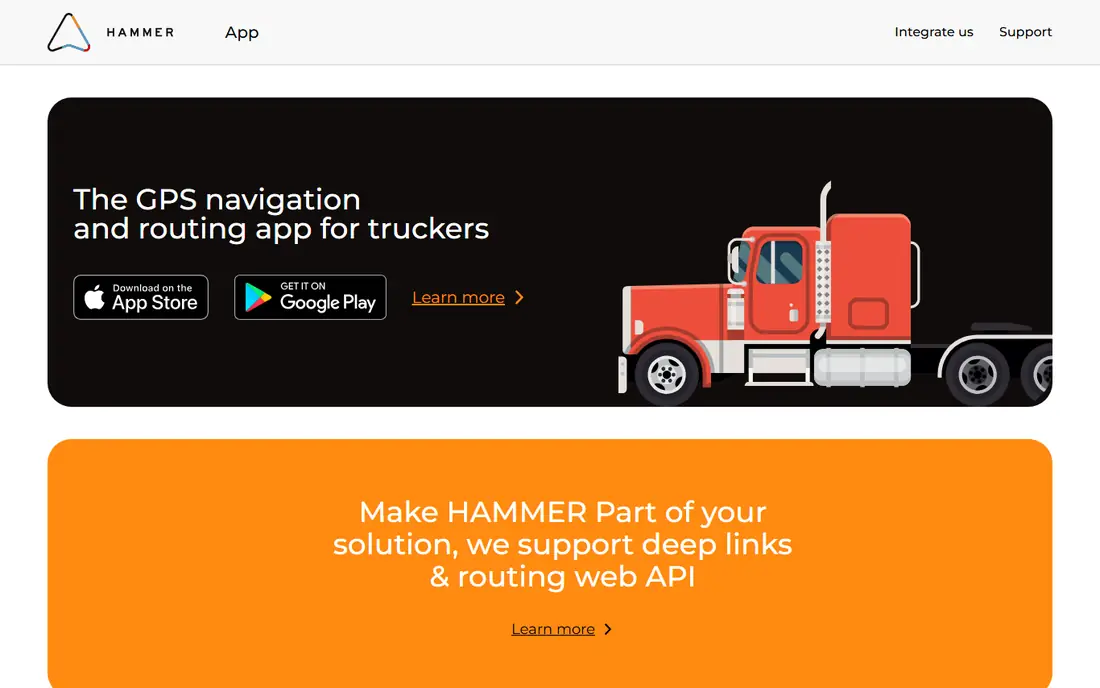
Hammer is our pick for a free truck GPS because it was built for commercial drivers, not adapted from a car app. You enter your truck height, weight, axles and hazmat load, and it builds a route that avoids low bridges and weight restricted roads. Offline maps help when signal drops, and weigh station alerts help you plan stops. Hammer is made by the TruckersReport community, which gives it a driver focused feel, with truck stops, fuel prices and parking information in the same app.
The honest catch is pricing detail. Hammer is pitched as completely free, with every core feature at no cost, but some App Store listings show in app purchases from $2.99 to $49.99, including a $4.99 monthly option and a $49.99 yearly option. Check the current store listing for your device before you assume every feature is free. Even with that caveat, Hammer is the best free starting point for a new driver or for a backup app on a second phone.
- Free core routing
- Offline maps
- Weigh station alerts
- No ads in its main pitch
- Some listings show in app purchases
- App can freeze in some user reports
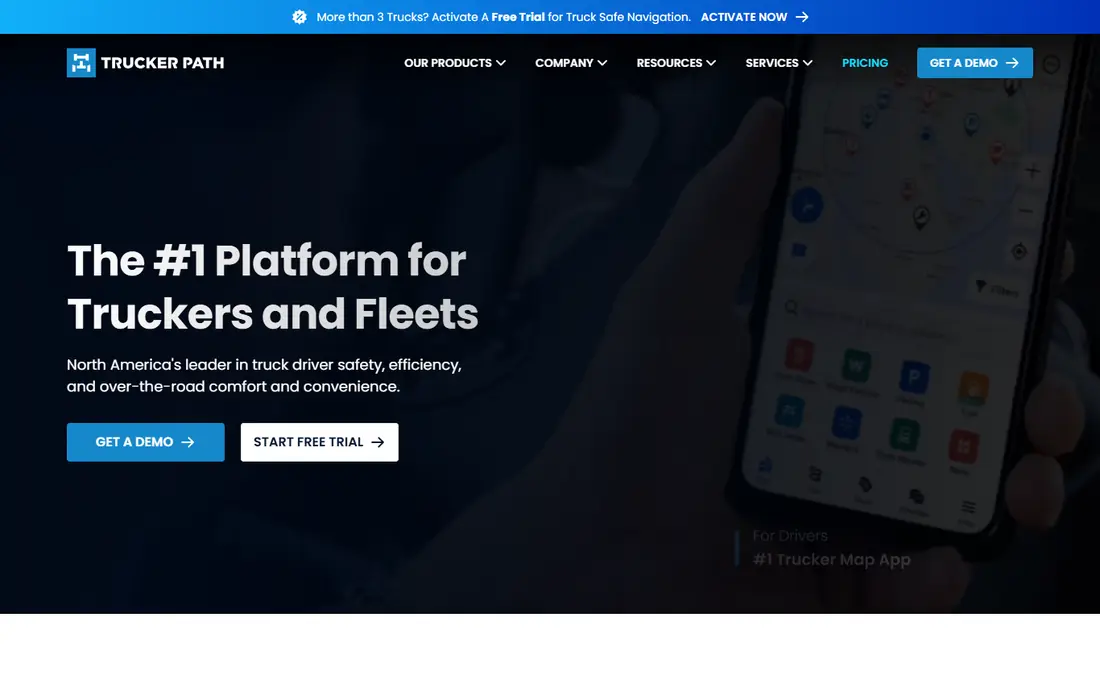
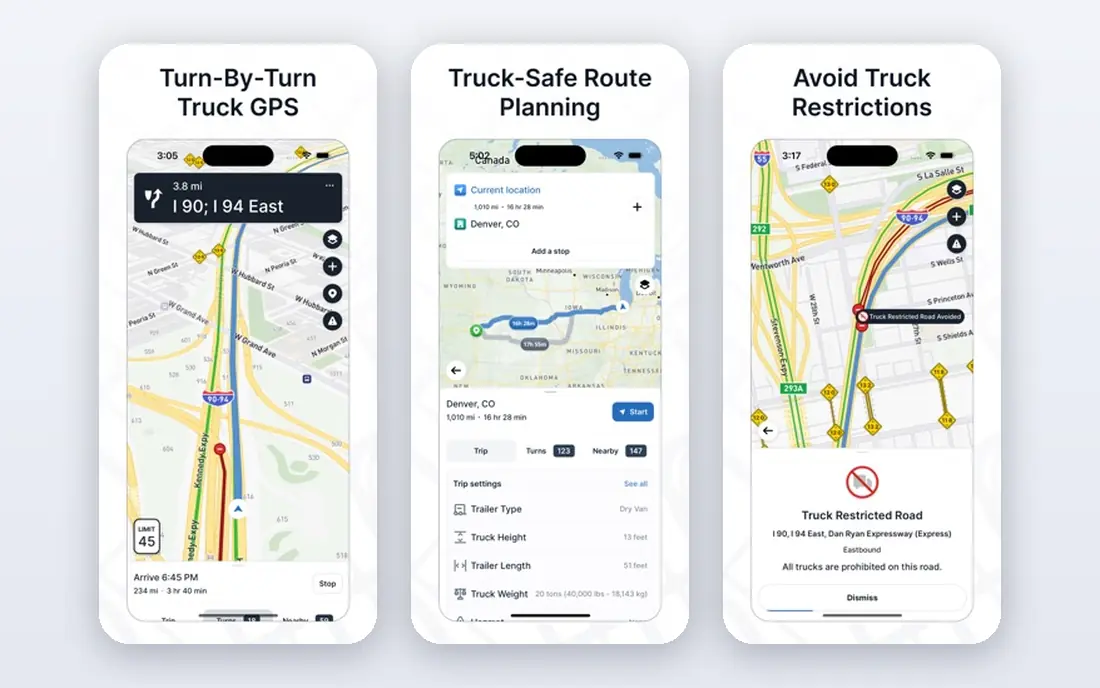
Trucker Path is the best pick if truck stops, parking and fuel matter as much as the route itself. Drivers use it to plan where to stop, where to fuel and where to park for a break, with updates from other drivers on parking availability and amenities. That community data helps for a long haul trip, where a planned stop that is full can ruin a schedule. The app also offers truck routing, so you can plan a trip and its stops in one place.
The free app covers a lot, but membership tiers with in app purchases from $1.99 to $149.99 are listed, and full features sit behind those tiers. Check which features you actually need, because parking and stop information may be enough without the top tier. For a driver who plans stops carefully, Trucker Path is the app to pair with a dedicated routing app, or to use as a main app for shorter trips.
- Large truck stop and parking database
- Driver updates
- Fuel and weigh station info
- Full membership features are paid
- Routing is one part of a larger app
TruckMap is a good free pick, especially for Android drivers who want truck routing plus a large database of truck related places. It routes by truck dimensions and restrictions, and it includes fuel, parking and service locations that matter on a long trip. For a driver who wants a free app without a subscription, TruckMap is a practical second test after Hammer, because its place database and routing feel can differ by region.
The trade-off is ads and plan terms. TruckMap is free to download, with ads in the free version, and the current App Store listing should be checked for truck plan terms before you rely on it for a paid job. Ads are less of a problem on a short trip, but they can distract on a long, complex route. Test TruckMap on a familiar route first, compare its route with Hammer, and keep the app that gives you the clearer, safer route for your truck.
- Free truck routing
- Large point of interest database
- Android focus
- Ads in the free version
- Check current truck plan terms in the store listing
Sygic Truck is our pick for offline navigation, especially in rural areas or on routes with poor signal. You can download maps in advance, including a large United States map, and navigate with no cell signal. Truck routing uses vehicle attributes, live traffic where available, and hazmat types, with speed camera and hazard alerts. That offline strength matters when a route crosses dead zones, because a cloud only app can leave you without guidance at the worst moment.
Pricing is listed with a free download and a 7-day Premium test drive, then monthly from $9.99 and an annual truck navigation pass at $69.99 in recent App Store comparisons. Map downloads are large, so download them on Wi-Fi before a trip and keep enough phone storage free. For a driver who regularly runs rural routes, Sygic's offline reliability is worth the paid plan. For city routes with good signal, a free app may be enough.
- Strong offline maps
- Truck attributes and hazmat routing
- Live traffic where available
- Large map downloads
- Annual truck pass is $69.99 in recent listings
CoPilot GPS is a long standing name in commercial navigation, and its strength is detailed truck profiles. You can set height, weight, length, axles and load type in detail, and CoPilot builds routes that respect those limits, with offline maps and lane guidance. Fuel efficient routes help for long trips where a small saving per mile adds up. For a fleet or an owner operator who wants a professional grade profile system, CoPilot is a solid choice.
The catch is cost and ratings. Full truck features need a subscription, so check the current App Store listing for the truck plan price before you budget. Recent comparisons also show lower store ratings than Hammer or Trucker Path, which suggests some users hit setup or routing issues. Test CoPilot on your real truck profile and on a familiar route before you pay for a year. If it matches your profile well, its detail is a strength. If it does not, a simpler free app may be safer.
- Highly custom truck profiles
- Offline maps
- Lane guidance and fuel efficient routes
- Subscription needed for full truck features
- Ratings are lower than some rivals
TomTom GO Expert suits drivers who run international or European routes and want TomTom maps and traffic with truck routing. The truck subscription is listed at $19.99 for one month or $89.99 for 12 months in recent App Store comparisons, which gives a clear yearly saving. TomTom's traffic data and map quality are strong, and the app is built for professional drivers, not just for car users. For a driver who crosses borders often, that map consistency helps.
The trade-off is price. At $19.99 per month, TomTom GO Expert costs more than a free app, so it needs to earn its place on routing quality or on coverage in your regions. Check truck coverage for the countries you actually drive, because coverage varies. For a United States only driver, Hammer or Sygic may be better value. For a driver with European routes, TomTom's maps and truck data are worth a trial.
- TomTom maps and traffic
- Truck subscription with clear monthly and yearly prices
- Offline options
- Price is higher than free rivals
- Truck coverage varies by region
SmartTruckRoute is a useful pick for owner operators who want truck routing plus trip planning in one app. It routes by truck dimensions and restrictions, and it adds trip tools that help you plan fuel, stops and delivery times. That planning view helps when a trip has multiple drops, because a route that looks good on a map can fail on timing or parking if stops are not planned. For a driver who plans the whole day, not just the next turn, that extra planning matters.
Pricing and plan terms vary by platform and region, so check the current store listing before you budget. SmartTruckRoute is less widely reviewed than Hammer or Trucker Path, so test it on a familiar route and compare its route, ETA and stop suggestions with your main app. If it plans your day better, keep it. If its routing differs in a way you cannot explain, stick with the app you trust and use SmartTruckRoute as a backup.
- Truck specific routing
- Trip planning tools
- Useful for owner operators
- Pricing and plan terms vary
- Check store listing before you pay
PTV Navigator is the pick for international drivers who need multi country compliance, not just a route. It is built for professional truck navigation in Europe, with routes that respect truck restrictions across borders and with data for tolls, low emission zones and other rules that vary by country. For a fleet running cross border work, that compliance focus can prevent fines and delays that a simple routing app might miss.
The catch is simplicity and price. PTV Navigator is a professional tool, with pricing that is not as simple as a free app download, and setup takes more time than Hammer or TruckMap. Check the PTV site for current plans and coverage for your countries before you trial it. For a solo driver on domestic routes, a free app will be simpler and cheaper. For international work, PTV's compliance data is the reason to consider it.
- Strong European routes and multi country compliance
- Professional truck data
- Pricing is not simple for a solo driver
- Setup is more involved than a free app
How we picked these
We compared official feature pages, app store listings and recent driver comparisons, and we weighted truck profile detail, offline maps, parking and fuel data, and price. We looked for apps that route by height, weight, axles and hazmat, warn about restrictions, and show truck stops and weigh stations. We did not claim hands-on testing for every app, and prices change by platform, so check the vendor page or store listing before you pay. A truck route is a safety issue, not just a convenience, so test any app on a familiar route first.
How to set up a truck profile that keeps you safe
Enter your truck details exactly, not approximately. Height, weight, length, width, axles, trailer count and hazmat load all change the route, and a small error can send you onto a restricted road. Check the profile before every trip, especially if you switch trailers or loads. A route that was safe for an empty trailer may not be safe for a loaded one, and a route for one truck may not fit another.
Use two sources on an unfamiliar route
No app is perfect, and map data can lag behind road works or new restrictions. On an unfamiliar route, compare the truck app route with a second source, such as a state truck map, a road sign check or a fleet routing tool. Watch for low bridges, weight limits and hazmat bans on the route preview, not just during driving. If two sources disagree, stop and check before you proceed, rather than trusting the louder voice prompt.
Plan parking, fuel and breaks before you drive
A safe route is only part of a safe trip. Plan truck parking for your break, fuel stops that fit your truck, and weigh stations on the route, before you start. Trucker Path helps here, with driver updates on parking and amenities. Keep offline maps downloaded for the whole route, charge your phone, and keep a paper backup for key turns if you run rural roads. A plan made in advance is calmer than a search made at speed.
Frequently asked questions
What is the best truck GPS app?
Hammer is our pick for a free truck GPS, Trucker Path is the best pick for stops and parking, and Sygic Truck is the best pick for offline maps. CoPilot and TomTom GO Expert suit professional drivers who want detailed profiles or international maps. The best app depends on your routes, your phone and whether you need offline maps.
What is the best free truck GPS app?
Hammer is the best truly free pick in most comparisons, with truck routing, offline maps and weigh station alerts in its core pitch. TruckMap is another solid free option, with a large place database but ads in the free version. Check the current store listing for in app purchases, because free terms can change by platform.
What is the best GPS app for trucks on Android?
Hammer, TruckMap and Sygic Truck all work well on Android, with Hammer and TruckMap offering free starts. Elegant truck routing on Android depends on your region and truck profile, so test two apps on a familiar route and keep the one that gives the clearer route. Check offline map size and storage before a long trip.
Can I use Google Maps or Waze for a truck?
We do not recommend it for truck routing. Google Maps and Waze are car apps, with no truck profile for height, weight or hazmat in their main modes. A car route can send a truck under a low bridge or onto a weight restricted road. Use a truck app for the route, and use a car app only for general traffic information.
Do truck GPS apps work offline?
Some do, and Sygic Truck is the strongest offline pick in this list, with large downloadable maps. Hammer also offers offline maps, and CoPilot offers offline navigation. Download maps on Wi-Fi before a trip, and test offline mode on a short route before you rely on it in a dead zone.
How do I avoid low bridges with a truck GPS?
Enter your exact truck height in the app, check the route preview for low clearance warnings, and compare with a second source on unfamiliar routes. Keep your profile updated when you change trailers or loads, and do not override a warning without checking road signs. A truck GPS helps, but the driver still needs to watch signs and bridge heights.
Sources we checked (8)

Online Jobs is an independent blog about careers, online work, learning new skills and the tools that help people earn. More about us.
Keep reading
All posts
n8n Alternatives
n8n alternatives compared for 2026, with Zapier, Make, Activepieces, and more, covering visual builders, code steps, self-hosting, and pricing models.

ZoomInfo Alternatives
The best ZoomInfo alternatives in 2026, compared on price, free plans, data coverage, and which tool fits small teams or large sales teams best in detail.

Workday Alternatives
We compared the best workday alternatives for HR, payroll, and global hiring, from BambooHR and Gusto to Rippling, Deel, and HiBob for growing teams in 2026.