Best Translation App in 2026: 8 Apps Compared


Everyday travel and broad languages · Starting price: Free
How we put this together: we compare official feature and pricing pages, app store listings, privacy policies and public user reviews. Prices change, so check the provider's site before you pay.
Key takeaways
- Google Translate is the best free translation app for most everyday needs, thanks to broad language cover, camera translation, and offline packs.
- DeepL is the strongest choice for polished written translation in the languages it supports, especially for work documents and formal text.
- Microsoft Translator suits group conversations and Office users, while Papago suits Korean, Japanese, and Chinese language pairs.
- No app is perfect for nuance, idioms, or legal text, so check important translations with a human translator before you rely on them.
- Paid plans mainly add document translation, larger limits, and business controls, not a different core translation engine for casual users.
Quick comparison
| Name | Who it suits | Starting price | Free option | |
|---|---|---|---|---|
| Google Translate | Everyday travel and broad languages | Free | Yes | Visit |
 DeepL DeepL | Polished written translation | See website | Yes | Visit |
 Microsoft Translator Microsoft Translator | Group conversations and Office use | Free | Yes | Visit |
 iTranslate iTranslate | Fast mobile translation with offline packs | See website | Yes | Visit |
 Papago Papago | Korean, Japanese, and Chinese pairs | Free | Yes | Visit |
 Reverso Reverso | Context and learning examples | See website | Yes | Visit |
 Linguee Linguee | Word context from published texts | Free | Yes | Visit |
 Yandex Translate Yandex Translate | Broad language cover and website translation | Free | Yes | Visit |
The best translation apps
We compared official feature pages, app store listings, and pricing pages for apps that translate text, speech, images, or documents today. The best translation app depends on whether you are traveling, studying, working, or translating a document that other people will read.
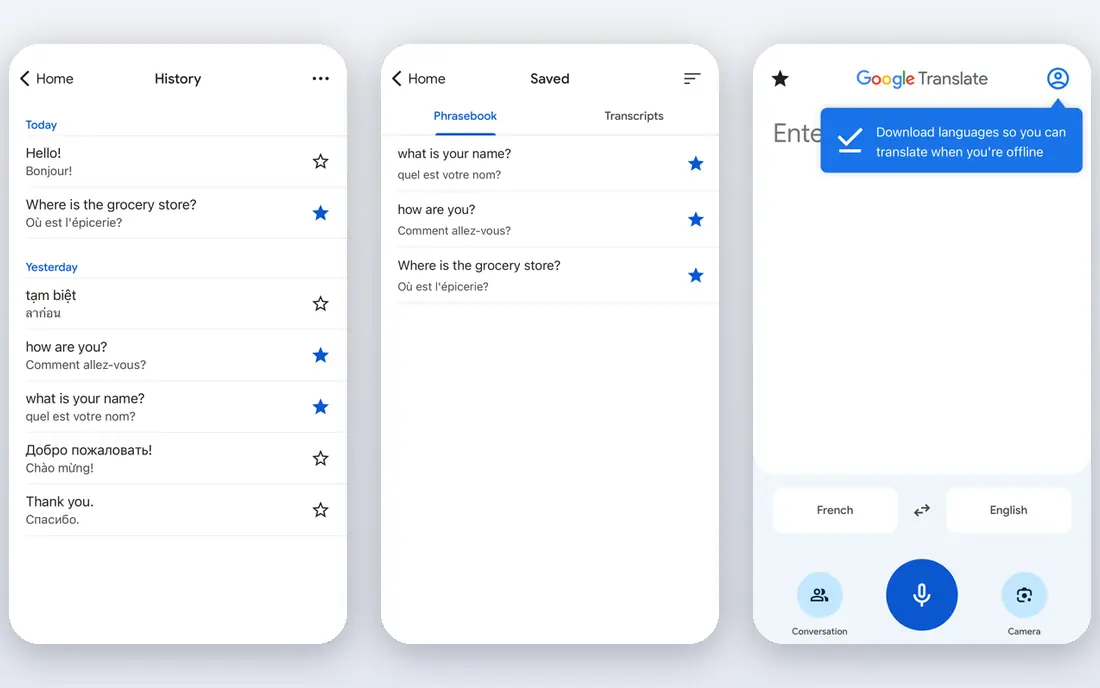
Google Translate is the default for a reason. It handles everyday text quickly, it covers a very large set of languages, and its camera mode is genuinely useful for menus, signs, and labels when you are traveling. Conversation mode also helps for short back and forth exchanges, and offline packs mean you can translate without a data connection if you download the language first.
The weakness shows up in longer writing. Idioms, humor, and formal business text can come out flat or slightly off, so you should not paste a contract or a job application into Google Translate and send the result without a check. For quick understanding, directions, and daily messages, though, it is hard to beat a free tool that works in so many places.
- Very broad language cover
- Camera and conversation modes
- Offline language packs
- Nuance and formal tone can be uneven
- Long or idiomatic text needs checking

DeepL is our pick for written work. Its translations often read more naturally than rivals, especially for European languages, and its document translation keeps much of the original formatting, which saves time when you work with reports or presentations. A glossary feature on paid plans lets you set preferred terms, which helps keep brand names and technical words consistent.
DeepL is not a travel app first. It covers fewer languages than Google, and it does not match Google for camera translation or broad offline use. If your main need is a polished email, article, or document in a supported language, DeepL should be first on your list. If you need a rare language on the street, keep Google Translate installed too.
- Natural sounding written output in supported languages
- Document translation keeps formatting
- Glossary controls on paid plans
- Fewer languages than Google
- Some features require a paid plan
- No camera mode like Google
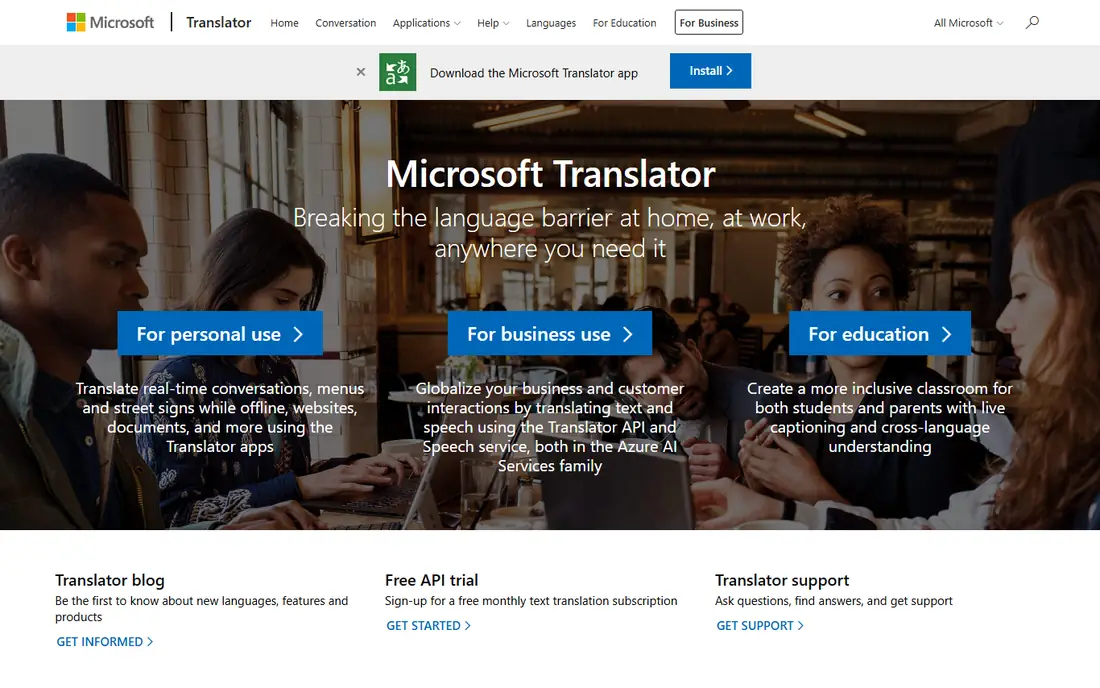
Microsoft Translator is a quiet, capable alternative to Google Translate. The free app translates text and speech, it offers offline packs for some languages, and its conversation mode lets several people join a translated chat from their own phones. That last feature is useful for meetings, classrooms, and family gatherings where not everyone shares a language.
For single documents, DeepL often produces a smoother result. Microsoft Translator also shines most if you already use Microsoft tools, since it connects with Office and other Microsoft services. If you want a free translator app that is strong for spoken conversations and group use, this is a solid second app to keep on your phone.
- Free app with speech and text translation
- Multi person conversation mode
- Works with Microsoft products
- Written nuance can lag DeepL
- Document features are more business focused
iTranslate is built for speed on a phone. You open it, speak or type, and get a result without digging through menus. Voice output, a phrasebook, and camera translation cover the main travel tasks, and offline packs on paid plans help when you have no signal. The design is clean, which matters when you are in a hurry in a station or a shop.
The catch is cost. The free version is useful, but the offline packs, unlimited camera use, and other extras sit behind a subscription. Since Google Translate offers much of this for free, iTranslate has to win on design and ease of use to justify payment. For readers who prefer a simple, focused app and do not mind paying, it is a pleasant choice.
- Fast and simple mobile design
- Voice and camera translation
- Offline modes on paid plans
- Best features require a subscription
- Free version is more limited than Google
Papago, made by Naver, is the app to try if your language pair involves Korean, Japanese, or Chinese. It handles the grammar and honorific levels in those languages with more care than a general translator often manages, and it offers text, voice, image, and conversation modes. A phrasebook and website translation add useful extras for study and travel.
Outside those core pairs, Papago is less of a standout. Its language list is smaller than Google, and some features vary by region. Still, for students, travelers, and workers dealing with East Asian languages, Papago is often more accurate in daily use than a general app. Pair it with Google Translate for rarer languages.
- Strong for Korean, Japanese, and Chinese
- Image and voice translation
- Phrasebook features
- Less strong outside Asian language pairs
- Some features are region dependent
Reverso is different because it shows you context, not just a single translation. When you look up a word or phrase, you see examples from published texts, which helps you judge tone, formality, and common usage. That makes it a strong learning tool, especially for French, Spanish, Italian, German, and other European languages.
As a straight document translator, Reverso is less polished than DeepL, and its free version has limits. Its value is in checking a tricky phrase before you use it, rather than translating a whole report in one pass. Language learners and writers who want to sound natural, not just correct, will get the most from Reverso.
- Real examples show how words are used
- Good for learners
- Grammar and conjugation tools
- Translation of long documents is weaker
- Some premium features require payment
Linguee, now linked with DeepL, works like a bilingual dictionary with examples. You search a word and see how it appears in translated texts, with notes on meaning and usage. That is useful when a word has several meanings and a single machine translation could mislead you. Professionals and students often use Linguee to check a term before they commit to it in a document.
Linguee is not meant to translate a full page in one click. It is a checking tool, best used alongside DeepL or Google Translate. If you translate for work or study and you care about getting a term right, keep Linguee open in a tab. If you only need a quick travel translation, a general app will be faster.
- Dictionary entries with real usage examples
- Strong for European languages
- Free to use
- Not a full document translator
- Language cover is narrower than Google
Yandex Translate is a free general translator with text, voice, image, and website modes. It is especially useful for Russian and languages spoken in Eastern Europe and Central Asia, where its output is often competitive with larger rivals. Website translation is a handy extra when you need to read a whole page in another language.
Quality varies, as it does with every free translator, and business users will miss DeepL document controls and glossaries. Yandex is best as a free backup or as a primary app for its strongest language pairs. For a best free translation app that covers a wide set of languages without a subscription, it deserves a place on this list.
- Free text, voice, and image translation
- Website translation
- Strong for Russian and nearby languages
- Quality varies by language pair
- Fewer business document features than DeepL
How we picked these
We compared official feature pages, app store listings, and pricing pages for translation apps and tools that work today on mobile or web in the United States. We looked for real language cover, at least two input modes such as text, voice, camera, or document, and a free way to try the service. We left out tools that only offer an API with no consumer app, and tools that were no longer maintained. Where we could not confirm a current price on the vendor site or app store listing, we wrote See website.
How to choose a translation app or tool
Start with the language pair, not the brand. A tool that is excellent for French to English may be weak for Korean to English, so test your own sentences before you rely on it. Then check the mode you need most: camera for travel, conversation for meetings, document for work, or dictionary context for study.
Free versus paid translation
Free apps cover travel, study, and daily messages well. Paid plans add document translation, larger character limits, glossaries, and business controls such as team management and data controls. If you translate documents for clients, a paid plan can save editing time. If you translate for travel, free is usually enough.
Accuracy checks that help
For important text, translate it back into the original language and see if the meaning survives. Check key terms in Reverso or Linguee, and ask a native speaker or professional translator to review contracts, medical forms, immigration documents, and published work. Machine translation is a draft tool, not a final authority, and that limit matters most when the stakes are high.
Offline and privacy notes
Download offline packs before a trip, since data and roaming may be limited. Also note that free translation services may process your text on their servers, so avoid pasting passwords, private messages, or sensitive business documents into a free web translator. Paid business plans often offer stronger data controls, so check the privacy policy for the plan you actually use.
Frequently asked questions
What is the best translation app?
Google Translate is the best translation app for most people, thanks to broad language cover and free camera, voice, and offline modes. DeepL is better for polished written work in supported languages, and Papago is better for Korean, Japanese, and Chinese pairs.
What are the best translation apps for free?
Google Translate, Microsoft Translator, Papago, Linguee, and Yandex Translate all offer useful free versions. Google covers the most languages for free, while Microsoft is strong for conversations and Papago is strong for East Asian languages.
What is the best translator app for travel?
Google Translate is the strongest travel choice, with camera translation for signs and menus, conversation mode, and offline packs. iTranslate is a simpler paid alternative if you prefer its design, but Google covers more for free.
What is the best translation software for documents?
DeepL is the strongest document choice in this list, thanks to natural written output, formatting preservation, and glossary controls on paid plans. For a single short document, Google Translate or Microsoft Translator may be enough, but check the result carefully.
What are the best translation platforms for business?
DeepL and Microsoft Translator are the strongest business platforms here, with paid plans, document tools, and admin controls. For high stakes work, use machine translation as a draft and have a professional translator review the final text.
Is there a best translate app for learning a language?
Reverso and Linguee are the best learning aids here, because they show real examples and context for words. Pair them with a general translator for daily use, and use the context tools to check tone and meaning before you use a new phrase.
Sources we checked (8)

Online Jobs is an independent blog about careers, online work, learning new skills and the tools that help people earn. More about us.
Keep reading
All posts
Best Writing Software
Looking for the best writing software in 2026? We compared 9 writing apps for books, articles and screenplays on price, features and fit. All verified.

Best Weather Apps
Searching for the best weather app? We compared eight top weather apps for accurate forecasts, radar, severe alerts, and daily planning near you today.

Best Video Editing Software
We compared the best video editing software for beginners and pros, checking official pricing, free plans and honest limits before ranking all nine editors.