Best Tools for HR Analytics in 2026: 8 Tools Compared

How we put this together: we compare official feature and pricing pages, app store listings, privacy policies and public user reviews. Prices change, so check the provider's site before you pay.
Key takeaways
- Visier is the most analytics-focused tool here, built for headcount, turnover and workforce planning rather than general HR administration.
- Workday suits large enterprises that already run HR and finance together, while BambooHR suits smaller teams that need reports without enterprise complexity.
- BambooHR publishes pricing, with Core at $10 per employee per month, Pro at $17 and Elite at $25, which makes budgeting far easier than quote-only tools.
- Most enterprise HR analytics pricing is quote based, so ask for the full cost including implementation, data connectors and per-employee fees before signing.
- Clean HR data matters more than dashboards, so fix job titles, locations and manager hierarchies before buying an analytics layer.
Quick comparison
| Name | Who it suits | Starting price | Free option | |
|---|---|---|---|---|
 Visier Visier | Deep workforce analytics | See website | No | Visit |
 Workday Workday | Enterprise HR and finance | See website | No | Visit |
 BambooHR BambooHR | Small team HR reports | $10 per month | Free trial | Visit |
 Lattice Lattice | Performance and engagement data | See website | No | Visit |
 Culture Amp Culture Amp | Engagement and survey analytics | See website | No | Visit |
 ChartHop ChartHop | Org charts and headcount planning | See website | No | Visit |
 HiBob HiBob | Mid-size team people analytics | See website | No | Visit |
 Rippling Rippling | HR, IT and finance in one system | $8 per month | Free trial | Visit |
The best tools for hr analytics
HR analytics tools turn headcount, hiring, turnover, pay and engagement data into answers a leadership team can act on. The tools below range from pure analytics platforms to HR systems with strong reporting, so pick by company size, data quality and the questions you actually need answered.
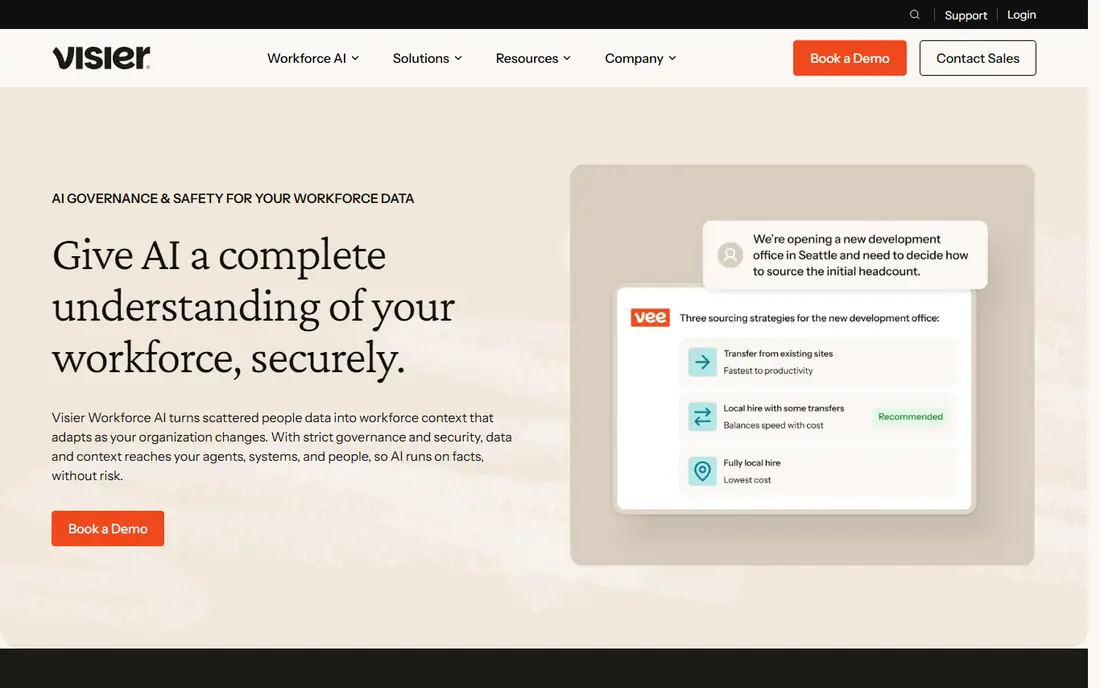
Visier is the analytics-first choice on this list, because it is built to answer workforce questions rather than to run payroll or time off. It connects HR, recruiting and other people data, then offers prebuilt metrics for headcount, turnover, time to hire, span of control and workforce diversity, with planning tools for future headcount scenarios. That focus suits HR leaders who need board-ready answers, not just a report builder.
The trade is cost and setup. Pricing is quote based and depends on headcount and modules, and the value depends on data quality, so messy job titles or missing manager data will weaken every metric. If your company is large enough to have a dedicated people analytics role, or a clear set of questions that spreadsheets cannot answer, Visier is the strongest pure analytics pick here.
- Purpose-built workforce analytics and planning
- Prebuilt metrics for turnover, hiring and diversity
- Strong data connectors
- Quote-only pricing
- Implementation takes planning and clean data
- More than a small team needs
Workday suits large, often multinational companies that want HR analytics inside the same system that runs HR and finance. People analytics, workforce planning and skills data sit alongside core HR, payroll and talent tools, which means reports can draw on a single source of truth rather than a patchwork of exports. That unity is valuable when finance and HR need to agree on headcount costs and plans.
The honest catch is scale. Workday pricing is custom and implementation commonly takes six to nine months for a full rollout, with change management on top. A company under a few hundred people will usually get faster value from BambooHR, HiBob or Rippling, while a large enterprise that already runs Workday should use its analytics before adding a separate platform.
- HR, finance and planning in one enterprise system
- Strong workforce forecasting and skills data
- Global scale
- Quote-only enterprise pricing
- Implementation can take months
- Too heavy for small teams
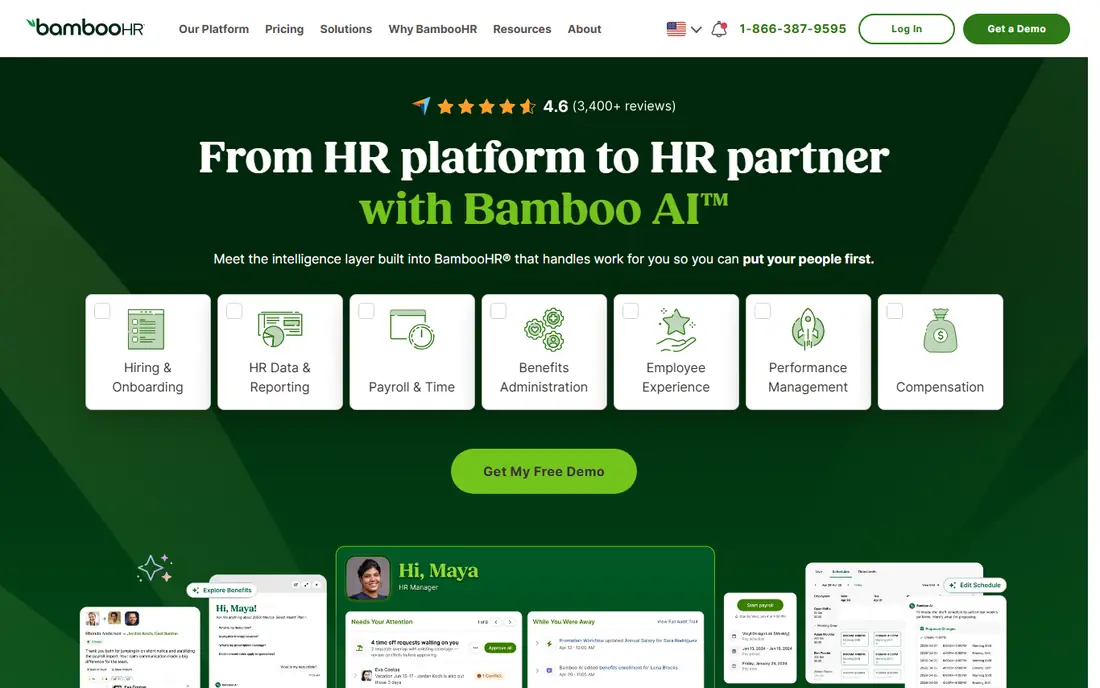
BambooHR is the most practical starting point for a small or mid-size team that wants HR reporting without an enterprise project. Core HR data, time off, hiring and onboarding live in one simple system, and standard reports cover headcount, turnover and time off without a data analyst. A 7-day free trial lets a team test the interface before committing.
Pricing is unusually clear for this category. Core costs $10 per employee per month, Pro costs $17 and adds performance management, and Elite costs $25 and adds compensation planning, salary benchmarking and advanced analytics, with a flat rate starting at $250 per month for teams of 25 or fewer. The limit is depth: BambooHR reports well on what it stores, but it is not a dedicated analytics engine like Visier, so large companies with complex planning needs will outgrow it.
- Published per-employee pricing
- Easy reports on headcount and turnover
- Simple interface that HR teams actually use
- Advanced analytics and benchmarking sit on the top tier
- Payroll and benefits are add-ons
- Global payroll is limited
Lattice suits companies that want analytics on how people are performing and feeling, rather than just headcount and pay. Performance reviews, goals, one-to-ones and engagement surveys feed into dashboards that show review completion, survey trends and team strengths, which helps managers act on results instead of filing them away. That loop is where Lattice earns its place on an HR analytics list.
The catch is scope. Lattice analytics are strongest on performance and engagement, so workforce planning, pay equity and hiring funnel analysis still need another system or a manual export. Pricing is also largely quote based, so ask for the full per-employee cost across the modules you need, and commit to regular review and survey cycles, since analytics without fresh data quickly go stale.
- Performance reviews, goals and engagement surveys in one place
- Clear analytics on review and survey results
- Good manager tools
- Pricing is quote based for most plans
- Analytics focus on performance and engagement, not full workforce planning
- Needs regular review cycles to be useful
Culture Amp is built around employee listening: engagement surveys, lifecycle surveys and performance feedback, with analytics and benchmarks that help HR teams spot trends across teams, locations and manager groups. Its benchmarking against similar companies gives context that a raw survey score lacks, and leader reports make results easier to share without exporting data into slides.
The limit is that Culture Amp is not a full HR system, so headcount, pay and hiring data must come from elsewhere, either by integration or by manual work. Pricing is quote based, which makes early budgeting harder, and survey fatigue is a real risk if a company runs too many surveys without acting on results. Use it when engagement and retention questions are the priority, and pair it with a solid HR system of record.
- Strong employee survey design and benchmarking
- Analytics that link engagement to turnover signals
- Good reporting for leaders
- Quote-only pricing
- Survey analytics need regular surveys to stay useful
- Less of a core HR system than BambooHR or Workday
ChartHop turns HR data into org charts and headcount plans that HR and finance can actually share. Instead of a static chart in a slide deck, managers see a live view of teams, roles, locations and compensation bands, and planners can model hires, transfers and departures against a budget. That shared view reduces the usual back-and-forth between HR headcount plans and finance forecasts.
Pricing is quote only, and third-party sites disagree on entry prices, so treat any number you see elsewhere as unconfirmed and get a written quote. Setup also matters: org data, job levels and compensation fields must be mapped cleanly, or the charts will mislead. For teams of around 100 or more where HR and finance plan together, ChartHop is a strong visual planning tool.
- Visual org charts that update from HR data
- Headcount planning shared by HR and finance
- Plain-language questions across people data
- Quote-only pricing with conflicting third-party price claims
- Setup takes time to map data correctly
- Smaller vendor than Workday or Visier
HiBob, often called bob, suits mid-size companies that have outgrown spreadsheets and small HR tools but do not want a full enterprise suite. Core HR, time off, performance and engagement data live in one modern interface, and reporting covers headcount, turnover, diversity and team trends without a separate analytics purchase. Its design is notably easier for managers and employees to use than older enterprise systems.
Pricing is quote based, so budget conversations need a sales call, and payroll coverage varies by region, often through partners rather than HiBob itself. That is a normal trade for a mid-market HR platform, but it means the total cost includes partner fees in some countries. If your team is growing fast, works across countries and needs usable reports without enterprise weight, HiBob is a strong shortlist pick.
- Modern HR system with strong reporting
- Good for mid-size and multinational teams
- Culture and engagement tools included
- Quote-only pricing
- Implementation and integrations need planning
- Payroll is handled through partners in many regions
Rippling stands out because it joins HR with IT and finance workflows, so onboarding can create accounts, assign devices and set payroll in one flow, and offboarding can revoke access just as cleanly. That automation saves real time in growing tech companies, and its reporting draws on HR, device and spend data together. HR-only pricing starts at $8 per employee per month, with HR plus IT at $14 and a full stack at $22 in published 2026 comparisons.
The catch is modular cost. The entry price covers HR only, and adding IT, finance, payroll and global employment modules pushes the per-employee total well above $8. HR depth is also thinner than Workday or BambooHR in some areas, so check the specific workflows you need before assuming one platform replaces everything. For a tech-forward team that values automation, Rippling is a compelling analytics and operations choice.
- HR, IT device management and spend in one platform
- Published starting prices
- Strong automation for onboarding and offboarding
- Modular pricing climbs past the entry number
- HR depth is thinner than enterprise suites
- Full-stack pricing is quote based
How we picked these
We compared official feature pages, pricing pages, documentation and public reviews for HR analytics tools that were live in October 2026. We kept tools that answer real workforce questions, whether as pure analytics platforms or as HR systems with strong reporting, and we favoured a range from small team tools to enterprise suites. Where pricing is quote based we say so plainly instead of repeating unconfirmed third-party figures, and where pricing is published, such as BambooHR and Rippling entry tiers, we give the list rate.
What to check before you buy
Define the questions first
Write down five questions the tool must answer, such as why turnover rose in one team, where hiring is slowest, or whether pay bands are consistent. Then ask each vendor to answer those questions with your data in a trial or demo, rather than accepting a generic dashboard tour. A tool that answers your five questions is worth more than one with fifty metrics you will never open.
Audit your data before implementation
Check job titles, departments, locations, manager links and start dates for duplicates and gaps, and agree on definitions for turnover, headcount and time to hire. Two teams using different definitions will argue about the dashboard instead of acting on it. A short data cleanup before rollout saves months of distrust later.
Price the whole system, not the entry tier
Ask for implementation fees, data connector costs, per-employee fees at your actual headcount, and the cost of each module you plan to use in year two. Quote-only tools can look cheap in a demo and expensive in a contract, so get the full three-year cost in writing and compare it against the published pricing of tools such as BambooHR and Rippling.
Frequently asked questions
What is the best HR analytics tool?
Visier is the strongest pure analytics platform for deep workforce questions, while Workday suits large enterprises and BambooHR suits smaller teams. The best tool depends on company size, data quality and whether you need analytics alone or a full HR system with reporting built in.
How much does HR analytics software cost?
It varies widely. BambooHR starts at $10 per employee per month, Rippling HR starts at $8 per employee per month, and enterprise tools such as Visier, Workday, Lattice and Culture Amp are quote based. Always ask for implementation, connector and module costs, since the entry price rarely covers the full system.
Can small businesses use HR analytics tools?
Yes. BambooHR and Rippling offer published entry pricing and reporting that suits teams under a few hundred people, and a 7-day trial or free trial helps test fit. Small teams should start with headcount, turnover and time off reports, and add deeper analytics only when those basics are clean and regularly used.
What metrics should HR analytics track?
Start with headcount, hiring volume and time to hire, voluntary turnover by team and tenure, absence, and pay distribution by role and level. Add engagement survey trends and manager span of control once the basics are trusted. Agree on definitions first, so every team reads the same number the same way.
Is Visier better than Workday for analytics?
Visier is more focused on workforce analytics and planning as a standalone product, while Workday analytics sit inside a much larger HR and finance system. A company already running Workday may get enough analytics without a second platform, while a company with a different HR system may prefer Visier for depth and prebuilt metrics.
How long does HR analytics implementation take?
Small tools such as BambooHR can go live in weeks, mid-market tools in one to two months, and enterprise suites such as Workday in six to nine months. Data cleanup, integrations and training drive most of the timeline, so a vendor quote that ignores data quality is likely optimistic.
Sources we checked (8)

Online Jobs is an independent blog about careers, online work, learning new skills and the tools that help people earn. More about us.
Keep reading
All posts
Best White Label SEO Companies
We compare the best white label SEO companies and tools in 2026 for agencies, from fulfilment services to branded reporting platforms, margins and prices.
Best Webinar Software
We compared the best webinar software for 2026 on price, attendee limits, automation and ease of use, to help you host better live sessions with confidence.

Best Web Scraping Tools
Compare the best web scraping tools in 2026, from no-code Octoparse and Browse AI to Apify, Firecrawl, Bright Data, Zyte, ScraperAPI and free Scrapy, with prices.