Best Tools for Coding Collaboration in 2026: 8 Tools Compared

How we put this together: we compare official feature and pricing pages, app store listings, privacy policies and public user reviews. Prices change, so check the provider's site before you pay.
Key takeaways
- GitHub, GitLab, and Bitbucket cover version control and code review, which remain the backbone of team coding.
- Visual Studio Code Live Share and JetBrains Code With Me suit live pair programming inside a real editor.
- Replit and CodePen suit browser-based collaboration, especially for teaching, prototypes, and front-end work.
- Pick one system for review and one for live work, because too many collaboration channels split discussion and decisions.
Quick comparison
| Name | Who it suits | Starting price | Free option | |
|---|---|---|---|---|
 GitHub | Pull requests and open source | Free | Yes | Visit |
 GitLab | All-in-one DevOps platform | Free | Yes | Visit |
 Visual Studio Code Live Share | Live pair programming in VS Code | Free | Yes | Visit |
 JetBrains Code With Me | Live work in JetBrains IDEs | See website | Yes | Visit |
 Replit | Browser-based team coding | Free | Yes | Visit |
 GitHub Codespaces | Cloud development environments | See website | Free trial | Visit |
 Bitbucket | Git hosting for small teams | Free | Yes | Visit |
 CodePen | Front-end prototyping together | Free | Yes | Visit |
The best tools for coding collaboration
Coding together means more than sharing a screen. Teams need version control, review, live editing, and a shared environment that runs the same way for everyone. We picked tools that cover those jobs, from pull requests to browser coding, and noted where each one fits best.
GitHub is the default meeting place for code collaboration. Developers fork or branch a repository, open a pull request, discuss changes line by line, and merge when review passes. Issues track bugs and ideas, while Actions can run tests automatically on each change. That workflow scales from a solo project with a friend to a large open source project with hundreds of contributors. The trade is that GitHub does a lot, but not everything, in depth. Teams that need heavy project planning, time tracking, or product roadmapping often pair it with another tool. For code review and version control, though, GitHub remains the safest shared language: most developers already know it, and most hiring, teaching, and open source work assumes it.
- Huge community and open source ecosystem
- Pull requests, issues, and Actions for review and automation
- Free plan for public and private repos
- Advanced organisation controls and larger storage need paid plans
- Issue tracking is lighter than a dedicated project tool for some teams

GitLab appeals to teams that want code, testing, deployment, and planning in one system. Merge requests work much like pull requests, while built-in CI pipelines can test and deploy code without a separate service. Issues, milestones, and wikis keep planning near the code, which helps teams that dislike stitching five tools together for one release. That breadth can feel heavy at first. A small team may only use repos and merge requests for months, while the rest of GitLab waits unused. Self-hosting adds control for regulated teams, but it also adds updates and backups to manage. If your team wants one platform from commit to deploy, GitLab is a strong pick. If you only need hosting and review, a simpler tool may feel lighter.
- Git hosting plus CI, issues, and wikis in one place
- Self-hosting option
- Strong merge request and pipeline views
- Interface holds many features, so new teams need time to learn it
- Self-hosting adds maintenance work
Visual Studio Code Live Share
Who it suits: Live pair programming in VS Code
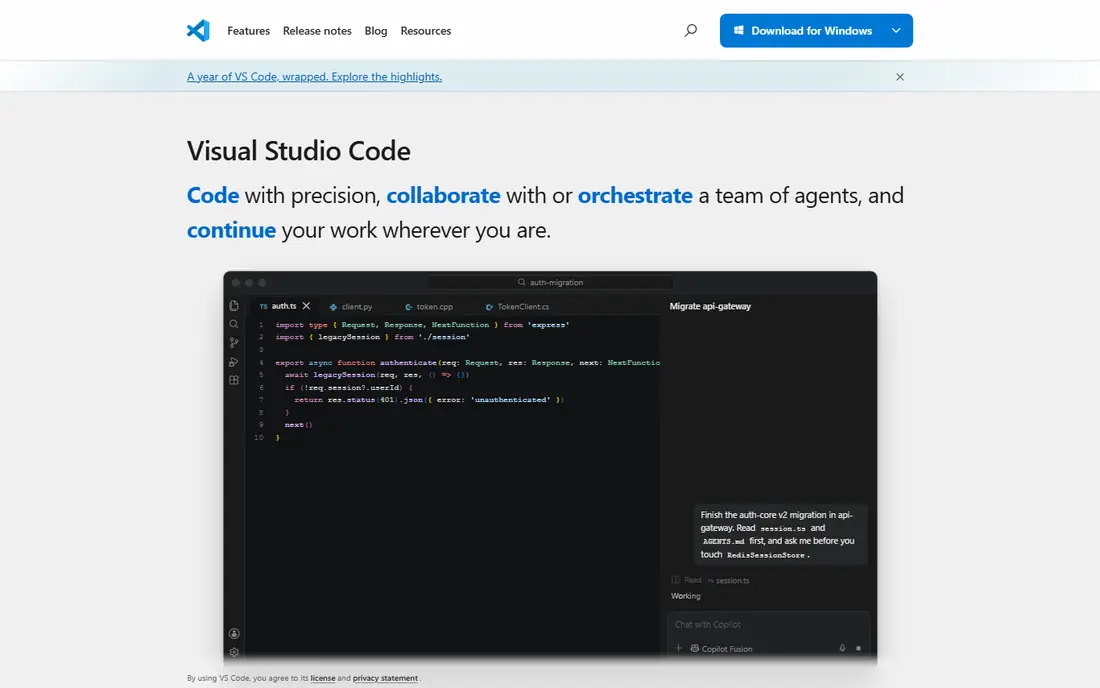
Visual Studio Code Live Share turns pair programming into a shared editor session. A host shares a project, guests join, and everyone can edit, follow a cursor, share a terminal, and debug together without cloning the whole setup. That helps when onboarding a new developer, fixing a tricky bug together, or reviewing code live rather than through comments alone. Live Share works best inside VS Code, so teams on other editors need a different live tool. A weak network or a slow host can also make the session feel laggy, and guests still need VS Code installed. For VS Code teams, though, it is one of the easiest ways to code together in real time, because it uses the editor the team already opens each day.
- Live shared editing, debugging, and terminal in VS Code
- Guests do not need the full project setup
- Free with VS Code
- Tied to VS Code
- Session quality depends on network and host machine
JetBrains Code With Me brings live collaboration to IntelliJ IDEA, PyCharm, WebStorm, and other JetBrains IDEs. A host can share a project for joint editing, follow mode, and shared debugging, while guests join without a full local setup. For teams already invested in JetBrains tools, that native feel matters, because language intelligence, refactoring, and debugging stay inside the familiar IDE. The important caveat is longevity. JetBrains has published plans that affect Code With Me support in future, so teams should check the current official status and timeline before making it a core workflow. If support fits your planning horizon, it remains a strong live tool for JetBrains shops. If you need a long-term guarantee, pair it with a Git-based review workflow that will survive any single live tool.
- Live collaboration inside JetBrains IDEs
- Shared editing and debugging
- Guest mode for light participation
- JetBrains has signalled changes to Code With Me support, so check current status before building a workflow around it
- Guests need compatible access
Replit removes setup friction. Everyone opens the same workspace in a browser, edits together, runs the code, and sees the result without installing a toolchain. That makes it strong for classes, hackathons, interviews, and quick prototypes, where getting started matters more than deep IDE power. Multiplayer editing, comments, and built-in hosting keep a small project moving fast. Serious production work is a different story. Large codebases, heavy builds, and strict deployment needs often fit a local IDE and a proper CI pipeline better. Replit also charges for higher collaborator counts and resources, so a growing team should check plan limits early. Use Replit where speed and access matter most, and move to a full repo workflow when the project grows up.
- Code together in a browser with no local setup
- Built-in running, hosting, and AI help
- Good for teaching and prototypes
- Larger or performance-sensitive projects may outgrow browser workspaces
- Paid plans are needed for more collaborators and resources
GitHub Codespaces gives every developer the same cloud environment for a repository, defined in code. That solves a classic collaboration problem: code that works on one laptop but fails on another because of different versions, tools, or settings. New joiners can start in a browser or in VS Code, run tests, and open a pull request without a long setup guide. The cost model needs care. Codespaces charges by usage, so idle machines and large specs add up if no one stops them. Teams should set timeouts, pick sensible machine sizes, and teach the habit of stopping a codespace when work ends. For teams already on GitHub, Codespaces is a strong way to make collaboration consistent. For teams outside GitHub, the setup value is lower.
- Consistent cloud dev environments for a repo
- No local setup drift
- Integrates with GitHub pull requests and review
- Usage-based pricing can surprise teams that leave machines running
- Needs a GitHub workflow to get full value
Bitbucket suits teams that already live in Atlassian tools. Pull requests, branch permissions, and pipelines cover the core collaboration workflow, while Jira links connect code changes to tickets and Confluence links connect them to docs. For a small team on Jira, that tight loop can feel smoother than stitching separate tools together. The trade is ecosystem and community size. Public open source work and third-party integrations tend to centre on GitHub, so Bitbucket teams may find fewer ready-made templates and community examples. If your team plans to hire widely or publish open source, weigh that network effect. If your team already runs on Atlassian, Bitbucket is a natural and capable fit.
- Git hosting with pull requests and pipelines
- Works well with Jira and Confluence
- Free plan for small teams
- Community and public open source presence are smaller than GitHub
- Some integrations favour the Atlassian ecosystem
CodePen is the sketchpad of front-end collaboration. You write HTML, CSS, and JavaScript in panes, see the result instantly, and share the pen for feedback or live collaboration. Designers and developers can test an animation, a layout idea, or a small component together without setting up a project. That speed makes CodePen useful for interviews, teaching, bug demos, and design reviews. It is not a place to build a full application. Back-end code, databases, and complex build steps belong elsewhere, and a CodePen prototype usually needs rebuilding in a real project. Use CodePen for the front-end idea stage, get agreement on look and behaviour, then move the approved work into your main repository. For that narrow job, few tools are faster or clearer.
- Live front-end editing with instant preview
- Collab Mode for shared pens
- Great for demos, interviews, and design feedback
- Focus is HTML, CSS, and JavaScript in the browser
- Not a full app development environment
How we picked these
We compared official feature pages, pricing pages, and documentation for tools that support shared code work, including version control, review, live editing, and shared environments. We favoured products that are actively maintained, that work with common Git workflows, and that cover a distinct collaboration style rather than duplicating the same feature. Where pricing could not be confirmed from the vendor site at the time of writing, we listed it as See website. We did not claim hands-on testing, and we flagged the Code With Me support question because it affects long-term planning.
How to choose the right option
Separate review from live work
Most teams need two modes: careful review through pull requests, and fast live help through shared editing. Do not force one tool to do both badly. Use GitHub, GitLab, or Bitbucket for review, and add Live Share, Code With Me, or Replit for live sessions when they help. Clear roles keep discussion in the right place.
Agree on branch and review rules early
Tools cannot fix unclear rules. Agree on branch names, review approvals, test requirements, and merge habits before a project grows. A small team with clear rules will collaborate better on a simple tool than a large team with no rules on a powerful platform. Write the rules in the repo readme so new joiners find them.
Test the environment, not just the editor
A shared editor feels good in a demo, but a shared environment saves time every day. Check that a new joiner can run tests, build the app, and open a pull request on day one. If setup takes days, Codespaces or a well-documented repo setup may matter more than another live editing feature.
Frequently asked questions
What is the best tool for coding collaboration for beginners?
Beginners often do best with GitHub for version control and Replit for live practice, because both have large tutorial communities. Start with small repos, practice pull requests, and use live sessions for pair learning. Once Git feels comfortable, add a cloud environment or a specialist IDE workflow.
Is live pair programming better than pull request review?
They serve different purposes. Live sessions help with learning, debugging, and tricky design choices, while pull requests give careful, async review with a written record. Most strong teams use both: live work for speed and teaching, and pull requests for quality, testing, and a history of decisions.
Do I need a paid plan to collaborate on code?
No, for most small teams. GitHub, GitLab, Bitbucket, Replit, and CodePen all offer free plans that cover private or public collaboration at small scale. Paid plans add more collaborators, storage, controls, and support, so check limits only when your team or project outgrows the free tier.
How do teams avoid merge conflicts?
Keep branches small and short-lived, pull main changes often, and communicate before editing the same files. Small, focused pull requests merge more cleanly than large ones that touch many areas. Automated tests also help, because they catch breakage before a merge rather than after.
What is the difference between GitHub and GitLab?
Both host Git repos and support merge and pull request workflows. GitHub has the larger open source community, while GitLab packs more DevOps features, including CI and planning, into one platform with a self-hosting option. The best choice often depends on whether your team values community reach or an all-in-one pipeline more.
Sources we checked (8)

Online Jobs is an independent blog about careers, online work, learning new skills and the tools that help people earn. More about us.
Keep reading
All posts
Replit Alternatives
Replit alternatives for 2026 compared: browser coding, AI app builders and team workspaces, with free plans, limits and honest trade-offs for developers.

Docker Alternatives
Compare Docker alternatives for 2026, with Podman, Rancher Desktop, OrbStack, containerd, Colima, Finch, Portainer and Kubernetes on cost, fit and licensing.

Custom AI Agent Tools Best Practices
Learn custom ai agent tools best practices with tools for building custom AI agents, from frameworks to low-code builders, plus safety and testing notes.