Best Tool to Enhance Photos Online in 2026: 9 Tools Compared


High-resolution upscaling and batch work · Starting price: $9 per month
How we put this together: we compare official feature and pricing pages, app store listings, privacy policies and public user reviews. Prices change, so check the provider's site before you pay.
Key takeaways
- Let's Enhance is our pick for high-resolution upscaling and batch work, especially for print and product photos.
- Remini leads on restoring old, blurry portraits and faces from phone photos.
- Upscale.media is the best genuinely free option for occasional upscales.
- Fotor and Adobe Express suit people who want enhancement plus editing in one place.
- Most tools work on credits, so compare the cost per finished photo, not just the monthly headline price.
Quick comparison
| Name | Who it suits | Starting price | Free option | |
|---|---|---|---|---|
| Let's Enhance | High-resolution upscaling and batch work | $9 per month | Yes | Visit |
 Remini | Old portrait and face restoration | See website | Yes | Visit |
 VanceAI | Credit-based enhancement suite | See website | Yes | Visit |
 Upscale.media | Free occasional upscaling | Free | Yes | Visit |
 Fotor | Enhancement plus full editing | $8.99 per month | Yes | Visit |
 Pixelcut | Product photos for sellers | $9.99 per month | Yes | Visit |
 Adobe Express | Quick enhancement inside designs | Free | Yes | Visit |
 PicWish | Portrait restoration and batch edits | See website | Yes | Visit |
 Cutout.pro | Enhancement plus video and anime tools | See website | Yes | Visit |
The best tools to enhance photos online
Online photo enhancers use AI to sharpen blurry shots, upscale low-resolution images, fix lighting, and restore old portraits. The best choice depends on your photo type: faces, product shots, and outdoor scenes respond differently to each tool. These nine cover the main use cases without installing software.
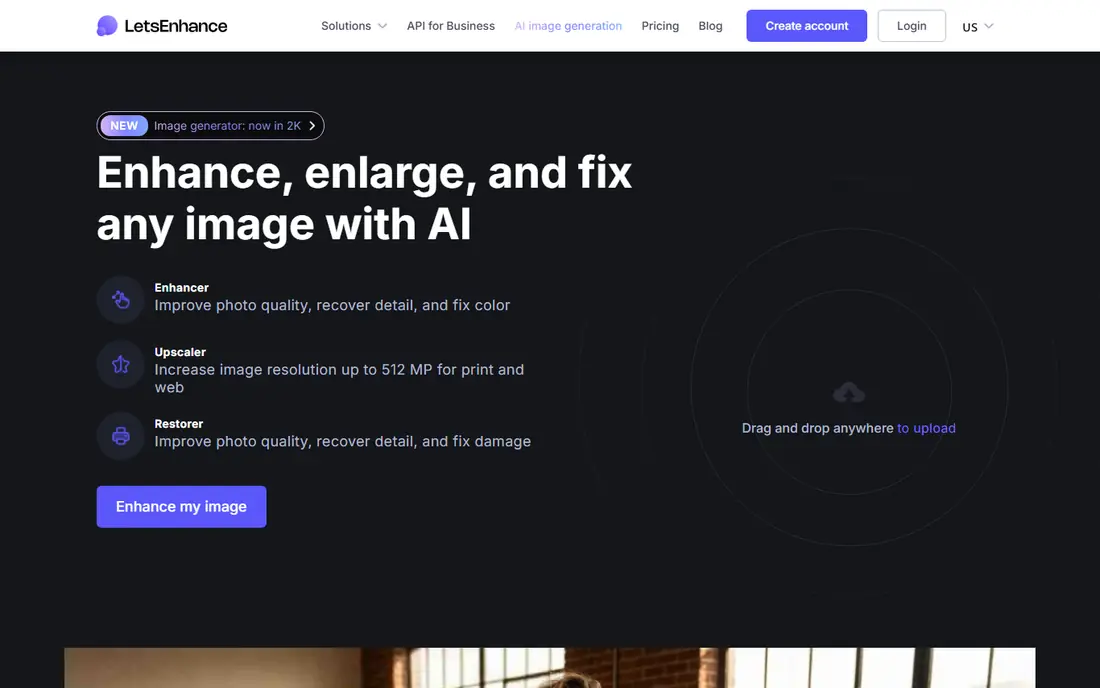
Let's Enhance is the workhorse for people who need bigger, cleaner images at scale. Its Smart Enhance mode detects whether an image is a photo, illustration, or text and adjusts accordingly, and it can output at resolutions high enough for large prints. Batch processing and an API make it practical for sellers and photographers with many files.
Paid plans start at around $9 per month with credits that roll over on some plans, and the free tier gives a small number of starter credits. The interface is functional rather than pretty, and processing can slow at busy times. For print-quality upscaling and bulk jobs, it is our top pick.
- Upscaling to very high resolutions for print
- Smart Enhance auto-detects image type
- Batch processing and API access
- Free tier is small
- Interface feels dated next to newer rivals
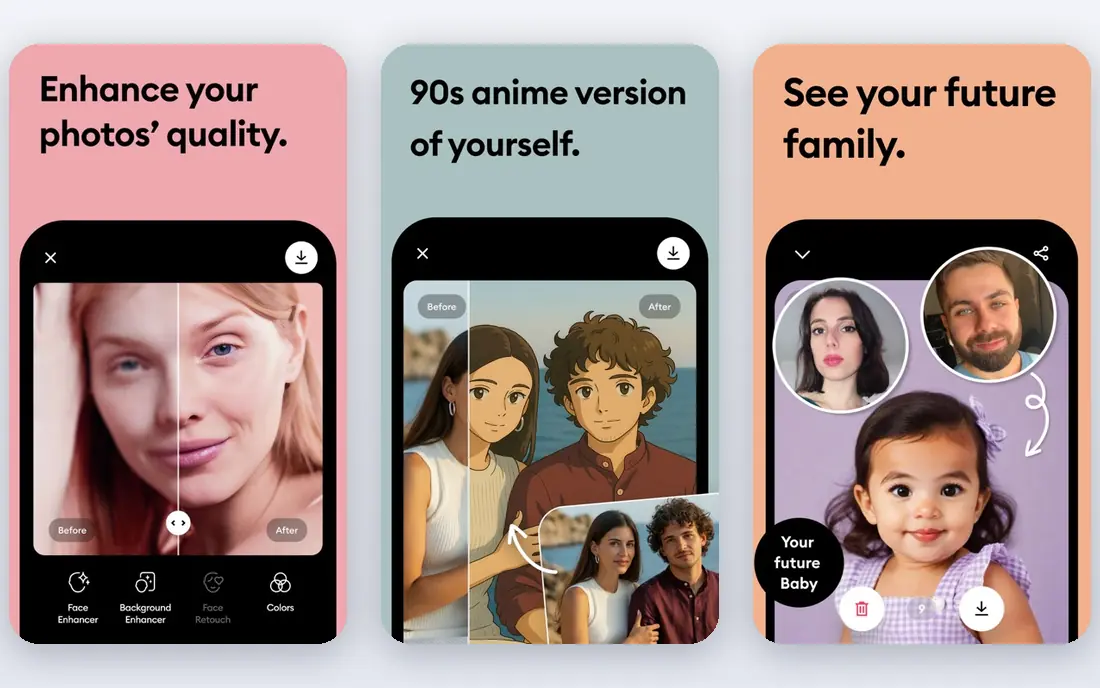
Remini is the tool people reach for when a family photo is faded, blurry, or scanned at low resolution. Its face restoration rebuilds facial detail convincingly on portraits, and the workflow is quick: upload, enhance, and compare before and after. It works on mobile and the web, so old photos can be rescued from a phone.
Pricing is the caution. Plans are sold weekly, monthly, and yearly, and the price you see depends on platform and promotion, so check the figure in your account before subscribing. For faces and old photos, though, no other tool here is as consistently impressive.
- Strong face restoration on old and low-quality photos
- Fast mobile and web workflow
- Popular for family photo rescue
- Subscription pricing varies by platform
- Weekly billing can surprise casual users

VanceAI is a suite rather than a single button. Separate online tools handle upscaling, noise removal, sharpening, portrait retouching, and colorizing black-and-white photos, so you can pick the exact fix a photo needs. The online version needs no install, and a desktop version exists for heavier use.
The credit system is the trade-off. Costs accumulate when you run several tools on one photo, and the interface packs a lot into each page. For people who want a full enhancement toolkit online, VanceAI offers more control than most one-click rivals.
- Separate tools for upscaling, denoising, sharpening, and colorizing
- Online and desktop versions
- Flexible credit packs
- Credit costs add up across tools
- Interface is busier than single-purpose enhancers
Upscale.media is the best answer when you only enhance a photo now and then. The free tier covers a small number of upscales each month, the process is as simple as upload and download, and results on everyday photos are clean. There is no software to install and no card required to try it.
Heavy users will hit the free limit fast and need a paid plan, and the tool lacks the specialized face and print models of Let's Enhance or Remini. For the occasional blurry photo or low-resolution image, it is the easiest free option on this list.
- Genuinely free tier for occasional use
- Simple upload-and-download flow
- Good results on ordinary photos
- Limited free upscales per month
- Fewer specialized models than paid rivals
Fotor suits people who enhance photos as part of a wider editing job. One-tap enhancement sharpens and brightens a photo, and the same platform offers cropping, filters, collages, and design templates for social posts. Pro starts at $8.99 per month, with a higher tier for batch work.
The free tier covers basic edits but limits high-resolution downloads, so serious users need Pro. Enhancement quality is good for social and web use rather than large print. If you want one online tool for enhancing and editing together, Fotor is a practical choice.
- One-tap enhancement plus a full editor
- Batch editing on higher tiers
- Design templates included
- Free tier limits high-resolution output
- Enhancement is one feature among many, not the sole focus
Pixelcut, also known as Pixa, is built for sellers. Its upscaler cleans up product photos, and background removal, templates, and batch editing turn a batch of supplier shots into consistent listings. The mobile apps help sellers who shoot and edit on their phones, and Pro starts at $9.99 per month.
Free outputs can carry watermarks, and face restoration is not its strength. For ecommerce photos where clean edges and consistent backgrounds matter more than portrait rescue, Pixelcut is the most useful tool here.
- Upscaling plus background removal in one workflow
- Batch editing on Pro
- Mobile apps for shooting and editing on the go
- Free tier watermarks some outputs
- Portrait restoration is weaker than Remini
Adobe Express is the right pick if enhancement happens inside a design workflow. You can brighten and sharpen a photo, drop it into a social template, add your brand colors, and export, all in one place. The free tier covers basic enhancement and design, which is enough for many social creators.
Dedicated upscalers beat it on raw detail recovery and maximum output size. Adobe Express is about convenience: one tool for the photo and the post around it. If you already design in Adobe's ecosystem, it is the natural choice.
- Enhancement inside a full design tool
- Brand kits and templates
- Free tier covers basic use
- Enhancement features are simpler than dedicated upscalers
- Premium features need a paid plan
PicWish earns its place with natural-looking portrait restoration and solid batch processing. It handles up to dozens of images at once on paid plans, and basic models are free to try, which makes testing easy. The results on faces avoid the plastic look some enhancers produce.
Pricing mixes credits and subscriptions, so compare the cost per photo for your volume before buying. The experience is web-first, with desktop and mobile versions available. For portrait batches and product photos alike, PicWish is a reliable all-rounder.
- Natural portrait restoration
- Batch processing up to dozens of images
- Basic models free to try
- Credit and subscription options can confuse
- Web-first experience
Cutout.pro stands out because it enhances both photos and videos, which few online tools do. Its photo enhancer handles portraits and general shots, while specialized models cover anime art and cartoon styles, and face cutout tools help with composites. A small number of free credits lets you test it.
Pricing is credit-based, starting with pay-as-you-go packs, so heavy users should compare costs carefully. The breadth is also a mild weakness: photo tools compete for attention with video features. For creators who need both photo and video enhancement online, Cutout.pro is a useful two-in-one.
- Photo and video enhancement in one account
- Anime and cartoon models
- Face cutout tools
- Credit-based pricing
- Photo tools share attention with video features
How we picked these
We compared official feature and pricing pages and recent enhancer comparisons, favoring tools that work fully online without installation. We covered the main photo types, faces, products, and general shots, and we weighed free tiers, credit costs, and maximum output quality. Where pricing varies by platform or promotion, we say so instead of stating a single figure.
Getting the best result from an enhancer
Start with the best original you have. Enhancers invent plausible detail when they upscale, so a higher-resolution, less-compressed source always produces a better result than a heavily compressed copy. If you have the original file, use it rather than a screenshot or a social media download.
Match the tool to the photo. Use Remini or PicWish for faces, Let's Enhance for print-size upscaling, and Pixelcut for product shots. Run one enhancement at a time and compare before and after at full size, since small previews hide artifacts. Finally, check the cost per photo. Credit systems look cheap until you enhance a batch, so test with the free tier and count credits before subscribing.
Frequently asked questions
What is the best tool to enhance photos online for free?
Upscale.media is the best free option for occasional upscaling, with a small monthly allowance at no cost. Let's Enhance, Remini, and PicWish also offer free trials or starter credits, but their free tiers are smaller. For regular use, a paid plan works out cheaper per photo.
Can online enhancers really restore old photos?
They can improve old photos substantially, especially faces, by sharpening detail and reducing noise. Remini is the strongest here for portraits. Results are still AI reconstructions, not recovered original detail, so very damaged photos may look plausible rather than accurate.
Which tool is best for upscaling photos for print?
Let's Enhance is the best pick for print, thanks to very high output resolutions and batch processing. Check the output size and DPI your printer needs before buying credits, since maximum resolution varies by plan.
Do photo enhancers work on product photos?
Yes, and sellers get the most value from tools with batch editing and background removal, like Pixelcut and Fotor. Clean, consistent product photos tend to perform better in listings, and batch tools keep large catalogs uniform.
Are my photos safe when I upload them to an enhancer?
Most enhancers process uploads on their servers, so avoid uploading sensitive or private photos unless you have read the privacy policy. For sensitive images, prefer a desktop tool that processes locally, or check whether the online tool deletes uploads after processing.
Sources we checked (9)

Online Jobs is an independent blog about careers, online work, learning new skills and the tools that help people earn. More about us.
Keep reading
All posts
Zoom Alternatives
Zoom alternatives compared for 2026: Google Meet, Microsoft Teams, Webex, Jitsi and more for free calls, large meetings and webinars for teams and classrooms.

Which Software Is Best for Data Entry
Compare the best data entry software for forms, OCR scanning, and spreadsheets, with free plans, pricing, and honest limits for each tool before you commit.

What Is the Best Free Tool to Rotate a PDF
What is the best free tool to rotate a PDF? We compare eight free rotation tools on per-page control, limits, privacy and saved output quality in detail.