Best Tool Management Software in 2026: 9 Tools Compared


Small and mid-size construction crews · Starting price: $80 per month
How we put this together: we compare official feature and pricing pages, app store listings, privacy policies and public user reviews. Prices change, so check the provider's site before you pay.
Key takeaways
- Tool management software answers one question: who has which tool, where is it, and when is it due back. The best tool is the one your crew actually scans.
- ShareMyToolbox suits small and mid-size construction crews, while ToolWatch and Hilti ON!Track suit larger contractors with compliance and job costing needs.
- Cheqroom and EZOfficeInventory suit organisations where many people check tools in and out, thanks to per-admin and item-based pricing models.
- Sortly and Milwaukee ONE-KEY are the cheapest starting points, with a free plan and a free brand-specific app respectively, for teams moving off spreadsheets.
Quick comparison
| Name | Who it suits | Starting price | Free option | |
|---|---|---|---|---|
| ShareMyToolbox | Small and mid-size construction crews | $80 per month | Free trial | Visit |
 Milwaukee ONE-KEY | Milwaukee-heavy tool inventories | Free | Yes | Visit |
 EZOfficeInventory | Broad asset and tool tracking | See website | Free trial | Visit |
 Cheqroom | Equipment reservations and checkout | See website | Free trial | Visit |
 ToolWatch | Large specialty contractors | See website | No | Visit |
 ToolHound | Dedicated tool room control | See website | Free trial | Visit |
 Sortly | Simple visual tool inventory | $24 per month | Yes | Visit |
 ToolSense | IoT-based asset tracking | See website | Free trial | Visit |
 GigaTrak | Tool crib checkout control | See website | No | Visit |
The best tool management software
Note on scope: this guide covers software for tracking physical tools and equipment, such as drills, saws, ladders and test gear, including checkout, location, maintenance and loss prevention. If you meant software for managing online reviews or project tools, that is a different category, and the products here will not fit that need.
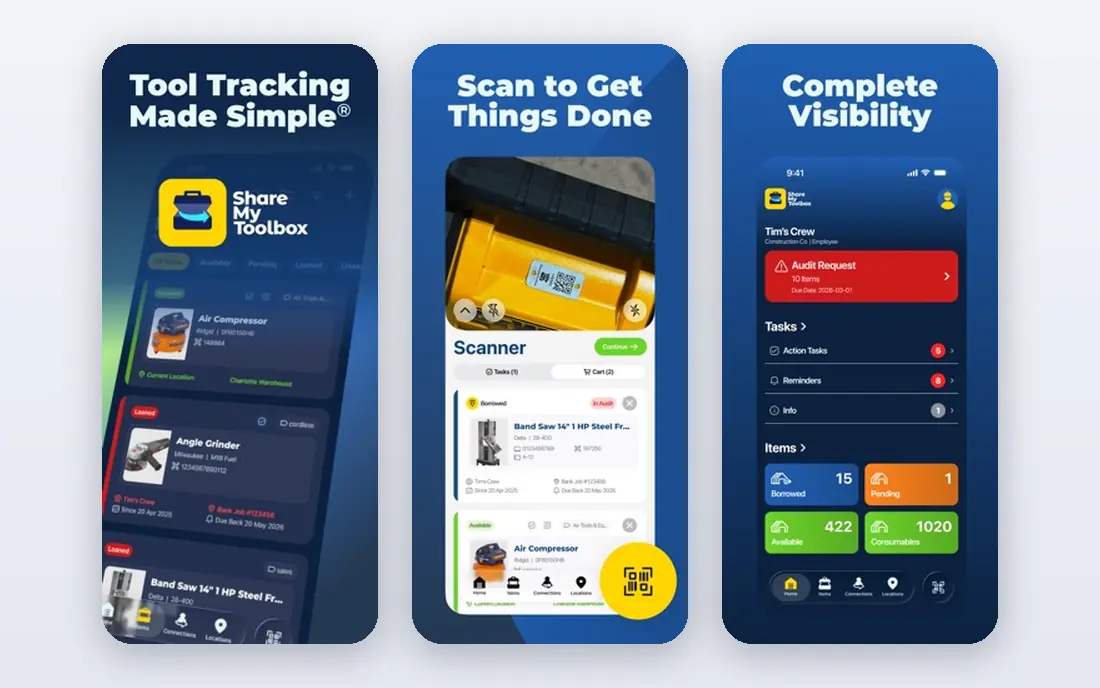
ShareMyToolbox is built for construction crews that share tools across people and job sites. A worker checks a tool out, another checks it back in, and the system tracks who had it last, which removes the usual argument about a missing drill. Pricing at $80 per month plus $10 per user is straightforward, and the mobile app suits field use.
The trade-off is depth. ShareMyToolbox covers checkout, location and accountability well, but larger contractors needing compliance reporting, ERP job costing and complex maintenance workflows will find ToolWatch or Hilti ON!Track stronger. For a small or mid-size crew moving off spreadsheets and group chats, ShareMyToolbox is the practical pick.
- Peer-to-peer checkout between crew members
- Simple mobile scanning
- Clear pricing
- Less deep on enterprise compliance
- Smaller feature set than ToolWatch
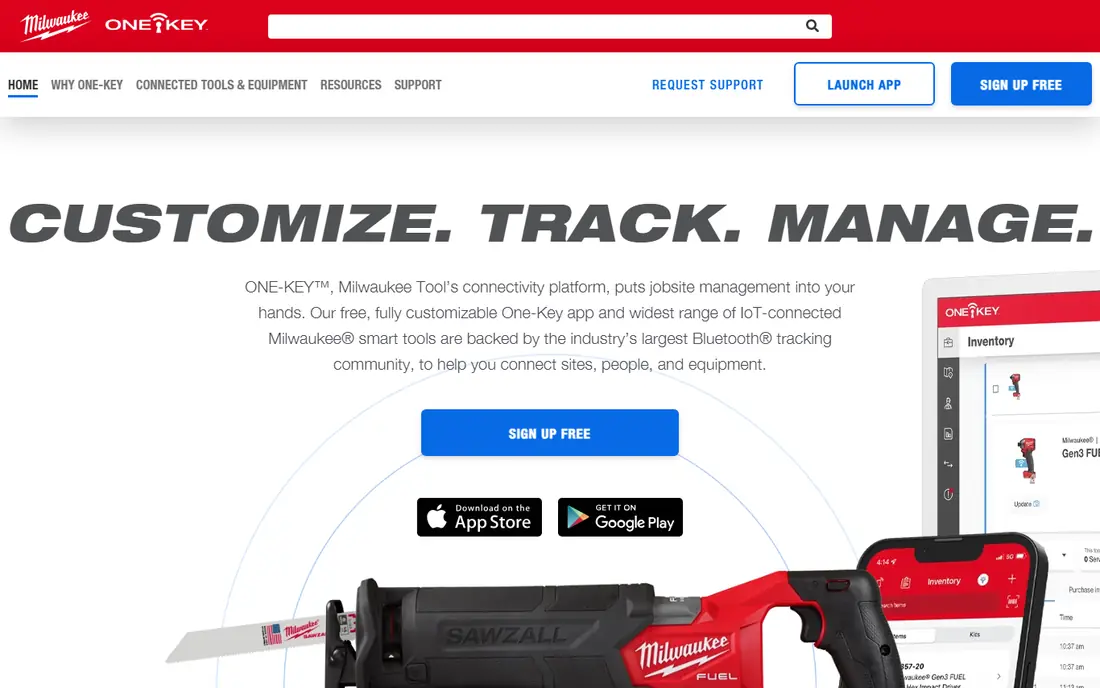
Milwaukee ONE-KEY is free, and for a crew whose inventory is mostly Milwaukee tools, it is the obvious starting point. The app tracks tools, records assignments, and, on compatible tools, supports remote lockout and custom settings. There is no subscription to justify, and setup is fast for a team already buying Milwaukee gear.
Mixed fleets are the limit. ONE-KEY tracks other brands as inventory, but the deeper features belong to Milwaukee tools, so a crew with many brands will need a general tool such as Sortly or ShareMyToolbox alongside it. If your tool crib is mostly red, start here for free and add a general tracker only if gaps appear.
- Free app
- Tool tracking and lockout for compatible tools
- Simple inventory
- Best only for Milwaukee tools
- Limited for mixed-brand fleets
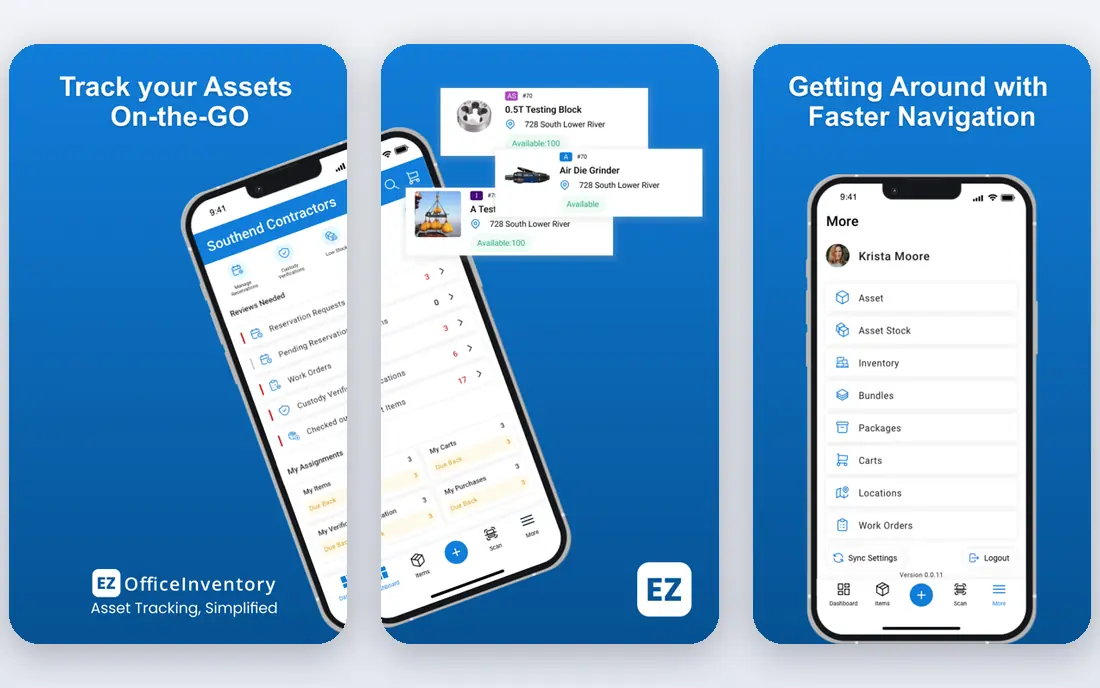
EZOfficeInventory tracks tools and equipment alongside general assets, with barcode and QR scanning, check-in and check-out, reservations and maintenance alerts. Its item-based pricing with unlimited users suits organisations where many employees borrow tools but only a few admins manage the system, since the bill does not rise with every borrower.
Pricing is not published as a simple per-user figure, so request a quote based on your item count. The interface also covers a lot of ground, which can feel busy for a team that only needs checkout. For schools, hospitals, rental firms and companies with broad asset fleets, EZOfficeInventory is a flexible, scalable choice.
- Item-based pricing with unlimited users
- Barcode and QR scanning
- Maintenance alerts
- Pricing is quote-based
- Interface packs many features
Cheqroom focuses on reservations and checkout for shared equipment, from cameras and laptops to construction tools. Users reserve what they need, check it out with a scan, and return it on schedule, with reminders for overdue items. Per-admin pricing with unlimited items and users means a growing inventory does not raise the bill, only the number of admins does.
The per-admin price is higher than a simple per-user tool, so small teams with several admins should compare the total carefully. RFID tracking sits on higher tiers. For universities, media teams, event firms and companies where reservations matter as much as tracking, Cheqroom is the most polished checkout tool here.
- Per-admin pricing with unlimited items and users
- Reservations and checkout flow
- Clean interface
- Pricing is quote-based and higher per admin
- RFID needs higher tiers
ToolWatch, now part of Align's construction software family, serves large specialty contractors that need more than a checkout list. Warehouse management, tool room control, job costing, maintenance and compliance reporting all sit in one system, which suits contractors running many job sites with strict accountability rules. That depth is why larger firms choose it over simpler tools.
Smaller teams will find ToolWatch heavy and expensive, with quote-based pricing and no free plan. Implementation also takes real effort, including labelling, data import and crew training. For a large contractor that loses money on missing tools and audit gaps, ToolWatch pays for itself. For a ten-person crew, ShareMyToolbox or Sortly will do the job faster.
- Deep contractor features
- Job costing and compliance support
- Warehouse and tool room control
- No free plan
- Pricing is quote-based
- Implementation takes effort
ToolHound is a dedicated tool tracking system for tool rooms, warehouses and job sites. It tracks issue and return to employees and contractors, transfers between locations, and stock levels, with barcode or RFID transactions and unlimited mobile users. That focus suits organisations with a staffed tool room where control and audit trails matter.
Pricing is not publicly published, so budget from a quote, and the interface is functional rather than modern. ToolHound rewards organisations that plan their labelling and processes before rollout. For a dedicated tool room that needs strict control without a full ERP system, ToolHound is a proven, focused choice.
- Purpose-built for tool rooms
- Check-in and check-out with unlimited mobile users
- Transfer tracking between sites
- Pricing is not published
- Interface feels dated
- Implementation needs planning
Sortly is the easiest tool here to start with. Items are organised with photos, folders and QR or barcode labels, so a worker can find a tool by picture rather than by part number. The free plan covers one user and up to 100 entries, and the Advanced plan at $24 per month on annual billing adds more users and entries. Onboarding takes an afternoon, not a project.
Checkout control is lighter than dedicated tool room systems, and item caps on lower tiers matter for larger fleets. Sortly suits small teams, workshops and facilities moving off spreadsheets who want a visual inventory first and strict checkout second. For a first tool management system, it is the lowest-friction pick in this list.
- Photo-based item cards
- Free plan for small inventories
- Fast onboarding
- Checkout control is lighter than ToolHound
- Entry tiers cap item counts
ToolSense adds connected tracking to tool management, using IoT sensors and integrations to locate equipment and monitor use and maintenance. That suits fleets spread across sites, where manual scanning alone misses tools that move without being checked out. Maintenance workflows, alerts and reporting sit alongside location tracking in one platform.
Connected tracking adds cost and complexity: hardware, installation and integration all need budgeting beyond the software subscription, which is quote-based. ToolSense is best for larger operations where lost or idle equipment is a measurable cost. Smaller teams will get more value from a scanning-based tool like ShareMyToolbox or Sortly.
- IoT and sensor-based tracking
- Maintenance workflows
- Works across fleets and sites
- Pricing is quote-based
- IoT setup adds hardware cost and complexity
GigaTrak focuses on tool crib management, with checkout control, calibration tracking and barcode-based accountability for workshops and manufacturing settings. Calibration tracking is a particular strength for teams whose tools need regular testing and certification, since overdue calibration shows up before a tool goes back into service.
There is no free plan, pricing is quote-based, and the interface feels dated next to Sortly or Cheqroom. GigaTrak suits a workshop or plant with a staffed crib and calibration requirements, where control matters more than polish. For a field crew that needs simple mobile checkout, a lighter tool will be faster to adopt.
- Strong tool crib checkout and calibration tracking
- Barcode-based control
- Long track record
- No free plan
- Pricing is quote-based
- Interface is dated
How we picked these
We compared official product and pricing pages for software that tracks physical tools and equipment through checkout, location, reservations or maintenance, and we kept only tools actively sold in 2026. We covered construction crews, workshops, tool rooms and general asset teams, rather than listing only one sector, and we used See website where pricing is quote-based instead of publishing a figure a reader cannot verify. Where a free plan or trial exists, we note it, since a trial on your own tool crib is the best test of any system here.
Rolling out tool tracking without a revolt
Label everything before launch
A tracking system fails if half the tools have no label. Pick one label type, barcode or QR, print labels for the full inventory, and attach them before anyone is asked to scan. A launch with unlabelled tools teaches the crew that scanning is optional, and that habit is hard to reverse.
Make checkout faster than not checking out
If scanning takes longer than grabbing a tool and walking off, people will walk off. Place scanners or phones at the crib exit, keep the checkout flow to two taps, and test it with the least tech-friendly crew member. Speed at the door matters more than any dashboard feature.
Audit weekly at first, then monthly
Run a short weekly audit for the first month: spot-check ten tools, chase overdue items the same day, and fix label or data problems immediately. Once checkout rates stay high for a month, move to a monthly audit. Early follow-up is what turns a new system into a habit rather than a poster on the crib wall.
Frequently asked questions
What is the best tool management software?
ShareMyToolbox is the best pick for small and mid-size construction crews, while ToolWatch suits larger contractors with compliance and job costing needs. Sortly is the easiest starting point for small teams, and Cheqroom leads for reservation-heavy equipment sharing. The best tool depends on team size, tool count and whether checkout control or simple inventory matters more.
What is the best tool tracking software for construction?
ShareMyToolbox, ToolWatch and Milwaukee ONE-KEY lead for construction, for different crews. ShareMyToolbox suits crews sharing tools across sites, ToolWatch suits large specialty contractors, and ONE-KEY suits Milwaukee-heavy fleets at no cost. ToolHound also suits contractors with a staffed tool room and strict checkout control.
How much does tool management software cost?
Prices here range from free for Milwaukee ONE-KEY and Sortly's small free plan, to $24 per month for Sortly's Advanced plan and $80 per month plus $10 per user for ShareMyToolbox. ToolWatch, ToolHound, Cheqroom, EZOfficeInventory, ToolSense and GigaTrak use quote-based pricing, so request a quote based on your tool count and admin numbers.
Can tool management software track tools across job sites?
Yes. ShareMyToolbox, ToolWatch, ToolHound and ToolSense all track transfers and locations across sites, and Cheqroom and EZOfficeInventory track checkouts from a central inventory. The key is consistent scanning at every site: a tool that moves without a scan is invisible to any system, however good its software is.
What is the difference between tool management and asset management software?
Tool management software focuses on checkout, return, location and accountability for shared tools, while asset management software covers a wider range of assets, including IT equipment, furniture and vehicles, with depreciation and lifecycle tracking. Tools like EZOfficeInventory and Sortly sit across both, while ToolHound and GigaTrak focus more narrowly on tool rooms and cribs.
Sources we checked (9)

Online Jobs is an independent blog about careers, online work, learning new skills and the tools that help people earn. More about us.
Keep reading
All posts
ZoomInfo Alternatives
The best ZoomInfo alternatives in 2026, compared on price, free plans, data coverage, and which tool fits small teams or large sales teams best in detail.

Workday Alternatives
We compared the best workday alternatives for HR, payroll, and global hiring, from BambooHR and Gusto to Rippling, Deel, and HiBob for growing teams in 2026.

Which SaaS Tools Have the Best Customer Support
Which SaaS tools have the best customer support? Compare eight popular tools on help centres, live help, response options and overall support quality.