Best To Do List App in 2026: 8 Apps Compared

How we put this together: we compare official feature and pricing pages, app store listings, privacy policies and public user reviews. Prices change, so check the provider's site before you pay.
Key takeaways
- Todoist is the best balance of simplicity and power for most people, with natural language input and wide platform support.
- TickTick offers the best value bundle, with a calendar, habit tracker and Pomodoro timer built in.
- Microsoft To Do and Google Tasks are the best free options if you already live in Microsoft or Google tools.
- Things 3 suits Apple users who want a beautiful, one-time purchase app, but it does not work on Windows or Android.
- The best app is the one you open daily, so pick a simple system and stick with it for at least a month.
Quick comparison
| Name | Who it suits | Starting price | Free option | |
|---|---|---|---|---|
 Todoist Todoist | Balancing power and simplicity | See website | Yes | Visit |
 TickTick TickTick | All-in-one tasks and habits | See website | Yes | Visit |
 Microsoft To Do Microsoft To Do | Microsoft users | Free | Yes | Visit |
 Things 3 Things 3 | Apple users who want design | See website | No | Visit |
 Any.do Any.do | Daily planning | See website | Yes | Visit |
 Google Tasks Google Tasks | Gmail and Calendar users | Free | Yes | Visit |
 Apple Reminders Apple Reminders | Apple device users | Free | Yes | Visit |
 Asana Asana | Team task management | See website | Yes | Visit |
The best to do list apps
We compared official feature pages, pricing pages, app store listings and public reviews, focusing on task capture, reminders, calendars, collaboration, platform support and free plan limits.
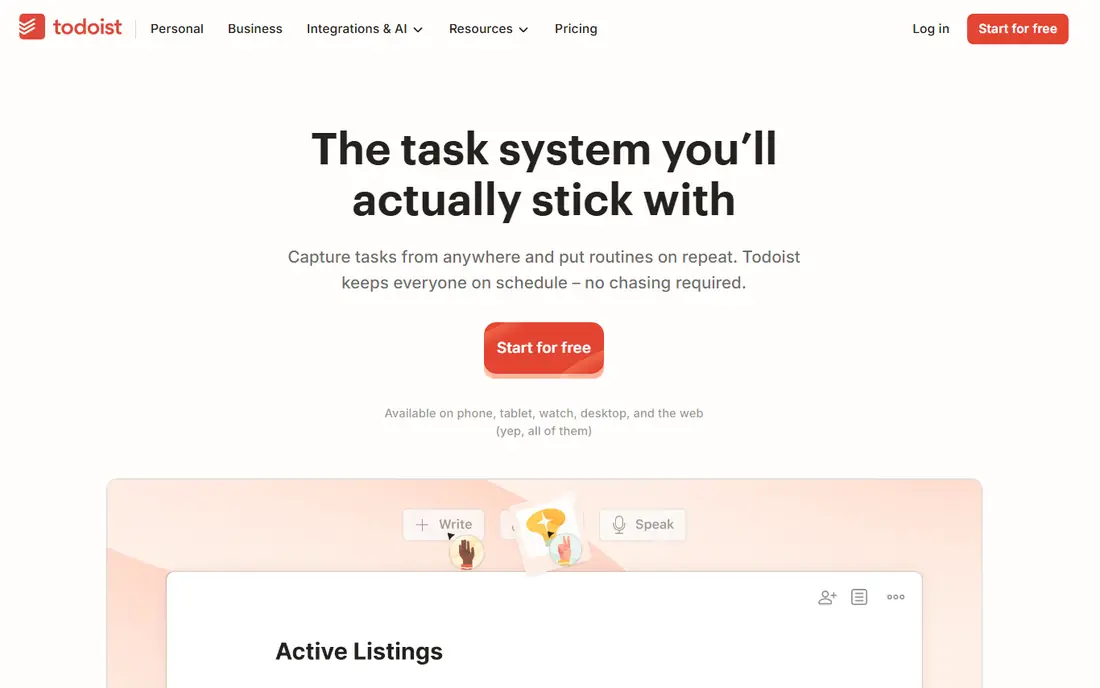
Todoist is our pick for most people because it is fast to use and hard to outgrow. Type a task in plain words, such as a task due tomorrow at 9am, and Todoist sets the date for you. Projects, labels and filters let you organise work, home and personal tasks without a complex setup, and templates help you start a recurring list, such as a packing list or a weekly review. Apps are available on almost every platform, including web, mobile, desktop and wearables, so your list is always close.
The free plan limits the number of active personal projects, and some features, such as calendar layout and AI help, need a paid plan. That limit is fair for a simple list, but a user with many projects will need to pay or archive old projects often. Todoist suits a person who wants a clean, fast list that works everywhere, with enough power for projects and priorities. If you want built-in habits and timers, TickTick may offer more for a similar price.
- Natural language input for dates and priorities
- Clean interface across all platforms
- Projects, labels, filters and templates
- Free plan limits active projects
- Calendar layout and AI features need a paid plan
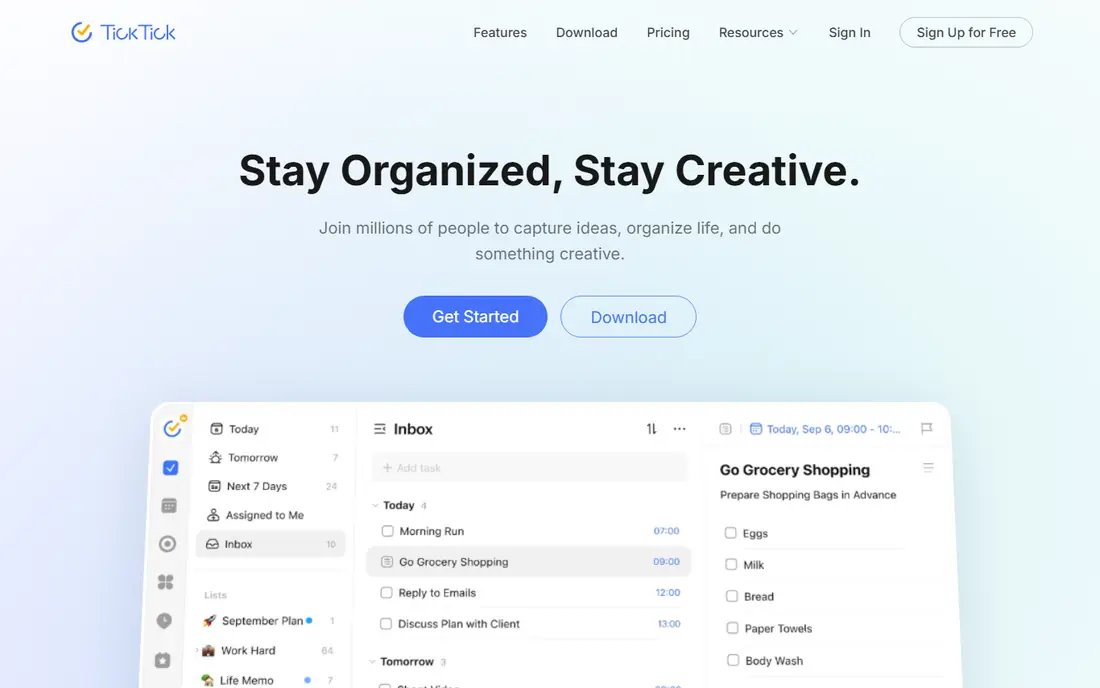
TickTick is the best value all-in-one task app on this list. Alongside lists and reminders, it includes a calendar view, a habit tracker, a Pomodoro timer and an Eisenhower Matrix view for urgent and important tasks. That bundle replaces several separate apps, which is useful if you want habits, focus sessions and tasks in one place. The paid plan is priced below some rivals, and the free plan is enough to test the core system.
The weakness is clutter. With so many features in one app, the interface can feel busy, especially on a small phone screen. TickTick also has fewer third-party integrations than Todoist, so a user who connects tasks to many other tools may find Todoist easier. TickTick suits a person who wants habits, timers and calendars beside tasks, and who will use those extras often. If you only need a simple list, Microsoft To Do or Google Tasks will feel calmer.
- Calendar, habit tracker and Pomodoro timer built in
- Eisenhower Matrix view
- Good value paid plan
- Interface can feel busy with many features turned on
- Fewer third-party integrations than Todoist
Microsoft To Do is the best free task app for anyone who already uses Outlook, Teams or Microsoft 365. It is free with a Microsoft account, syncs across web, Windows, Mac, iOS and Android, and links tasks to Outlook emails and Teams work. The My Day view helps you pick a small set of tasks each morning, which is a simple daily planning habit. Shared lists make it easy to split household or work tasks with others.
The limits are advanced features. Microsoft To Do has no built-in habit tracker, Pomodoro timer or advanced project views, and its filters are simpler than Todoist. That is not a flaw for a simple list, but a power user may miss those tools. Microsoft To Do suits a Microsoft user who wants a free, reliable list that fits their email and calendar. If you need habits, timers or complex projects, TickTick or Todoist will be a better fit.
- Completely free with a Microsoft account
- My Day planning view
- Deep links to Outlook, Teams and Microsoft 365
- No habit tracker or Pomodoro timer
- Fewer advanced filters than Todoist or TickTick
Things 3 is the most pleasant task app to use, and Apple users often stay with it for years. The interface is calm, with clear Today and Upcoming views, elegant project layouts and a simple way to schedule tasks for later. Headings, checklists and deadlines cover most personal planning needs, and the app feels fast on iPhone, iPad and Mac. A one-time purchase per platform, rather than a subscription, appeals to users who dislike monthly fees.
The honest catch is platform lock-in. Things 3 has no Windows, Android or full web version, so it only works if you live in the Apple system. Buying Mac, iPad and iPhone apps separately also adds up, even without a subscription. Things 3 suits an Apple-only user who values design and calm, and who wants a personal list rather than a team tool. If you use Windows or Android at all, Todoist or TickTick will be far more practical.
- Beautiful, calm interface
- Excellent Today, Upcoming and project views
- One-time purchase per platform, no subscription
- Apple only, with no Windows, Android or web version
- Apps for Mac, iPad and iPhone are bought separately
Any.do is built around a simple daily habit: Plan My Day. Each morning, the app walks you through upcoming tasks, lets you schedule them and clears the rest for later. That prompt helps users who forget to open their list, because planning becomes a short daily ritual rather than a chore. Calendar integration, location and time reminders, shared lists and a clean mobile design make it useful for personal and household tasks.
The free plan is useful, but full features, such as unlimited lists, advanced reminders and custom themes, need a paid plan. Any.do also has fewer project management tools than Asana or Todoist, so it is less suited to complex team work. Any.do suits a person who wants a gentle daily planning prompt and a simple list, especially on a phone. If you manage many projects or a team, Todoist or Asana will give you more structure.
- Plan My Day feature for morning planning
- Calendar, reminders and shared lists
- Clean mobile apps
- Paid plan needed for full features, such as unlimited lists and advanced reminders
- Fewer project tools than Asana
Google Tasks is the simplest free option for Google users, because it lives inside Gmail and Google Calendar. You can turn an email into a task, add a due date and subtasks, and see tasks beside your calendar without opening another app. That closeness to email and calendar is its main strength: tasks you create while reading email do not get lost in a separate system. It is free, syncs across devices and needs almost no learning.
The weakness is depth. Google Tasks has no tags, advanced filters, project boards or habit tools, and it feels thin as a standalone app outside Gmail and Calendar. A user with many projects will quickly hit its limits. Google Tasks suits a Gmail user who wants a simple, free list for daily tasks and email follow-ups. If you need projects, priorities and filters, Todoist or TickTick will serve you better, even though they are separate apps.
- Free and built into Gmail, Calendar and Google Workspace
- Simple lists, subtasks and reminders
- Syncs across devices
- Very basic, with no tags, filters or project views
- Best used inside Google apps, not as a standalone power tool
Apple Reminders is the best free choice for Apple users who do not want another subscription. It is built into every Apple device, works with Siri for voice capture, and supports location reminders, such as a reminder when you arrive home. Smart lists group tasks by date, flag or location, and shared lists make household tasks easy. For a simple personal list, it is fast, reliable and already installed.
The limit is platform, as with Things 3. There is no Android or Windows app, so a mixed-device household will struggle. Project features are also basic compared with Todoist or Asana, with no kanban boards or advanced filters. Apple Reminders suits an Apple-only user who wants a free, simple list with Siri and location reminders. If you need cross-platform work or team projects, choose Todoist, TickTick or Asana instead.
- Free and built into iPhone, iPad, Mac and Apple Watch
- Siri and location reminders
- Smart lists and shared lists
- Apple only, with no Android or Windows app
- Fewer project features than Todoist or Asana
Asana is the best pick on this list for team work, rather than a personal list. It offers projects in list, board and timeline views, task assignments, comments, due dates and workload views, so a team can see who is doing what and when work is due. The free plan covers small teams with basic projects, which is enough to test whether Asana fits a group. Integrations with email, calendars and chat tools help keep work in one place.
The weakness is simplicity. Asana is too much for a person who only needs a shopping list or a daily task list, and its interface can feel heavy for personal use. Paid plans are priced per user, so costs rise quickly for a larger team. Asana suits a team, a small business or a household with complex shared projects, where assignments and deadlines matter. For a personal list, Todoist, TickTick or Microsoft To Do will be faster and calmer.
- Team projects with boards, timelines and workload views
- Task assignments, comments and due dates
- Free plan for small teams
- Too much for a simple personal list
- Paid plans are priced per user, which adds up for larger teams
How we picked these
We compared official feature pages, pricing pages, app store listings and public reviews. We looked for fast capture, reminders, calendars, sharing, platform support and free plan limits, and for apps that cover different needs, from a simple free list to team project work. We did not claim hands-on testing that did not happen, and we did not invent prices or user counts. Where pricing was not clear on the vendor site, we marked it as See website.
How to choose a to do list app
Start with your devices and your daily habit. If you use Apple devices only, Apple Reminders or Things 3 will feel natural. If you use Microsoft or Google tools, Microsoft To Do or Google Tasks will fit your email and calendar. If you use several platforms, Todoist or TickTick will sync everywhere. If you manage a team, Asana will give you assignments and timelines that a personal app cannot.
Keep the system simple for 30 days
A new app fails when the system is too complex to maintain. Start with one inbox list, one today list and a few projects, and review the list once a day at the same time. Add habits, timers or project boards only after the basic habit holds for a month. A simple system you use daily will beat a powerful system you abandon after a week. If an app still feels like work after 30 days, try a simpler one, rather than adding more features.
Check sync, reminders and sharing before you commit
Test the features that matter in real life: capture a task by voice or typing, set a reminder, share a list with a partner, and check the task on another device. If any step fails, the app will not hold your trust. Also check whether the free plan limits projects, lists or collaborators, since those limits often appear only after you have built a large system. Export your tasks before a paid trial ends, so you can move if the app does not fit.
Frequently asked questions
What is the best to do list app?
Todoist is the best overall for most people, because it balances simplicity, power and platform support. TickTick is best for an all-in-one bundle with habits and timers, Microsoft To Do is best for free Microsoft users, and Things 3 is best for Apple users who value design. The best app for you is the one you will open every day, on the devices you actually use.
What are the best to do list apps for teams?
Asana is the best team option on this list, with assignments, boards, timelines and workload views. Todoist and TickTick also support shared projects and comments for smaller teams, and Microsoft To Do supports shared lists for households and small groups. For a large team with deadlines and reporting needs, Asana or a dedicated project tool will be stronger than a personal list app.
What is the best app for task management?
For personal task management, Todoist and TickTick are the strongest, with projects, priorities, reminders and calendar views. For team task management, Asana is stronger, with assignments and timelines. For a simple personal list, Microsoft To Do, Google Tasks and Apple Reminders are enough. Match the tool to the scale of work: personal, household or team.
Is there a best free to do app?
Yes, Microsoft To Do and Google Tasks are fully free, and Apple Reminders is free on Apple devices. Todoist and TickTick also offer useful free plans, with limits on projects or lists. The best free app depends on your platform: Microsoft users should start with Microsoft To Do, Google users with Google Tasks, and Apple users with Apple Reminders.
What is the best task management tool for small teams?
Asana is the best small-team tool here, because its free plan covers basic team projects and its paid plans add timelines and workload views. Todoist Business is also a good option for a small team that wants a simpler list with shared projects. Compare per-user pricing, since Asana costs rise with team size, while a simpler list app may be cheaper for a very small group.
How do I stick with a to do list app?
Pick one app, keep the system simple and review it once a day at the same time. Capture every task in the app, rather than keeping tasks in your head or in several places, and choose a small set of tasks for each day. If a task stays undone for a week, break it into a smaller step, move its date or delete it. A list that reflects real priorities, not every possible task, is easier to trust and use.
Sources we checked (8)

Online Jobs is an independent blog about careers, online work, learning new skills and the tools that help people earn. More about us.
Keep reading
All posts
Best Writing Software
Looking for the best writing software in 2026? We compared 9 writing apps for books, articles and screenplays on price, features and fit. All verified.

Best Weather Apps
Searching for the best weather app? We compared eight top weather apps for accurate forecasts, radar, severe alerts, and daily planning near you today.

Best Video Editing Software
We compared the best video editing software for beginners and pros, checking official pricing, free plans and honest limits before ranking all nine editors.