Best Time Blocking App in 2026: 9 Apps Compared

How we put this together: we compare official feature and pricing pages, app store listings, privacy policies and public user reviews. Prices change, so check the provider's site before you pay.
Key takeaways
- Reclaim is our pick for most people, because it protects focus time on a calendar you already use.
- Motion suits users who want tasks placed on the calendar automatically by priority and deadline.
- Sunsama suits users who prefer a calm daily planning ritual they control themselves.
- TickTick is the best low-cost route to tasks plus calendar blocks in one app.
- The right choice depends on whether you want automation, manual control, or a simple calendar habit.
Quick comparison
| Name | Who it suits | Starting price | Free option | |
|---|---|---|---|---|
 Reclaim | Automatic focus time | Free | Yes | Visit |
 Motion | Automatic daily planning | See website | Free trial | Visit |
 Sunsama | Guided daily planning | See website | Free trial | Visit |
 Akiflow | Manual planning command centre | See website | Free trial | Visit |
 TickTick | Low-cost task and calendar | Free | Yes | Visit |
 Todoist | Task-first time blocking | Free | Yes | Visit |
 Clockwise | Team calendar optimisation | Free | Yes | Visit |
 Structured | Visual day timeline | Free | Yes | Visit |
 Fantastical | Apple calendar planning | See website | Free trial | Visit |
The best time blocking apps
Time blocking turns a task list into scheduled time, so work has a place on the calendar instead of a vague intention. The apps below differ on automation: some place blocks for you, while others help you place them yourself.
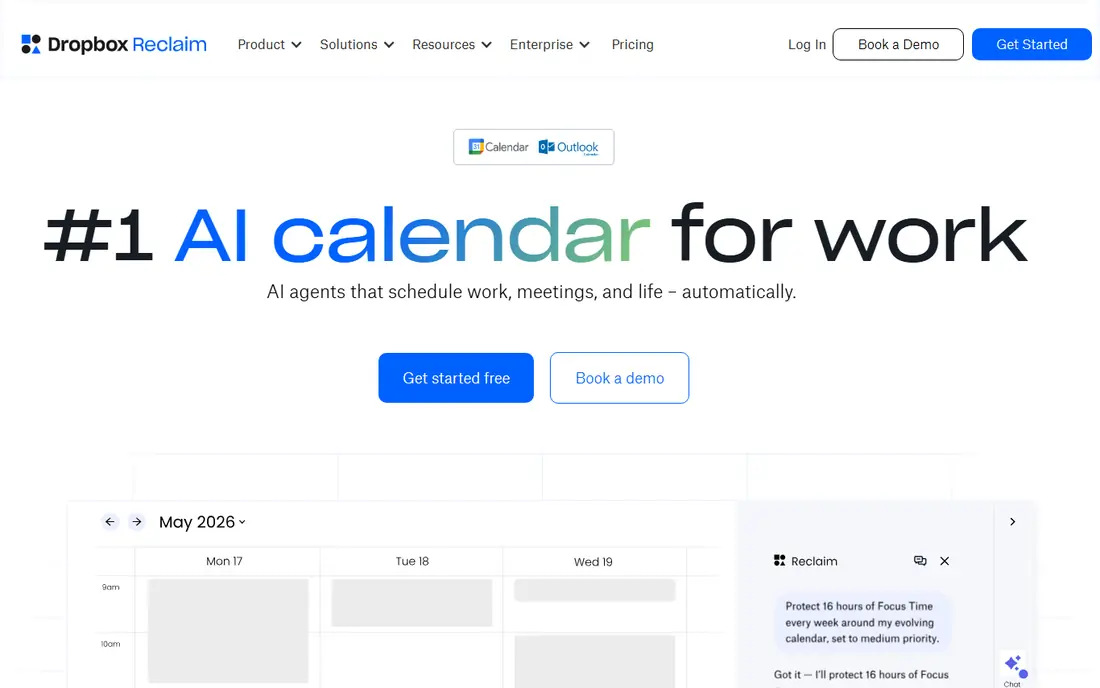
Reclaim is the least disruptive time blocking app in this list. It works with a calendar you already use, blocking focus time, habits, and tasks around existing meetings, and it moves those blocks when the day changes. That makes it a good fit for workers whose calendars fill up with meetings and who lose focused work time first.
The trade-off is dependence on your existing tools. Reclaim is strongest when tasks and calendars are already connected, and some advanced scheduling features sit on paid plans. For most calendar users, though, the free plan is enough to test whether automatic blocking helps, and it is our top pick for that reason.
- Works on top of Google Calendar
- Auto-moves blocks when meetings change
- Habit and focus blocks
- Deepest value needs a connected calendar and tasks
- Some features need a paid plan
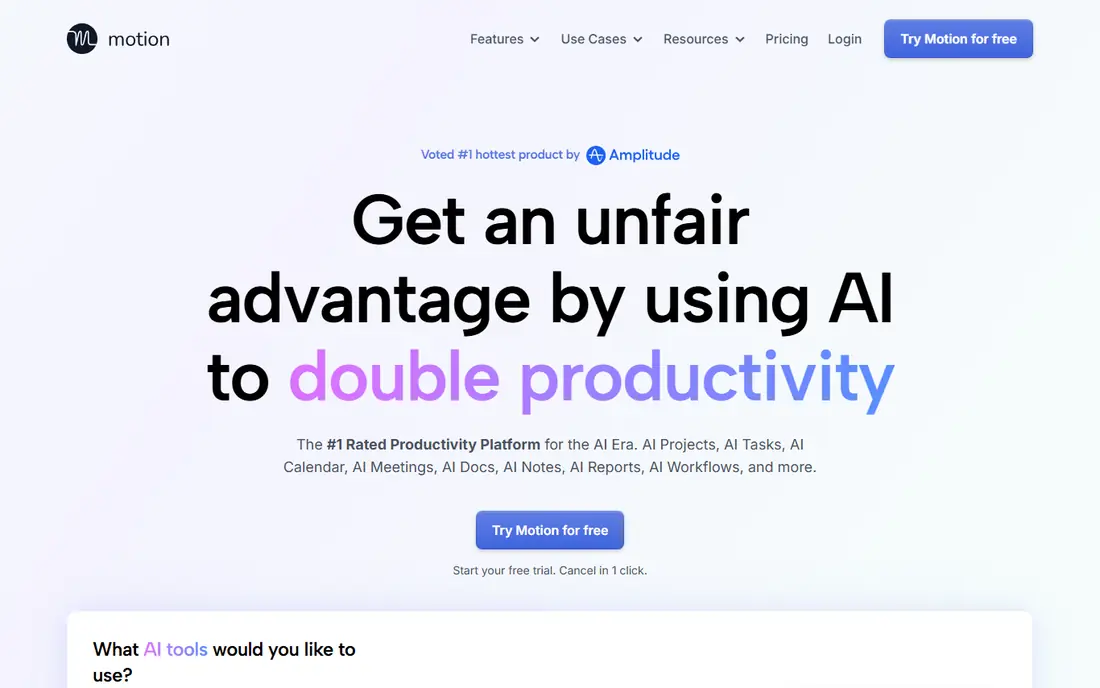
Motion is for users who want the calendar to do the planning. Give it tasks, priorities, deadlines, and durations, and it builds a day plan, then rebuilds it when meetings move or work runs long. That automation saves the daily effort of dragging tasks onto a calendar by hand.
The cost is control and price. Motion is a paid product with a trial rather than a free plan, and some users prefer to choose their own block order. If your week is packed, your deadlines shift often, and you are willing to trust automatic placement, Motion is the strongest automation pick here.
- Places tasks by priority and deadline
- Replans when the day changes
- Tasks, projects, and calendar together
- No permanent free plan
- Algorithm choices can feel less controllable
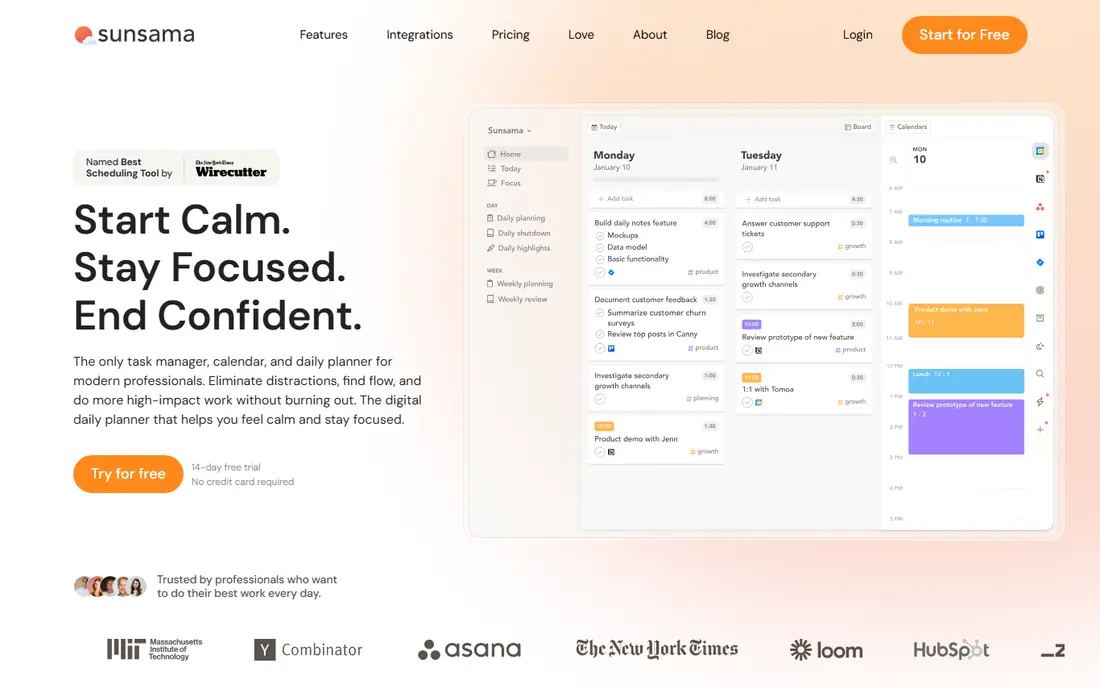
Sunsama takes the opposite approach to Motion. Each day, it guides you through pulling tasks from other tools, estimating time, and placing them on the calendar yourself. That ritual helps users see when a day is overloaded, which is a common cause of missed deadlines and late work.
It does not automatically reschedule blocks when meetings change, so users must adjust the plan themselves. It is also a paid product with a trial. For users who want a slower, more deliberate start to the day, and who value control over automation, Sunsama is the best fit.
- Calm daily planning ritual
- Pulls tasks from other tools
- Realistic day planning
- No permanent free plan
- No automatic rescheduling like Reclaim or Motion
Akiflow is built for professionals who collect tasks from email, calendars, and several project tools. It pulls those tasks into one inbox, then lets you drag them into calendar time slots with keyboard shortcuts. That central view prevents the common problem of a task hiding in a tool you forgot to check.
Setup is the hurdle. Connecting every source takes time, and the value only appears once the inbox is complete. It is also paid, with a trial. For heavy multi-tool users who want manual control in one fast workspace, Akiflow is a strong choice.
- Unified task inbox from many tools
- Keyboard-first planning
- Time slots on the calendar
- No permanent free plan
- Setup takes effort to connect all sources
TickTick is the best value pick in this list. Tasks, a calendar view, habits, and a focus timer live in one app, so a user can plan a day without paying for several tools. The free plan covers core use, and the premium plan is cheaper than the dedicated planners above.
Automatic scheduling is the limit. TickTick helps you place blocks, but it does not replan a day as intelligently as Motion or protect focus time as automatically as Reclaim. For students, freelancers, and budget-conscious workers who want one app for tasks and time, TickTick is hard to beat.
- Tasks, calendar, habits, and Pomodoro timer in one app
- Low-cost premium
- Good mobile apps
- Automatic scheduling is weaker than Reclaim or Motion
- Full calendar tools need premium
Todoist starts from tasks, not from the calendar. Capture is fast, dates and priorities are easy to set, and the calendar view on the paid plan turns those tasks into blocks. That task-first flow suits users whose main problem is capture, not calendar design.
The free plan limits some planning features, so full time blocking needs an upgrade. Todoist is also not a guided planner, so users must build their own daily habit. For task lovers who want a light step into time blocking, it is a natural, low-risk start.
- Fast task capture
- Calendar view on paid plan
- Works on many platforms
- Time blocking needs the paid plan for full calendar features
- Less of a planner than Sunsama
Clockwise is the team pick. It analyses calendars, protects focus blocks, and rearranges flexible meetings to create longer stretches of uninterrupted time. For teams drowning in fragmented meetings, that shared optimisation matters more than any single personal planner.
Solo users will get less from it, since much of its value comes from coordinating across a group. It also works best with a calendar system the team already shares. For managers and teams who want to defend focus time together, Clockwise is the right tool.
- Protects focus time across a team
- Rearranges flexible meetings
- Calendar analytics
- Team value needs colleagues to use it
- Less useful for solo planning
Structured is for users who think visually. The day appears as a timeline, with tasks and events laid out in order, so overload and gaps are easy to see. Starting is simple: add tasks, set times, and follow the timeline through the day. That clarity helps students and solo workers who find dense calendars stressful.
Automation is limited. Structured does not replan a day like Motion or protect focus time like Reclaim, and it is not a team planner. For a personal, visual day plan that stays simple, it is an appealing, low-cost choice.
- Clear visual timeline for the day
- Simple to start
- Tasks and events in one view
- No deep automation
- Team and integration features are limited
Fantastical is the calendar-first pick for Apple users. Events can be typed in plain language, calendar sets help separate work and personal time, and views make a busy day easier to read. Time blocking here means placing tasks and events on a well-designed calendar, rather than using a separate planner.
The full feature set needs a subscription, and users outside the Apple ecosystem will get less value. For Apple users who already live in Calendar and want a stronger planning interface without a separate task system, Fantastical is a polished choice.
- Natural language event entry
- Strong Apple device support
- Calendar sets and views
- Full features need a subscription
- Best value is inside the Apple ecosystem
How we picked these
We compared official feature pages, pricing pages, and app store listings, and we favoured apps that clearly support time blocking, not just task lists or calendars alone. We included automatic planners, manual planners, and visual planners, since users differ on how much control they want over their calendar.
We did not claim hands-on scheduling tests with real work calendars. Instead, we weighed scheduling model, calendar fit, free-plan and trial terms, and price clarity. Prices change often in this category, so check the vendor pricing page before committing to a paid plan.
How to choose the right time blocking app
Decide first whether you want the app to plan for you or help you plan yourself. Automatic tools such as Reclaim and Motion suit busy, shifting weeks. Manual tools such as Sunsama, Akiflow, and Structured suit users who want to review each day and choose block order. Neither approach is better in general; the fit depends on your week.
Start with your existing calendar
An app that works on top of Google Calendar or Apple Calendar is easier to adopt than one that asks you to move everything. Check calendar support, task integrations, and mobile apps before paying, since a planner that does not sync will be abandoned quickly.
Test with a real week, not a demo day
Use the free plan or trial for a full week, including meetings that move and tasks that run long. That is when automatic rescheduling, or the lack of it, becomes clear. A tool that looks good on a calm day may fail on a chaotic one.
Keep blocks realistic
Time blocking fails when every block is optimistic. Add buffer time between tasks, estimate honestly, and leave open time for urgent work. A calendar with no breathing room will be ignored by the second day, no matter which app made it.
Frequently asked questions
What is the best time blocking app?
Reclaim is the best time blocking app for most people, because it protects focus time on an existing calendar and moves blocks when meetings change. Motion is better for full automatic planning, and Sunsama is better for manual daily planning.
What is the best app for time blocking for free?
Reclaim, TickTick, Todoist, Clockwise, and Structured all have free plans that support time blocking in different ways. TickTick offers the most features for free in one app, while Reclaim offers the strongest automatic focus protection.
What is the best tool for time blocking at work?
For teams, Clockwise is best for protecting shared focus time, while Reclaim works well for individuals on a busy work calendar. Motion suits workers with many shifting deadlines who want automatic replanning.
How is time blocking different from a to-do list?
A to-do list records what needs doing, while time blocking assigns each task a specific time on the calendar. That assignment forces a realistic choice about what fits in a day, instead of leaving tasks as open intentions.
Do I need a paid time blocking app?
Many users do not. Free plans from Reclaim, TickTick, and Todoist cover core time blocking. Paid apps are worth it when automatic rescheduling, guided planning, or a unified task inbox saves clear time each week.
Can Google Calendar be used for time blocking?
Yes. Google Calendar supports time blocking by creating events for tasks, and Reclaim and Clockwise build on it. A dedicated app adds automation and task integration, but a simple calendar habit works for many users.
Sources we checked (9)

Online Jobs is an independent blog about careers, online work, learning new skills and the tools that help people earn. More about us.
Keep reading
All posts
Zoom Alternatives
Zoom alternatives compared for 2026: Google Meet, Microsoft Teams, Webex, Jitsi and more for free calls, large meetings and webinars for teams and classrooms.

What Is the Best Free Tool to Rotate a PDF
What is the best free tool to rotate a PDF? We compare eight free rotation tools on per-page control, limits, privacy and saved output quality in detail.

What Is the Best AI Dubbing Tool
We compared the best AI dubbing tools in 2026, from ElevenLabs and HeyGen to Rask AI, Dubverse and Veed, for videos and creators in many languages worldwide.