Best Teleprompter Apps in 2026: 8 Apps Compared

Creators across devices · Starting price: $19.99 per month
How we put this together: we compare official feature and pricing pages, app store listings, privacy policies and public user reviews. Prices change, so check the provider's site before you pay.
Key takeaways
- Teleprompter.com is our pick for creators who record, sync scripts and work across devices.
- BIGVU is the best pick for an all in one app with recording, captions and editing in one place.
- Elegant Teleprompter is the best free pick for Android users who want a simple, low cost prompter.
- Voice scroll helps a lot for talks and music, but it works best in a quiet room with clear speech.
- Test scroll speed, text size and mirror mode with your real script before you pay for a subscription.
Quick comparison
| Name | Who it suits | Starting price | Free option | |
|---|---|---|---|---|
| Teleprompter.com | Creators across devices | $19.99 per month | Yes | Visit |
 BIGVU | All in one recording | See website | Yes | Visit |
 PromptSmart Pro | Voice tracking for speakers | $9.99 per month | Yes | Visit |
 Teleprompter for Video | Recording plus captions | $8.99 per month | Yes | Visit |
 Elegant Teleprompter | Simple Android prompting | Free | Yes | Visit |
 QMe Prompter | Music and low cost voice scroll | $2.99 per month | Yes | Visit |
 Nano Teleprompter | Floating overlay prompting | Free | Yes | Visit |
 CapCut | Creators who already edit video | Free | Yes | Visit |
The best teleprompter app
A good teleprompter app keeps words at a readable size, scrolls at your speaking pace, and stays out of the way of your camera. The apps below differ on voice scroll, recording, captions and price, so pick by how you record, not just by the lowest price.
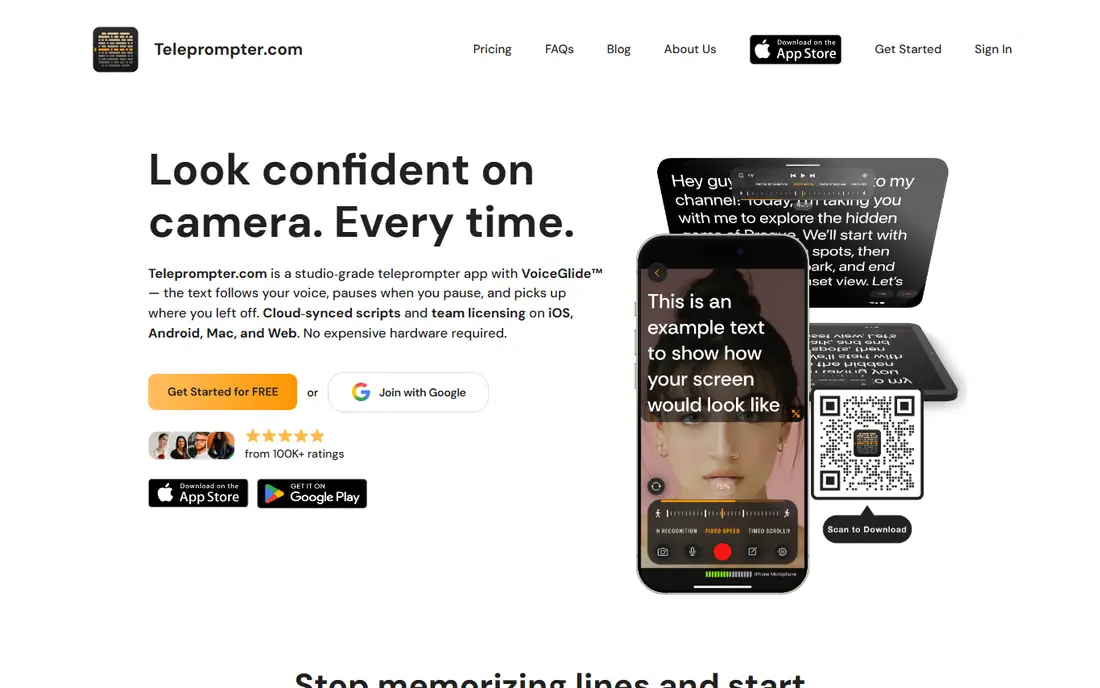
Teleprompter.com is our pick for creators who record often and work on more than one device. Scripts stay updated across devices, so an edit on your phone appears on your tablet or web session without manual copying. Built in recording means you can prompt and record in the same app, which cuts the setup time for talking head videos. VoiceGlide follows your voice through the script, so you can pause, ad lib or repeat a line without hunting for your place.
The free Starter plan covers basic prompting, and Pro is listed at $19.99 per month or $90 per year, with a 7-day free trial. That monthly price is high compared with simpler apps, so the annual price is the fair comparison for regular users. If you only prompt occasionally, a free or low cost app may be enough. If you record weekly and need sync plus recording, Teleprompter.com earns its place.
- Script sync across devices
- Built in recording
- Voice scroll with VoiceGlide
- Monthly price is high
- Annual price is the better value, at $90 per year
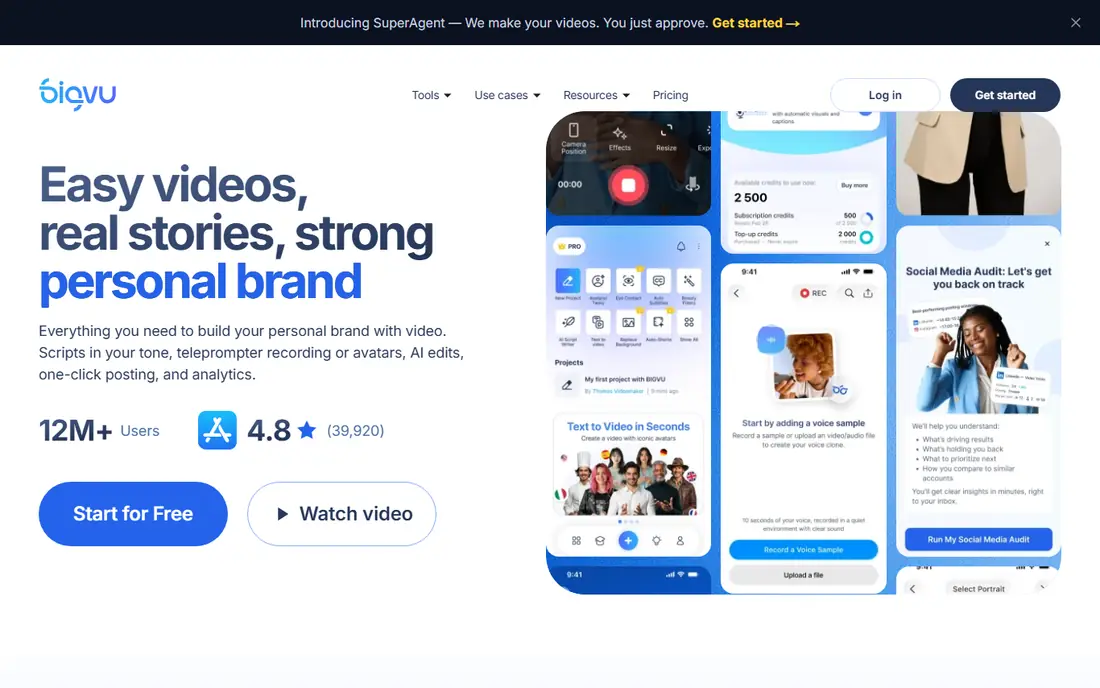
BIGVU suits creators who want one app from script to posted video. You write or import a script, prompt while you record, then add captions, trim clips and post, without moving files between three apps. Green screen tools and social posting help for short form creators who publish daily. That workflow saves time when the bottleneck is editing, not just reading.
The free plan is watermarked, so check the export before you use it for client work. Paid plans are listed from about $7.49 per month in some comparisons, but pricing varies, so check the BIGVU pricing page for your region before you budget. If you already edit in another tool and only need prompting, a simpler app will be cheaper. If you want prompting plus captions in one place, BIGVU is a strong pick.
- Recording, captions and editing in one app
- Green screen and posting tools
- Web and mobile
- Free version adds a watermark
- Paid pricing varies by plan and region
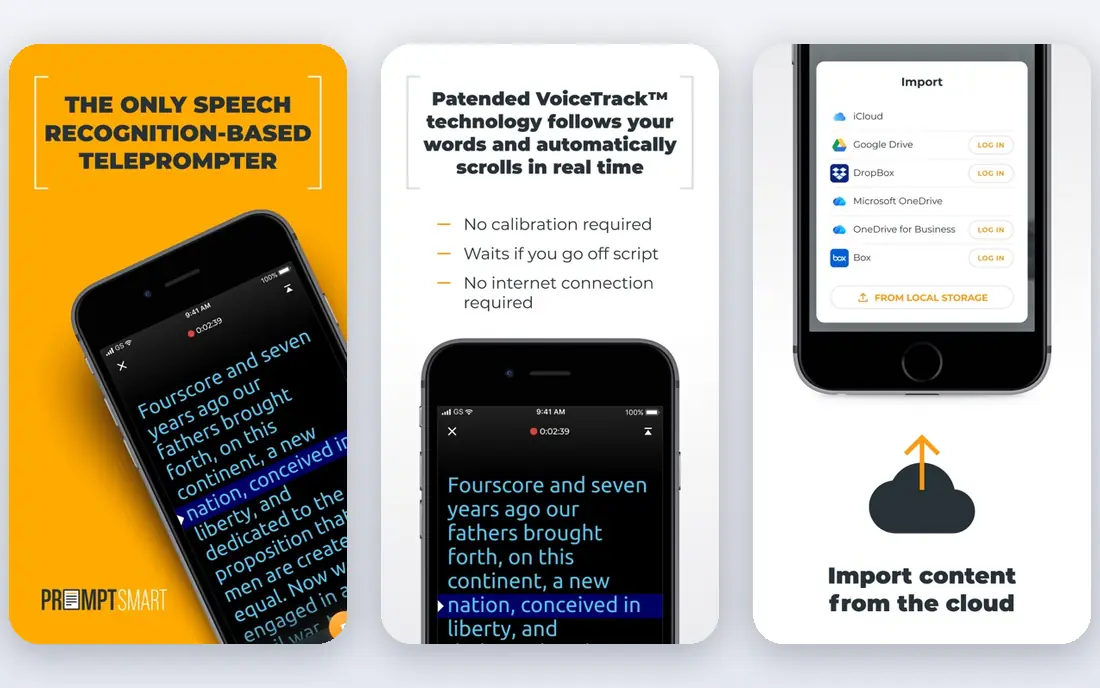
PromptSmart Pro is the pick for speakers who talk, pause and go off script, then return to the text. Its VoiceTrack feature follows your voice, so the script moves when you speak and waits when you pause. That feels more natural than a fixed scroll speed for a talk, a sermon or a training video. The prompter view stays clean, with large text and simple speed controls for manual use too.
Pricing is listed at $9.99 per month in recent Android comparisons, with a limited free option, and an older one time price of $29.99 appears in some iOS listings. Check the current store listing for your device, because plan terms differ by platform. Voice tracking works best in a quiet room with clear speech, so test it with your real voice and script. For noisy rooms, manual scroll or a remote control may be more reliable.
- VoiceTrack follows your speech
- Good for talks and presentations
- Clean prompter view
- Voice tracking is English only in its main mode
- Subscription needed for full features
Teleprompter for Video is a good pick for iPhone creators who want recording, captions and editing without a desktop editor. You can prompt while you record, add captions, and trim the result in the same app. Voice scroll helps for longer takes, and the layout is built for talking head video, not just for reading a script on a second screen. That focus shows in the recording controls and export options.
The free plan limits scripts to 750 characters, which is short for a full talk, so most regular users will need a paid plan, listed at $8.99 per month in recent comparisons. If you record short social clips, the free limit may still work. If you record talks or courses, budget for the paid plan. Test caption accuracy with your accent and pace before you rely on it for published videos.
- Record and prompt in one app
- Captions and editing tools
- Voice scroll
- Free scripts are limited to 750 characters
- IPhone and iPad focus
Elegant Teleprompter is our pick for Android users who want a simple prompter without a subscription. The free version is ad supported, and Pro is listed as a one time $3.99 purchase, which is far cheaper over a year than most subscription prompters. Its floating window mode lets you read a scrolling script while you use another app, such as a camera app, to record. You can also import a script from Drive, which helps for longer talks.
The limits are clear. It is Android only, and it does not offer the voice scroll found in Teleprompter.com or PromptSmart. For a simple setup with manual scroll or a remote, that is fine. For a speaker who needs voice tracking, pick a different app. For a presenter on a budget who wants a floating prompter on Android, Elegant Teleprompter is hard to beat on price.
- Free with ads
- Floating window mode
- Simple controls
- Pro is a one time purchase
- Android only
- No voice scroll in the main mode
- Ads on the free version
QMe Prompter is the pick if you sing or play on camera, or if you want voice scroll on a budget. Your lyrics and chords move over your own picture while a backing track plays, and the saved video shows just you. For talkers, QMe follows your voice through the script for $2.99 per month, with $29.99 per year and a $149.99 lifetime option listed. That price is a fraction of larger video prompters, which makes it a good test for voice scroll.
The free plan covers 3 scripts, so it is a trial, not a long term free tool for regular creators. The music tools may be extra weight if you only record talks, but they do not get in the way of basic prompting. Test voice following with your own songs or talks in a quiet room, and check how it handles pauses and repeated choruses. If it tracks well, the low monthly price is easy to justify.
- Voice following at a low price
- Lyrics and chords over video
- Backing track support
- Music focus may be more than talkers need
- Free plan covers only 3 scripts
Nano Teleprompter suits Android creators who want a floating overlay prompter without paying for a full video suite. You can float the script over a camera or social app, resize it, and read while you record. That overlay approach is useful when your main camera app is separate from your prompter, or when you stream live and need words on screen without a second device. The app is free with in app purchases, so you can test the core idea at no cost.
The trade-off is scope. Nano Teleprompter is not a recording and editing suite, so you will still need a camera app and an editor for finished videos. Overlay setup also needs care, because a poorly placed window can cover your face or controls. Try it with a short test recording first, check the final video framing, then decide if the overlay workflow suits your style. For a simple, free Android overlay, it is a good pick.
- Free with in app purchases
- Floating overlay over other apps
- Simple Android setup
- Android focus
- Fewer recording and caption tools
- Overlay needs setup care
CapCut is the pick if you already edit in CapCut and want prompting without a second subscription. Its prompter mode lets you read a script while you record, then you can edit, caption and post in the same app. That single app workflow helps short form creators who publish often and do not want to learn another tool for one job. The free plan covers basic prompting and editing.
The catch is focus. CapCut is an editor first, so its prompter controls are simpler than a dedicated prompter app, and voice scroll is not its strength. Pro is listed from $19.99 per month in some comparisons, so check the current pricing page before you pay for Pro just for prompting. If you already use CapCut daily, try its prompter mode first. If prompting is your main need, a dedicated app will serve you better.
- Prompter mode inside a full editor
- Free to start
- Captions and effects in one place
- Prompter is not its main focus
- Pro starts at $19.99 per month in some listings
How we picked these
We compared official feature pages, app store listings and pricing pages, and we weighted voice scroll, recording, script sync, platform support and free limits. We looked for apps that offer readable text, adjustable speed, mirror mode for hardware rigs where relevant, and a clear free or trial path. We did not claim hands-on testing for every app, and prices change by platform and region, so check the vendor page or store listing before you pay.
How to set up a prompter that looks natural
Start with text size and distance. Your script should be large enough to read without moving your eyes far from the lens, but not so large that only a few words fit on screen. Place the prompter as close to the lens as you can, and test the eye line on a short recording. If your eyes drift to one side, move the device or the text window closer to the lens. Small moves here make a bigger difference than a new app.
Set speed, pauses and breaks
Set a scroll speed slightly slower than your natural pace, then add paragraph breaks where you want to breathe. A script with no breaks will rush you, and a script that scrolls too fast will force you to chase words. Mark pauses, emphasis and section changes in the script itself, so you do not have to remember them while recording. For voice scroll, speak clearly in a quiet room for the first test, then try your normal room noise.
Use a remote, a second screen or mirror mode when needed
For longer talks, a Bluetooth remote or a foot pedal can be more reliable than voice scroll, especially in a noisy room. For a studio rig, check mirror mode, which flips text for a beamsplitter glass. For a phone setup, a second device as the prompter and your main phone as the camera often gives a better eye line than a floating window. Test each setup with a full script, not just a paragraph, before a live talk.
Frequently asked questions
What is the best teleprompter app?
Teleprompter.com is our pick for creators who record across devices, BIGVU is the best all in one pick, and Elegant Teleprompter is the best free Android pick. PromptSmart Pro is the best pick for voice tracking in talks. The right app depends on whether you record, present live, sing or just need simple scrolling text.
What are the best free teleprompter apps?
Elegant Teleprompter, Nano Teleprompter and CapCut offer free prompting, and Teleprompter.com offers a free Starter plan. Free plans may include ads, watermarks or script limits, so check those terms before a paid job. For regular use, a low cost paid plan often removes the limit that matters most to you.
What is the best teleprompter app free for iPhone?
Teleprompter for Video offers a free start for short scripts, Teleprompter.com offers a free Starter plan, and QMe Prompter offers a free start for 3 scripts. For iPhone users who need longer scripts, a paid plan from one of those apps is usually needed. Test voice scroll and recording on your phone before you commit.
Does voice scroll work well?
Voice scroll works well in a quiet room with clear speech and a script that matches what you say. It can struggle with accents, background noise, music or heavy ad libbing. Test it with your real script and room, and keep manual scroll or a remote as a backup for live talks or noisy venues.
Do I need a teleprompter hardware rig?
No, for most creators. A phone or tablet close to the lens works well for short videos and talks. A hardware rig with mirror glass helps for studio work, long talks or a very strict eye line, but it adds cost and setup. Start with software, test your eye line on video, and add hardware only if the eye line still looks off.
Can I use a teleprompter for live streaming?
Yes, if the app supports a floating window or a second screen. Elegant Teleprompter and Nano Teleprompter offer floating windows on Android, and other apps work with a second device as the prompter. Test the setup live before a real stream, because a window that covers controls or chat can cause problems mid stream.
Sources we checked (8)

Online Jobs is an independent blog about careers, online work, learning new skills and the tools that help people earn. More about us.
Keep reading
All posts
Zoom Alternatives
Zoom alternatives compared for 2026: Google Meet, Microsoft Teams, Webex, Jitsi and more for free calls, large meetings and webinars for teams and classrooms.

Which Software Is Best for Data Entry
Compare the best data entry software for forms, OCR scanning, and spreadsheets, with free plans, pricing, and honest limits for each tool before you commit.

What Is the Best Free Tool to Rotate a PDF
What is the best free tool to rotate a PDF? We compare eight free rotation tools on per-page control, limits, privacy and saved output quality in detail.