Best Software for Architects in 2026: 8 Tools Compared

How we put this together: we compare official feature and pricing pages, app store listings, privacy policies and public user reviews. Prices change, so check the provider's site before you pay.
Key takeaways
- Most practices need two tools, not one: a BIM or drafting platform for documents, plus a faster modeler or renderer for design and client presentations.
- Revit remains the BIM standard for large, multi-discipline projects, mainly because consultants, contractors, and clients already work in its files.
- Archicad suits design-led small practices that want full BIM without Revit's weight, while SketchUp Pro is the quickest route to a clear concept model.
- Rhino is the strongest choice for complex geometry, but it is not a construction documentation platform on its own.
- Subscription costs add up fast, so check whether a cheaper seat, a free version, or a one-time purchase covers the work you actually bill for.
Quick comparison
| Name | Who it suits | Starting price | Free option | |
|---|---|---|---|---|
 Revit Revit | Large, multi-discipline BIM projects | See website | Free trial (30 days) | Visit |
 Archicad Archicad | Design-led practices wanting full BIM | See website | Free trial | Visit |
 AutoCAD AutoCAD | 2D drafting and construction documentation | See website | Free trial (30 days) | Visit |
 SketchUp Pro SketchUp Pro | Fast concept models and client presentations | $399 per year | Yes | Visit |
 Vectorworks Architect Vectorworks Architect | Studios wanting design, drafting, and BIM in one package | See website | Free trial | Visit |
 Rhino Rhino | Complex geometry and freeform design | $995 one-time | Free trial (90 days) | Visit |
 Chief Architect Chief Architect | Residential design and remodeling | See website | Free trial | Visit |
 BricsCAD BricsCAD | DWG drafting without Autodesk prices | See website | Free trial (30 days) | Visit |
The best software for architects
Architects rarely pick software on features alone. File compatibility with consultants, the cost per seat, and how quickly a new hire can produce useful work matter just as much. We compared official feature pages, pricing pages, and public reviews for the tools that show up most often in real practices, from large BIM platforms to focused concept modelers.
Revit is the default answer for firms working on complex commercial, healthcare, or education projects, and the reason is practical rather than glamorous. Structural and services consultants commonly deliver in Revit, so staying in the same model reduces translation errors, clashes, and rework. Its parametric families, schedules, and documentation tools are built for projects where dozens of drawings must stay consistent.
That power comes with cost and commitment. Revit is a subscription product at the top end of this list, it takes real training to use well, and it runs on Windows, so Mac studios need a workaround or a second machine. Small practices that rarely coordinate with large consultant teams may find it more software than their projects need.
- Industry-standard BIM coordination
- Strong multi-discipline workflows
- Consultants and contractors widely use the same format
- High subscription cost
- Steep learning curve
- Windows only, which limits Mac-based studios
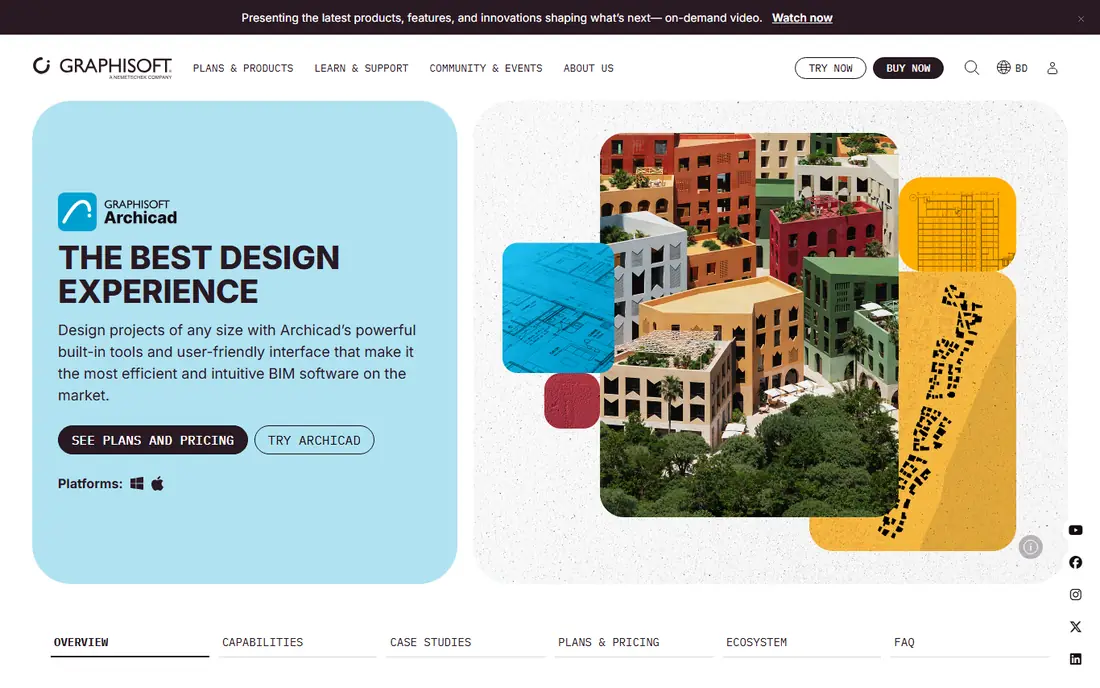
Archicad appeals to architects who want a proper BIM model without giving up the feel of a design tool. Modeling feels more direct than in Revit for many users, documentation is generated from the same model, and the software runs natively on Mac, which matters to studios that have standardized on Apple hardware. A Solo plan aimed at single practitioners also makes it easier for small firms to start with BIM.
The honest catch is ecosystem. In markets where every consultant works in Revit, Archicad users must manage IFC exchange and file handoffs more carefully. That is workable, and open BIM workflows are well supported, but it is a real coordination task on large jobs, so test it on a live project before committing a whole studio.
- BIM-native modeling with a design-friendly interface
- Runs on Mac and Windows
- Solo option suits small practices
- Smaller consultant ecosystem than Revit in some markets
- Pricing varies by plan and region
- Teamwork setup needs care on larger jobs
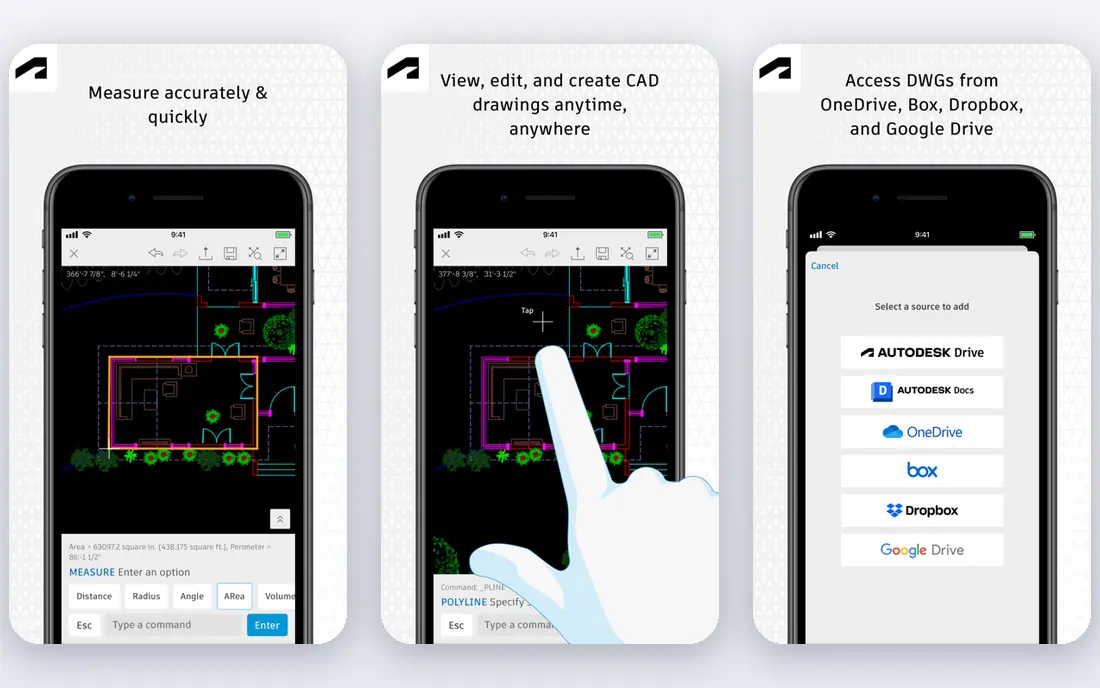
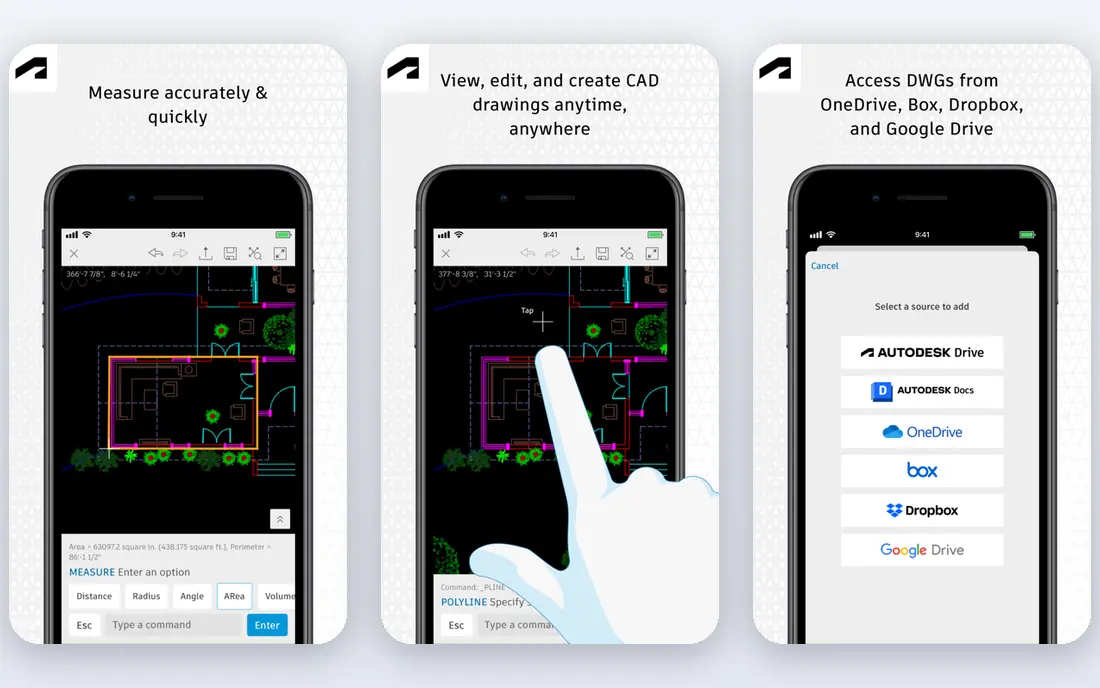
AutoCAD still earns its place in many practices, even in a BIM-heavy market. For 2D plans, sections, details, and drawing sets, it is precise, familiar, and compatible with the DWG files that clients, surveyors, and contractors have used for decades. Teams with deep block libraries and established drawing standards can produce documents quickly without rebuilding their workflow.
Its limits are equally clear. AutoCAD is not a BIM tool, so changes do not flow through a coordinated model the way they do in Revit or Archicad, and its 3D modeling is no substitute for SketchUp or Rhino at concept stage. If your work is mostly BIM, AutoCAD becomes a companion tool for details and consultant drawings rather than the main platform.
- The long-standing standard for DWG drafting
- Precise 2D documentation tools
- Huge library of existing drawings and blocks
- Subscription cost is high for 2D-only work
- Not a BIM platform
- 3D tools are limited next to dedicated modelers
SketchUp Pro is the tool we would hand to someone who needs a convincing concept model this week. Its push-pull modeling is easy to pick up, it handles massing studies and design options with little friction, and the free web version lets students and beginners learn the basics before paying. For client meetings, a simple SketchUp model with shadows and views often communicates more than a polished rendering of the wrong scheme.
The trade-off is that SketchUp does not manage building data the way a BIM platform does. Producing a full construction set requires extensions, careful layer and component discipline, or pairing it with a documentation tool. Use it for design development and presentation, and plan a separate route to documents on projects that need them.
- Very quick to learn
- Strong for massing, options, and early client discussions
- Free web version for getting started
- Not a BIM tool
- Documentation needs add-ons or a companion app
- Large models need tidy modeling habits
Vectorworks Architect
Who it suits: Studios wanting design, drafting, and BIM in one package
Vectorworks Architect suits studios whose work crosses architecture, outdoor spaces, and interiors, or who want one package rather than three. It covers drafting, modeling, rendering, and BIM documentation in a single environment, and it runs on both Mac and Windows. Practices that design gardens, exhibitions, or interiors alongside buildings often value that breadth.
The catch is scale of community. Fewer consultants work natively in Vectorworks than in Revit, so file exchange and hiring need more thought, and some firms report that BIM workflows feel less rigidly standardized. For a design-led studio that controls its own deliverables, that flexibility is a plus; for a firm embedded in Revit consultant teams, it is a cost to weigh.
- Combines 2D drafting, 3D modeling, and BIM
- Runs on Mac and Windows
- Strong for outdoor design and interiors alongside architecture
- Smaller user community than Autodesk products
- Pricing is subscription-based
- Some firms find BIM workflows less standardized
Rhino is the specialist in this list, and for the right projects it has no real rival. Its NURBS modeling handles curved facades, complex roofs, and freeform geometry that boxy BIM tools struggle with, and Grasshopper lets designers build parametric systems that update across a whole form. The one-time purchase price also stands out in a market dominated by subscriptions.
Rhino does not, on its own, produce a coordinated construction document set. Most Rhino-based practices pair it with a BIM or drafting tool, or use plug-ins and careful export workflows to move geometry into documents. Buy it for design and geometry, not as a replacement for your documentation platform.
- Outstanding NURBS modeling for curved and freeform shapes
- One-time purchase rather than subscription
- Grasshopper adds parametric design
- Not a documentation platform on its own
- Needs companion tools for BIM and drawings
- Learning curve for parametric work
Chief Architect is built for houses, and that focus shows in the speed of its workflow. Automatic roof building, framing, and material takeoffs help residential designers move from a floor plan to a client-ready 3D view and a drawing set without assembling a general-purpose BIM workflow from scratch. Remodels and additions, where existing conditions matter, are a particular strength.
The limit is scope. It is not the tool for a multi-story commercial project with complex consultant coordination, and its file compatibility with large BIM teams is narrower than Revit or Archicad. For a residential practice, though, that specialization is the point: you pay for a workflow shaped around the houses you actually design.
- Automatic roofs, framing, and construction tools for houses
- Fast plan and 3D views for clients
- Strong for remodels and additions
- Focused on residential work, so less suited to commercial BIM
- Pricing and plan options need checking before purchase
- Less consultant compatibility
BricsCAD is the value pick for practices that live in DWG files but dislike Autodesk subscription bills. Its interface and commands will feel familiar to AutoCAD users, files open and save in DWG format, and a BIM edition offers a route toward model-based work without switching vendors. For a small practice that mainly produces 2D documents, the saving per seat is meaningful over several years.
The honest catch is that familiarity is not identity. Some commands, plug-ins, and advanced features behave differently, and training material is thinner than AutoCAD's. Run a trial on real project files, including consultant drawings with complex blocks and xrefs, before moving a whole team.
- High DWG compatibility for AutoCAD-style workflows
- Lower-cost seats than AutoCAD
- BIM edition available for firms moving toward BIM
- Smaller community and training library than AutoCAD
- BIM edition costs more than the drafting edition
- Some advanced tools differ in detail
How we picked these
We compared official feature and pricing pages, app and software listings, and public user reviews for tools used by architecture practices of different sizes. We kept tools that are actively maintained in 2026, that cover a distinct job (BIM, drafting, concept modeling, residential design, or complex geometry), and that a practice could plausibly buy and use today. Where vendors do not publish a single clear price, or where regional pricing varied, we wrote "See website" rather than repeating a figure that might not match your checkout.
Choosing by project type, not by brand
Match the tool to the deliverable
Start from what you must hand over: a coordinated BIM model, a 2D drawing set, a concept presentation, or a residential permit package. A tool that excels at one of those may be mediocre at another, and buying the most powerful platform for a simple deliverable wastes money and training time. List your top three deliverables, then shortlist only the tools that handle all three well.
Test file exchange before you buy
Ask your regular consultants which formats they accept and test a round trip with a real file, not a demo model. Check that layers, blocks, IFC classes, and drawing sheets survive the exchange. A tool that looks good in a trial can still cost hours per week if every consultant file needs cleanup.
Count the total seat cost
Add subscription fees, rendering or visualization add-ons, training time, and any second tool you still need for documents or presentations. A one-time purchase like Rhino can look cheap until you add a BIM seat, while a single all-in-one package can look expensive until you cancel two other subscriptions. Compare three-year totals, not first-year prices.
Let new hires and juniors influence the choice
A tool only your senior staff can use creates a bottleneck. Check how long it takes a competent junior to produce a usable drawing or model, and whether training material and local user groups exist. SketchUp and Archicad often win here, while Revit and Rhino reward longer training with deeper capability.
Frequently asked questions
What is the best software for architects overall?
There is no single winner, because the best tool depends on project type. Revit leads for large BIM coordination, Archicad leads for design-led small practices, and SketchUp Pro leads for fast concept design. Most firms use a main platform plus one specialist tool for modeling or rendering.
What is the best architecture software for beginners?
SketchUp Pro, with its free web version, is the easiest starting point for 3D design, while Archicad Solo suits beginners who want to learn BIM in a smaller practice. Revit rewards patience but has a steeper first month. Start with the tool your future employer or clients already use if you can.
Is Revit better than Archicad?
Revit has the larger consultant ecosystem and is the safer choice for large multi-discipline projects. Archicad is often preferred by design-led studios for its interface, Mac support, and Solo pricing. The deciding factor is usually which platform your consultants and clients use, not which interface you prefer in isolation.
Can architects work with free software?
Yes, for parts of the job. SketchUp Free covers basic concept modeling, and open-source tools cover some 2D drafting, but a full professional BIM and documentation workflow still usually needs a paid seat. Free tools are a good way to learn and to handle small personal projects.
Do architects need rendering software as well?
Not always, but client presentations usually benefit from it. Some tools in this list include rendering, while others pair with dedicated renderers. If presentations win you work, budget for a renderer or a real-time visualization tool alongside your main platform, and check whether it reads your model format directly.
How much should a small firm budget for architecture software?
Expect a few hundred dollars per year for a concept tool like SketchUp Pro, and several thousand per seat per year for a full BIM platform, before rendering add-ons. Compare three-year totals, include training, and check whether a smaller plan, such as Archicad Solo, covers your project sizes before buying full seats for everyone.
Sources we checked (8)

Online Jobs is an independent blog about careers, online work, learning new skills and the tools that help people earn. More about us.
Keep reading
All posts
Best White Label SEO Companies
We compare the best white label SEO companies and tools in 2026 for agencies, from fulfilment services to branded reporting platforms, margins and prices.

Best Webinar Software
We compared the best webinar software for 2026 on price, attendee limits, automation and ease of use, to help you host better live sessions with confidence.

Best Web Scraping Tools
Compare the best web scraping tools in 2026, from no-code Octoparse and Browse AI to Apify, Firecrawl, Bright Data, Zyte, ScraperAPI and free Scrapy, with prices.