Best Sleep Tracker Apps in 2026: 10 Products Compared

How we put this together: we compare official feature and pricing pages, app store listings, privacy policies and public user reviews. Prices change, so check the provider's site before you pay.
Key takeaways
- Sleep Cycle is the best-known phone-only tracker, with a smart alarm that aims to wake you in light sleep.
- Pillow, AutoSleep and SleepWatch suit Apple Watch owners who want deeper stage, heart rate and recovery data.
- Sleep as Android is the power-user pick for Android, with contactless tracking and deep customisation.
- Rise suits people who want sleep debt and energy planning, rather than just a nightly score.
- No consumer app matches a clinical sleep study, so use trends over weeks, not a single night score, to judge progress.
Quick comparison
| Name | Who it suits | Starting price | Free option | |
|---|---|---|---|---|
 Sleep Cycle | Phone-only tracking and smart alarm | Free | Yes | Visit |
 Pillow | Apple Health integration and audio | Free | Yes | Visit |
 AutoSleep | Hands-off Apple Watch analysis | See website | No | Visit |
 SleepWatch | Watch coaching and lifestyle tags | Free | Yes | Visit |
 Rise | Sleep debt and energy planning | See website | Free trial | Visit |
 Sleep as Android | Android power users | See website | Yes | Visit |
 SnoreLab | Measuring and reducing snoring | Free | Yes | Visit |
 BetterSleep | Relaxation sounds plus tracking | Free | Yes | Visit |
 ShutEye | Falling asleep, not just tracking | See website | Free trial | Visit |
 Apple Health Sleep | Free built-in baseline on iPhone | Free | Yes | Visit |
The best sleep tracker apps
A sleep tracker should help you see patterns, not obsess over one night. The apps below track sleep with a phone, a watch, or both, and they differ in alarms, scores, sound recording and coaching. Pick by device first, then by whether you want a simple score, a smart alarm, or help falling asleep.
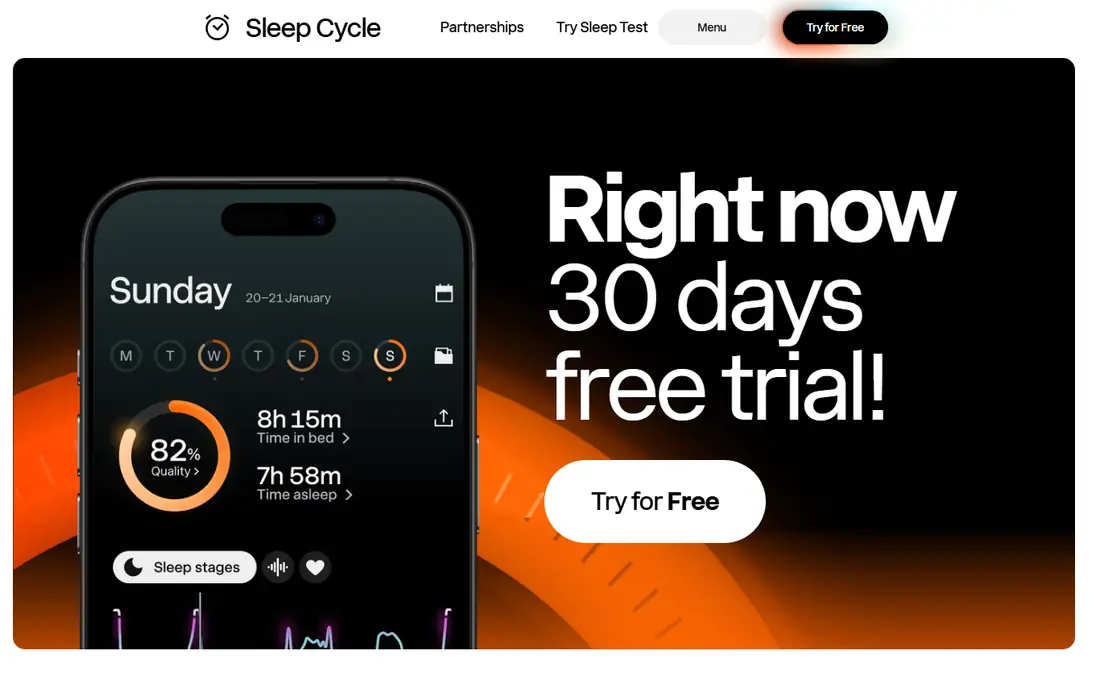
Sleep Cycle is our pick for most people without a watch. It uses your phone microphone and motion sensors to track sleep, record sounds, and wake you within a smart window when sleep is lightest. That alarm is the feature most users notice first, because waking from light sleep often feels easier than waking from deep sleep. The phone must stay on or near the bed, which is a habit change for some users. Full history and deeper trends need Premium, so check the current annual price on the vendor site. Stage data is still an estimate, so judge trends over weeks. For phone-only tracking, Sleep Cycle remains the most refined option.
- Works without a watch
- Smart alarm window
- Sound and motion tracking
- Clear graphs
- Phone must stay near the bed
- Full history needs Premium
- Stage data is estimated
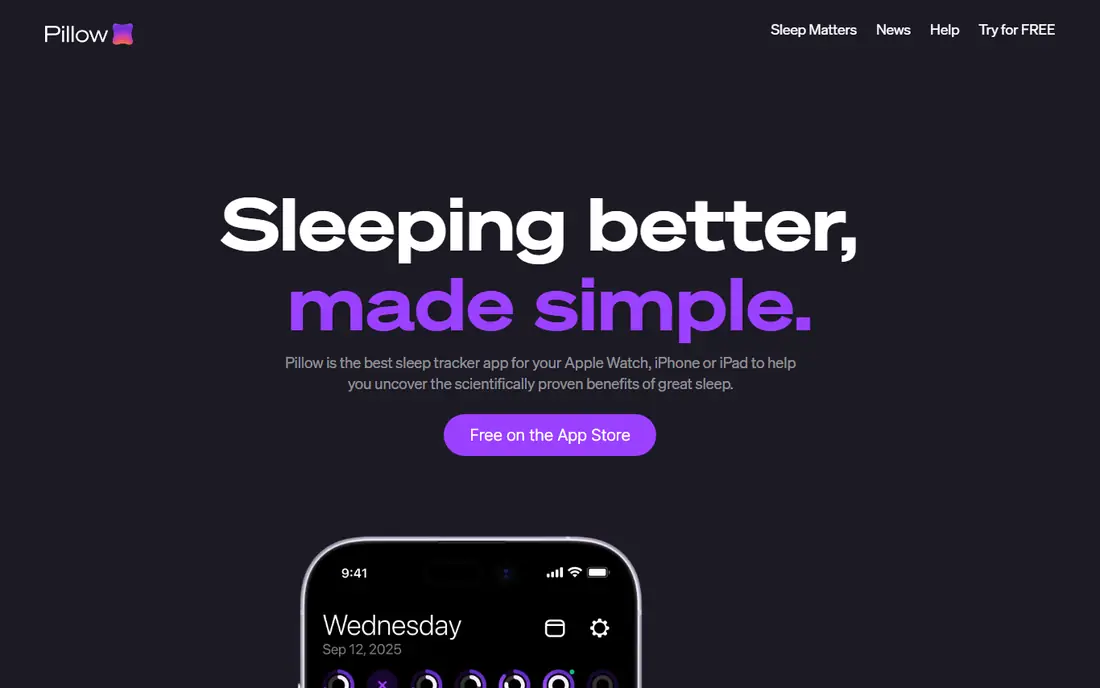
Pillow suits iPhone users who want sleep data inside Apple Health, with detailed reports, schedules and audio recordings. It tracks sleep stages, records sounds, and offers a sleep aid section with sounds to help you fall asleep. Sync across iPhone, Apple Watch and iPad keeps reports consistent. Many advanced features need a subscription, so the free plan is best seen as a trial of the layout, not the full product. Android users cannot use Pillow, and should look at Sleep Cycle or Sleep as Android instead. For Apple users who want a detailed, Health-linked tracker, Pillow is a strong pick.
- Deep Apple Health sync
- Sleep schedules
- Audio recording and sleep aid sounds
- IPhone and Apple Watch focused
- Many features need a subscription
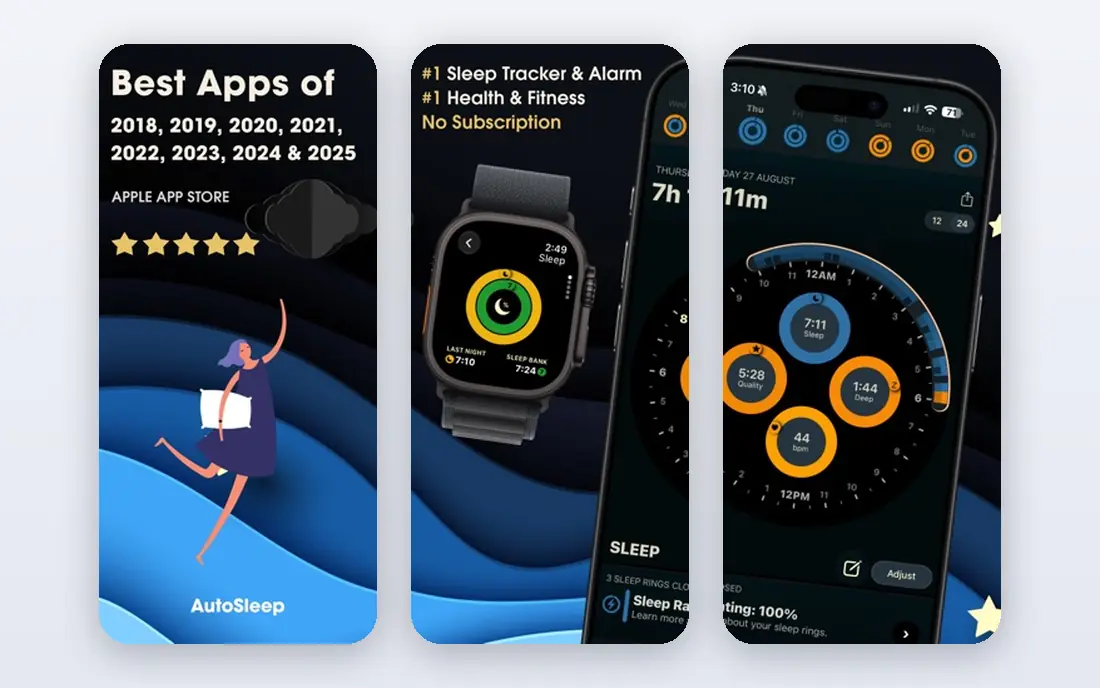
AutoSleep is built for Apple Watch owners who want tracking without thinking about it. Wear the watch to bed, and the app analyses sleep, readiness, sleep bank and heart rate data in the morning, with no start or stop button. That hands-off design suits people who forget to start a tracker. It needs an Apple Watch and an iPhone, and the interface packs in a lot of data, which can overwhelm a new user. Pricing is a one-time purchase on the App Store in many regions, so check the live listing before buying. For detailed, automatic watch tracking, AutoSleep is a favourite among long-term users.
- Automatic tracking with no button press
- Detailed readiness and sleep bank data
- One-time purchase model
- Apple Watch required
- IOS only
- Interface is data-dense for new users
SleepWatch pairs Apple Watch tracking with lifestyle tags, so you can link caffeine, exercise, alcohol or late meals to sleep quality over time. That habit link is useful, because a sleep score alone rarely tells you what to change. Coaching insights build on those tags to suggest practical steps. The app is iPhone and Apple Watch focused, so Android users need another pick. Full coaching sits behind a subscription, so check the current price on the vendor site. If you want to learn which habits help or hurt your sleep, SleepWatch gives you a clearer path than a score alone.
- Watch-based tracking
- Lifestyle tags to link habits and sleep
- Coaching insights
- Apple Watch and iPhone focused
- Premium needed for full coaching
Rise is different from most trackers here, because its main product is planning, not just recording. It calculates sleep debt, shows when your energy peaks and dips during the day, and suggests wind-down and wake times based on your debt and schedule. That planning view helps people with irregular shifts or late nights. There is no lasting free plan beyond a trial, so check the price on the vendor site. Tracking itself is less detailed than AutoSleep or Pillow for watch data. If your main problem is timing and debt, rather than a nightly score, Rise is the most focused tool in this list.
- Sleep debt maths
- Energy schedule and wind-down times
- Focus on circadian timing
- No lasting free plan
- Tracking is less detailed than AutoSleep for watch data
Sleep as Android is the Android power-user pick. It offers contactless sonar tracking, so you do not need to wear a watch, plus deep customisation for alarms, tracking methods, noise recording and integrations. Users who like to tune every setting will find more control here than in any other app in this list. That depth comes with a busy interface, and the full licence needs a paid key, so check the vendor site for current terms. iPhone users cannot use it. For Android owners who want the deepest tracking control without a watch, Sleep as Android is the clear choice.
- Contactless sonar tracking
- Deep customisation
- Smart alarm and sleep noise recording
- Android only
- Interface is busy
- Full licence needs a paid key
SnoreLab is a specialist, not a general tracker. It records sounds through the night, scores snoring intensity, and lets you log remedies such as nasal strips or side sleeping to see if they help over time. That focus suits people whose main sleep complaint is snoring, or partners who want evidence before seeking advice. It does not replace a full tracker for stages, heart rate or debt, and accuracy depends on phone placement and room noise. Use it alongside Sleep Cycle or a watch app if you need both snoring data and general tracking. For snoring specifically, SnoreLab is the most direct tool here. This guide is general information, not medical advice, and persistent loud snoring with breathing pauses should be checked by a clinician.
- Records and scores snoring
- Tracks remedies over time
- Simple nightly report
- Specialist tool, not a full sleep tracker
- Accuracy depends on phone placement
BetterSleep, formerly Relax Melodies, helps people who struggle to fall asleep, not just to track sleep. It mixes rain, white noise and other sounds, offers sleep stories and meditations, and tracks basic sleep alongside the sound mix. That combination suits light sleepers and people whose mind races at bedtime. Tracking is lighter than in Sleep Cycle or Pillow, and the best sounds and stories need a subscription. Check the current price on the vendor site. If falling asleep is your main problem, BetterSleep is a better starting point than a pure tracker. If you want detailed stage data, pair it with a watch app.
- Large sound library
- Sleep stories and meditations
- Simple tracking
- Best content needs a subscription
- Tracking is lighter than Sleep Cycle
ShutEye combines sleep sounds, stories and a sleep tracker in one app, with snore and sleep-talk recording and a morning report. It suits users who want help falling asleep and a simple record of the night, without the data density of AutoSleep. The interface is friendly, and the sound library is broad. There is no lasting free plan beyond a trial, so check trial and subscription terms on the vendor site. Tracking depth is moderate, so serious data users may prefer Sleep Cycle or Pillow. For a combined fall-asleep and tracking app with a gentle layout, ShutEye is a solid trial pick.
- Sleep sounds and stories
- Snore and talk recording
- Sleep report after waking
- No lasting free plan
- Tracking depth is moderate
Apple Health Sleep is the free baseline every iPhone owner already has. Set a sleep schedule, use Wind Down to reduce alerts before bed, and, with an Apple Watch, get automatic sleep tracking with stages and time asleep. For many users, that built-in data is enough to spot patterns without another app. Reports are basic compared with Pillow or AutoSleep, and there is no smart alarm window that wakes you in light sleep. Android users cannot use it. Start here for two weeks, and only add a paid app if you need a smart alarm, snoring data, or deeper coaching. That free baseline often shows whether a paid tracker is worth it.
- Free and built in on iPhone
- Schedules and Wind Down
- Works with Apple Watch for automatic tracking
- No smart alarm window like Sleep Cycle
- Reports are basic
- IPhone only
How we picked these
We started with sleep apps that appear in current 2026 comparisons and app-store listings, then kept only apps that are live, work on current phones or watches, and track sleep or help users fall asleep. We checked each vendor site or store listing for platform support, free or trial terms, and main features such as smart alarm, stage tracking and sound recording. We favoured apps with a free or trial route and clear pricing, and we dropped apps that were only alarm clocks or only meditation apps with no sleep tracking. Where a price was not stated clearly, we wrote See website. We did not claim hands-on testing, and we did not treat app scores as medical measurements.
How to use a sleep tracker well
Look at trends, not single nights
One bad night can follow a late meal, a hot room or a stressful day, and it does not mean your sleep is broken. Look at two to four weeks of data for patterns in bedtime, wake time, total sleep and debt. A trend that improves slowly is more useful than a single high score, and a trend that worsens for weeks is a reason to change a habit or seek advice.
Keep bedtime and wake time steady
The most useful habit a tracker can support is a steady schedule. Aim for a similar bedtime and wake time, even on weekends, within an hour if possible. Use Wind Down or a reminder an hour before bed to start dimming lights and screens. A tracker can show the benefit of that steady schedule within a few weeks.
Check the basics before buying a new app
Cool room, dark room, quiet room, no caffeine late in the day, and no heavy meals close to bedtime help more than any app feature. If snoring, breathing pauses, or daytime sleepiness persist, talk to a clinician rather than relying on an app score. Apps are general information tools, not medical devices, and they do not diagnose sleep disorders.
Test free options for two weeks first
Use Apple Health Sleep, Sleep Cycle or Sleep as Android for two weeks before paying. That test shows whether you will actually wear a watch to bed, keep a phone nearby, and check reports in the morning. A paid app you ignore will not improve sleep, while a free app you use daily will.
Frequently asked questions
What is the best free sleep tracker app?
Sleep Cycle is the best free phone-only tracker, and Apple Health Sleep is the best free baseline on iPhone. Sleep as Android is the best free starting point on Android. Try a free option for two weeks before paying for deeper features.
Do sleep tracker apps work without a watch?
Yes. Sleep Cycle and Sleep as Android track with a phone alone, using sound and motion or sonar. Watch apps such as AutoSleep and SleepWatch give more heart rate and stage detail, but phone tracking is enough to spot bedtime, duration and snoring patterns.
How accurate are sleep tracker apps?
Consumer apps estimate sleep stages from motion, sound and heart rate, and they are less accurate than a clinical sleep study. They are better for duration and trends than for exact stage timing. Use trends over weeks, not a single night score, to judge progress.
What is the best sleep tracker app for Apple Watch?
AutoSleep suits users who want automatic, detailed data with no button press. Pillow suits users who want Health-linked reports and audio. SleepWatch suits users who want habit tags and coaching. Try the free or trial route for each and keep the interface you check most often.
Can a sleep app help me fall asleep faster?
Apps such as BetterSleep and ShutEye help with sounds, stories and wind-down routines, which help some users fall asleep faster. They do not treat insomnia or sleep disorders. If falling asleep stays hard for weeks, or daytime sleepiness is strong, seek advice from a clinician.
Is a paid sleep app worth it?
It can be, if you use the smart alarm, debt planning or coaching weekly. Most users should start free, since basic tracking covers duration and patterns. Pay only for a feature you miss in the free version, such as full history, debt planning, or advanced watch data.
Sources we checked (10)

Online Jobs is an independent blog about careers, online work, learning new skills and the tools that help people earn. More about us.
Keep reading
All posts
n8n Alternatives
n8n alternatives compared for 2026, with Zapier, Make, Activepieces, and more, covering visual builders, code steps, self-hosting, and pricing models.

eBay Alternatives
Looking for ebay alternatives? We compared 9 marketplaces for sellers on fees, buyer reach, categories and ease of listing, to help you sell with confidence.

ZoomInfo Alternatives
The best ZoomInfo alternatives in 2026, compared on price, free plans, data coverage, and which tool fits small teams or large sales teams best in detail.