Best Shared Calendar App in 2026: 9 Apps Compared

How we put this together: we compare official feature and pricing pages, app store listings, privacy policies and public user reviews. Prices change, so check the provider's site before you pay.
Key takeaways
- Google Calendar is our pick for most mixed-device households because it is free, widely supported and simple to share.
- Apple Calendar suits households that already live on iPhone, iPad and Mac, with Family Sharing built in at no extra cost.
- TimeTree and Cozi add group-friendly extras that the built-in calendars do not, such as event comments, lists and meal planning.
- Teamup stands out for clubs and schools that need a public shared calendar without forcing everyone to create an account.
- Paid options only make sense when you need combined calendars from several providers or a shared view for a larger team.
Quick comparison
| Name | Who it suits | Starting price | Free option | |
|---|---|---|---|---|
 Google Calendar Google Calendar | Mixed-device households | Free | Yes | Visit |
 Apple Calendar Apple Calendar | All-Apple households | Free | Yes | Visit |
 Microsoft Outlook Calendar Microsoft Outlook Calendar | Microsoft households and work | Free | Yes | Visit |
 TimeTree TimeTree | Couples and small groups | Free | Yes | Visit |
 Cozi Cozi | Families who also need lists | Free | Yes | Visit |
 FamilyWall FamilyWall | Families who want one hub | Free | Yes | Visit |
 Teamup Teamup | Clubs and public schedules | Free | Yes | Visit |
 Morgen Morgen | People juggling several calendars | $15 per month | No | Visit |
 FamCal FamCal | Simple family scheduling | Free | Yes | Visit |
The best shared calendar apps
Shared calendars fail when only one person updates them. We looked for apps that are easy to join, clear at a glance and kind to mixed phones, so the whole group can actually keep using them.
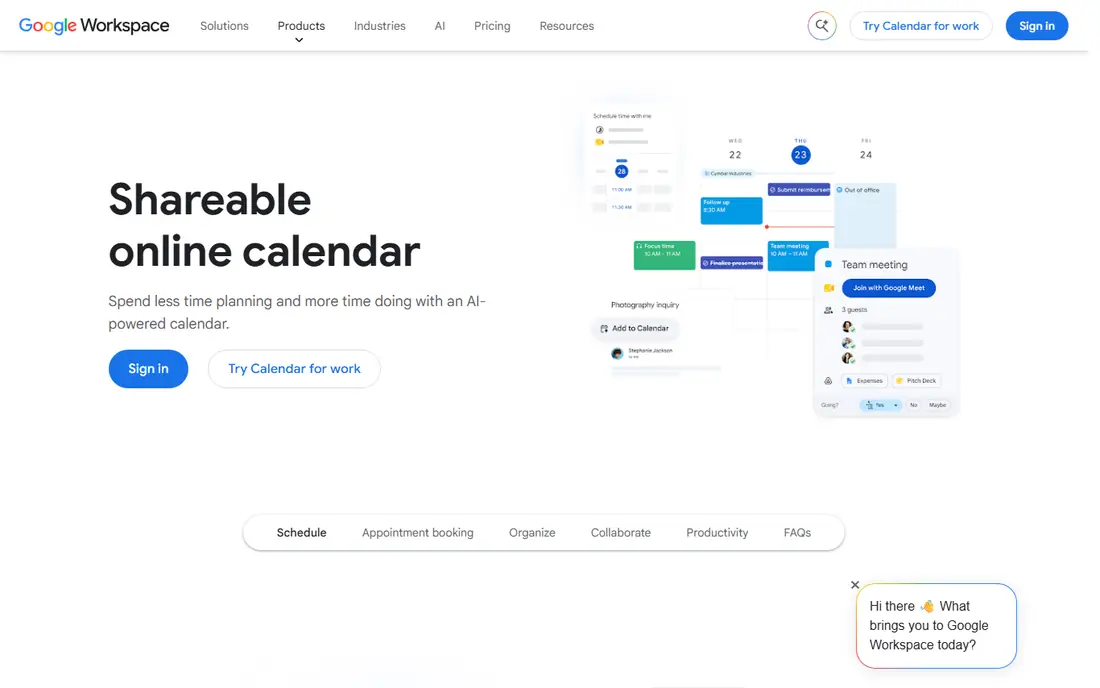
For most households, Google Calendar is the sensible starting point. Almost everyone already has a Google account or can create one for free, and the app runs well on both major phone systems. You can create separate calendars for each person, for school, for work and for shared activities, then colour code them so a busy week stays readable.
Sharing is flexible without being confusing. You can let a partner edit events, let grandparents view only, or make a calendar public for a club. The catch is that Google Calendar stays a calendar. If your household also needs shared lists, meal plans and chores in the same place, you will need another app beside it, and that extra step is where some families drift off track.
- Works on Android, iPhone and the web
- Easy sharing with different permission levels
- Events can be created from Gmail
- Family features are basic compared with dedicated family apps
- No built-in shopping lists or meal planning

If everyone in the house uses Apple devices, Apple Calendar is hard to beat for simplicity. There is nothing new to install, and Family Sharing sets up a shared calendar for up to six people without a separate signup. Events, invitations and alerts feel native because they are part of the system, not an extra layer on top of it.
The limit shows up as soon as one person uses Android or Windows as a main device. They can view an iCloud calendar on the web, but the experience is not as smooth as using the app on an iPhone. For a mixed household, that friction matters more than any single feature, and it is the main reason we do not put Apple Calendar first for everyone.
- Built into iPhone, iPad and Mac
- Family Sharing creates a shared calendar automatically
- Time-to-leave alerts are helpful
- Weaker experience for Android users
- Sharing controls are less flexible than Google Calendar for large groups
Microsoft Outlook Calendar
Who it suits: Microsoft households and work
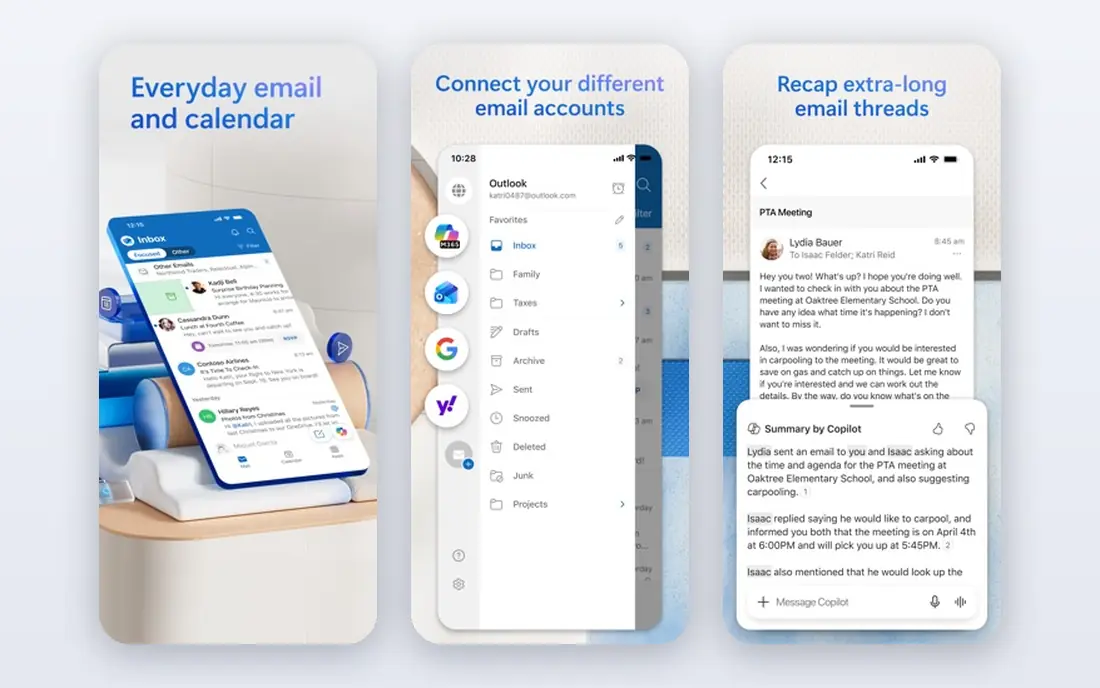
Outlook Calendar makes the most sense when email already lives in Outlook. Work meetings, school emails and family events can sit in one place, and sharing a calendar with a partner or colleague takes a few taps. For parents who balance a job that runs on Microsoft tools with home life, that single view saves a lot of switching between apps.
For a family that only needs a simple shared diary, Outlook can feel heavier than Google or Apple Calendar. Menus are deeper, settings take longer to find, and the cleanest experience comes when the whole household is already inside the Microsoft system. If that is your setup, it is a strong pick. If not, a lighter app will feel easier day to day.
- Strong with Outlook email and Microsoft 365
- Good for work and home in one view
- Sharing and scheduling tools are mature
- Interface can feel busy for simple family use
- Some features need a paid Microsoft 365 plan
TimeTree is built around the idea that one person belongs to several groups at once. You can keep a calendar for your partner, another for friends, another for a sports team, and switch between them without mixing everything into one crowded view. Each event can carry comments, so people can confirm a time, ask a question or share a detail in the same place as the event itself.
That comment thread is the feature that sets TimeTree apart from the built-in calendars. It turns a calendar entry into a short conversation, which helps when plans change. The trade-off is advertising in the free version and a paid plan for extras. If ads bother you, or if you need attachments on every event, check the paid price before you move a whole group across.
- Separate calendars for each group
- Comments on events help coordination
- Works on iPhone, Android and the web
- Free version shows ads
- Some useful features, such as file attachments, need the paid plan
Cozi has been a family organiser for years, and that history shows in a practical way. The calendar is only one part of the app. Beside it sit shared shopping lists, to-do lists, a meal planner and a recipe box, so a family can plan the week and the shopping in the same place. Each person gets a colour, which makes it easy to see who has what on a given day.
The downside is presentation. Cozi does not look as modern as newer rivals, and ads appear in the free version. Paid plans remove ads and add more features, so the free version is best treated as a trial of the full idea. If your household wants one hub rather than a calendar plus three other apps, Cozi still earns its place.
- Combines calendar, shopping lists, to-do lists and meal planning
- Colour coded by family member
- Works across devices
- Free version shows ads
- Design feels dated next to newer apps
- Some features need a paid Gold plan
FamilyWall tries to replace several family apps with one shared space. Alongside the calendar you get a family chat, shared lists, a photo gallery and contacts, so grandparents, parents and older children can stay in touch without switching apps. For families spread across towns, that single hub can feel more personal than a plain calendar invite.
The honest catch is that the free tier is a starting point, not the full product. Location sharing and deeper sync options sit behind the paid plan, so families who want those features should price the upgrade first. If you only need a calendar, a simpler app will do. If you want the hub, FamilyWall is a clear contender.
- Calendar plus messaging, photo sharing and lists in one app
- Location sharing on the paid plan
- Works on iPhone and Android
- Best features need the paid plan
- Smaller user base than Google or Apple Calendar
Teamup solves a different problem from the family apps above. A sports club, school or volunteer rota often needs to publish a schedule that anyone can view, without asking every parent or member to sign up for yet another account. Teamup does that well, with separate sub-calendars for teams, venues or age groups that can be shown together or on their own.
Because it is built for publishing schedules, it is less warm as a family diary. You will not get meal planning, photo sharing or a family chat here. That focus is also its strength. If your main need is a reliable public calendar that many people can check, Teamup is simpler to run than forcing a whole club onto a personal calendar app.
- Viewers do not need an account for public calendars
- Many sub-calendars in one view
- Good for schools, clubs and rotas
- Design is functional rather than pretty
- Group chat and family extras are not the focus
Morgen is for people whose calendar problem is volume. If you have a Google calendar, an Outlook calendar and perhaps another work calendar, Morgen can bring them together and let you share a chosen combination with someone else. That matters for couples where one partner has a complex work schedule, or for small teams that need to see availability without sharing every private detail.
The price is the barrier for casual use. At $15 per month on the plan we found, Morgen costs more than most families will want to pay for a calendar, and there is no free plan to fall back on. For a busy professional or a small team, the combined view may be worth it. For a household diary, Google Calendar or TimeTree will do the same basic job for free.
- Combines calendars from several providers in one view
- Sharing any combination of calendars
- Strong for work plus personal scheduling
- No free plan at the price shown
- More tool than a casual family needs
- Setup takes longer than a built-in calendar
FamCal keeps the pitch simple. A family can set up a shared calendar, add tasks and notes, and see who is doing what, without learning a large system. Colour coding by person helps at a glance, and the app runs on both iPhone and Android, which avoids the Apple-only trap for mixed households.
The trade-off is depth. FamCal does not try to be a meal planner, a photo hub and a chat app at once, so families who want those extras will outgrow it. That restraint is also a benefit for households that have tried larger apps and stopped using them because they felt cluttered. If simple and steady sounds right, FamCal is worth a short trial.
- Simple setup for families
- Shared calendar plus tasks, notes and contacts
- Colour coded roles for each member
- Smaller feature set than Cozi or FamilyWall
- Interface is plain
- Paid extras vary by platform
How we picked these
We compared official feature pages, pricing pages, app store listings, privacy policies and public reviews for shared calendar apps that cover families, couples, clubs and small teams. We favoured apps that work on both iPhone and Android unless a built-in option was clearly the best fit for its own system, and we checked whether sharing, permissions and free plans were stated plainly on the vendor site or store listing. Where a price could not be confirmed from the vendor, we marked it as See website in our notes and used only a price we could trace to a vendor page or a store listing in the final table.
We did not claim hands-on testing that did not happen. Our judgement rests on what each vendor publishes, what reviewers report about daily use, and how each app fits a specific household shape. That is why the list mixes free built-in calendars with paid specialist tools, rather than ranking every app on features alone.
What to check before you move your family across
Start with devices, not features. List every phone, tablet and computer the group actually uses, then cross off any app that gives one person a weak experience. A calendar that only works well for most of the family will quietly fail, because the person left out will stop updating it and the rest of the group will lose trust in the shared view.
Sharing and privacy
Check who can view, who can edit and who can invite others. For children, look for a family setup that lets a parent control sharing. For a club calendar, check whether viewers need an account. Read the privacy policy for location data in particular, since some family apps offer location sharing that not every household wants switched on.
Daily use and reminders
A good shared calendar needs clear colours per person, simple event creation and reminders that arrive on time. Test a full week before you commit, including a changed event, a cancelled event and a recurring event. If editing feels fiddly on a phone, that friction will show up every week.
Cost and exit route
Free plans are often enough for a family diary, so do not pay for features you have not missed yet. If you do pay, check whether you can export events or keep a copy in Google or Apple Calendar as well. That backup makes it much easier to leave later without losing the family schedule.
Frequently asked questions
What is the best shared calendar app free?
Google Calendar is the best free shared calendar app for most households, because it works on Android, iPhone and the web, and sharing is simple. Apple Calendar is the best free option if everyone uses Apple devices. TimeTree and Cozi are strong free alternatives when you want group comments, lists or meal planning as well.
What is the best calendar sharing app for a couple?
TimeTree works well for couples because each event can carry comments, so plans and changes stay in one place. Google Calendar also works well if you both already use Gmail or Android phones. Pick TimeTree if you want discussion on events, and Google Calendar if you want the simplest shared diary.
What are the best shared calendar apps for families?
Google Calendar, Apple Calendar, Cozi, FamilyWall and FamCal are the strongest family options in this list. Google and Apple suit families who want a simple calendar, while Cozi and FamilyWall add lists and household tools. FamCal suits families who want a simple setup without a large set of extras.
What is the best app for shared calendar use at a club or school?
Teamup is the best fit for clubs and schools that need a public schedule, because viewers do not need an account to view a public calendar. It supports many sub-calendars for teams or venues. For a small private group, TimeTree or Google Calendar may be simpler.
What is the best group calendar app for work and home together?
Microsoft Outlook Calendar suits people whose work already runs on Outlook, while Morgen suits people juggling several work and personal calendars from different providers. Outlook is the safer pick inside a Microsoft workplace, and Morgen is the better pick when you need to combine calendars from several systems.
What is the best team calendar app for a small team?
Google Calendar and Outlook Calendar cover most small team needs for free, with clear sharing and permission controls. Morgen is worth considering if team members use different calendar providers and need a combined view. Teamup is a better fit when the schedule is public or rota based.
Sources we checked (9)

Online Jobs is an independent blog about careers, online work, learning new skills and the tools that help people earn. More about us.
Keep reading
All posts
Best Writing Software
Looking for the best writing software in 2026? We compared 9 writing apps for books, articles and screenplays on price, features and fit. All verified.

Best Weather Apps
Searching for the best weather app? We compared eight top weather apps for accurate forecasts, radar, severe alerts, and daily planning near you today.

Best Video Editing Software
We compared the best video editing software for beginners and pros, checking official pricing, free plans and honest limits before ranking all nine editors.