Best Screen Recording Software in 2026: 9 Tools Compared

How we put this together: we compare official feature and pricing pages, app store listings, privacy policies and public user reviews. Prices change, so check the provider's site before you pay.
Key takeaways
- OBS Studio is free, open source and more capable than most paid recorders, if you can handle the setup.
- Camtasia is the complete tutorial-making suite, recording plus a real timeline editor, from 179.88 dollars a year.
- Loom wins for quick team videos: record, get a link, done, with a usable free tier of 25 videos at 5 minutes each.
- ScreenPal is the cheapest all-in-one at 4 dollars a month billed annually, covering recording, basic editing and hosting.
- Bandicam and ScreenFlow are the specialist picks for game capture and Mac creators respectively.
Quick comparison
| Name | Who it suits | Starting price | Free option | |
|---|---|---|---|---|
 OBS Studio OBS Studio | Free pro recording and streaming | Free | Yes | Visit |
 Camtasia Camtasia | Polished tutorials with real editing | $179.88 per year | Free trial | Visit |
 Loom Loom | Fast async team video messages | $15 per month | Yes | Visit |
 ScreenPal ScreenPal | Affordable all-in-one | $4 per month | Yes | Visit |
 Bandicam Bandicam | Game and high-FPS capture | $39.95 one-time | Yes | Visit |
 ShareX ShareX | Free lightweight capture | Free | Yes | Visit |
 ScreenFlow ScreenFlow | Mac creators who record and edit | $129 one-time | Free trial | Visit |
 Screencastify Screencastify | Browser-based classroom recording | $7 per month | Yes | Visit |
 Descript Descript | Editing video by editing text | $16 per month | Yes | Visit |
The best screen recording software
Screen recording splits into three jobs: quick shareable messages, polished tutorials that need editing, and high-performance game capture. No single tool is best at all three. We compared nine tools on recording quality, editing, sharing and price, using vendor pricing pages checked in October 2026.
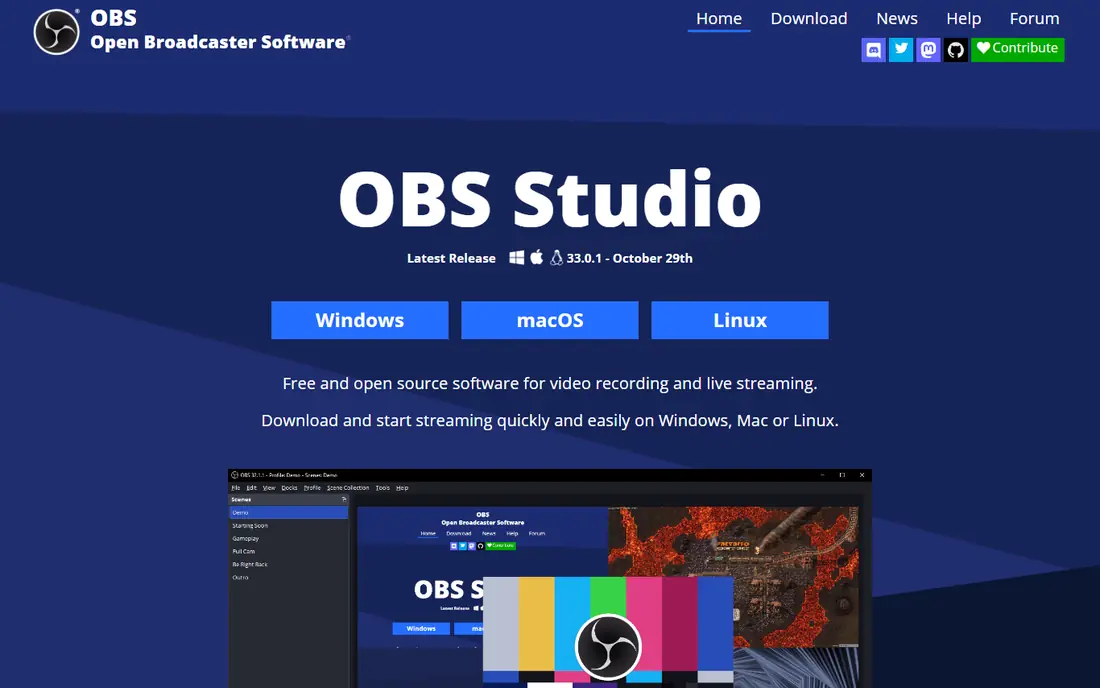
OBS Studio is free, open source and more capable than most paid recorders. Scene composition lets you mix screen, webcam, images and audio sources, filters clean up audio and video in real time, and live streaming to any platform is built in. It records at high frame rates with low overhead, making it excellent for games as well as tutorials.
The trade-off is setup: OBS assumes you know what scenes, sources and encoders are, and it offers no built-in editing or hosting. For anyone willing to spend an hour learning it, OBS replaces most paid recorders at zero cost.
- Free and open source with no limits or watermarks
- Scene composition, multiple sources, filters and live streaming
- Standard for streamers
- Steep initial setup
- No built-in editing or hosting
- Interface overwhelms beginners
Camtasia is the complete tutorial-making suite. Recording is only the first step: its timeline editor adds callouts, zooms, quizzes, captions and motion graphics, turning raw footage into a produced training video. PowerPoint integration lets presenters record slides directly, and its asset library speeds up production.
Essentials costs 179.88 dollars a year, with higher tiers adding more features, and some listings still show a 299 dollar one-time licence. For professionals who produce tutorials regularly, Camtasia remains the standard. For quick team messages, Loom is faster and cheaper.
- Full timeline editor built for instructional video
- Callouts, zooms, quizzes and captions
- PowerPoint integration
- Perpetual licence option in some listings
- 179.88 dollars a year for Essentials is expensive
- Heavier than quick-share tools
- Overkill for simple screen messages
Loom wins for quick team videos because the share link matters more than the recording itself. Record your screen and webcam, and Loom hands you a link within seconds, with automatic transcription and viewer analytics. That speed is why Loom took a market that editing-focused tools had held for years.
The free Starter tier allows 25 videos at 5 minutes each in 720p, which suits occasional use. Business costs 15 dollars per user a month billed annually, or 18 dollars month to month, removing limits and adding branding. For async team communication, Loom is the fastest option.
- Fastest record-to-link of any tool here
- Automatic transcription and viewer analytics
- Browser tab capture
- Integrations with Slack and project tools
- Free tier caps at 25 videos, 5 minutes per recording and 720p
- Light editing only
- Paid plan costs 15 dollars per user a month billed annually
ScreenPal is the cheapest all-in-one recording, editing and hosting tool. Solo Deluxe costs 4 dollars a month billed annually, covering unlimited recording, basic editing, cloud hosting and interactive quizzes. Scripted recording helps teachers and trainers plan videos, and built-in stock assets speed up production.
The free tier allows 15-minute recordings and 10 hosted videos with basic editing. For teachers, trainers and small teams who want one affordable tool for the whole workflow, ScreenPal is the best value.
- Cheapest all-in-one at 4 dollars a month billed annually
- Recording, basic editing and hosting in one place
- Scripted recording and interactive quizzes
- Stock assets built in
- Free tier limits recordings to 15 minutes and 10 hosted videos
- Editing is basic compared with Camtasia
- Smaller community than Loom
Bandicam is the specialist pick for game capture. It records games at high frame rates with low performance overhead, and its high compression keeps file sizes manageable without visible quality loss. It costs 39.95 dollars one-time, with no subscription, and a limited free tier lets you test it.
It runs only on Windows, with no built-in editor or hosting. For gamers and anyone recording high-frame-rate content on Windows, Bandicam is the best dedicated capture tool.
- Records games at high frame rates with low overhead
- High compression keeps file sizes manageable
- 39.95 dollars one-time, no subscription
- Free tier for testing
- Windows only
- Free tier is limited
- No built-in editor or hosting
- Interface is dated
ShareX is the best free lightweight capture tool for technical users. It records screen video and GIFs, captures screenshots with annotation, and offers over 80 integrations for uploading and sharing, plus OCR for extracting text from captures. It is completely free and open source.
It runs only on Windows, and its interface packs so many options that beginners may feel lost. For power users who want free, automated capture and sharing, ShareX is unmatched.
- Completely free and open source
- Lightweight with GIF capture
- Over 80 integrations including OCR
- Automation and custom workflows
- Windows only
- Interface overwhelms beginners
- No built-in editor or hosting
- Recording is less polished than OBS
ScreenFlow is the best Mac-native recording and editing tool. It combines high-quality screen capture with a polished timeline editor, smooth performance on Apple silicon, and a one-time purchase of 129 dollars with no subscription. Course creators and Mac YouTubers favor it for its clean workflow.
It runs only on Mac, with a free trial but no permanent free tier. For Mac creators who want recording and editing in one app without a subscription, ScreenFlow is the best choice.
- Polished recording and editing on Mac
- One-time purchase at 129 dollars
- Smooth performance on Apple silicon
- Strong for course creators
- Mac only
- 129 dollars one-time is a significant upfront cost
- No free tier, only a trial
- Smaller community than Camtasia
Screencastify is the best browser-based recorder for classrooms and quick demos. It runs entirely in Chrome with no installation, making it ideal for schools and shared computers. Teachers use it for feedback videos, lessons and quick explanations, and students can record without admin rights.
It costs 7 dollars per user a month billed annually, and the free tier limits video count and recording length. For Chrome-based classrooms and quick browser demos, Screencastify is the simplest option.
- Runs entirely in Chrome with no install
- Popular in classrooms
- Quick demos and feedback videos
- Free tier for limited use
- 7 dollars per user a month billed annually
- Chrome only
- Free tier limits video count and length
- Light editing
Descript is the most innovative editor on this list: it transcribes your recording, and you edit the video by editing the text. Delete a sentence from the transcript and the video cuts itself. AI tools remove filler words, clone voices for corrections and generate captions automatically.
It costs 16 dollars per person a month billed annually, or 24 dollars month to month, with a free plan carrying monthly media limits. For podcasters, course creators and anyone who edits by rewriting rather than scrubbing timelines, Descript changes the workflow entirely.
- Edit recordings by editing a transcript, deleting words to cut video
- AI voice cloning and filler word removal
- Free plan with monthly media limits
- 16 dollars per person a month billed annually
- Transcript editing has a learning curve
- Recording features are simpler than OBS
How we picked these
We compared vendor pricing pages, product documentation and user reviews checked in October 2026, favoring tools with clear pricing, a usable free tier where claimed, and distinct strengths for different recording jobs. Prices change often, so confirm the current plan before buying.
Choosing by job
For quick team messages, use Loom or ScreenPal. For polished tutorials, use Camtasia or ScreenFlow. For free professional recording, use OBS Studio or ShareX. For game capture, use Bandicam or OBS. For browser classrooms, use Screencastify. For transcript-based editing, use Descript. Most creators end up with two tools: one for capture and one for editing or sharing.
Frequently asked questions
What is the best free screen recording software?
OBS Studio is the best free screen recording software, with professional-grade capture and streaming at no cost and no watermarks. ShareX is the best free lightweight option on Windows, and Loom and ScreenPal offer usable free tiers for quick sharing.
What is the best screen recording software for tutorials?
Camtasia is the best screen recording software for tutorials, with a full timeline editor, callouts, zooms, quizzes and captions from 179.88 dollars a year. ScreenFlow is the best Mac alternative at 129 dollars one-time, and Descript is best for transcript-based editing.
Is Loom or ScreenPal better?
Loom is better for fast team video messages with instant links and viewer analytics, at 15 dollars per user a month. ScreenPal is better for affordable all-in-one recording, editing and hosting at 4 dollars a month, and it suits teachers and trainers.
Can I record my screen for free without a watermark?
Yes. OBS Studio and ShareX record for free with no watermarks, and Xbox Game Bar on Windows records for free with no watermark. Loom and ScreenPal free tiers also have no watermarks but limit video length and count.
What is the best screen recorder for gaming?
Bandicam is the best dedicated game recorder on Windows, with high frame rates, low overhead and a 39.95 dollar one-time price. OBS Studio is the best free game recorder and also handles live streaming, making it the top choice for streamers.
Do I need a separate editor after recording?
It depends on the tool. Camtasia, ScreenFlow and Descript include real editors, while OBS, ShareX and Bandicam record only and need a separate editor. Loom and ScreenPal include basic editing and hosting, which is enough for most team messages and simple tutorials.
Sources we checked (9)

Online Jobs is an independent blog about careers, online work, learning new skills and the tools that help people earn. More about us.
Keep reading
All posts
Zoom Alternatives
Zoom alternatives compared for 2026: Google Meet, Microsoft Teams, Webex, Jitsi and more for free calls, large meetings and webinars for teams and classrooms.

What Is the Best Free Tool to Rotate a PDF
What is the best free tool to rotate a PDF? We compare eight free rotation tools on per-page control, limits, privacy and saved output quality in detail.

What Is the Best AI Dubbing Tool
We compared the best AI dubbing tools in 2026, from ElevenLabs and HeyGen to Rask AI, Dubverse and Veed, for videos and creators in many languages worldwide.