Best Sales Software in 2026: 8 Products Compared

All-in-one sales and marketing · Starting price: Free
How we put this together: we compare official feature and pricing pages, app store listings, privacy policies and public user reviews. Prices change, so check the provider's site before you pay.
Key takeaways
- HubSpot and Zoho give small teams a real free starting point, while Salesforce and Pipedrive suit teams that want depth or a clear pipeline view.
- The best sales tools in this list cover contact management, pipeline tracking, email, calling, and reporting, but no single tool leads on every one of those jobs.
- Price per user adds up fast, so check seat limits, automation limits, and add-ons on the vendor pricing page before you commit.
- Teams that sell mostly by phone should shortlist Close, while teams that sell through marketing and sales together should shortlist HubSpot.
Quick comparison
| Name | Who it suits | Starting price | Free option | |
|---|---|---|---|---|
| HubSpot Sales Hub | All-in-one sales and marketing | Free | Yes | Visit |
 Salesforce Sales Cloud Salesforce Sales Cloud | Large and complex sales teams | See website | Free trial | Visit |
 Pipedrive Pipedrive | Clear visual pipelines | See website | Free trial (14 days) | Visit |
 Zoho CRM Zoho CRM | Value and automation on a budget | Free | Yes | Visit |
 Freshsales Freshsales | Simple setup for small teams | Free | Yes | Visit |
 Close Close | Phone-first outbound selling | See website | Free trial | Visit |
 monday Sales CRM monday Sales CRM | Flexible boards for mixed teams | See website | Free trial | Visit |
 Capsule CRM Capsule CRM | Simple contact management | See website | Free trial | Visit |
The best sales software
We compared official feature pages, pricing pages, app listings, and public reviews to find sales software that fits different team sizes, budgets, and selling styles.
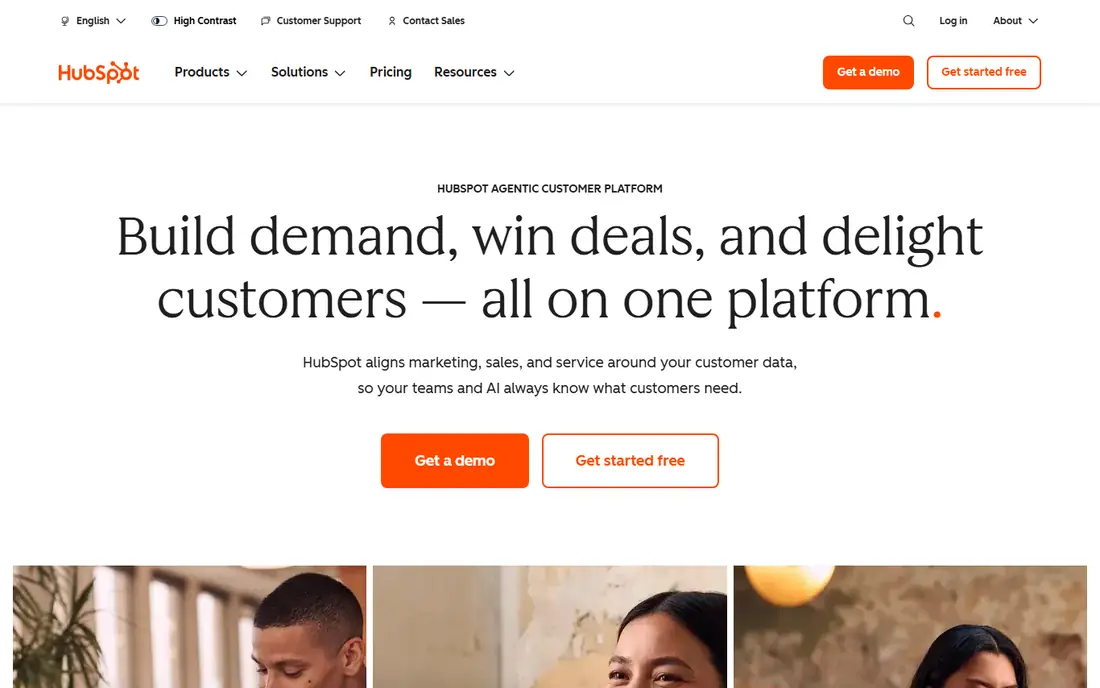
HubSpot works best when marketing and sales need to share the same contact record. A lead that comes from a form, an email, or a call can stay in one timeline, so reps spend less time asking where a contact came from and more time following up. The free tier gives small teams deal tracking, contact management, and basic email tools without a time limit, which makes it a low-risk place to start.
The trade-off is scope. HubSpot does a lot, and that breadth can feel heavy if you only need a pipeline and a phone list. Paid Sales Hub tiers add sequences, forecasting, and deeper automation, and those costs are per seat, so a growing team should price the tier it will actually need in six months, not just the tier it needs on day one. If your team already uses HubSpot for marketing, the shared data is a strong reason to stay in the same system.
- Free CRM to start
- Shared contacts across marketing and sales
- Email tracking and pipeline tools in one place
- Costs rise with higher tiers
- Some advanced automation sits on paid plans
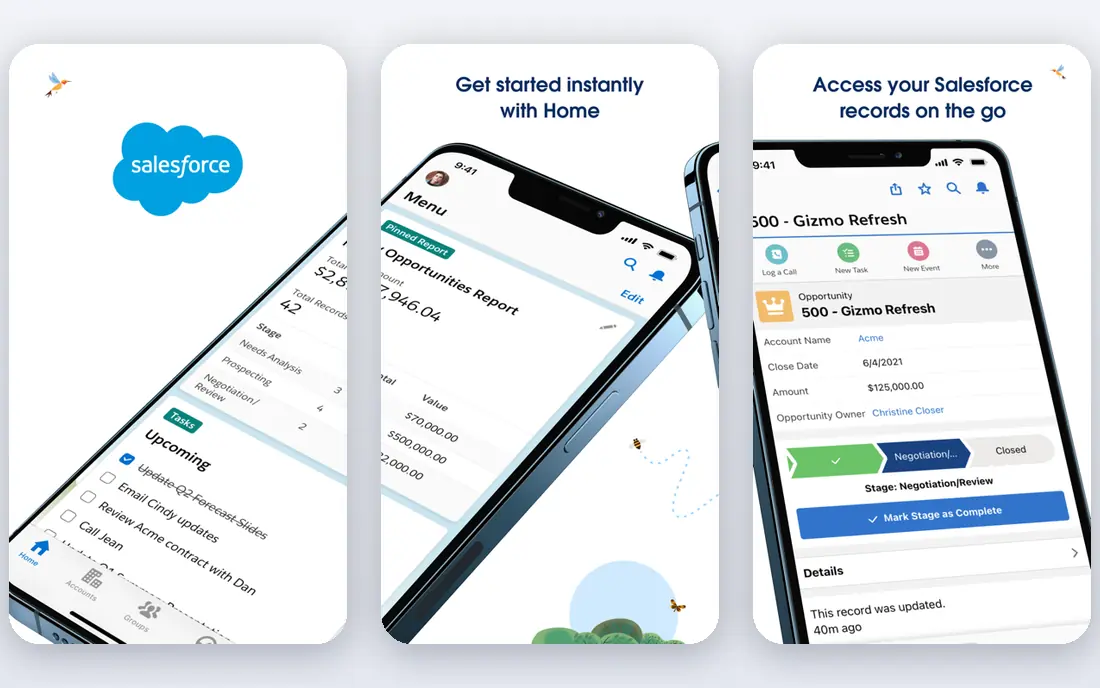
Salesforce suits teams with layered sales processes, multiple product lines, or strict approval and reporting needs. You can shape objects, fields, pipelines, and permissions to match how your company actually sells, rather than forcing your process into a fixed template. That depth also supports large partner ecosystems and integrations with finance, service, and marketing tools.
That depth comes with a cost in time and administration. Small teams may find the setup and ongoing admin work heavier than the selling benefit they get in return. Salesforce is best when you have someone who owns the system, or a partner who can set it up well, and when your sales process is stable enough to be worth building in detail. Check the current pricing page for the edition that matches your forecasting and automation needs.
- Deep customization and reporting
- Large integration ecosystem
- Strong forecasting and approval tools
- Setup takes longer
- Admin work grows with complexity
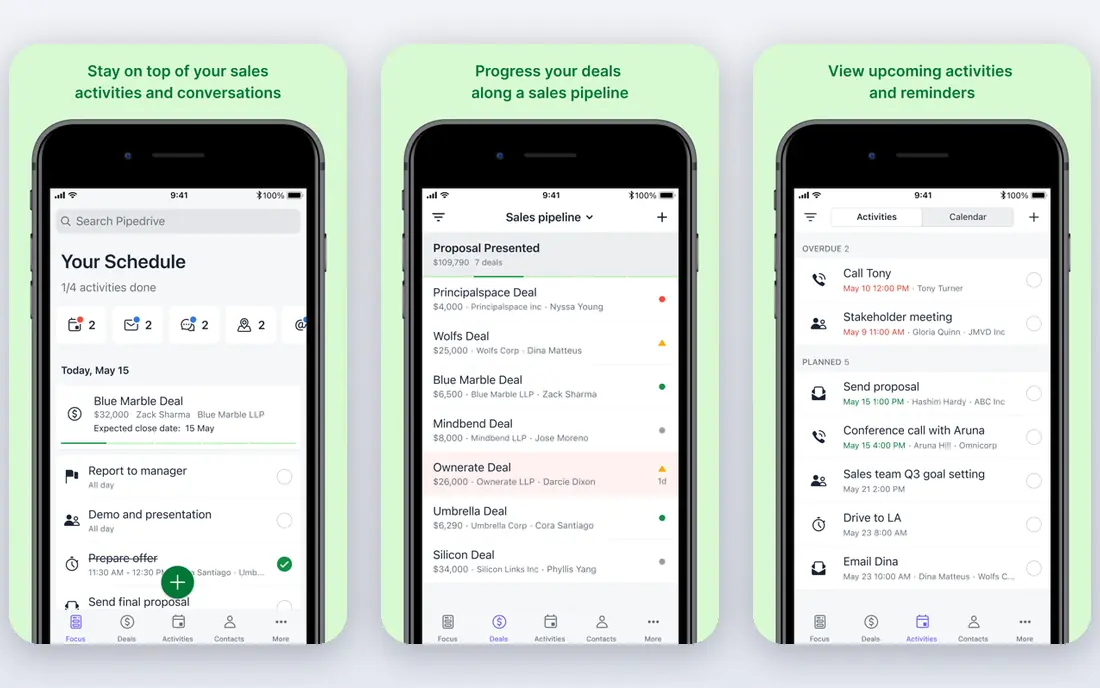
Pipedrive keeps the focus on the next action. Deals sit in a visual pipeline, activities sit next to each deal, and reps can see what is due today without digging through menus. That simplicity is the main reason small and mid-sized sales teams pick it. Importing contacts, setting up pipelines, and connecting email and calendar can be done quickly, and the 14-day trial on the official site gives a team time to test it with real deals.
The honest catch is that Pipedrive is a sales tool first. If you need full marketing automation, landing pages, and deep campaign reporting in the same product, you will likely pair it with other tools. For a sales-only team that wants a clean pipeline, clear ownership, and less admin, that focus is a strength rather than a gap.
- Easy visual pipeline
- Fast setup
- Activity reminders keep follow-ups on track
- Marketing tools are lighter than HubSpot
- Advanced reporting needs higher tiers
Zoho CRM gives budget-conscious teams more depth than its price suggests. You get multiple pipelines, lead and deal management, email integration, and workflow automation that can handle routine follow-ups and assignments. Teams that already use other Zoho products, such as Zoho Books or Zoho Desk, get added value from shared data and single sign-on across the suite.
The learning curve is real. Menus and settings run deep, and a new user may need a few days to find the layout that fits daily selling. That is worth it if you want to tailor fields, modules, and automation without paying enterprise prices. Start on the free tier, test the automation rules you actually need, and move up only when a limit blocks real work.
- Free tier to start
- Broad automation and customization
- Wide Zoho suite integrations
- Interface takes time to learn
- Some features vary by edition
Freshsales, from Freshworks, is built for teams that want to start selling this week, not after a long implementation. Contacts, deals, tasks, and conversations sit in one view, and built-in phone and email tools reduce the need for extra calling software. The free tier lets a small team test core CRM work before paying, and the layout stays closer to a daily task list than to a complex admin console.
Where Freshsales gives ground is depth. Teams with very complex approval chains, product configuration, or custom objects may outgrow it sooner than they would Salesforce or Zoho. For a small team with a clear product, a short sales cycle, and a need for speed, that simpler scope keeps reps selling instead of managing software.
- Quick setup
- Built-in phone and email
- Lead scoring on paid tiers
- Fewer deep customizations than Salesforce
- Some AI features need higher plans
Close is the pick in this list for teams that live on the phone. Calling, SMS, and email sit inside the CRM, so a rep can work a list, log a call, send a follow-up, and move to the next lead without switching apps. That tight loop matters for outbound teams, agencies, and startups that make a high volume of calls each day and need clean records of every touch.
The trade-off is that Close is not trying to be a full marketing platform. Teams that need campaign management, complex forecasting, or deep service tools should pair it with other software or pick a broader platform. If your main job is outreach, qualification calls, and fast follow-up, Close keeps that workflow in one place and cuts the friction that slows high-volume sellers.
- Built-in calling and SMS
- Fast lead import and dialing
- Clean activity tracking
- Less suited to long enterprise cycles
- Marketing features are limited
monday Sales CRM appeals to teams that think in boards, not just in pipeline stages. You can track leads, deals, client onboarding, and post-sale tasks on boards that different teams can share, which helps when sales, operations, and delivery need the same view. Automations can move items, send reminders, and update status when a deal changes, which cuts manual updates.
The catch is familiarity. If your reps expect a classic CRM with deep lead scoring and built-in dialing as the core, monday may feel like a work platform with CRM features rather than a sales-first CRM. It fits best when flexibility and shared visibility matter as much as pipeline tracking, and when your team already works in boards for other projects.
- Visual boards teams already know
- Flexible columns and automations
- Good for cross-team work
- Can feel less like a classic CRM
- Pricing depends on seats and tier
Capsule CRM is the quiet option in this list, and that is its appeal. It focuses on contacts, relationships, tasks, and a clear sales pipeline without a long list of features a small team will never open. Freelancers, agencies, and small service businesses often find that Capsule matches how they already work: keep good notes, follow up on time, and know where each opportunity stands.
Larger teams, or teams that need advanced forecasting, complex automation, or built-in calling at scale, will likely need more. For a team that wants sales contact management software that stays out of the way, Capsule is worth a trial. Check the current plan limits for contacts and users before you migrate a large database into it.
- Clean and simple contact records
- Good for small teams
- Easy task and pipeline tracking
- Fewer advanced sales features
- Limited built-in marketing tools
How we picked these
We compared official feature pages, pricing pages, and app store listings for each product, then checked public reviews for common praise and complaints. We favored tools that are available today, that cover core sales work such as contact management, pipeline tracking, and follow-up, and that serve different team sizes rather than only one type of buyer. Where a price or free tier could not be verified on the vendor site at the time of writing, we wrote See website instead of guessing a number. We did not claim hands-on testing, and we did not rely on a single review source for any pick.
What to check before you buy sales software
Start with your sales motion, not with a feature list. A team that sells by phone needs calling and list speed. A team that sells through content and forms needs shared marketing data. A team that sells complex deals needs approvals, forecasting, and permission controls. Write down the three jobs your reps do every day, then test each shortlisted tool against those jobs during a trial with real leads.
Next, price the full year. Check per-seat pricing, minimum seats, automation limits, and add-ons for calling, email sending, or reporting. A low starting price can rise quickly once you add the tier that includes sequences or forecasting. Also check data migration. Ask how contacts, deals, notes, and email history move from your current system, and how long that import takes for your team size.
Finally, think about who owns the tool. A simple CRM can be run by a sales lead. A deep platform like Salesforce needs an admin or a partner. If no one will own setup, training, and cleanup, pick the simpler tool your reps will actually update. A CRM that reps avoid is worse than a simpler CRM they use every day.
Questions to ask on a trial
Ask whether email and calendar sync work with your provider, whether calling or SMS is built in or needs an add-on, and whether reports can show pipeline by rep, stage, and source without extra work. Ask how automation handles assignment, reminders, and stale deals. Test mobile use too, because reps often update deals between meetings, and a weak mobile app leads to stale data.
When to pick a smaller tool
Pick a smaller tool when your team is under ten people, your sales cycle is short, and you need contact management more than enterprise reporting. Capsule, Freshsales, and Pipedrive all fit that shape. You can move to a larger platform later, and starting simple often gives you cleaner data to migrate when that move happens.
Frequently asked questions
What is the best sales software for a small business?
HubSpot, Zoho CRM, and Freshsales are strong starting points because they offer free tiers and quick setup. Pipedrive is also a good fit if your main need is a clear visual pipeline. Pick based on whether you need marketing tools, phone tools, or the simplest possible pipeline.
What are the best sales tools for sales reps?
Reps tend to value speed, mobile access, and clear next actions. Close suits phone-first reps, Pipedrive suits pipeline-focused reps, and HubSpot suits reps who work leads from marketing. Test each tool with a real day of selling before you decide.
What is the best sales management software for a growing team?
Salesforce and HubSpot scale best for growing teams because they add forecasting, permissions, and automation as headcount grows. Zoho CRM is a lower-cost route to similar depth if your team can invest time in setup. Price the tier you will need in a year, not just today.
What is the best sales contact management software?
Capsule CRM and HubSpot both handle contact management well, with Capsule favoring simplicity and HubSpot favoring shared marketing and sales data. Zoho CRM adds more customization if you need custom fields and workflows. The best choice depends on how much detail you keep on each contact.
What is the best app for sales on the go?
Look for a strong mobile app, offline access where offered, and quick logging of calls and notes. HubSpot, Pipedrive, Salesforce, and Close all offer mobile apps, but the experience varies by task, so test call logging and deal updates on a phone during your trial.
Is free sales software enough?
Free tiers work well for solo sellers and very small teams with simple pipelines. They often limit users, automation, or reporting, so growing teams usually move to a paid tier within a few months. Start free, track where you hit a limit, and upgrade for that specific limit rather than for features you may not use.
Sources we checked (8)

Online Jobs is an independent blog about careers, online work, learning new skills and the tools that help people earn. More about us.
Keep reading
All posts
Workday Alternatives
We compared the best workday alternatives for HR, payroll, and global hiring, from BambooHR and Gusto to Rippling, Deel, and HiBob for growing teams in 2026.

Which SaaS Tools Have the Best Customer Support
Which SaaS tools have the best customer support? Compare eight popular tools on help centres, live help, response options and overall support quality.

Top AI Helpdesk Software
Searching for top AI helpdesk software in 2026? We compared 8 AI helpdesks on automation, pricing, channels and ease of setup for small and growing teams.