Best Sales CRM Tools in 2026: 8 Tools Compared

How we put this together: we compare official feature and pricing pages, app store listings, privacy policies and public user reviews. Prices change, so check the provider's site before you pay.
Key takeaways
- Pipedrive is the simplest pipeline-first pick, while HubSpot is the best free starting point with room to grow.
- Salesforce suits large teams with complex processes, but it needs setup time and a higher budget.
- Freshsales and Zoho CRM offer strong value for small teams that want automation without enterprise cost.
- A CRM only helps if reps update it, so ease of use and mobile access matter as much as features.
Quick comparison
| Name | Who it suits | Starting price | Free option | |
|---|---|---|---|---|
 HubSpot | Teams wanting a free CRM with room to grow | Free | Yes | Visit |
 Pipedrive | Sales teams wanting a clear visual pipeline | $14 per user per month | Free trial (14 days) | Visit |
 Salesforce Sales Cloud | Large teams with complex sales processes | $25 per user per month | Free trial (30 days) | Visit |
 Zoho CRM | Value-focused teams wanting deep features | $14 per user per month | Yes | Visit |
 Freshsales | Small teams wanting AI help on a budget | $9 per user per month | Yes | Visit |
 Close | Inside sales teams that live on calls and email | $29 per user per month | Free trial (14 days) | Visit |
 monday sales CRM | Visual teams wanting a flexible workspace | $12 per seat per month | Free trial | Visit |
 Capsule | Small businesses wanting a simple, tidy CRM | $18 per user per month | Free trial (30 days) | Visit |
The best sales CRM tools
We compared the options below on fit, price, and the work they actually do well. Read the best-for line first, then check the price and the honest catch before you shortlist two or three to try.
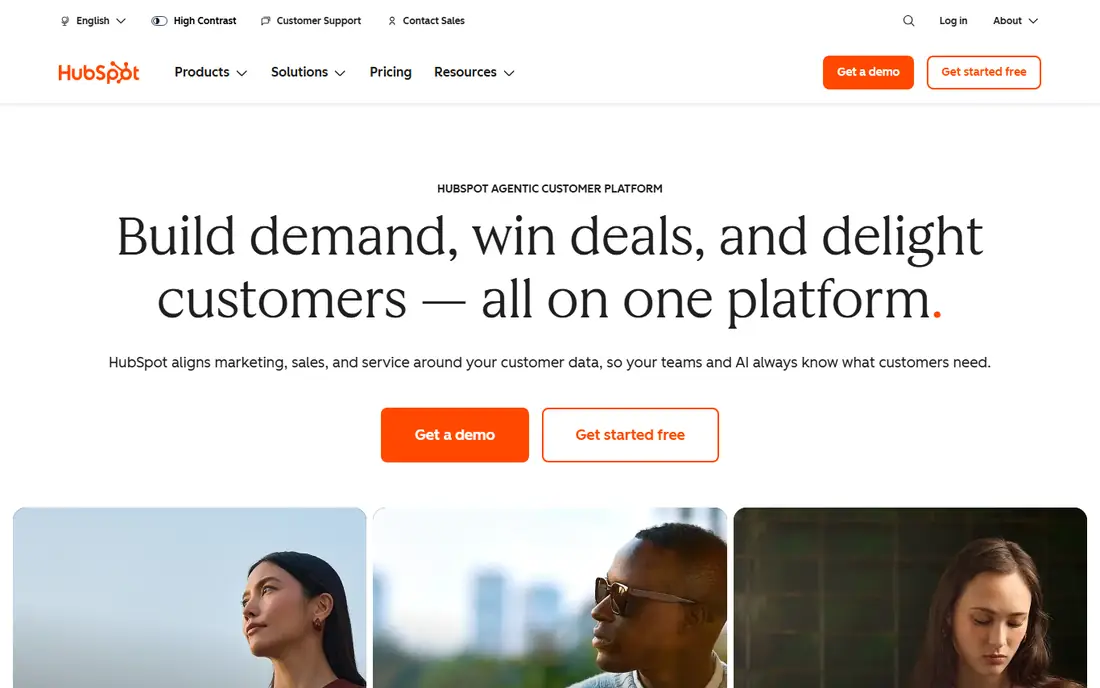
HubSpot is the easiest safe start for a sales team that has outgrown spreadsheets. The free CRM covers contacts, companies, deals, and pipelines, and it connects to email and calendars without extra software. A small team can set up a pipeline in an afternoon and add quotes, sequences, and reporting as it grows.
The catch is the upgrade path. Free tools cover the basics, but sequences, advanced automation, and deeper reporting sit in paid Sales Hub plans priced per seat. That can add up for a larger team. HubSpot still wins for teams that want a low-risk start and a clear path from free to full sales automation.
- Free CRM with contacts and deals
- Email and meeting tools
- Large integration library
- Paid Sales Hub tiers rise in cost
- Advanced automation needs higher plans
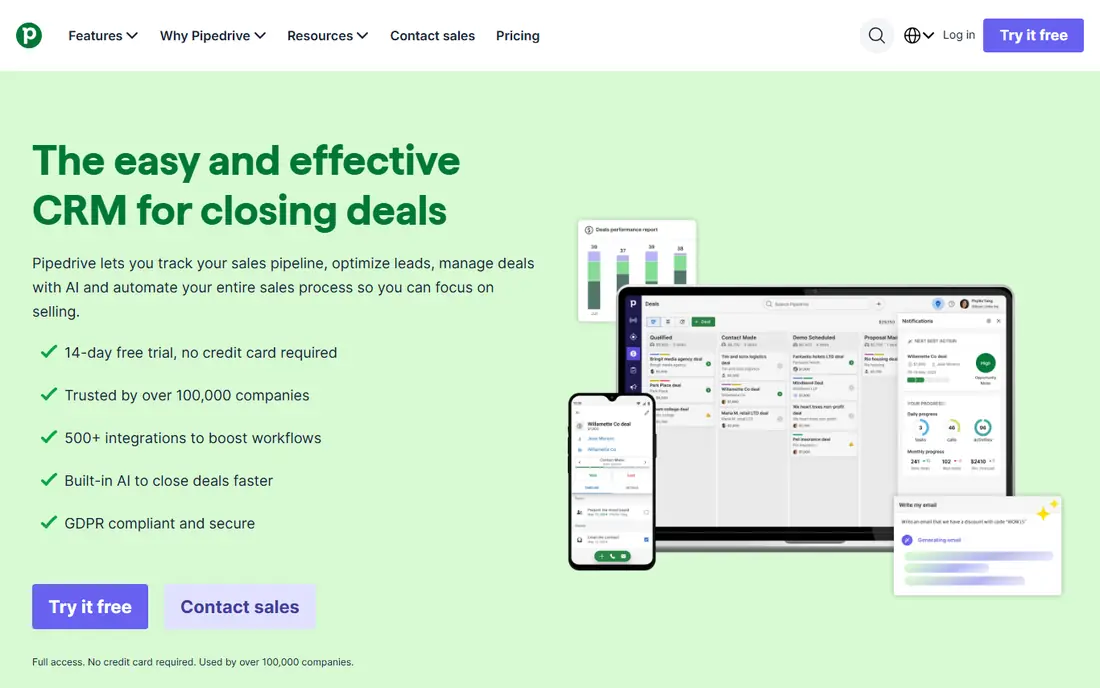
Pipedrive is built around one idea: a deal should move visibly from stage to stage, and nothing should fall through the cracks. The pipeline view is clear, activity reminders keep follow-ups on track, and automation can move deals, assign owners, and send emails when a stage changes. Reps tend to adopt it fast because the daily view matches how they sell.
The tradeoff is depth. Reporting, customization, and enterprise controls are lighter than Salesforce or HubSpot at higher tiers, and there is no free plan. For a small or mid-size sales team that wants pipeline discipline without a long setup project, Pipedrive is one of the best picks in this list.
- Visual pipeline reps adopt quickly
- Activity reminders
- Simple automation
- Reporting and customization are lighter than Salesforce
- No free plan
Salesforce Sales Cloud
Who it suits: Large teams with complex sales processes
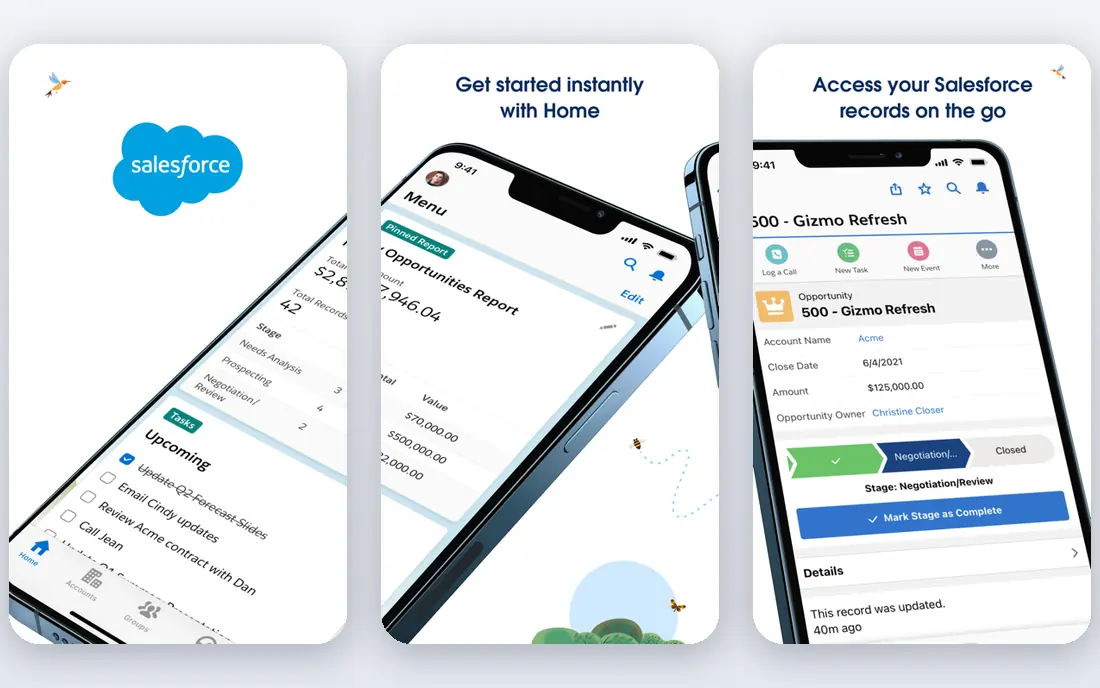
Salesforce Sales Cloud is the standard for large sales organizations because it can model almost any process: multiple pipelines, approval steps, forecasting, territory rules, and custom objects. Its marketplace adds tools for calling, quoting, and analytics, and its reporting can answer questions simpler CRMs cannot. A team with a dedicated admin gets a system that scales across regions and products.
The cost is complexity and price. Setup takes planning, admin time, and often outside help, and add-ons can push the bill well above the starting price. Small teams may find it heavy. For a growing company with complex deals and a team to run the system, Salesforce remains the most capable sales CRM here.
- Deep customization and automation
- Huge app marketplace
- Strong reporting
- Setup and admin time are high
- Costs grow with add-ons
Zoho CRM gives small teams a lot for the price. The free plan covers up to three users, paid plans add workflow automation, scoring, and forecasting, and the wider Zoho suite covers email, accounting, and support in one account. That breadth helps a business that wants one vendor for several jobs.
The interface is busier than Pipedrive or HubSpot, and new users should allow time to learn the settings. Support also varies by plan, so check what your tier includes. For a budget-conscious team that wants automation and room to grow inside one ecosystem, Zoho CRM is a strong value pick.
- Free plan for up to 3 users
- Workflow automation
- Wide Zoho suite
- Interface takes learning
- Support quality varies by plan
Freshsales, from Freshworks, pairs a low starting price with built-in calling, email, and chat, so a small sales team does not need separate tools for outreach. The free plan covers up to three users, and paid plans add AI-based lead scoring and workflow automation. The interface is clean, and setup is faster than enterprise CRMs.
The limit is scale. Customization and the app marketplace are smaller than Salesforce or HubSpot, and very complex processes may hit ceilings. For a team of a few reps that wants a modern CRM with calling built in and a low bill, Freshsales is an easy recommendation.
- Low entry price
- Built-in phone and email
- AI scoring on paid plans
- Advanced customization is limited
- Marketplace is smaller than Salesforce
Close is built for inside sales teams that make many calls and send many emails each day. Calling, SMS, and email live inside the CRM, so reps do not switch apps to follow up. Lead lists import quickly, activity is logged automatically, and the pipeline view keeps the next action visible. That focus makes it fast for outbound teams.
The tradeoff is breadth. Close is less suited to field sales with complex quoting or partner channels, and its reporting is simpler than enterprise systems. A team that sells mainly by phone and email will gain speed here. A team that needs deep forecasting or custom objects should shortlist HubSpot or Salesforce instead.
- Calling, SMS, and email built in
- Fast lead import
- Strong activity tracking
- Less suited to field sales
- Reporting is simpler than enterprise tools
monday sales CRM turns sales work into colorful, flexible boards that a non-technical team can shape without code. Pipelines, lead tracking, email activity, and dashboards sit in one workspace, and templates help a team start quickly. It suits teams that also manage projects and want sales and delivery in the same place.
The catch is depth. As a workspace product, its CRM features are less deep than Pipedrive or Salesforce for forecasting, quoting, and complex automation, and seat minimums affect small teams. For a visual team that values flexibility and fast onboarding over deep sales specialization, monday sales CRM is a strong fit.
- Highly customizable boards
- Visual dashboards
- Easy onboarding
- Minimum seat rules apply
- CRM features are less deep than dedicated CRMs
Capsule keeps sales simple. Contacts, deals, tasks, and history sit in a clean interface that a small business can learn in a day, and links to Google Workspace and email keep communication attached to each record. There is little clutter, which helps teams that have avoided CRMs because they felt heavy.
The tradeoff is automation. Workflow rules, scoring, and advanced reporting are basic compared with HubSpot or Zoho, so a fast-growing team may outgrow Capsule. For a small business that wants a tidy record of customers and deals without a project to set it up, Capsule is a calm and dependable pick.
- Simple setup
- Clean contact and deal tracking
- Good Google and email links
- Automation is basic
- Fewer advanced sales tools
How we picked these
We compared official feature pages, pricing pages, app store listings, privacy policies, and public reviews for each product, and kept only tools that are available now and truly fit the topic. We checked the starting price and free plan on the vendor site where it was published, and wrote See website where the vendor does not publish a price. We did not claim hands-on testing we did not do, and we left out tools that had closed, changed focus, or did not match the topic.
We weighed fit for the stated use first, then day-to-day ease of use, automation or workflow depth, integrations, and total cost as a team or list grows. A strong free plan helps a small user, while clear pricing, support, and upgrade paths matter more as volume rises.
How to choose a sales CRM
Map your pipeline before you shop
Write down your stages, from first contact to closed deal, and the actions at each stage. A CRM should match that flow, not force a new one. Bring two real deals to each trial and run them through the pipeline, including follow-up reminders and a lost-deal reason. If the stages feel forced, the tool will fight your team every week.
Test the daily work, not only the demo
Check mobile access, email logging, calling, and how fast a rep can log a note after a meeting. If updating the CRM takes more than a minute, reps will skip it. Ask about data import, duplicate handling, and what happens when a rep leaves and deals need reassignment. Those dull details decide adoption.
Price the team you will have in a year
Per-seat pricing grows with headcount, so compare the cost at your planned team size, not only today. Check what sits in each tier, especially automation, reporting, and support. A cheaper starter plan that lacks automation may cost more in lost follow-ups than a higher plan.
Frequently asked questions
What is the best sales CRM software for a small team?
Pipedrive is a strong pick for pipeline clarity, HubSpot is best if you want to start free, and Freshsales is best for low cost with calling built in. Pick the one your reps will update daily, since adoption matters more than feature count.
What is the best CRM for sales teams that make many calls?
Close is built for inside sales, with calling, SMS, and email inside the CRM. Freshsales also includes calling. If your team sells in the field or through partners, a broader CRM such as HubSpot or Salesforce may fit better.
Is Salesforce worth it for a small business?
Salesforce is worth it when deals are complex, teams are large, or reporting needs are deep. For a small team, it can be heavy and costly to run. Start with HubSpot, Pipedrive, or Zoho CRM, and move to Salesforce when process complexity demands it.
What is the best CRM sales software for forecasting?
Salesforce and HubSpot offer the deepest forecasting and reporting in this list, with Zoho CRM close behind for mid-size teams. Pipedrive covers basic forecasting well. Check whether forecast views, quotas, and pipeline history are included in your tier.
How much do the best sales CRM platforms cost?
Entry prices in this list run from free to about $29 per user per month, before higher tiers and add-ons. Enterprise Salesforce pricing runs higher with customization and support. Always price the tier that includes the automation and reporting you need.
Sources we checked (8)

Online Jobs is an independent blog about careers, online work, learning new skills and the tools that help people earn. More about us.
Keep reading
All posts
n8n Alternatives
n8n alternatives compared for 2026, with Zapier, Make, Activepieces, and more, covering visual builders, code steps, self-hosting, and pricing models.

ZoomInfo Alternatives
The best ZoomInfo alternatives in 2026, compared on price, free plans, data coverage, and which tool fits small teams or large sales teams best in detail.

Zoom Alternatives for Webinars
Compare Zoom alternatives for webinars in 2026, from browser-based rooms to enterprise events, with prices, attendee limits, features and honest trade-offs.