Best Resource Management Software in 2026: 9 Tools Compared

How we put this together: we compare official feature and pricing pages, app store listings, privacy policies and public user reviews. Prices change, so check the provider's site before you pay.
Key takeaways
- Float is our pick for most creative and project teams that want a clear visual schedule without a long setup.
- Resource Guru is the budget pick for simple people scheduling, and Ganttic is worth a look if you also book equipment.
- Runn and Kantata suit teams that need capacity planning tied to project finances, not just a calendar of who is busy.
- monday.com and Smartsheet are sensible choices if you want resource planning inside a wider project tool you already use.
- Most tools in this list charge per person or per seat, so model the price on your real scheduled headcount, not your total staff list.
Quick comparison
| Name | Who it suits | Starting price | Free option | |
|---|---|---|---|---|
 Float | Visual scheduling for project teams | See website | Free trial | Visit |
 Resource Guru | Simple low-cost people scheduling | See website | Free trial | Visit |
 Runn | Capacity plus project financials | See website | Free trial | Visit |
 Ganttic | Scheduling people and equipment | See website | Yes | Visit |
 Teamdeck | Scheduling plus time tracking | See website | Free trial | Visit |
 monday.com | Resource planning inside project work | See website | Free trial | Visit |
 Smartsheet | Workload planning in spreadsheet style views | See website | Free trial | Visit |
 Kantata | Professional services resourcing at scale | See website | No | Visit |
 Hub Planner | Scheduling with leave and timesheets | See website | Free trial | Visit |
The best resource management software
Resource management software answers a simple question: who is working on what, and when, and do we have enough people for the work coming next? Some tools answer that with a clean calendar. Others add budgets, utilisation reports, and forecasts. The right pick depends on how much of that extra depth you will actually use.
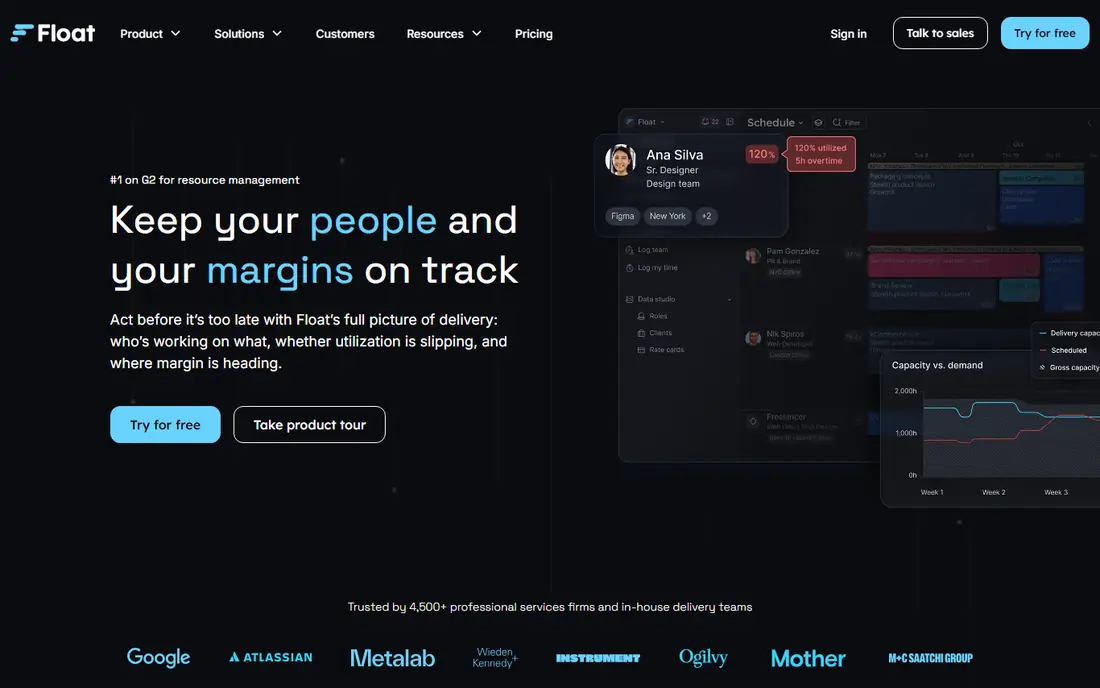
Float is the easiest schedule to read in this list. You see people down one side, projects across the top, and hours or days booked in between. Moving work is a drag, not a form, which matters when plans change on a Friday afternoon. For agencies, studios, and consultancies that juggle many projects at once, that speed is the main reason to choose it.
The pricing model helps too, because Float generally bills for people you add to the schedule rather than every employee in the company. Guests and viewers are often free, but check the current plan page for the exact rules. The catch is that time tracking and the deeper reporting sit on higher plans, so a team that wants actual hours next to planned hours should price the Pro tier, not the entry tier.
- Clear drag-and-drop schedule
- Only scheduled people are billed on most plans
- Budget and reporting views for project work
- No permanent free plan
- Time tracking needs a higher plan
- Teams that need deep HR features will need another tool
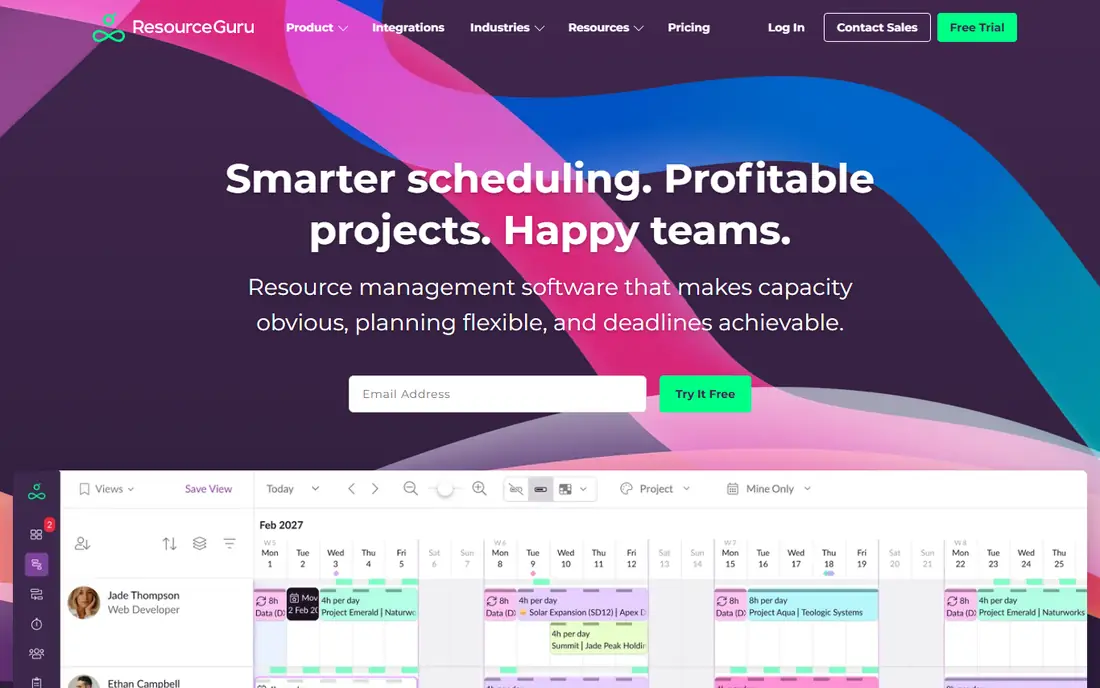
Resource Guru is the tool to pick when you want scheduling without a project management overhaul. Managers can book a person, a piece of equipment, or a room, spot clashes, and see leave alongside project work. New users usually need little training, which is a real advantage for teams where the schedule is kept by one busy operations person.
It is not the deepest reporting tool here. If you need detailed margin analysis or skills-based forecasting, you will feel its limits. For straightforward questions such as who is free next week and whether a machine is double-booked, it answers quickly and at a low price, and that is enough for many small teams.
- Very easy to learn
- Books people, equipment, and rooms
- Low entry price for small teams
- Reporting depth is thinner than Float or Runn
- Placeholders and non-human resources can add cost
- Larger firms may outgrow it
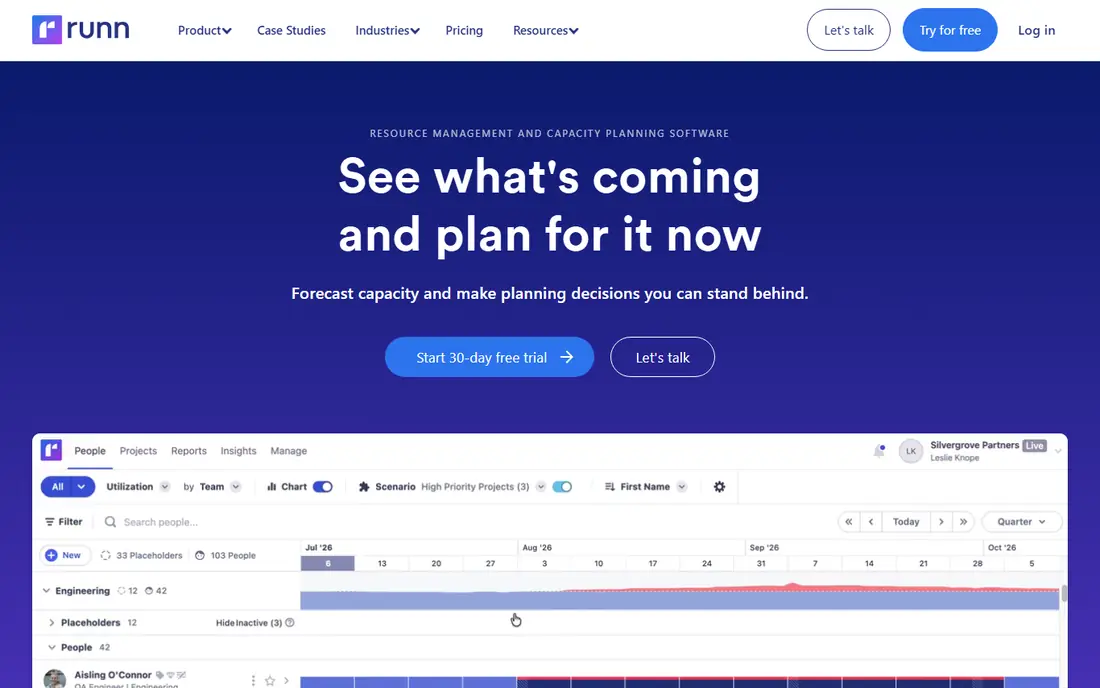
Runn suits teams that need to know not just who is busy, but whether a project will make money. It connects scheduled hours to rates and costs, so managers can see planned margin as well as planned workload. That makes it a strong pick for consultancies and agencies where staffing decisions are also financial decisions.
The trade-off is setup. You need rates, roles, and project budgets entered sensibly before the forecasts mean much, and a team that only wants a weekly roster will find that extra work unnecessary. If your pipeline planning already involves revenue talk, though, Runn earns its place over a plain scheduler.
- Capacity planning tied to project cost and revenue forecasts
- Clear utilisation views
- Free tier for very small teams on some plans
- Pricing and plan details change often, so verify before budgeting
- More setup than a simple calendar
- Best for project-based firms
Ganttic is the quiet bargain in this list. Its free plan covers up to 10 resources, which lets a small team run a real schedule without paying at all, and paid plans price by resource rather than by every user who views the schedule. That model suits teams where many people look at the plan but only a smaller set are scheduled resources.
The views are Gantt-style bars, which work well for long projects with clear phases, but less well for fast-moving agency work that changes daily. If you book vehicles, machines, or rooms alongside people, Ganttic handles that mix naturally. If you want modern dashboards and deep integrations, look at Float or Runn instead.
- Free plan for up to 10 resources
- Gantt-style views suit long projects
- Per-resource pricing rather than per-user pricing
- Interface looks dated next to Float
- Project management features are limited
- Reporting is functional rather than polished
Teamdeck is a practical middle ground. It schedules people, tracks the time they actually log, and manages leave, so planned hours and actual hours live in the same place. For agencies and software teams that bill by the hour, that pairing removes a common source of friction: a schedule in one tool and timesheets in another.
It does not try to be a full project suite, and that is a strength for teams that already have one. The downside is polish. Teamdeck looks workmanlike next to Float, and its reporting will not satisfy a large professional services firm. For small and mid-size teams that want scheduling plus timesheets at a fair price, it is a solid, honest choice.
- Scheduling, time tracking, and leave in one tool
- No heavy feature gating on core views
- Useful for agencies that bill hours
- No permanent free plan
- Interface is plain
- Enterprise reporting is thinner than Kantata
monday.com belongs here because many teams do not need a separate scheduler at all. If tasks, deadlines, and owners already live in monday.com, its workload view can show who is overloaded without adding another system. That single-system argument is powerful, especially for teams that struggle to keep two tools in sync.
The catch is plan level. Workload and capacity views are not on the cheapest plans, so price the tier that actually includes them. Per-seat billing also means a large team pays for everyone, not just scheduled staff. If resource planning is your main job, a dedicated tool will go deeper. If it is one job among many, monday.com may be enough.
- Workload views inside a familiar project tool
- Wide template library
- Strong integrations with common business apps
- True workload planning needs a higher plan
- Per-seat pricing adds up for large teams
- Resource features are not as deep as a dedicated scheduler
Smartsheet suits teams that think in rows and columns. Its grid layout feels familiar to anyone who has run a plan in a spreadsheet, but it adds assignments, dependencies, and workload views on top. Process-heavy teams in operations, construction support, and professional services often adopt it faster than a design-led scheduler.
As with monday.com, check which plan includes resource management, because the entry plans focus on sheets and basic project work. Smartsheet is best when the schedule is part of a wider workflow with forms, approvals, and reports. For pure visual scheduling, Float remains simpler.
- Familiar grid views that spreadsheet users adopt fast
- Workload and resource views on higher plans
- Strong for process-heavy teams
- Resource management is an add-on to a wider platform
- Learning curve for advanced views
- Pricing needs careful plan comparison
Kantata is the enterprise pick in this list. It is built for firms with many consultants, designers, or engineers to staff across many clients, and it pairs resourcing with project financials, forecasting, and skills data. When a firm needs to answer questions about future hiring, bench size, and margin months ahead, Kantata goes further than the simpler tools here.
That depth comes with cost and effort. Pricing is custom, implementation is a project in itself, and a team of ten will find it far heavier than needed. Shortlist Kantata only when your resourcing problem is large, long-range, and tied to revenue planning. Smaller teams should start with Float, Runn, or Teamdeck.
- Deep resource forecasting for professional services
- Project financials and utilisation in one platform
- Built for large benches of staff
- Custom pricing only, so budgeting needs a sales conversation
- Implementation takes time
- Too heavy for small teams
Hub Planner rounds out the list as a steady all-rounder for mid-size teams. It combines scheduling with leave management and timesheets, so a manager can see booked work, holidays, and logged time without stitching three tools together. The long trial is genuinely useful, because resourcing tools only show their value with real project data over several weeks.
The downside is ecosystem. Hub Planner has fewer third-party integrations and a smaller user community than the big project platforms, so check that it connects to the tools you already use. If it does, it is a capable and fairly priced scheduler that does not demand a large implementation effort.
- Long free trial for evaluation
- Scheduling, leave, and timesheets together
- Resource views that suit mid-size teams
- Smaller community and fewer integrations than monday.com
- Interface is functional rather than modern
- Pricing is not always clear upfront
How we picked these
We compared official feature pages, pricing pages, and public documentation, and we checked that each vendor homepage loads and belongs to the product named. We included dedicated schedulers and wider project platforms, because readers arrive at resource management from both directions. Where a vendor does not publish a clear starting price, we wrote See website rather than repeating a third-party estimate as fact.
How to choose the right tool for your team
Start with your team size and your planning horizon. A team of under 15 people with work that changes weekly needs a fast visual schedule, and Float or Resource Guru will usually be enough. A team that plans months ahead, forecasts revenue, or manages a large bench needs Runn or Kantata, even though both ask for more setup.
Next, test with two real weeks of work, not sample data. Book real people, real leave, and real project hours, then ask whether the schedule answers the questions your managers actually ask in a Monday meeting. Check billing too: count scheduled people, viewers, and resources separately, because vendors define those groups differently. Finally, confirm integrations with your project tool, calendar, and payroll or invoicing system, because a scheduler that lives apart from daily work is soon ignored.
Frequently asked questions
What is the best resource management software?
Float is our pick for most project teams because its schedule is fast to read and fast to change. Resource Guru is the budget pick for simple scheduling, and Runn is the pick when capacity planning must connect to project finances. The best tool is the one your managers will actually keep updated.
What is the best resource management tool for small teams?
Resource Guru and Teamdeck suit small teams well, because both keep setup light and price by scheduled people rather than by a large enterprise contract. Ganttic is also worth testing, since its free plan covers up to 10 resources. Start with a trial and a real fortnight of work before paying.
How much does resource management software cost?
It varies by billing model. Dedicated schedulers often charge per scheduled person per month, while project platforms charge per seat. Expect a small team to pay in the tens of dollars per month for a dedicated scheduler, and more for a wider project platform with workload views. Always model the price on your real headcount.
What is the difference between resource management and project management?
Project management tracks tasks, deadlines, and deliverables. Resource management tracks who is available to do that work, when they are booked, and whether capacity covers the pipeline. Many project tools now include workload views, but dedicated resource tools go deeper on capacity, utilisation, and forecasting.
Can resource management software track equipment?
Yes, some tools can. Resource Guru and Ganttic both let you book equipment and rooms alongside people, which suits teams that schedule machines, vehicles, or studios. Float and Runn focus mainly on people, so check the feature list if equipment booking is a core need.
Do I need resource management software if I use spreadsheets?
Not always. A spreadsheet works for a small team with stable work and one person keeping it updated. Software earns its keep when many projects overlap, leave and capacity change often, or managers need live utilisation and forecast views without rebuilding a spreadsheet each week.
Sources we checked (9)

Online Jobs is an independent blog about careers, online work, learning new skills and the tools that help people earn. More about us.
Keep reading
All posts
ZoomInfo Alternatives
The best ZoomInfo alternatives in 2026, compared on price, free plans, data coverage, and which tool fits small teams or large sales teams best in detail.

Workday Alternatives
We compared the best workday alternatives for HR, payroll, and global hiring, from BambooHR and Gusto to Rippling, Deel, and HiBob for growing teams in 2026.

Which SaaS Tools Have the Best Customer Support
Which SaaS tools have the best customer support? Compare eight popular tools on help centres, live help, response options and overall support quality.